

If you’ve built WordPress sites in the last five years, you’ve used a page builder. Elementor, Beaver Builder, Divi, WPBakery, Bricks, Breakdance. The category is crowded. Brizy is the one most people have heard of but never tried, which is a shame because the editor itself is one of the cleanest in the bunch. It feels less like wrestling with a block tree and more like nudging things around a Figma canvas.
This walkthrough covers what Brizy Pro is, what it adds on top of the free Brizy plugin, how the editor actually behaves, every Pro-only element and feature, how forms with integrations work, white-labeling for agencies, the developer hook surface, and the gotchas to know before you swap out your current builder.
Table of contents
- What Brizy actually is
- Free Brizy versus Brizy Pro
- Brizy versus Elementor, Beaver Builder, and Divi
- Who Brizy is the right pick for
- Installing the free Brizy and Brizy Pro
- The Brizy admin area
- Launching the editor for the first time
- The editor layout
- Building a page block by block
- Every Pro element explained
- Forms and the integrations system
- Popups and exit-intent campaigns
- Mega menus and the header builder
- Templates, global blocks, and saved blocks
- Posts loop and dynamic content
- White-labeling for agencies
- Developer reference
- Performance and SEO
- Common gotchas
- Pricing
- FAQ
- Final thoughts
What Brizy actually is
Brizy is a drag-and-drop visual editor for WordPress pages. You open a page, click "Edit with Brizy," and a full-screen React editor loads. You drop in sections, columns, and individual elements (heading, button, image, video, form, accordion, etc.) and arrange them by mousing them into place. The output is plain HTML and CSS, no shortcodes per element, which means your content survives if you ever deactivate Brizy (the page is preserved as static HTML in post_content).
The plugin comes in two parts:
- Brizy (free, on WordPress.org), the core editor and 30-odd free elements.
- Brizy Pro (paid extension), adds 20+ premium elements, popups, mega menus, forms-with-integrations, a header/footer builder, white-labeling, AI page generation, and a few other things.
Both are made by Brizy.io (the company is Themefuse). The free version is genuinely useful on its own. Pro is the version most production sites end up running.
There’s also a separate offering called Brizy Cloud, a fully hosted version of the same editor that doesn’t require WordPress. This walkthrough is about the WordPress plugin, not Cloud.
Free Brizy versus Brizy Pro
Knowing the split saves you from buying Pro if the free version is enough.
Free Brizy includes
- The full visual editor (React, full-screen)
- ~30 base elements: heading, text, image, button, icon, video, divider, spacer, embed code, line, columns, row, section, simple form, social icons, menu, breadcrumbs
- Saved blocks (reusable block library)
- Built-in template library (preset sections, page layouts)
- Responsive editing (desktop / tablet / mobile)
- Custom CSS per element
- Anchor links, in-page navigation
- Revisions
- Light WooCommerce product integration
Brizy Pro adds
- 20+ Pro elements including Mega Menu, Popup, Lottie animation, Pricing Tables, Image Comparison, Switcher, Timeline, Flipbox, Carousel, Gallery (advanced), Video Playlist, Posts Loop, Counter, Countdown, Star Rating, Tabs, Accordion (advanced), Icon Box, Maps with Markers, Login form
- Forms with integrations. Mailchimp, ActiveCampaign, ConvertKit, Hubspot, Klaviyo, Brevo (Sendinblue), Zapier, webhooks, Google Sheets, and more
- Popups. Exit-intent, scroll-triggered, time-based, click-triggered
- Mega Menu. Multi-column dropdown menus with custom layouts inside each item
- Header & Footer builder. Design header and footer as Brizy templates, apply them site-wide
- Global blocks. Make a header or section reusable across many pages, edit in one place
- Posts Loop. Dynamic content tied to WP_Query, like a custom blog grid
- Dynamic content placeholders. Pull post meta, ACF fields, user fields into element text
- AI page generator. Describe a page in natural language, Brizy generates the layout
- White-labeling. Replace "Brizy" branding with your own for client work
- Role manager. Control which user roles can edit with Brizy
- Maintenance Mode. Show a Brizy-built coming-soon page to logged-out visitors
If you just need to build a landing page or two and you’re fine with the basic elements, the free version is plenty. If you’re building a real marketing site (popups, forms with email-marketing integration, mega menus, dynamic posts grids), Pro.
Brizy versus Elementor, Beaver Builder, and Divi
The honest comparison. Each builder has a fan base; here’s how Brizy lines up.
Brizy
- Pros. Cleanest editor UX of the four. Fastest editor load. Output is plain HTML/CSS (good for portability). Brizy Cloud option if you want to escape WordPress later.
- Cons. Smaller community (fewer YouTube tutorials, fewer third-party add-ons). Smaller starter templates library than Divi or Elementor.
Elementor
- Pros. Largest builder by market share. Huge template library. Huge ecosystem of third-party addons (Essential Addons, Premium Addons, Crocoblock, etc.). Most YouTube tutorials.
- Cons. Slower editor as projects grow. Heavier frontend output. Pricing changed several times recently.
Beaver Builder
- Pros. Most developer-friendly (clean PHP-based output, no React in the rendered page). Beaver Themer is solid. Loyal community.
- Cons. Smaller element library than Elementor or Brizy. Editor UI feels dated.
Divi
- Pros. Biggest design template library. Lifetime license available. Strong design-team appeal.
- Cons. Renders shortcodes for every element (bad for portability). Larger HTML output. Slower at scale.
We cover Elementor Pro, Beaver Builder, and Divi in detail elsewhere. This walkthrough is about Brizy.
If you’re starting fresh in 2026 and you don’t already have a favorite, Brizy is a defensible pick: clean editor, decent feature set, portable output, and a clear upgrade path to the Cloud product if you ever want to leave WordPress.
Who Brizy is the right pick for
Three audiences fit cleanly.
Marketing sites and landing pages
The "build a clean landing page in an afternoon" job is exactly what Brizy was designed for. The editor is fast, the section/column system is intuitive, and the popup module is genuinely good. If your job is to ship landing pages for a SaaS or e-commerce store, Brizy gets out of your way.
Agencies building client sites
Brizy’s white-label feature lets you strip the Brizy name from the editor and admin entirely. Clients see "Page Builder" instead of "Brizy." Combined with the role manager and the maintenance mode, you can hand off a finished site without your client needing to know what tool you used.
Site owners who care about portability
Because Brizy outputs static HTML (not shortcodes), deactivating the plugin doesn’t break your pages. The content stays as readable HTML in post_content. Compare to Divi or WPBakery, where deactivation leaves shortcode garbage in every post. If you ever want to migrate off Brizy, the exit is clean.
Installing the free Brizy and Brizy Pro
Brizy Pro is an extension. The free Brizy plugin is required.
- Install Brizy from
Plugins -> Add New -> Search "Brizy". Activate. - Install Brizy Pro from
Plugins -> Add New -> Upload Plugin -> brizy-pro.zip. Activate. - Enter your Brizy Pro license key in
Brizy -> Settings -> License(or skip if you’re running the GPL-licensed version).
After both plugins are active, the "Brizy" menu appears in the WP admin sidebar with submenus for Settings, Stories, Popups, Templates, Integrations, Leads, Tools, Starter Templates, Getting Started, and Get Help.
The Brizy admin area
Brizy -> Settings is the central config.
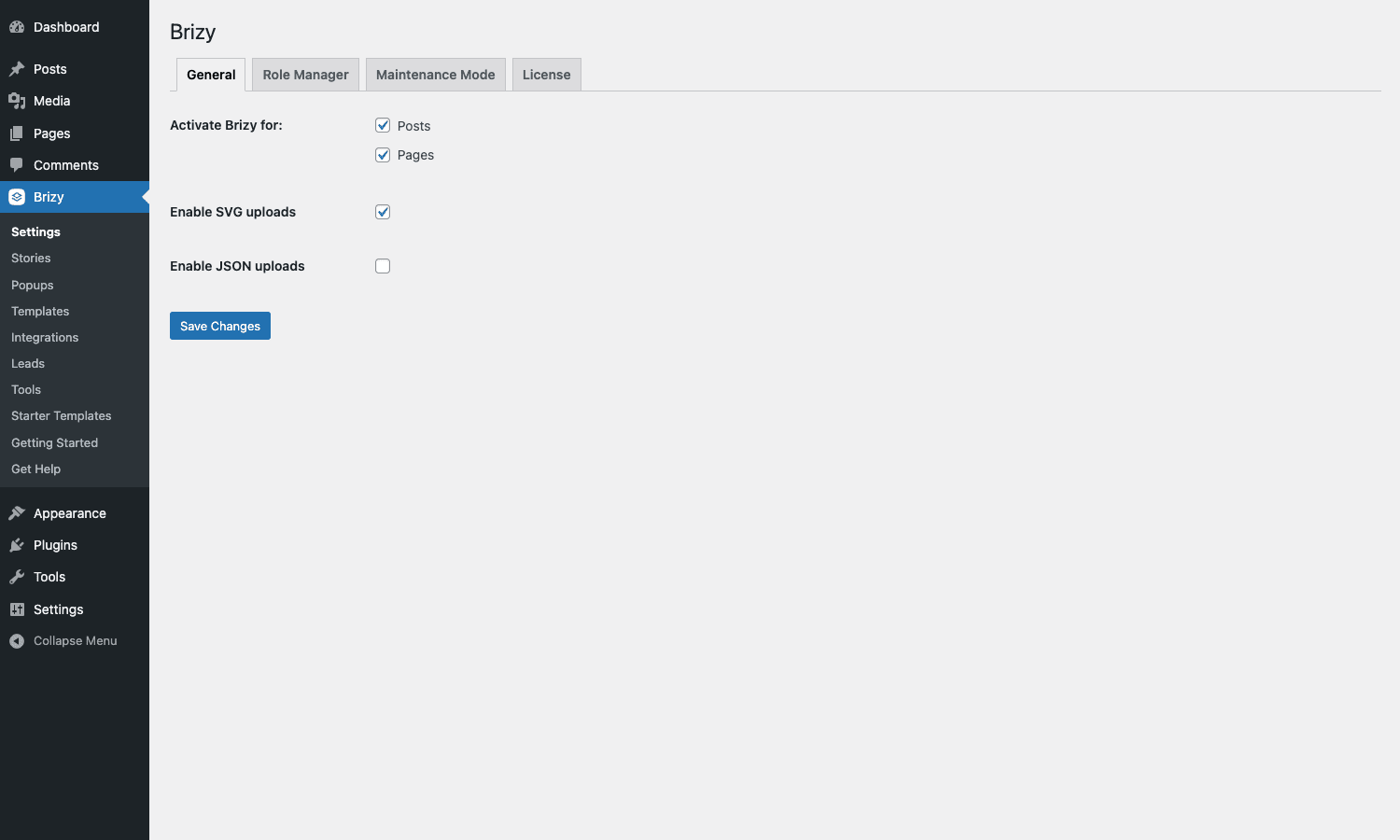
Four tabs:
- General. Which post types Brizy is active on (default: posts + pages). SVG and JSON uploads (off by default for security; turn on if you want to upload SVG icons or Lottie JSON animations into Brizy).
- Role Manager. Which WP user roles can edit with Brizy. Use this to lock down editing on a multi-author site.
- Maintenance Mode. Show a Brizy-built coming-soon page to logged-out visitors during a redesign.
- License. Activate your Brizy Pro key.
Integrations admin
Brizy -> Integrations is empty by default with a note saying "Add new accounts directly in the Brizy builder."
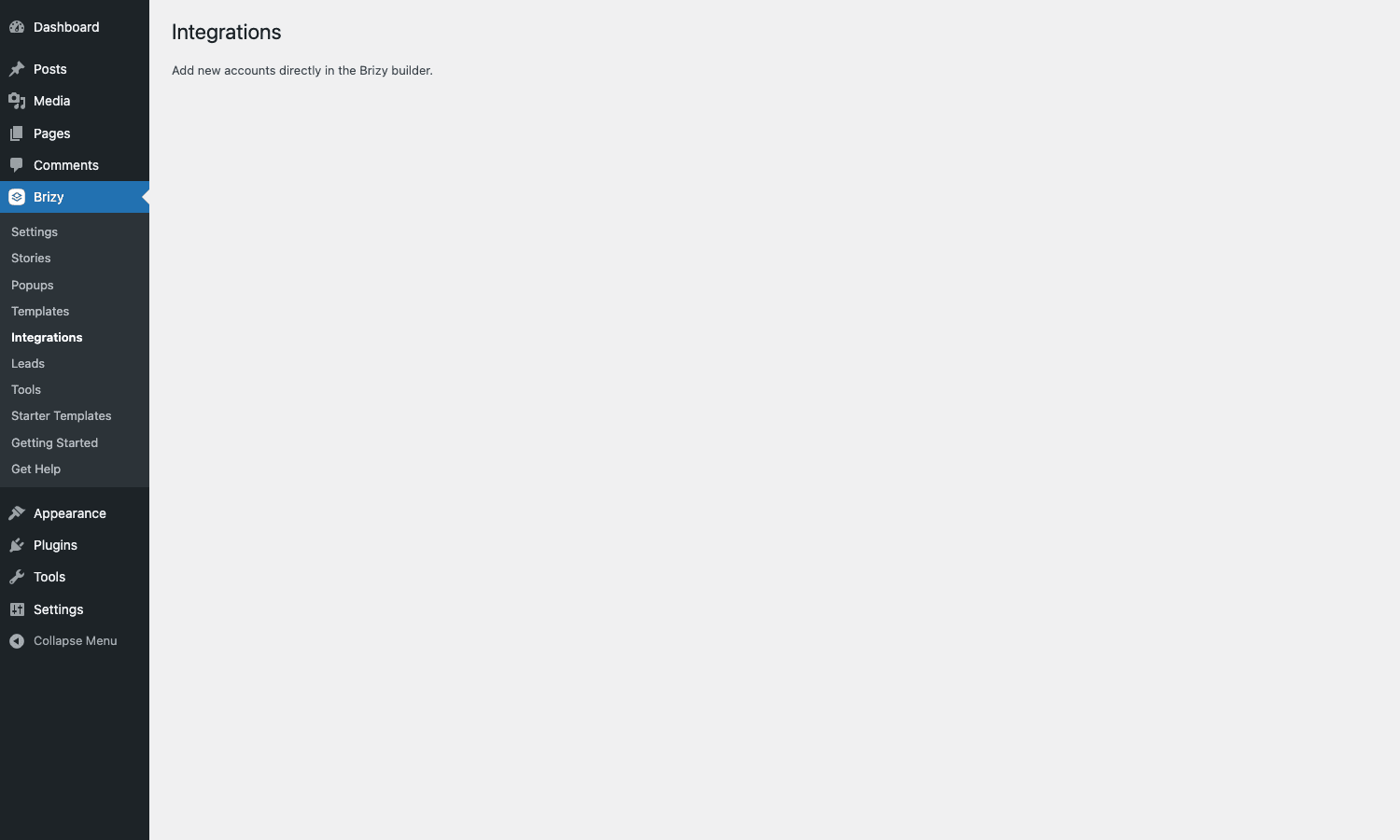
That’s slightly misleading. The Brizy admin Integrations page is where saved third-party accounts (Mailchimp API keys, ActiveCampaign tokens, etc.) appear AFTER you’ve added them inside the editor. You don’t manage them from this admin page directly; you add them inline when configuring a form.
Other admin pages
- Stories. Web Stories (AMP-style mobile slide stories). Niche but useful for visual-first content.
- Popups. A list of all popup designs you’ve created in Brizy. Each popup is its own Brizy "page" under the hood.
- Templates. Saved page templates you’ve created. Reusable across pages.
- Leads. Form submission inbox. Every form on every page lands here.
- Tools. Import/export, AI tokens, debug logs.
- Starter Templates. Cloud-hosted templates from Brizy’s library.
- Getting Started / Get Help. Documentation links.
Launching the editor for the first time
Three ways to launch Brizy on a page:
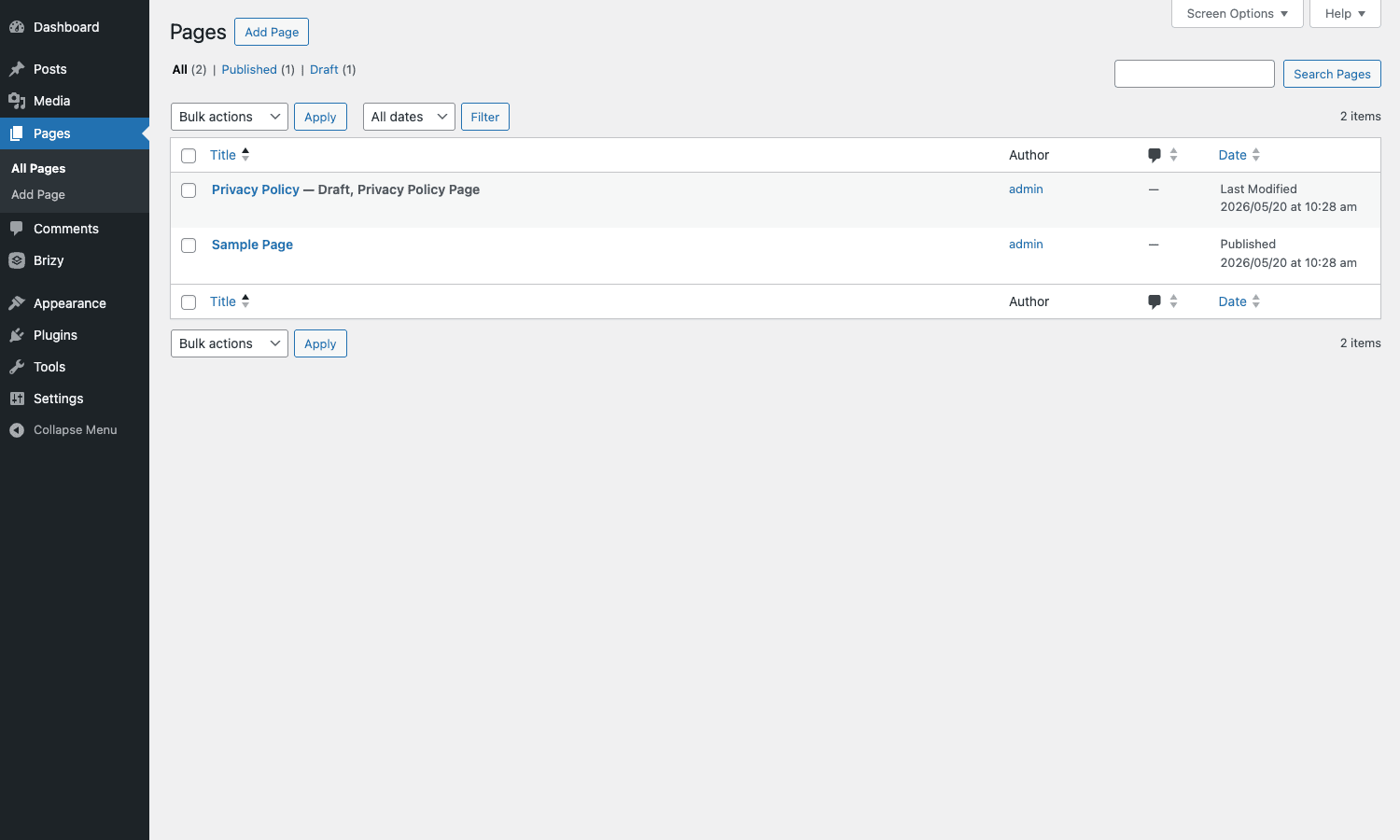
- From the page edit screen. Open
Pages -> All Pages, click a page, then click the big blue "Edit with Brizy" button at the top of the WP edit screen. - From the page list. Hover any page row in
Pages -> All Pages; you’ll see an "Edit with Brizy" row action next to Edit/Trash/Preview. - From the WP admin bar on the frontend. When viewing the published page, the admin bar adds an "Edit with Brizy" link.
After you click, the WP admin disappears and the Brizy editor loads as a full-screen React app. The URL becomes /wp-admin/post.php?action=in-front-editor&post=<id>. This is the editor.
The editor layout
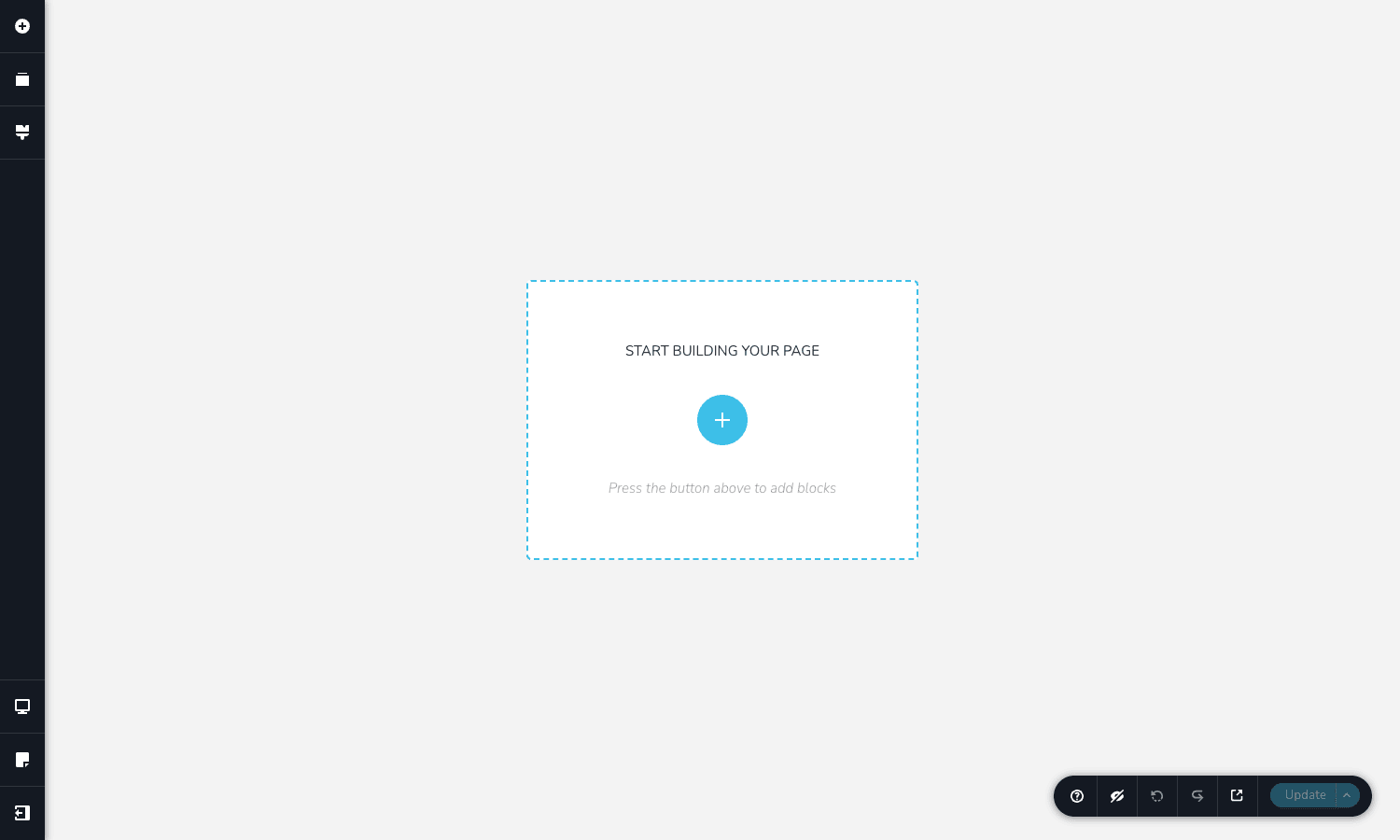
Four regions:
Left rail (the sidebar)
Three icons stacked at the top:
- + Add Element. Open the element library. Drag elements onto the canvas.
- Library / Blocks. Brizy’s pre-designed block library (full hero sections, feature grids, pricing tables, testimonial blocks).
- Layers / Outline. The page’s element tree, useful for selecting nested elements.
And at the bottom:
- Preview Device. Switch between desktop / tablet / mobile previews. Designs adapt per breakpoint.
- Page Settings. Page-level settings: title, slug, SEO meta, custom CSS.
- Exit. Save and return to the WP admin.
Center canvas
Your page renders here. Click anywhere to start editing. Click an element to see its toolbar (the floating per-element settings). Drag handles let you resize columns; click the section border to drag the whole section up or down.
Floating toolbar (top of each element)
When you click an element, a floating toolbar appears with that element’s settings: typography, color, background, border, padding, animation, custom HTML attributes. The toolbar is contextual, a Heading shows typography controls; an Image shows alt text and crop controls; a Form shows fields and integration settings.
Bottom bar
- Update. Save the page.
- Preview. Open the published-style preview in a new tab.
- Undo / Redo.
- Hide UI. Hide the editor chrome temporarily so you can see how the page looks without distractions.
- Help. Documentation.
The editor is responsive itself, it works on tablets in landscape, though you wouldn’t want to do serious editing on a touchscreen.
Building a page block by block
The basic workflow once you’re in the editor:
- Add a section. Click the central + button to open the block library, browse to a preset block, drag it in. Or start with an empty section and build from scratch.
- Drop in columns and elements. Drag a column structure (1, 2, 3, 4 columns or custom ratios) into the section. Drop heading / text / image / button elements into each column.
- Style as you go. Click each element to open its toolbar. Set fonts, colors, padding. Brizy gives you both quick presets (theme colors, defined typography styles) and pixel-level controls.
- Switch device. Toggle between desktop / tablet / mobile previews. Adjust styling per breakpoint if you need to (e.g., smaller headings on mobile).
- Update. Save.
The reason Brizy’s editor feels fast is that every operation is local, Brizy doesn’t ping the server between every keystroke the way Elementor does. The saves happen in batches when you click Update. This makes the editor genuinely snappy even on a slow connection.
Every Pro element explained
The free Brizy has ~30 elements. Brizy Pro adds these:
Layout and navigation
- Mega Menu. Multi-column dropdown menu. Each menu item can have a fully designed dropdown with images, columns, and CTA buttons. Used for navigation on e-commerce stores and large product catalogs.
- Login Form. A frontend login/register form. Useful when you don’t want to send members to the WP login screen.
Content presentation
- Tabs. Tabbed content panels.
- Accordion (advanced). Collapsible sections with custom styling per item.
- Switcher. Toggle between two states (monthly/yearly pricing, before/after, etc.).
- Carousel. Full carousel/slider with multiple slides.
- Video Playlist. Multi-video player with a playlist sidebar.
- Image Comparison. Side-by-side before/after image slider.
- Gallery (advanced). Filtered, paginated image gallery.
- Posts Loop. Custom WP_Query-driven post grid. Filter by category, tag, custom taxonomy.
Marketing-focused
- Pricing Tables. Pre-designed pricing comparison tables with feature lists and CTA buttons.
- Counter. Animated number counter (e.g., "5,000 customers", "99.9% uptime").
- Countdown. Date-based countdown timer for launches and limited offers.
- Star Rating. Display a star rating, often used with testimonials.
- Timeline. Vertical or horizontal timeline (company history, project roadmap).
- Flipbox. Card that flips to reveal back-side content on hover.
- Icon Box. Icon + heading + text combo, often used in feature grids.
Other
- Popup. Standalone popups (modal, exit-intent, scroll-triggered), see the dedicated popup section below.
- Maps with Markers. Google Maps embed with custom marker styling.
- Lottie. Lottie animation embed (vector animations as JSON).
All Pro elements respond to the same toolbar pattern as free elements: click, see contextual settings, adjust, save.
Forms and the integrations system
Forms in the free Brizy can collect submissions to your WP database (visible in Brizy -> Leads). Forms in Brizy Pro additionally:
- Send submissions to third-party services (email marketing, CRM, automation).
- Send admin and customer confirmation emails with custom HTML.
- Validate fields (required, email format, phone format, regex).
- Support reCAPTCHA, file uploads, calculated fields, phone country code selector.
Adding an integration
Inside the editor, click a form, then the "Integrations" tab in its sidebar. You’ll see a list of available services:
Mailchimp, ActiveCampaign, ConvertKit, AWeber, GetResponse, MailerLite, Hubspot, Sendinblue/Brevo, Klaviyo, SendGrid, Mailgun, Salesforce, Pipedrive, Zoho, Zapier, Slack, Trello, Google Sheets, Webhooks.
Click a service, paste your API key, pick the list/audience to send to, map form fields to that service’s fields, save. The integration is saved against your WP installation, so the same API key works across every form on the site once added.
The Leads inbox
Every form submission is also stored locally. Brizy -> Leads shows the list, filterable by form. Click any row to see the full submission. Export to CSV from the bulk-actions dropdown.
For high-volume sites, the Leads table can grow large. There’s no built-in auto-prune; you’d manually delete old submissions or write a WP-CLI cron job to do it.
Popups and exit-intent campaigns
Brizy Pro has a dedicated popup system that’s strong enough to replace a standalone popup plugin like OptinMonster.
Create a popup from Brizy -> Popups -> Add New. Each popup is a Brizy "page", same editor, same elements, same drag-and-drop. Design the popup contents like you would any page.
The popup-specific settings live in Page Settings (the sidebar gear icon):
- Trigger. When to show: on page load (with optional delay), on scroll (after % of page), on exit-intent (mouse leaves viewport), on element click, on inactivity (after N seconds idle).
- Frequency. Show once per session, once per visitor (cookie-based), every visit, every N days.
- Targeting. Show on specific pages (by URL, page type, post category, login state).
- Animation. Fade, slide, zoom on open and close.
- Mobile behavior. Show on mobile, show only on mobile, or hide on mobile.
Once configured, the popup is registered globally. You don’t have to add it to every page, it appears automatically based on your trigger and targeting rules.
For lead capture, popups can include a Brizy form with integrations, so the popup-to-Mailchimp flow is built-in.
Mega menus and the header builder
The Mega Menu element is Brizy’s answer to multi-column navigation. Instead of WordPress’s default text-only dropdowns, you can build a full sub-layout inside each top-level menu item.
Common use cases:
- E-commerce. Hover "Products" and see a 4-column dropdown with images for each category.
- SaaS. Hover "Solutions" and see a "By Industry" column + "By Use Case" column + featured-content section.
- Agency. Hover "Services" and see icons + descriptions for each service offering.
You build the mega menu inside the Brizy editor. Once saved as a template, you assign it to a WP menu location. The free Brizy doesn’t have this, it’s Pro-only.
Header & Footer builder
Brizy -> Templates -> Add New -> Header (or Footer). Design your site header/footer as a Brizy template. Once saved, Brizy replaces your theme’s header/footer with the Brizy version on every page.
This effectively turns Brizy into a full theme builder. You can ship a Brizy header, Brizy footer, Brizy-built pages, and Brizy popups, and the underlying WP theme becomes irrelevant (a barebones theme like the default twenty-* themes works fine).
Templates, global blocks, and saved blocks
Three concepts that sound similar but do different things.
Templates
A full page layout you can reuse. Save a finished design as a template (Page Settings -> Save as Template) and apply it to new pages later. Useful for "every product page looks like this" patterns.
Global blocks
A block that exists in one place but appears on many pages. Edit the global block, and every page that uses it updates. Essential for site-wide CTAs, footer notice bars, and announcement banners, change the copy once, deploy everywhere.
Saved blocks
A block design you can drop into pages, but each instance is independent. Edit one instance, others don’t change. Useful for "I want to start from this design but customize per page."
The mental model: Templates are page-level, global blocks are universal, saved blocks are starter snippets.
Posts loop and dynamic content
The Posts Loop element (Pro) is a Brizy-styled custom WP_Query renderer. Use it to:
- Show a custom blog grid on the homepage (latest 6 posts, filtered to a specific category).
- Show related products under a single product (filtered by category match).
- Show team member cards from a custom post type.
Inside the Posts Loop, you design a single "card" using normal Brizy elements (image, heading, excerpt, button, custom field). Brizy then repeats that card for every post returned by the query.
Field merge tags (Pro) reference dynamic content inside any element:
{{post_title}}
{{post_excerpt}}
{{acf:hero_subtitle}}
{{post_meta:_price}}
{{user_display_name}}
{{site_name}}
These render as the post’s actual value at frontend time. Useful for templated pages where the layout is fixed but content varies.
White-labeling for agencies
For agencies handing finished sites to clients, the white-label feature replaces every visible Brizy reference with your branding.
Brizy -> Settings -> White Label:
- Editor name. "Page Builder" instead of "Brizy."
- Plugin name. What appears in
Plugins -> Installed Plugins. - Brand colors. Editor UI accent color (replaces Brizy blue).
- Logo. Replace the Brizy logo in the editor with yours.
- Documentation URL. Help links point to your docs instead of Brizy’s.
Clients log into WP, see "Page Builder" in the sidebar, and never know they’re using Brizy. For agency contracts where the deliverable is "a custom-built site" rather than "a Brizy site," this is genuinely useful.
Developer reference
The hook surface is smaller than Elementor’s but covers the cases that come up most often.
Customize white-label strings
brizy_wl_value overrides any white-label string at runtime. Useful for multi-site setups where each client needs their own branding.
add_filter( 'brizy_wl_value', function( $args ) {
 $key = $args['key']?? '';
 $default = $args['default']?? '';
 if ( $key === 'plugin_name' && is_admin() ) {
 return get_option( 'mytheme_builder_name', $default );
 }
 return $default;
} );
Register a custom form integration
brizy_create_integration lets you inject a custom form integration alongside Brizy’s built-in ones. Useful if you have an in-house CRM or a service Brizy doesn’t natively support.
add_filter( 'brizy_create_integration', function( $integration, $form ) {
 if ( $integration === null ) {
 require_once get_template_directory(). '/inc/my-crm-integration.php';
 return new My_Crm_Integration( $form );
 }
 return $integration;
}, 10, 2 );
Add custom merge tags to forms
brizy_form_placeholders registers custom merge tags usable in form emails and webhooks.
add_filter( 'brizy_form_placeholders', function( $placeholders, $fields, $form ) {
 $placeholders['site_signup_date'] = get_option( 'mytheme_signup_date' );
 $placeholders['user_segment'] = current_user_can( 'manage_options' )? 'admin' : 'visitor';
 return $placeholders;
}, 10, 3 );
Modify Posts Loop query args
brizy_post_loop_args filters the WP_Query args used by the Posts Loop element. Useful when you need a custom join, a query against an unindexed meta key, or a special order.
add_filter( 'brizy_post_loop_args', function( $params ) {
 if (! empty( $params['post_type'] ) && $params['post_type'] === 'product' ) {
 // Force in-stock products only
 $params['meta_query'] = [
 [
 'key' => '_stock_status',
 'value' => 'instock',
 ],
 ];
 }
 return $params;
} );
Customize the post excerpt
brizy_dc_excerpt filters the excerpt used by Brizy’s dynamic content placeholders. Use it for length overrides or HTML stripping rules that differ from your theme’s defaults.
add_filter( 'brizy_dc_excerpt', function( $excerpt ) {
 return wp_trim_words( $excerpt, 30, '…' );
} );
Listen for global data changes
brizy_global_data_updated fires when Brizy’s site-wide settings (global styles, header/footer assignments) change. Use it to bust caches if you use a custom caching layer.
add_action( 'brizy_global_data_updated', function() {
 if ( function_exists( 'rocket_clean_domain' ) ) {
 rocket_clean_domain();
 }
} );
Toggle SSL verification
brizy_api_request_verify_ssl controls SSL verification on outbound Brizy API calls. Default is true. Override only if you’re behind a corporate proxy with a self-signed cert and have no other choice.
Performance and SEO
Brizy’s rendered HTML is plain, no shortcodes, no nested div soup beyond what the design requires. Lighthouse scores on simple Brizy pages are usually 90+ on desktop and 75-85 on mobile, comparable to Astra or GeneratePress with no builder.
Asset loading
The Brizy frontend CSS is generated per-page (only the elements used on that page load styles). The plugin emits a per-page CSS file in /wp-content/uploads/brizy/css/. This keeps CSS payloads small but creates many small files; if you serve via CDN, make sure your CDN follows the /uploads/brizy/ path.
JS is similar, per-element JS modules load on demand. The total JS payload on a typical landing page is around 100-150KB compressed.
Cache plugin compatibility
Brizy works with all major cache plugins. Two notes:
- WP Rocket JS combine. Don’t combine Brizy’s editor JS, it breaks editing. The frontend JS is fine to combine.
- Page cache. Brizy uses the
brizy_global_data_updatedhook to signal cache plugins. WP Rocket reads this automatically. For custom caches, hook into it as shown above.
SEO compatibility
Because the output is plain HTML, every SEO plugin works: Yoast, Rank Math, All in One SEO all parse Brizy content like any other content. Schema markup from any of these plugins applies normally.
For Brizy-specific schema (FAQ schema on the Accordion element, Product schema on Pricing Tables), check the element’s settings, some have a "Schema" toggle that emits JSON-LD inline.
Common gotchas
Five things that catch users out.
Editor needs both plugins active
Brizy Pro on its own does nothing. The free Brizy must also be active. If you deactivate the free plugin, the Pro plugin shows a notice and stays inactive.
Page becomes "Brizy-edited"
Once you’ve edited a page with Brizy, going back to the Gutenberg/Classic editor doesn’t show your design. The Brizy data is stored in post meta, not post_content. To recover the design, click "Edit with Brizy" again.
You can revert a page to Gutenberg/Classic via Brizy -> Tools (it strips the Brizy data and restores the original post_content). Once reverted, the Brizy design is gone unless you have a backup.
Custom CSS conflicts
Brizy emits aggressive CSS resets (margin: 0, box-sizing: border-box) on its rendered content. If your theme has global styles that target generic selectors (h1, p, ul), they may conflict with Brizy’s output. The fix is usually scoping your theme’s styles to body:not(.brizy-page) or wrapping them in a more-specific selector.
Form file uploads need permissions
Forms with file upload fields write to /wp-content/uploads/brizy/forms/. The upload directory needs to be writable by PHP. If form submissions fail with "could not upload file," check the directory permissions.
Theme builder vs theme
Brizy Pro’s header/footer builder REPLACES the theme’s header/footer. If you use a theme like Astra or GeneratePress with its own customizer-based header/footer, both will fight for control. Pick one, either disable the theme’s header in Appearance -> Customize or don’t use Brizy’s header builder. Running both produces unpredictable output.
Pricing
The free Brizy plugin is fully free on WordPress.org with no transaction limits or feature gates beyond the Pro-only elements.
Brizy Pro is sold by Brizy.io at a starting price around $69/year for a single site, with multi-site plans available. They also offer a lifetime license at a higher tier.
No subscription, no renewal. Plugin updates work via the standard WP updater after manual activation, or by re-downloading from the GPL Times product page.
Brizy Cloud (the separate SaaS product) is priced separately at brizy.io/cloud and not relevant to this walkthrough.
FAQ
Can I switch from Elementor to Brizy without losing my designs?
Not automatically. There’s no one-click migration tool. Elementor stores its data in post meta as JSON; Brizy uses a different format. The standard migration path is: take screenshots of your Elementor pages, deactivate Elementor, install Brizy, rebuild each page in Brizy’s editor. Time-consuming but cleaner than any auto-conversion attempt.
Does Brizy support WooCommerce?
Yes, with some limits. The free Brizy has a basic Woo Product element. Brizy Pro adds more Woo elements (Add to Cart button, Product Gallery, Product Title, Product Price). For full Woo-aware page building (single product templates, checkout customization, my-account layouts), Brizy is weaker than Elementor Pro or Bricks. If you build heavy Woo stores, consider running Brizy alongside Flatsome for the Woo pages and Brizy for landing pages.
Can I edit posts (blog articles) with Brizy?
Yes. By default Brizy is enabled for both posts and pages (toggle in Settings). You can switch a post to Brizy editing the same way you would a page. Most users only use Brizy for landing pages and stick with Gutenberg for regular blog posts.
Does Brizy work with the block editor (Gutenberg)?
Not in the same editing session. A page is either a Brizy page or a Gutenberg page. You can switch back and forth via Brizy -> Tools, but you can’t have both at once on the same page. Mixed-builder sites are common, though, some pages are Brizy, others are Gutenberg, and they coexist fine.
Can I export a Brizy page as a standalone HTML file?
Not as static HTML. The page is part of WordPress and depends on Brizy’s runtime CSS and JS. For static export, you’d use a WP-to-static converter like Simply Static on top of your Brizy-built site.
Is the editor fast on slow connections?
The initial load is heavy (~3-5 seconds on a normal connection, longer on slow). Once loaded, the editor is local, operations don’t ping the server. So mid-session it’s fast even on a poor connection. Saves are queued locally and pushed in batches when you click Update.
Does Brizy support multilingual sites?
Yes. Brizy works with WPML, Polylang, and TranslatePress. Each translation of a page is a separate post in WP, and each can be edited in Brizy independently. WPML String Translation also picks up Brizy form labels and button text for translation.
What happens if I deactivate Brizy entirely?
The pages still exist in WordPress, but their rendered output goes blank (Brizy’s CSS/JS isn’t loaded to render them). The actual page data is preserved in post meta, so reactivating restores everything. Just don’t delete the plugin’s data on uninstall if you want recoverability.
Can I move a Brizy site to another domain?
Yes. Standard WordPress migration tools (All-in-One WP Migration, Duplicator, UpdraftPlus, WP All Import) handle Brizy data correctly. The one extra step is a search-replace on the database to fix Brizy-stored absolute URLs after the migration.
Is the AI page generator any good?
Mixed results. The AI generates a reasonable layout from a prompt (hero + features + CTA + footer is typical), but the design quality varies. It’s a starting point that saves five minutes of "where do I begin" friction, not a finished page generator. Expect to tweak the result.
Can I build email templates with Brizy?
No. Brizy is for web pages. For email templates, use a dedicated email builder (the WP-based FluentCRM or MailPoet, or a SaaS like Stripo).
Does Brizy work with the block-based / FSE themes?
Yes. Brizy doesn’t depend on the theme; it injects its own layout. Block themes work fine as long as you allow third-party plugins to override their template hierarchy (which is the default).
What about page transitions and scroll animations?
Brizy supports element-level entrance animations (fade in, slide in, etc.) triggered on scroll. For full-page transitions (page-to-page animated transitions like Brizy Cloud does), you’d need a third-party plugin or custom JS.
Can I customize the editor itself?
Limited. The editor is a React app shipped by Brizy. You can change colors via white-label settings, but you can’t add custom panels or custom elements to the editor UI without forking Brizy. The PHP filters above customize behavior; they don’t customize the editor UI.
Are there starter templates I can use as a base?
Yes. Brizy -> Starter Templates (Pro) connects to Brizy’s cloud-hosted template library, over 150 full-page templates and 500+ blocks across categories (SaaS, agency, restaurant, e-commerce, portfolio, blog). Import a template into your site and start editing.
Does Brizy support custom fonts?
Yes. Brizy -> Settings -> Fonts (inside the editor’s Global Settings) lets you upload custom font files (WOFF, WOFF2) or pull from Google Fonts. The font becomes available across every page.
Can I share a page design with another Brizy site?
Yes. Export a page or template from one site as a JSON file (Page Settings -> Export), then import on the other site. Useful for agencies that build a starter design once and deploy to many client sites.
Final thoughts
Brizy Pro is the underdog of WordPress page builders, and the strongest argument for using it is the editor itself. It loads fast. The drag-and-drop is responsive. The output is portable. You don’t fight the tool, you mouse pieces into place and the page comes together.
The weakness is the community. Elementor has ten times more YouTube tutorials, ten times more third-party addon ecosystem, ten times more Stack Overflow answers. If you’re someone who Googles "how do I do X in [builder]" and expects a tutorial in the first three results, Brizy will frustrate you. If you’re someone who reads the docs once and figures it out from there, Brizy will feel cleaner than the alternatives.
The combination of free Brizy plus Brizy Pro covers nearly every page-building use case a marketing or agency site has. Popups replace OptinMonster. Forms-with-integrations replace your form-plus-Zapier wiring. The header/footer builder replaces a separate theme builder. White-labeling makes it agency-ready. The Posts Loop covers dynamic blog grids.
If you’ve never tried Brizy because Elementor was the obvious default, give the free version an afternoon. If you like the editor feel, the Pro upgrade is a defensible investment.
Grab Brizy Pro from GPL Times, install it alongside the free Brizy, and your first landing page should be live within an hour.