

Most WordPress form plugins do one thing well. Gravity Forms is excellent at forms. WPForms is excellent at forms. Fluent Forms is excellent at forms. Notice the pattern? Forminator Pro from WPMU DEV took a different approach: instead of doing forms better, it added polls, quizzes, and calculators alongside forms under one admin UI. If your site needs more than a contact form, this is the plugin that prevents you from installing four different plugins.
This review walks through what Forminator Pro actually does, who it’s right for, how to build each of the four core modules (forms, polls, quizzes, calculators), the integrations that ship out of the box, the developer hook surface, and the gotchas to know before you launch.
Table of contents
- What Forminator Pro actually is
- Free Forminator versus Forminator Pro
- Forminator vs Gravity Forms vs WPForms vs Fluent Forms
- Who Forminator is the right pick for
- Installation and first launch
- The Forminator dashboard
- Building your first form
- Field types, the full list
- Building a poll
- Building a quiz
- The calculator field, explained
- Accepting payments with Stripe and PayPal
- Templates and reusing forms
- Integrations, all of them
- Submissions, reports, and exports
- Developer reference
- Performance, security, and gotchas
- Pricing
- FAQ
- Final thoughts
What Forminator Pro actually is
Forminator is a "form-and-more" plugin. Activate it and you get four content types under one menu:
- Forms. Traditional contact, quote, registration, application, and payment forms.
- Polls. Single or multi-question polls with public results and chart rendering.
- Quizzes. Two flavors: "knowledge" quizzes (scored, with correct answers) and "no-wrong-answer" quizzes (the BuzzFeed-style "Which X are you?" personality test).
- Calculators. A full math expression engine bolted onto form fields. Build pricing calculators, BMI calculators, mortgage calculators, ROI tools.
The four modules share a drag-and-drop builder, the same submission inbox, the same integrations, and the same look-and-feel. You don’t need separate plugins for each, and you don’t need to learn four UIs.
Forminator is built by WPMU DEV (the company behind Defender, Smush, Hummingbird, SmartCrawl). It’s been around for years, is GPL-licensed, and the WordPress.org free version is genuinely capable on its own. The Pro tier adds payment subscriptions, PDF generation, e-signatures, conditional logic on form actions, and the WPMU DEV Hub cloud features.
Free Forminator versus Forminator Pro
The free Forminator (on WordPress.org) is more generous than most freemium form plugins. Here’s what each tier gives you.
Free version
- Unlimited forms, polls, quizzes, calculators
- All field types except the Pro-only fields (signature, Stripe Subscription)
- Stripe one-time payments (yes, Stripe in the free version)
- All the major integrations (Mailchimp, ActiveCampaign, ConvertKit, Zapier, Slack, Webhooks, Google Sheets, etc.)
- Templates library (preset templates)
- Submissions inbox with CSV export
- Conditional logic on fields (show/hide fields based on other answers)
- Email notifications, file uploads, captcha
- Honeypot + Google reCAPTCHA + hCaptcha spam protection
Pro version adds
- PayPal payments. Free has Stripe; Pro adds PayPal as a second gateway.
- Stripe Subscription field. Recurring billing inside a form (essential for subscription products).
- PDF generation. Auto-generate a PDF from each submission. Email it to the customer. Use it as a receipt or order confirmation.
- E-signature field. Customer signs with finger/mouse, signature is saved and embedded in the submission record.
- Conditional logic on actions. Free has conditional fields; Pro extends conditionals to email notifications, integrations, and post-submit redirects. ("If user picked ‘Enterprise’ tier, send to enterprise@example.com; if ‘Free’ tier, send to onboarding@example.com.")
- Role-based form access. Restrict who can fill out which forms based on user role.
- Schedule notifications. Delayed emails (send 24 hours after submit).
- The Hub integration. Save forms as templates to the WPMU DEV Hub cloud, reuse them across multiple sites.
- White-labeling. Strip WPMU DEV branding for client work.
The free version covers basic-to-mid sites without compromise. Pro is for stores selling subscriptions, agencies managing multiple client sites, or anyone needing legal-grade signature collection.
Forminator vs Gravity Forms vs WPForms vs Fluent Forms
The honest comparison. (We already cover each individually elsewhere on the blog.)
Forminator
- Pros. Bundles forms + polls + quizzes + calculators (unique). Free tier is the most generous. Stripe payments in the free tier. Clean modern UI.
- Cons. Smaller third-party ecosystem (fewer integrations than Gravity). Conditional logic and calculator UI are powerful but have a learning curve.
Gravity Forms
- Pros. The most-trusted enterprise form plugin. Huge ecosystem of third-party add-ons. Mature, battle-tested.
- Cons. No free tier. UI feels dated in places. No native poll/quiz modules.
WPForms
- Pros. Cleanest builder UX of any form plugin. Excellent templates library. Lots of marketing-team-friendly features.
- Cons. Locked-down. Lots of features paywall’d to higher tiers. Limited extensibility compared to Gravity.
Fluent Forms
- Pros. Lightweight, fast loading. Reasonable price. Good conversational form mode.
- Cons. Smaller community. No native poll/quiz modules.
If you only need forms, Gravity or WPForms have more polish. If you need forms plus other interactive content (polls, quizzes, calculators), Forminator is the obvious choice because the alternative is buying separate plugins for each.
Who Forminator is the right pick for
The audience splits roughly into four groups.
Marketers running lead-gen + quizzes
The "personality quiz that gathers an email address" funnel is a powerful lead magnet. Forminator’s quiz module + integrated Mailchimp/Klaviyo/ConvertKit means you can build the whole thing in one plugin, no Typeform or LeadQuizzes subscription required.
SaaS / service businesses with pricing calculators
If your pricing depends on inputs (number of users, GB of storage, hours of consulting), a calculator is more effective than a static price grid. Forminator’s calculator field handles this natively. No need for separate ConvertCalculator or Outgrow subscriptions.
Bloggers wanting reader polls
The old WP Polls plugin abandoned years ago. Forminator’s poll module is the obvious replacement: branded charts, vote-once enforcement, public results, easy embedding.
Anyone who hates installing four plugins
Pragmatic site owners who want forms but might also want a quiz or a poll someday. Buy/install Forminator once, the other features are there when you need them. Versus committing to a specific form plugin and then needing to add three more later.
Installation and first launch
Standard WordPress plugin install.
Plugins -> Add New -> Upload Plugin -> Install Now -> Activate. Once active, a "Forminator Pro" menu appears in the WP admin sidebar with submenu entries for Dashboard, Forms, Polls, Quizzes, Templates, Submissions, Integrations, Reports, Settings, and Add-ons.
There’s no setup wizard to walk through. No required onboarding modal. Activation is the entire setup. You’re ready to build your first form immediately.
The Forminator dashboard
Forminator Pro -> Dashboard is your home base. It’s a clean welcome screen with two main calls to action: "Start from scratch" and pick from preset templates.
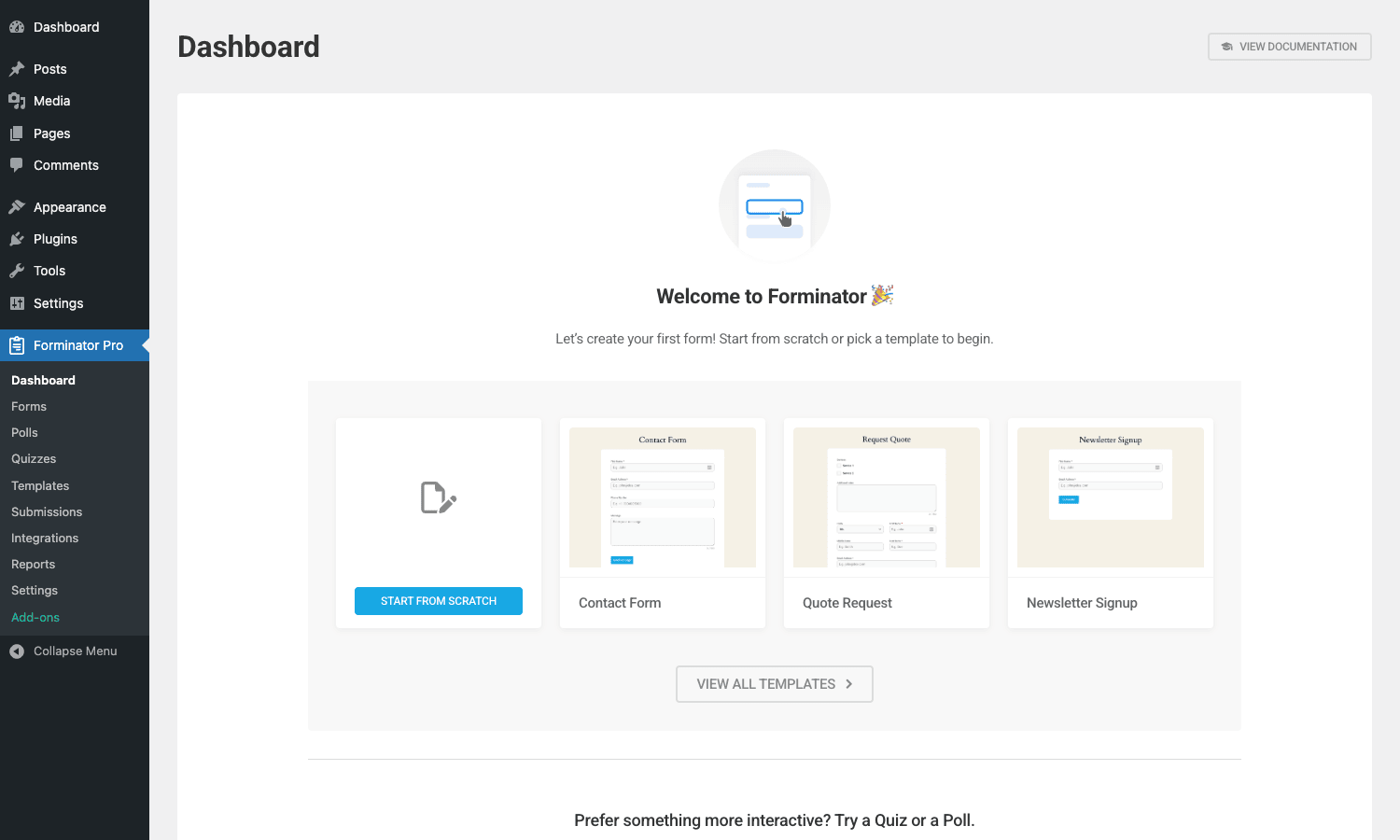
Three template thumbnails are pinned for the most common starting points: Contact Form, Quote Request, and Newsletter Signup. Click any of them to start a new form pre-populated with the right fields. Below the fold, there’s a "Prefer something more interactive? Try a Quiz or a Poll" callout that points you to the other two modules.
Once you’ve built a few forms, this dashboard becomes more interesting. It shows recent submissions, top-performing forms, and traffic to your form pages. For a fresh install it just nudges you toward creating the first form.
Building your first form
Click "Start from scratch" or pick a template. You land in the form builder.
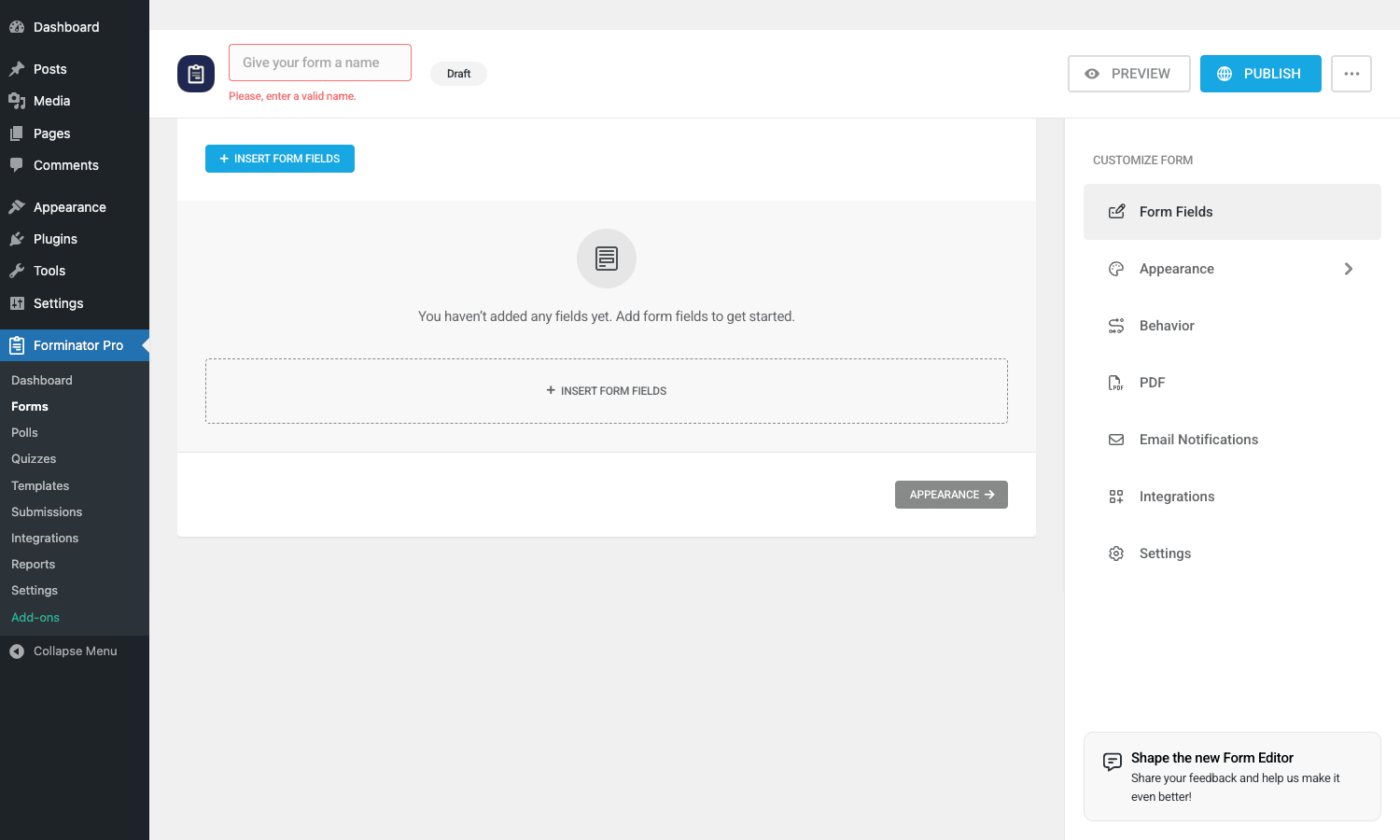
The layout is a center canvas (your form preview) and a right sidebar (the form configuration). Insert form fields with the blue "Insert Form Fields" button; the field picker opens with categorized options (Standard, Content, Date, Choice, Layout, Multi-page, Payments, etc.).
Drag fields onto the canvas, edit each field inline (label, placeholder, required, validation), and use the sidebar tabs to configure:
- Form Fields. What we just covered.
- Appearance. Theme (Default, Bootstrap, Material, None, Custom), accent color, button text, button position.
- Behavior. Submission behavior (show message, redirect to URL, hide form, AJAX vs page reload), autofill behavior, validation timing.
- PDF (Pro). Auto-generate a PDF on submit. Pick a template, map form fields to PDF positions.
- Email Notifications. Admin notification email, user confirmation email. Conditional logic on which emails fire (Pro).
- Integrations. Connect to Mailchimp, Slack, Zapier, Google Sheets, etc.
- Settings. Form name (internal), capacity, expiration date, role restrictions (Pro), unique submissions per user.
Save the form and Forminator gives you a shortcode like [forminator_form id="123"] to paste anywhere on the site. Also generates a block for the block editor (search for "Forminator" in the block inserter).
Field types, the full list
Forminator has the largest field type catalog of any WordPress form plugin. Here’s everything that ships.
Standard fields
- Single-line text
- Paragraph text
- Phone
- URL
- Number
- Date
- Time
- Name (multi-part with first/last/middle/prefix/suffix)
- Address (multi-line with street/city/state/zip/country)
- Password
- Hidden field
Choice fields
- Radio buttons
- Checkboxes
- Select (single dropdown)
- Select (multi)
- Country selector (with flag icons)
- Currency selector
- Rating (1-5 stars)
- Slider
Content fields
- HTML block (insert custom HTML)
- Section header
- Page break (for multi-page forms)
Upload fields
- File upload (single or multiple, with type/size restrictions)
- Signature (Pro – mouse/finger drawn signature)
Behavior fields
- Captcha (Google reCAPTCHA v2/v3, hCaptcha)
- GDPR consent checkbox
- Honeypot (invisible bot trap)
Special fields
- Post data (creates a WP post from the submission)
- User registration (creates a WP user)
- Login (login form, useful for membership sites)
- Calculations (the math engine, see below)
Payment fields
- Stripe (one-time payment, free version)
- Stripe Subscription (recurring billing, Pro)
- PayPal (one-time payment, Pro)
That’s roughly 25 distinct field types. For comparison, the average form plugin ships 12-15.
Building a poll
Forminator Pro -> Polls -> Add New. The poll builder is simpler than the form builder because polls are inherently simpler.
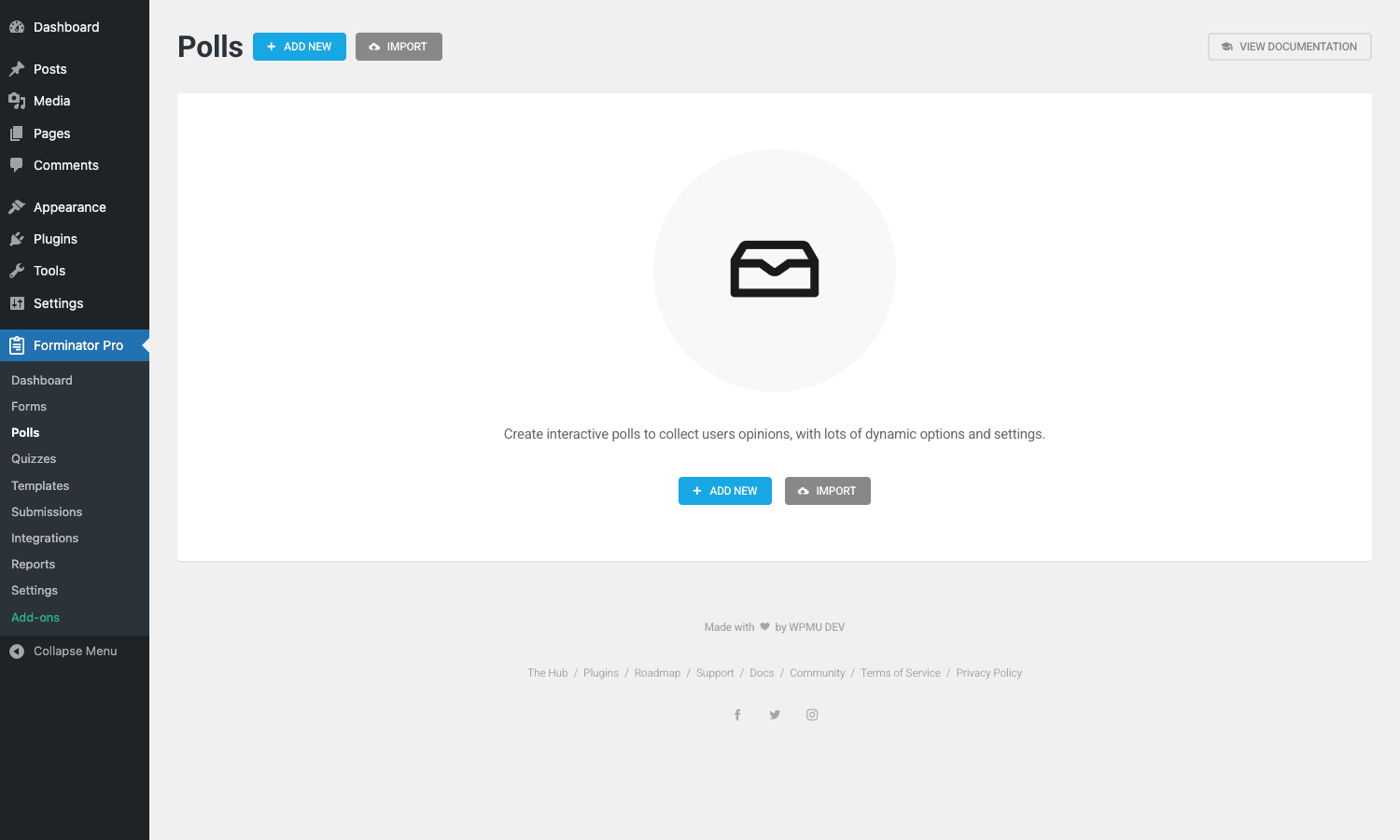
You configure:
- Question. The poll question.
- Answers. Each answer is a text label (with optional image).
- Behavior. Show results immediately, show after voting, show on a results page, never show.
- Anti-cheating. Vote once per user (by user ID, IP, cookie, or browser fingerprint).
- Appearance. Theme, chart type (bar, pie, donut, none), animation.
Embed with [forminator_poll id="N"] or the Gutenberg block. Visitors vote, see results (or not, depending on config), and the chart updates live.
Poll-specific features:
- Multi-question polls. A single poll can have multiple questions in sequence.
- Anonymous voting. No login required (default), but you can require login for higher-trust polls.
- Image polls. Each answer can have an image. Useful for "which design do you prefer" polls.
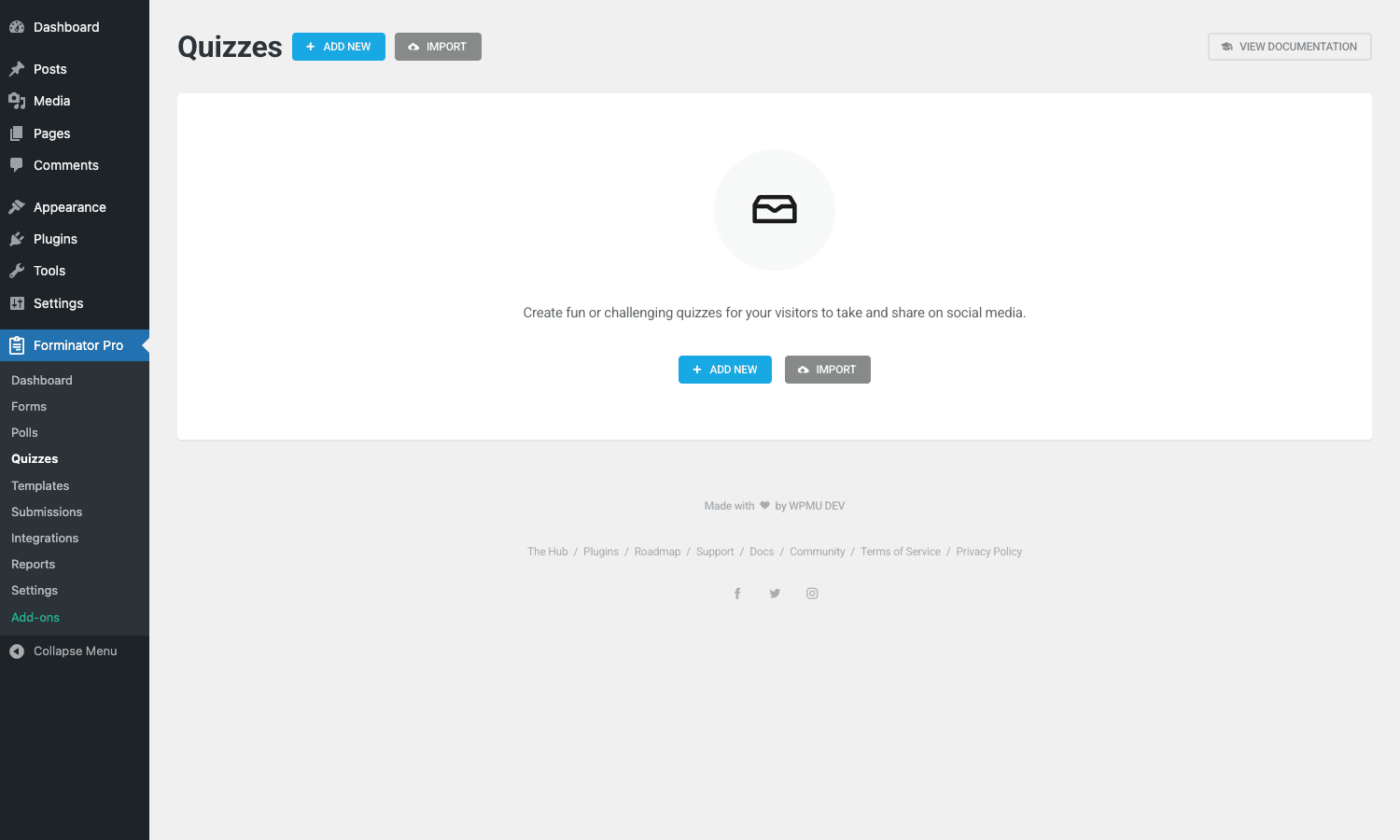
Building a quiz
Forminator Pro -> Quizzes -> Add New. Pick a quiz type at the start:
- Knowledge. Scored quiz with right/wrong answers. The end-result is a score (15/20, "Great job!") or a letter grade.
- No-wrong-answer. Personality-style quiz where each answer maps to a result. The end-result is one of several pre-written outcomes ("You are an Introvert!").
The builder is question-by-question. For knowledge quizzes, mark which answer is correct. For no-wrong-answer quizzes, map each answer to a result tag (A, B, C, D), then define what each tag means at the end.
Quiz-specific options:
- Auto-grading. Knowledge quizzes score themselves.
- Result-based redirects. Each quiz result can redirect to a different URL ("You scored 90%+ – check out our advanced course").
- Lead capture. Quiz can require an email before showing the result (essential for the personality-quiz lead-gen pattern).
- Social sharing. Each result has its own shareable image and OG metadata.
- Question randomization. Show questions in random order.
The personality quiz is the killer feature here. Building "Which WordPress theme is right for you?" or "What’s your ideal SaaS pricing model?" used to require Typeform ($25-$50/month) or LeadQuizzes ($75/month). Forminator does it for free.
The calculator field, explained
This is the feature most other form plugins don’t have. The calculator field lets you reference values from other fields and run math expressions on them.
Use cases:
- Pricing calculator. "Number of users" × "per-user price" + "setup fee" = "total cost"
- BMI calculator. weight / (height/100)^2
- Mortgage calculator. Loan amount × monthly rate × payments / (payments – 1)
- ROI calculator. (revenue – cost) / cost × 100
- Service quote estimator. Square footage × cost-per-foot + materials
The calculator engine has a tokenizer, parser, and symbol registry (you can see the architecture in the source code). It supports arithmetic operators, comparison operators, parentheses, function calls (sqrt, abs, ceil, floor, round, min, max), and references to other field values via their merge tags.
Example: a form with a number field "users" and a number field "months", plus a calculation field with the formula:
{users-1} * 12 * {months-2} * 0.9
This calculates: number of users × $12/month × number of months × 10% discount. The result updates live as the user types in either input.
Calculation fields can be hidden or visible. Common pattern: have several intermediate hidden calculations feeding a single visible "Total" field that the user sees.
Edge cases to know:
- Format the output. Use a currency display ($1,234.56) by configuring the field’s format in its settings.
- Conditional calculation. Combine with conditional logic to skip certain factors if the user picks "no tax" (e.g., business customers).
- Minimum/maximum guardrails. Set bounds on input fields so calculations can’t return nonsense.
Accepting payments with Stripe and PayPal
Free Forminator includes Stripe one-time payments. Pro adds PayPal and Stripe Subscriptions.
Stripe one-time
Add a Stripe field to your form. Configure the amount (fixed or dynamic, via a calculation field or a select). Add your Stripe publishable + secret keys in Forminator Pro -> Settings -> Payments.
On submit, Forminator creates a Stripe charge via the Stripe API. Successful charge marks the submission as paid; failed charge marks it as failed.
For deeper Stripe integration (full Stripe Elements UI, 3D Secure handling, saved cards), pair Forminator with the WooCommerce Stripe Payment Gateway and route purchases through Woo instead. Forminator’s Stripe is for simple one-form, one-payment scenarios; complex e-commerce needs a real cart.
Stripe Subscriptions (Pro)
The Stripe Subscription field creates a recurring billing subscription. The user submits the form; Forminator creates a Stripe subscription tied to a Stripe Customer record; subsequent renewals happen on Stripe’s side automatically.
You configure: billing interval (monthly, yearly, custom), trial period, plan ID (the Stripe Price ID), and what to do on failed renewal.
PayPal (Pro)
Add a PayPal field to your form. Configure the amount, link to your PayPal merchant ID. On submit, Forminator redirects to PayPal’s hosted checkout, the user pays, PayPal sends a webhook back, the submission is marked paid.
Templates and reusing forms
Forminator Pro -> Templates is a library of preset forms organized by category.
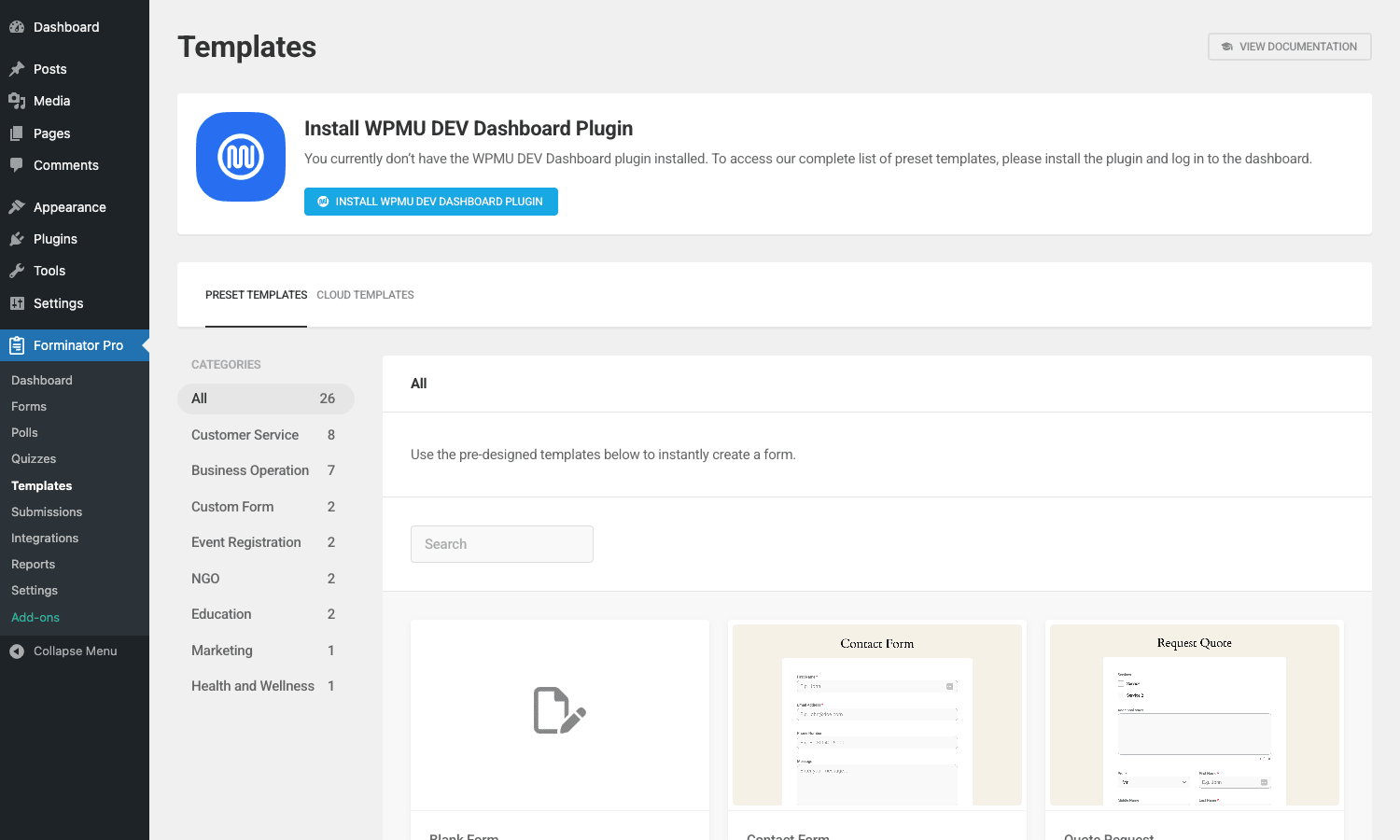
Categories include Customer Service, Business Operation, Custom Form, Event Registration, NGO, Education, Marketing, Health and Wellness. Each category has multiple preset forms ready to drop into your site and customize.
Free templates have basic forms. The Cloud Templates tab (Pro, requires WPMU DEV Hub connection) gives access to community templates that other Forminator users have shared.
The "Save form as template" button on any custom form (Pro) lets you create reusable templates of your own. Useful for agencies that build similar forms across many client sites.
Integrations, all of them
Forminator Pro -> Integrations -> Applications shows every third-party service Forminator can talk to.

The full list:
Email marketing. Mailchimp, MailerLite, Mailjet, Brevo (Sendinblue), Constant Contact, ActiveCampaign, AWeber, Campaign Monitor, CleverReach, ConvertKit (Kit), GetResponse, Klaviyo, MailPoet.
CRM. HubSpot, Salesforce, Pipedrive, Zoho CRM, Capsule CRM, Insightly.
Productivity. Google Sheets, Microsoft 365, Trello, Asana, Slack.
Automation. Zapier, Webhooks, n8n (via webhook), Integrately, Tray.io, Make (Integromat), Workato.
Transactional email. SendGrid, Mailgun.
Other. OneSignal (push notifications), AnyForm (form-to-anywhere bridge).
Each integration is added by clicking "+" next to the service in the Integrations page and pasting your API key. Once connected, the integration becomes available in any form’s Integrations tab, where you map form fields to the integration’s fields.
The Webhook integration is the universal fallback: if Forminator doesn’t have a native integration for the service you use, send the submission as a JSON POST to a webhook URL and handle it on your end.
Submissions, reports, and exports
Forminator Pro -> Submissions is the inbox where every form submission lands.
You see a list of submissions filtered by form. Click a row to see the full submission, with each field value, the submitter’s IP and user agent, the timestamp, and any uploaded files.
Export to CSV from the bulk-actions dropdown. You can also schedule recurring CSV exports via email; useful for sending nightly submission digests to a stakeholder who doesn’t log into WordPress.
Forminator Pro -> Reports gives per-form analytics: submission count over time, conversion rate (form views vs submissions), top-referring sources. Polls and quizzes get their own reports with answer distribution charts.
Developer reference
Forminator’s hook surface is large because the plugin has been around for years. Here are the hooks worth knowing.
Modifying rendered form HTML
forminator_render_form_markup filters the final HTML before it’s output. Use this to add custom wrapper classes, inject hidden fields, or wrap forms in your own container.
add_filter( 'forminator_render_form_markup', function( $html, $form_fields, $form_type, $form_settings, $form_design, $render_id ) {
 if ( $form_type === 'forminator_forms' ) {
 $html = '<div class="my-theme-form-wrapper">' . $html . '</div>';
 }
 return $html;
}, 10, 6 );
Adding a custom field type
forminator_fields registers new field types. The harder path but useful for branded site-specific fields (custom address picker, in-house ID validator, location selector).
add_filter( 'forminator_fields', function( $fields ) {
 require_once get_template_directory() . '/inc/my-custom-field-class.php';
 $fields['my_custom'] = new My_Custom_Field();
 return $fields;
} );
Hook into submission lifecycle
forminator_custom_form_before_save_entry fires before a submission is saved. Use it to do server-side validation, augment the submission data, or short-circuit the save.
add_action( 'forminator_custom_form_before_save_entry', function( $form_id ) {
 if ( $form_id === 42 ) {
 // Add extra metadata to all submissions on form 42
 $_POST['custom_metadata'] = wp_json_encode( [
 'source' => $_SERVER['HTTP_REFERER'] ?? 'direct',
 'utm' => $_GET['utm_source'] ?? null,
 ] );
 }
} );
forminator_custom_form_after_save_entry fires after. Use it for post-submit side effects (Slack notification, internal API call, CRM sync via custom integration).
add_action( 'forminator_custom_form_after_save_entry', function( $form_id, $response ) {
 if ( $form_id === 42 && ! empty( $response['entry_id'] ) ) {
 wp_remote_post( get_option( 'slack_webhook_url' ), [
 'body' => wp_json_encode( [ 'text' => "New form 42 submission #{$response['entry_id']}" ] ),
 ] );
 }
}, 10, 2 );
Cloudflare-friendly IP detection
forminator_user_ip controls which HTTP header Forminator reads to determine the submitter’s IP. Default is REMOTE_ADDR. If you’re behind Cloudflare or a reverse proxy, you want HTTP_CF_CONNECTING_IP or HTTP_X_REAL_IP instead.
add_filter( 'forminator_user_ip', function( $ip ) {
 if ( ! empty( $_SERVER['HTTP_CF_CONNECTING_IP'] ) ) {
 return sanitize_text_field( $_SERVER['HTTP_CF_CONNECTING_IP'] );
 }
 return $ip;
} );
This matters because IP-based vote restrictions in polls, rate-limiting on form submissions, and submission metadata all depend on Forminator knowing the real visitor IP.
Extending the calculator engine
forminator_calculator_symbol_registry adds custom math functions to the calculator field. Useful if you need domain-specific operations (e.g., a custom currency converter, a tax-bracket lookup).
add_filter( 'forminator_calculator_symbol_registry', function( $registry ) {
 $registry->register_symbol( new My_Currency_Convert_Function() );
 return $registry;
} );
The function class needs to implement the calculator’s Symbol_Interface. Documentation in the plugin source.
Customizing CSV export
forminator_csv_export_delimiter changes the column separator. Some spreadsheet tools (Excel on European locales) expect semicolons instead of commas.
add_filter( 'forminator_csv_export_delimiter', function() {
 return ';';
} );
forminator_export_email_subject, forminator_export_email_content, and forminator_export_email_headers customize the scheduled-export email.
Cache plugin compatibility
forminator_page_cache_get_forminator_post_types returns the list of CPTs cache plugins should exclude from caching (because they render dynamic forms). Use this to tell your caching layer about Forminator content.
Most cache plugins (WP Rocket, W3 Total Cache) read this automatically once Forminator is active, but if you have a custom cache layer (Varnish, edge cache) you’ll want to mirror the same exclusion logic at the proxy.
Performance, security, and gotchas
A few things to know before going to production.
Form scripts and styles
Forminator enqueues its JS and CSS on any page that contains a Forminator shortcode or block. Pages without Forminator content don’t load anything. The total payload is ~50KB JS + ~30KB CSS per form-rendering page.
If you use the conditional logic feature, additional JS loads. If you use the calculator field, the calculator engine adds another ~15KB.
This is comparable to Gravity Forms and lighter than WPForms. None of it is concerning for normal use.
Spam protection layers
Forminator stacks several spam-prevention mechanisms:
- Honeypot. Invisible field bots will fill in. Enable per form.
- Akismet integration. If Akismet is active, spam submissions are flagged.
- reCAPTCHA v2/v3 or hCaptcha. Visible (v2 checkbox) or invisible (v3 score) challenge.
- Submission rate-limiting. Per-form throttle (e.g., max 5 submissions per IP per hour).
Enable all of them on public forms. Spam form submissions are surprisingly noisy without protection – you’ll see hundreds per day on a site with even modest traffic.
File upload security
The File Upload field is convenient but a potential attack vector. Forminator restricts uploads to a whitelist of file types you specify in the field settings (default: images and PDFs). The uploaded files land in /wp-content/uploads/forminator/<form_id>/, with a randomized filename to prevent direct guessing.
For sensitive uploads (signed contracts, IDs), additional precautions:
- Use the role-based access feature (Pro) to gate the form behind a login.
- Configure your server to not execute PHP in the
/forminator/upload subfolder (already done by Forminator’s.htaccess, but verify on nginx). - Consider routing uploads to S3 with private ACL via a custom integration.
GDPR and privacy
Forminator stores submissions in your database including IP, user agent, and submission timestamp. The GDPR consent field gives you the explicit opt-in confirmation you need before storing personal data.
For full GDPR compliance:
- Add the GDPR field to every form that collects personal data.
- Configure data retention in
Settings -> Privacy(auto-delete submissions older than N days). - Document Forminator as a data processor in your privacy policy.
- Respond to access/deletion requests via the Submissions admin (you can delete submissions per-person).
Multilingual sites
Forminator is translation-ready via the standard WordPress __() / _e() system. For multilingual sites running WPML, Forminator strings are picked up by WPML String Translation. Translate field labels, button text, and email templates from WPML’s interface.
Polylang and TranslatePress also work via the same translation hooks.
WooCommerce integration
Forminator does NOT integrate with WooCommerce out of the box (it has its own Stripe and PayPal fields). If you need a form to create a WooCommerce order, you’d use the Webhook integration to POST to a custom endpoint that uses the WooCommerce REST API to create the order.
Or simpler: just use WooCommerce Stripe for the actual purchase and Forminator for the pre-purchase lead capture form.
Pricing
The free Forminator on WordPress.org is fully functional for basic-to-mid use cases. Forminator Pro is sold by WPMU DEV as a standalone plugin or as part of their full WPMU DEV membership (which also includes Defender, Smush, Hummingbird, SmartCrawl, and Branda).
No per-site license, no recurring fee.
If you go Pro on WPMU DEV directly, expect ~$10-15/month for the single-plugin tier, or higher for the full WPMU DEV membership bundle. Decide based on whether you’d use the other WPMU DEV plugins.
FAQ
Is Forminator a fork of another plugin?
No. It’s an original product by WPMU DEV (Incsub), built from the ground up. The free version on WordPress.org and the Pro version share the same codebase; Pro is enabled by license check.
Can I switch from Gravity Forms to Forminator without losing data?
There’s no one-click migration tool. You’d export Gravity Forms entries as CSV, recreate the forms in Forminator manually (matching field types), and import the CSV into the new submission inbox via WP All Import or a custom script. Form definitions don’t migrate automatically because the schemas differ.
Does the calculator field handle complex math?
Yes. Tokenizer + parser supports arithmetic, comparison, parentheses, exponentiation, modulo, and the built-in functions (sqrt, abs, ceil, floor, round, min, max, log, exp). For more, use the symbol registry filter to add custom functions.
Can I conditionally show entire pages in a multi-page form?
Yes. Conditional logic works at the page level too. Configure a page to show only if certain previous fields have certain values. Useful for branching surveys ("If you said Yes to Q1, go to Page 2; if No, go to Page 4").
Does Forminator support the block editor / Gutenberg?
Yes. Each form, poll, and quiz registers a corresponding block. Search the inserter for "Forminator" and you’ll find Form, Poll, and Quiz blocks. The block embeds the corresponding shortcode and renders identically to the shortcode in the frontend.
Can I integrate with Zapier / n8n / Make?
Yes. Zapier and Make have native integrations under Integrations -> Applications. For n8n and others, use the Webhook integration: configure a Forminator form to POST submissions to your webhook URL.
What spam protection should I enable?
For public-facing forms: enable all of honeypot + Akismet + reCAPTCHA v3 + submission rate-limiting. Stacking layers reduces spam to near-zero without affecting legitimate users.
Can I pre-fill form fields from URL parameters?
Yes. Forminator supports URL query parameter pre-fill for any field. Set the field’s "Get default value from URL" option and specify the query parameter name. The URL https://example.com/form/?email=test@example.com will pre-fill the email field.
Does Forminator work with caching plugins?
Yes, with one caveat. Form pages should be excluded from full-page cache (since the form may have CSRF tokens that need to be fresh on each load). Forminator declares its CPTs via the forminator_page_cache_get_forminator_post_types filter, which WP Rocket and most major cache plugins read automatically.
Can submissions trigger a webhook in real-time?
Yes. The Webhook integration sends a POST to your URL on every submission. The payload is the full submission data as JSON. Latency is sub-second; the request is sent synchronously by default.
What’s the difference between Knowledge and No-wrong-answer quizzes?
Knowledge quizzes have right/wrong answers and produce a score. Used for educational assessment, certification, training quizzes. No-wrong-answer quizzes map answer patterns to predefined outcomes. Used for personality quizzes, recommendation engines, "what type of X are you" content.
Does Forminator work with the WooCommerce HPOS (High-Performance Order Storage)?
The plugin doesn’t interact with WooCommerce orders directly (its Stripe/PayPal are separate from Woo’s gateways). HPOS doesn’t affect Forminator. If you use a custom webhook to create Woo orders from Forminator submissions, your webhook handler needs to be HPOS-aware – use the official wc_get_order() / wc_create_order() APIs which work with both storage backends.
Can I use Forminator for events / RSVPs?
Yes. The Event Registration template category has preset forms for RSVPs, ticket sales, and attendee lists. Pair with the Stripe field for paid events.
Is there an iOS / Android app?
No native mobile app. The admin is responsive enough to use on a tablet for triaging submissions. For a true mobile experience, the WPMU DEV Hub mobile app shows Forminator notifications.
Can I A/B test forms?
Not natively. Forminator doesn’t have built-in A/B testing. You’d typically use a separate A/B testing tool ([Google Optimize successor]) to serve different Forminator shortcodes to different visitor segments, then compare submission rates.
Does the plugin work with caching at the edge (Cloudflare APO, etc.)?
Yes, with the IP filter mentioned above (forminator_user_ip). Forminator’s form pages should be excluded from edge cache the same way you’d exclude any dynamic form page. Configure the Cloudflare cache rule to bypass the form URL or use Cache-Control: private on the page.
Final thoughts
Forminator Pro is the most-overlooked form plugin in WordPress, and it deserves better. It’s not the most polished (WPForms wins that), and it’s not the most extensible (Gravity wins that), but it is the only one that bundles forms with polls, quizzes, and calculators in a single coherent UI.
For most WordPress sites, the right pick is the form plugin that already has the most features you’ll use. If that’s just forms, pick Gravity, WPForms, or Fluent Forms based on price and feel. If you want even one interactive feature beyond forms – a lead-gen quiz, a pricing calculator, a reader poll – Forminator becomes the right answer because the alternative is installing two or three plugins where one would do.
The free tier on WordPress.org is generous enough to validate the fit before committing to Pro. Install it, build a form, build a poll, see how the UX feels. If you like it, the Pro upgrade is mostly about subscriptions, PDF generation, e-signatures, and the WPMU DEV ecosystem – all useful but not essential for most sites.
Grab Forminator Pro from GPL Times, install it, and you’ll have your first quiz live within an hour.