

If you have ever opened a WordPress page builder and felt the editor fighting you, Breakdance Pro is what you get when the same team that built Oxygen Builder starts over with a cleaner mental model. It is a visual site builder that ships 165 elements, a Global Styles system, a Theme Builder for headers and footers, a forms engine with provider integrations, conditions, popups, and a few performance options most page builders quietly avoid. This walkthrough goes through the whole product end to end, from a first-time install to the developer hooks you will actually use.
This article is long on purpose. The first half is for anyone who is evaluating Breakdance against the alternatives or just installed it and wants the lay of the land. The second half is for developers who need to extend it, integrate it with custom code, or audit what it does to a WordPress install.
Table of contents
- What is Breakdance Pro?
- Key features
- How it works for users
- Installation and setup
- The visual builder, in detail
- Global Styles: the part that earns the price
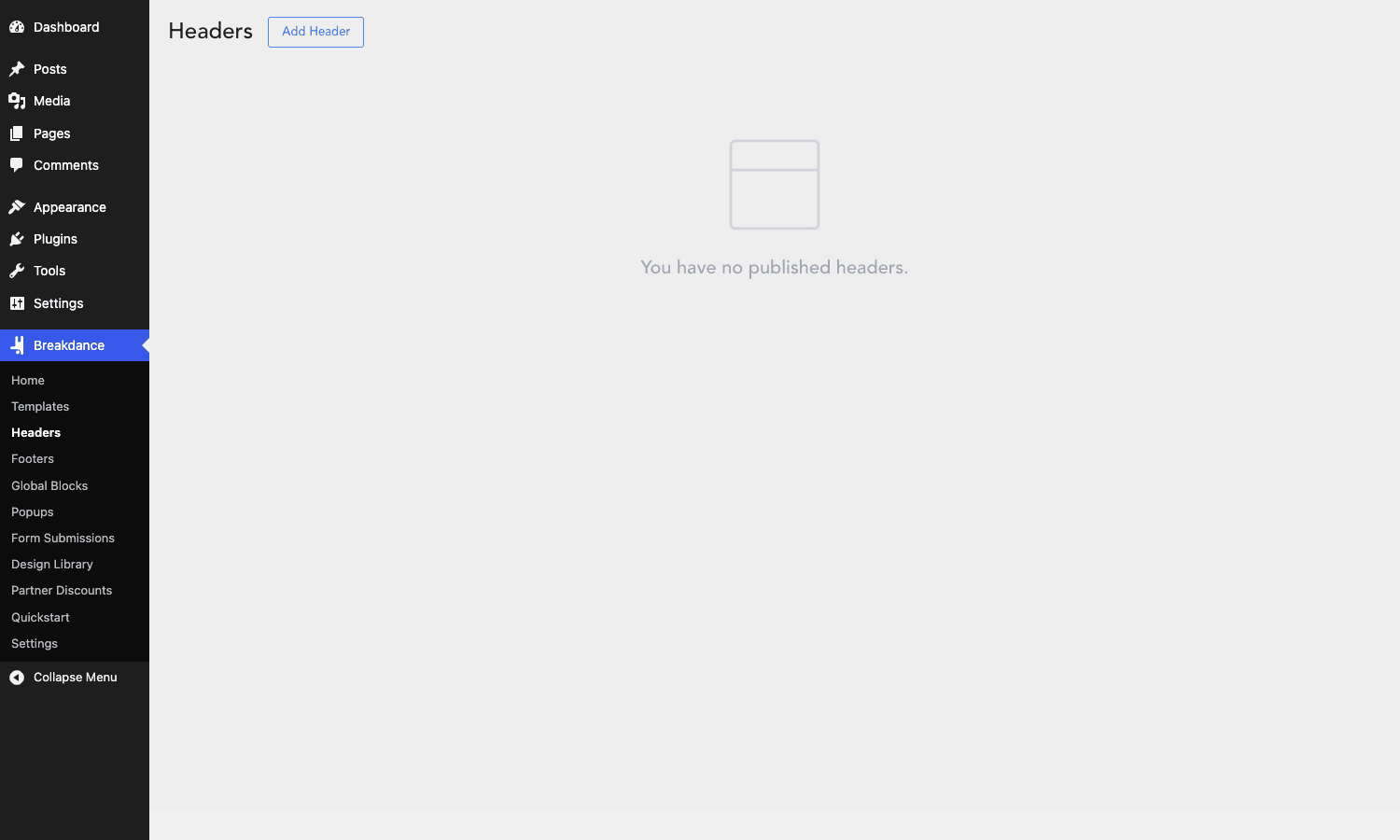
- Theme Builder: headers, footers, templates, popups
- Forms, conditions, and dynamic data
- Real-world use cases
- Developer reference
- Performance, compatibility, and gotchas
- Pricing and licensing
- FAQ
- Final thoughts
What is Breakdance Pro?
Breakdance Pro is a WordPress website builder published by Breakdance (the team is part of Soflyy, the same company behind Oxygen Builder and WP All Import Pro). It installs as a single plugin called breakdance and adds its own visual editor that opens in its own URL, not inside the WordPress admin shell. That is intentional. The team wanted the canvas to feel like a design tool, not like a WordPress meta box.
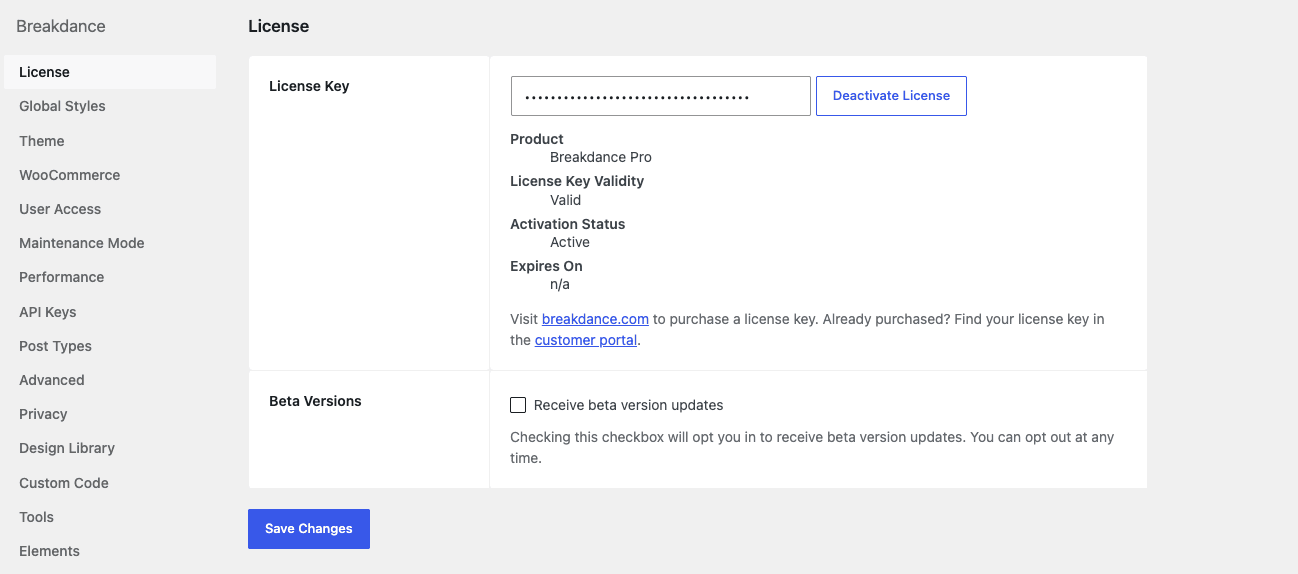
The free version of Breakdance ships about 100 elements and the core canvas. Pro unlocks the parts that turn it from a page-building plugin into a full site builder: the Theme Builder (custom headers, footers, archive templates, single templates), Global Blocks, Popups, Conditions for per-element visibility, Dynamic Data integrations, the WooCommerce element pack, the Mega Menu, the Form Builder with provider actions, the Design Library, ACF blocks, and a long tail of premium elements (advanced sliders, accordions, FacetWP support, AnalyticsWP events, the back-to-top widget, and so on). The plugin header reads Author: Breakdance, with a plugin URI at breakdance.com.
In WordPress page-builder terms, the closest competitors are Elementor Pro, Bricks, Brizy Pro, and Oxygen. Breakdance Pro positions itself between Elementor and Bricks. It is more designer-friendly than Bricks, more performance-disciplined than Elementor, and more accessible than Oxygen Classic. If you have read our Elementor Pro walkthrough or the Bricks Builder review, think of Breakdance as a third option that learned from both.
Key features
These are the things you actually use day to day. The list looks long because Breakdance Pro is genuinely a kitchen-sink product, but I tried to keep the descriptions to the parts that matter.
- Visual canvas with element library. A blank or templated canvas in its own URL, with a left-side panel that holds 165 elements grouped by category (Basic, Layout, Heading, Text, Form, Slider, Posts, WooCommerce, Facebook, etc.) and a right-side inspector for styling. Resizing handles, drag-and-drop into a structure tree, and clean keyboard shortcuts.
- Global Styles. A design tokens system that lets you define brand colors, typography scales, container widths, and reusable atoms once and reference them in every element. Change a token, every element using it updates.
- Theme Builder. Custom post types for
breakdance_header,breakdance_footer,breakdance_template,breakdance_popup,breakdance_block, andbreakdance_partgive you a full site builder, not just a page builder. You can build a header once and apply it to the entire site, or to "all posts except blog post 47", with conditions. - 165 elements. From the basic (Section, Container, Heading, Image) through utilities (Countdown, Animated Heading, Code Block) to the heavyweight ones (Mega Menu, Advanced Slider, Dynamic Data Loop, Query Loop). The Pro tier adds the WooCommerce pack: Cart, Checkout, Mini Cart, Product List, Product Title, Product Price, Product Gallery, Add to Cart, etc.
- Form Builder with 13+ post-submit actions. Build a form visually, then chain actions: send email, store the submission, post to a webhook, push to Mailchimp / Mailerlite / ActiveCampaign / ConvertKit / Drip / GetResponse, post to Slack or Discord, trigger a popup, run custom JavaScript, hit an API endpoint, or move the user.
- Conditions engine. Show or hide any element based on user role, login state, post type, post meta, URL parameter, language, dynamic data value, browser, and time. Conditions stack with AND / OR logic.
- Dynamic Data. Pull from WordPress core fields, post meta, custom fields, taxonomy terms, WC product attributes, and ACF fields. Plug a dynamic value into a heading, an image URL, a button link, a background, anything.
- Popups. A dedicated
breakdance_popuppost type. Triggers include time on page, scroll percentage, exit intent, element click, and inactivity. Conditions decide which pages get which popup. - Mega Menu. A real mega menu element that lets you build multi-column dropdowns visually instead of wiring up an outside plugin.
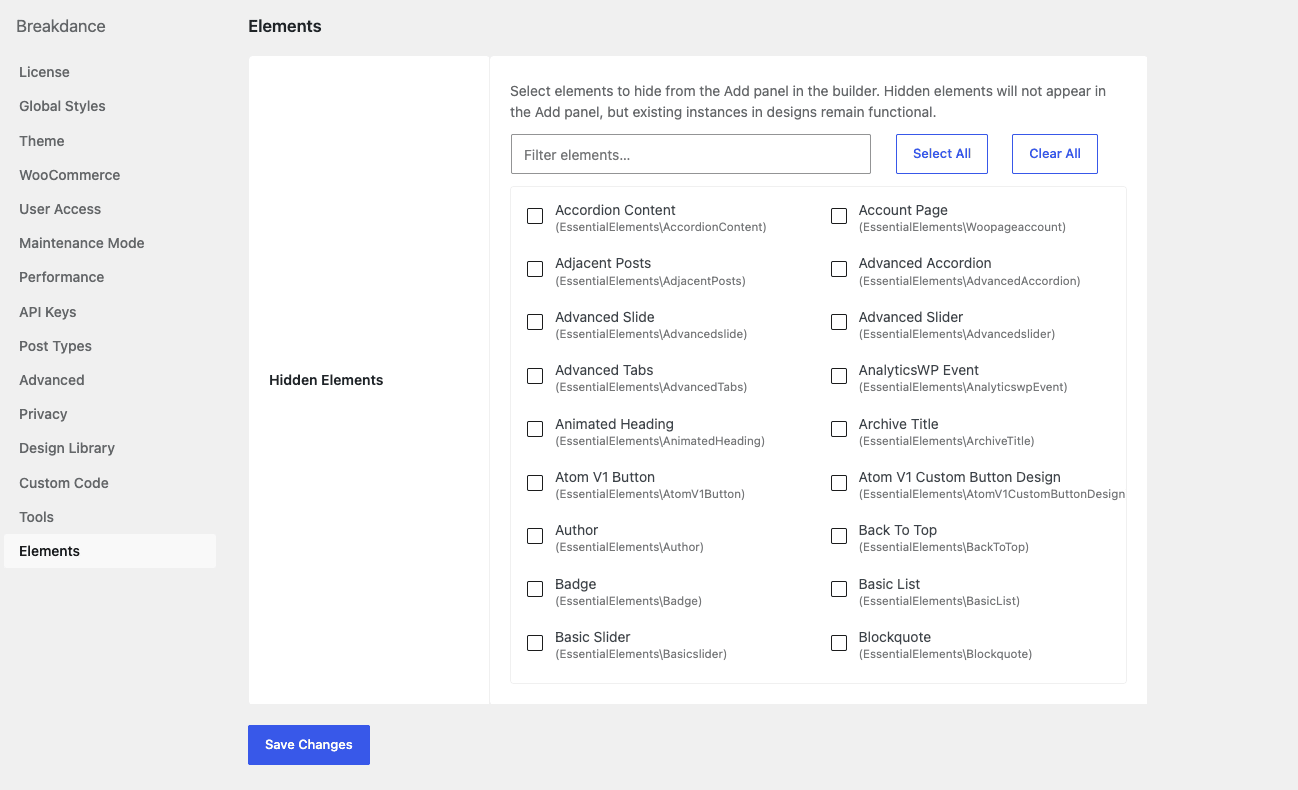
- Element-level disable. A Settings panel called Elements lets you tick off any element you do not use. The plugin will stop registering it, which trims the assets shipped to the front-end. More on this in the performance section.
How it works for users
The basic loop is the same as any modern site builder, but the workflow has a few Breakdance-specific touches.
- Create a page or post in WordPress the normal way (Pages > Add New, give it a title, hit Save).
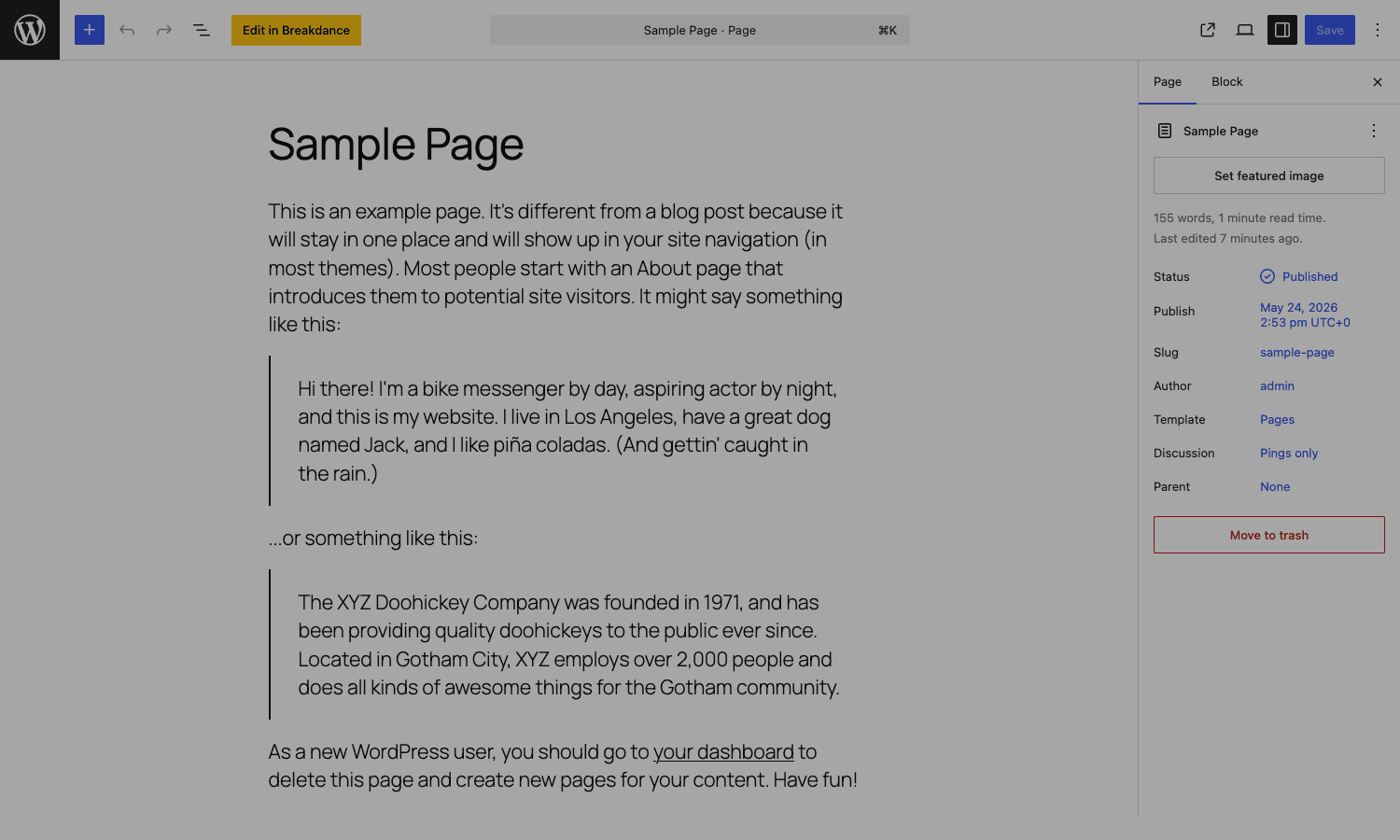
- From the post editor, click the "Edit in Breakdance" button at the top of the editor area. The button is rendered by Breakdance into the standard WordPress edit screen, regardless of whether you have Gutenberg or the Classic editor active.
- The builder opens in its own URL (
/?breakdance=builder&id=<post_id>). The current page’s content loads on a white canvas, your site’s chrome stripped away. - Add a Section, then a Container, then drop elements inside. You can also drag straight from the Add panel onto the canvas at the location of your cursor.
- Click any element to open its inspector on the right. Three tabs: Content, Style, Advanced. Content has the per-element settings (the link URL for a Button, the source for an Image), Style has the visual properties (typography, background, spacing), and Advanced has the wiring (CSS class, custom ID, attributes, conditions, transform, animation).
- Save. Preview. Publish. Same as any WordPress post type.
That’s the daily loop. The other stuff (Theme Builder, Global Styles, Popups) bolts onto the same loop. The Theme Builder is just another set of post types; you build a "header" the same way you build a page, then assign it conditions like "show on all pages" or "show only on is_singular('post')".
Installation and setup
Installation is the boring kind, which is how it should be. Upload the plugin zip in Plugins > Add New > Upload, activate it, and you’ll see a "Breakdance" item appear in the WordPress admin sidebar. It opens a Quickstart wizard the first time, but you can skip that and go straight to Breakdance > Settings.
A few setup decisions worth making before you build anything:
- Theme. Breakdance can run on any theme, but it also ships its own "themeless" mode. Under Breakdance > Settings > Theme there’s a toggle that disables the active theme’s template loader for templates Breakdance owns. If you only use Breakdance to build, switch this on so your existing theme’s CSS doesn’t fight your designs. If you mix Breakdance with theme-rendered pages (like a Flatsome WooCommerce shop with Breakdance landing pages), leave it off.
- Post Types. Settings > Post Types lets you opt every post type into the Breakdance builder. By default, Pages and Posts get the "Edit in Breakdance" button. If you have custom post types like
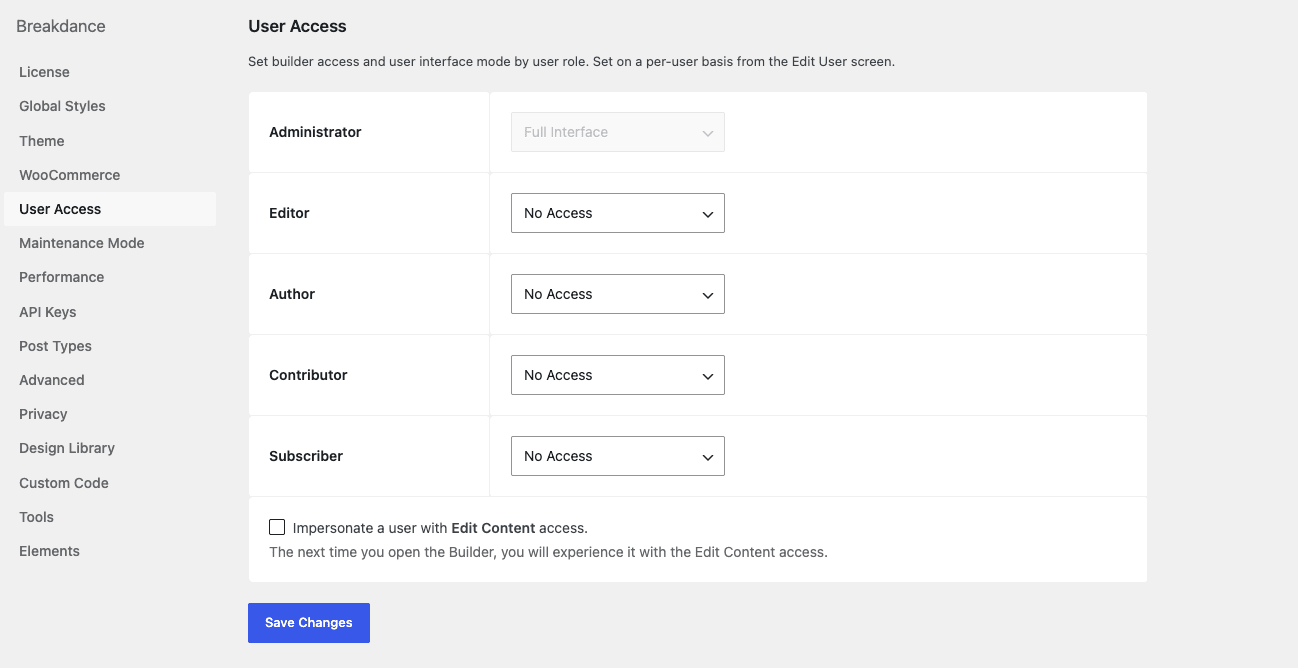
eventorportfolio, tick those here. - User Access. Settings > User Access is the per-role permission table: full interface, edit content only, or no access. Set Subscribers and Contributors to "No Access" by default. Editors usually want "Edit Content" so they can change text and images but not break layouts.
- Elements. Tick off any element you know you won’t use. Even on a builder this complete, most sites use 30 of the 165 elements. Disabling the rest cuts the bundled JS that Breakdance enqueues.
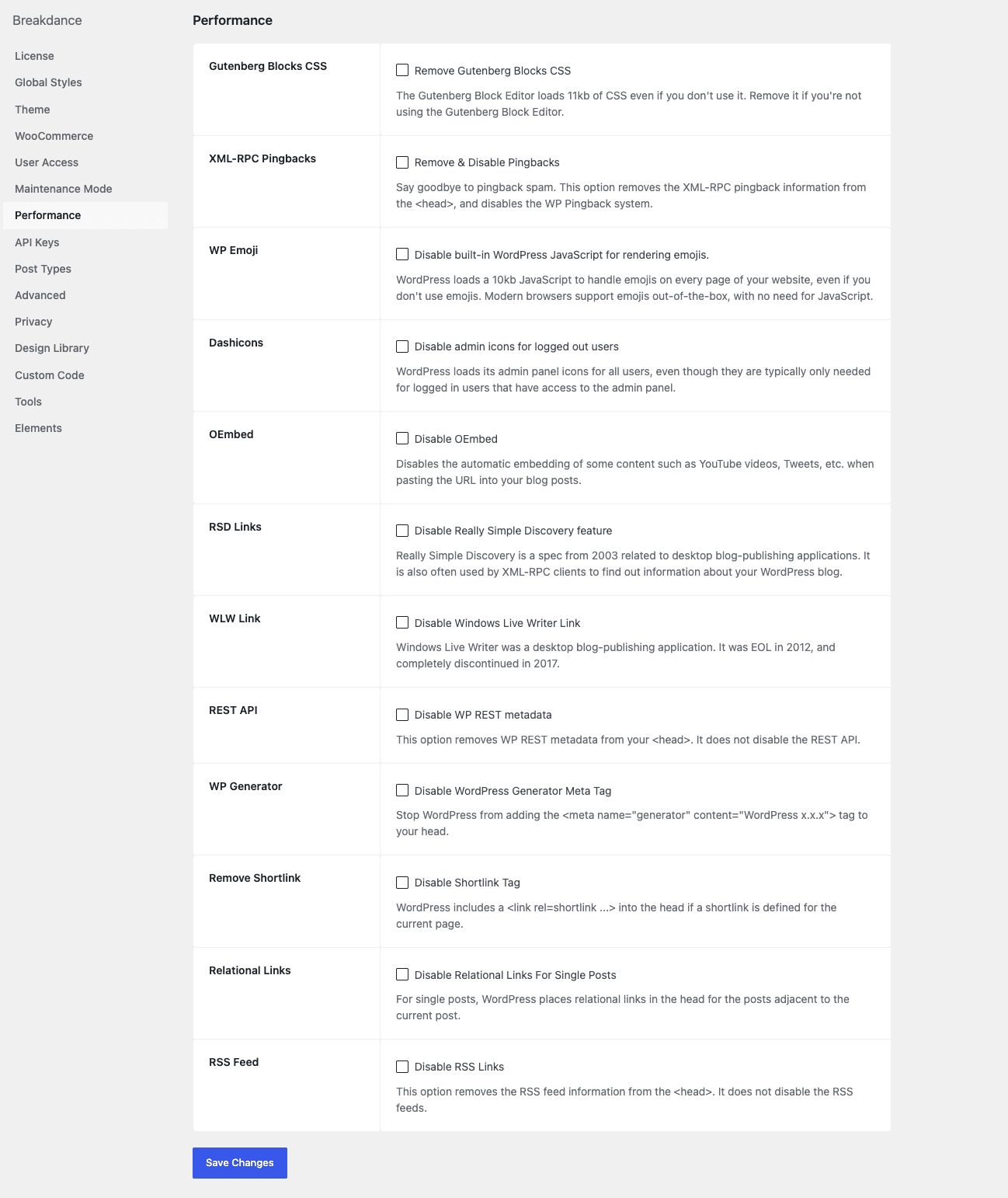
- Performance. Settings > Performance is genuinely useful (more in the performance section below). Most of the toggles are "remove this WordPress core feature I’ll never use", and several of them (emoji JS, REST API, JSONP for embeds) are toggles you’d otherwise install another plugin for.
Pick a starter design from the Design Library if you want a head start, or start blank. The Design Library is a free in-builder gallery of imported pages, sections, headers, and footers maintained by the Breakdance team. You can drop one in and treat it like the first draft of your site.
The visual builder, in detail
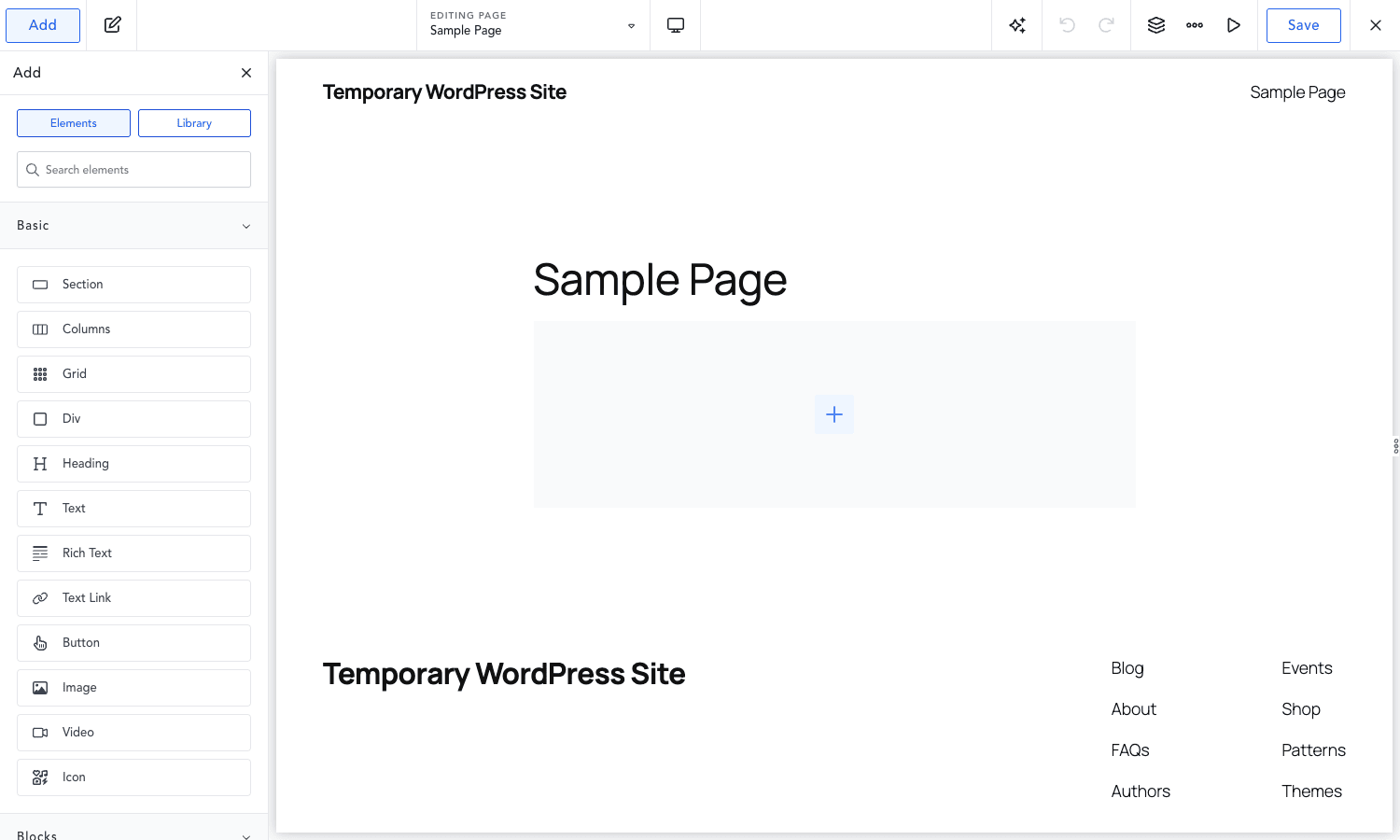
This is where Breakdance feels different from Elementor and Bricks. The builder is its own SPA, served from a /?breakdance=builder&id=... URL. The top bar has Add (opens the element / library panel on the left), an undo/redo pair, a viewport switcher (desktop / tablet / phone), a few utility icons (structure tree, more menu, preview), and Save.
The left panel is the Add panel with two tabs:
- Elements. Categorised list, with a filter box at the top. Click an element to add it at the cursor, or drag it.
- Library. Pre-built sections, pages, headers, footers, and "blocks" (reusable composites) from the Design Library or your own saved patterns.
The right panel is the inspector. It only appears when you have something selected. The three tabs (Content, Style, Advanced) are consistent across every element, which keeps the learning curve mostly flat once you’ve used three or four elements.
A few quality-of-life touches worth calling out:
- Browse mode. A toggle that switches the builder into "click through links like a normal user" mode, useful when you have a header with a logo link and need to test navigation without leaving the builder.
- Inline edit on the canvas. Double-click any text element on the canvas and edit it directly, not in the inspector. Saves a lot of click-rights.
- Atom controls. Some elements (Button, Container) have "atom" controls, which are reusable design presets you can save and apply. A button atom is roughly equivalent to a Tailwind component class: define the style once, reference it everywhere.
- Per-breakpoint editing. The viewport switcher in the top bar isn’t just a preview. When you set, say, font-size at the tablet breakpoint, that value only applies at tablet and below. The default desktop value stays put.
- Keyboard shortcuts. Cmd+S to save, Cmd+Z and Cmd+Shift+Z for undo/redo, Cmd+D to duplicate the selected element, Esc to deselect. The shortcut cheatsheet is reachable from the more-menu in the top bar.
Global Styles: the part that earns the price
Global Styles is the feature that separates Breakdance from most page builders that came before it. The idea is the same as design tokens in a real design system: define your brand colors, typography, container widths, and atomic styles in one panel, then reference them everywhere by name instead of by raw value.
To reach it: in the builder, open the more menu in the top bar and pick Global Styles. (Or from WP admin: Breakdance > Settings > Global Styles, then click "Launch Breakdance", which opens the builder in Global Styles mode.)
You get a left sidebar with these sections:
- Colors. A palette of named color tokens. Add as many as you want, give them brand-friendly names like "Brand", "Accent", "Surface", "Ink Soft". Anywhere a color picker appears in the inspector, you can pick a token instead of a hex. Change the token’s hex once, every element using it re-renders with the new color.
- Typography. Same idea, for fonts. Define a Display, Heading, Body, and Mono style: family, weight, size, line-height, letter-spacing. Apply them by name.
- Containers. Default container widths, gutters, breakpoints. The default site-wide max-width comes from here, so changing 1200px to 1320px once propagates to every container.
- Atoms. Reusable styled components: Buttons (with hover states), form fields, headings. An atom is a styled snapshot you can reference and override locally without losing the link to the parent atom.
- Selectors. Per-element CSS that targets a custom class or ID. This is your escape hatch when an atom isn’t enough. Write CSS in a code editor, scope it to a selector, save.
The reason this matters: most page builders save styles per-element. If you change your brand color from #1a8fc4 to #1378a8, you have to find every button, heading, and link that uses it and edit them one by one (or do a database search-replace and pray nothing breaks). With Global Styles, the brand color is a token, and there is one place to change it.
This is also where Breakdance plugs into a real design workflow. A designer can hand you a tokens file (colors, type, spacing), you transcribe it into Global Styles once, and then every page you build inherits the system. No more "wait, what shade of blue did we use again?"
Theme Builder: headers, footers, templates, popups
Most page builders bolt a Theme Builder on as an afterthought. In Breakdance Pro it’s a first-class concept. The plugin registers a few custom post types:
breakdance_header: a header layout.breakdance_footer: a footer layout.breakdance_template: a full template (singular post, archive, 404, search results, etc.).breakdance_popup: a popup.breakdance_block: a "global block", a reusable composite you can drop on multiple pages.breakdance_part: design library parts.breakdance_acf_block: an ACF block (yes, it bridges into ACF if you have it active).
You build each one the same way you build a page: in the visual builder. The difference is they’re not standalone pages, they’re applied to other pages via conditions. A header might be "the default header for the whole site", or "this header only on is_front_page()", or "this header only on is_singular('product') AND user_logged_in".
In day-to-day use, you’ll have one or two headers, one or two footers, a singular-post template, an archive template, and maybe a single-product template if you’re running WooCommerce. The Templates index in WP admin (Breakdance > Templates) lists them all and lets you reorder priority. When two conditions match for the same template type, the higher-priority one wins.
Popups deserve a paragraph of their own. They’re a breakdance_popup post type, also built in the visual builder. Each popup has its own settings panel for triggers (time-on-page, scroll percentage, exit-intent, element click, inactivity, after another popup closes), conditions (which pages it appears on, which users see it), and frequency (always, once per session, once per user, hide for N days after dismissal). The whole subsystem replaces the average "WordPress popup plugin" you’d otherwise add.
Forms, conditions, and dynamic data
These three deserve their own beat because they’re what take Breakdance past "very nice page builder" into "I can build the whole site here".
Form Builder
Drop a Form element onto the canvas. The Content tab lets you build the field list (Text, Email, Number, Phone, Textarea, Select, Checkbox, Radio, Hidden, Date, Upload, reCAPTCHA, Section break, HTML, Submit). The Style tab themes every part of the form. The Advanced tab has the actions.
Actions are the chain of things that run after a successful submit. You can stack as many as you want and they run in order. The shipped actions are:
| Action | What it does |
|---|---|
| Send a templated email to one or more addresses, with field merge tags. | |
| Store Submission | Save the submission to the breakdance_form_res post type (visible in WP admin under Form Submissions). |
| Webhook | POST the submission JSON to any URL. |
| Mailchimp / Mailerlite / ActiveCampaign / ConvertKit / Drip / GetResponse | Add the submitter to a list, with optional tag and field mapping. |
| Slack / Discord | Post a formatted message to a channel via incoming webhook. |
| Popup | Trigger a Breakdance popup (good for a thank-you message). |
| Custom JavaScript | Run an inline JS snippet, with access to the submitted data. |
| API Action | Call an arbitrary REST endpoint, with custom headers, body, and method. |
There’s no separate "Forms" plugin you need on top. If you have outgrown the form-builder space and would normally reach for Fluent Forms Pro or Gravity Forms, this is a real alternative for everything except multi-page forms with conditional field logic. Those still belong in a dedicated form plugin.
Conditions
Every element on the canvas has a Conditions block in its Advanced tab. You can hide or show it based on a stack of rules:
- User: logged in / logged out, specific role, specific user ID.
- Post: post type, post status, taxonomy term, has featured image, post meta value.
- URL: query parameter present / equals / contains, current URL contains.
- Browser: device type (mobile / tablet / desktop), OS, browser.
- Time: date range, day of week, time of day.
- Dynamic: any dynamic data value matched against a comparison.
- WooCommerce: cart contains product, customer has purchased, customer has order status.
The condition builder is a visual UI: pick a category, pick an operator, pick a value, AND / OR the next rule. No code, no shortcodes, no separate "visibility plugin" hooked into the same render path.
Dynamic Data
Anywhere you can enter a value in the inspector (a heading’s text, an image’s URL, a link’s href, a background image), there’s a small "dynamic data" icon. Click it and you get a picker for the data source. The shipped sources include:
- WordPress core: post title, post excerpt, post URL, post date, author name, author URL, featured image, comment count, etc.
- Post meta: any custom field by key.
- ACF: any ACF field by name, including repeaters and groups.
- WooCommerce: product name, price, SKU, image, attributes, gallery, stock status.
- Taxonomies: term name, term archive URL, term description.
- User: current user name, email, avatar, role.
- Site: site title, tagline, URL, locale.
- Custom: anything you’ve registered yourself via the dynamic data hooks (more on this in the developer section).
The picker is consistent across every element. The same data source list shows up whether you’re inserting a featured image into a hero banner or wiring up an "Author Name" caption under a blog post heading.
Real-world use cases
A few patterns I’ve actually built or seen built with this setup.
- Marketing site with a custom header for one campaign. Build a campaign header (no main nav, just a logo and a CTA), set its condition to "URL contains
?utm_campaign=q2-launch", leave the default header for everything else. Traffic from the ad lands on a stripped header without you having to fork the entire layout. - WooCommerce store with a custom single-product template per category. Build one template, condition it on
is_product()and taxonomy term "electronics". Build a second for "apparel" with a different layout. Default WooCommerce template handles everything else. - Membership site with role-gated content blocks. Drop a section onto a page. In its Conditions, set "user role is Subscriber" for the premium content and "user role is not Subscriber" for the upsell. No shortcodes, no conditional PHP in templates.
- Landing pages with exit-intent popup. Build a "Wait, here’s 10% off" popup in the popup builder. Set trigger to exit intent, frequency to once per session, condition to "URL contains
/landing/". Marketing can rotate the offer without you touching code. - Blog with sticky table-of-contents sidebar. Build a "single post" template that wraps
the_contentin a 2-column grid: sticky TOC on the left, content on the right. Use Dynamic Data Loop to auto-generate the TOC from<h2>elements. The whole pattern is the kind of thing that took a dedicated plugin or a 200-linefunctions.phpblock in the page-builder-less days.
Developer reference
Now the part for developers. Breakdance is unusually friendly to extension for a visual builder because it exposes a lot of do_action() and apply_filters() hooks, ships a thin REST surface, and registers a CPT layer you can interact with through normal WP APIs.
Custom post types
All the Breakdance content types are real registered post types you can query, filter, and extend from anywhere:
breakdance_template: site templatesbreakdance_header: headersbreakdance_footer: footersbreakdance_popup: popupsbreakdance_block: global blocksbreakdance_part: design library partsbreakdance_acf_block: ACF blocksbreakdance_form_res: form submissions
A WP_Query for any of these works the same as for post or page. There are also a few helper constants defined in plugin/themeless/constants.php: BREAKDANCE_TEMPLATE_POST_TYPE, BREAKDANCE_POPUP_POST_TYPE, BREAKDANCE_HEADER_POST_TYPE, BREAKDANCE_FOOTER_POST_TYPE, BREAKDANCE_BLOCK_POST_TYPE, BREAKDANCE_ALL_TEMPLATE_POST_TYPES, BREAKDANCE_ALL_EDITABLE_POST_TYPES. Use them instead of hardcoding strings; the team has changed slugs once before during a major version bump.
Shortcodes
Two shortcodes are registered. Both render the same handler:
[breakdance_block id="123"]
[oxygen_component id="123"]
The first is the canonical one. The second is an alias kept for backward compatibility with Oxygen sites that have been migrated to Breakdance; both call Breakdance\Blocks\block_shortcode_handler. The argument is the post ID of a breakdance_block post. You’d use this from a WordPress widget, a Classic Editor post, or a third-party plugin that accepts shortcodes.
Hooks (do_action)
The most useful action hooks exposed by Breakdance:
breakdance_builder_head: fires inside the<head>of the builder editor (not the front-end). Use to inject custom CSS or JS into the builder UI itself.breakdance_builder_footer: fires before</body>in the builder editor.breakdance_form_start: fires inside the<form>opening tag, before the first field. Insert custom hidden inputs or a tracking pixel.breakdance_form_end: fires inside the<form>closing tag.breakdance_form_before_field: fires before each form field’s wrapper.breakdance_form_after_field: fires after each form field’s wrapper.breakdance_form_before_footer: fires before the form’s footer section (where the submit button lives).breakdance_form_field_input_attributes: fires when an input’s HTML attributes are being assembled.
Example: add a UTM source tracker to every Breakdance form invisibly.
add_action('breakdance_form_start', function($formId) {
 if (isset($_GET['utm_source'])) {
 $src = sanitize_text_field(wp_unslash($_GET['utm_source']));
 printf('<input type="hidden" name="utm_source" value="%s">', esc_attr($src));
 }
}, 10, 1);
Filters (apply_filters)
The filter list is where the real extensibility lives:
breakdance_form_validate_field: server-side validation for any form field. Return an array of error strings (empty array means valid).breakdance_form_run_action_<action_slug>: register a custom form action. Define a new action slugmythingand Breakdance will callbreakdance_form_run_action_mythingafter submit.breakdance_element_attributes: modify the HTML attributes of any element before render (front-end + builder).breakdance_frontend_element_attributes: same but front-end only.breakdance_element_controls: add or modify controls in an element’s inspector.breakdance_universal_controls: add controls that appear on every element (e.g. a custom "Tracking ID" field).breakdance_element_actions: add interactions / actions to elements.breakdance_element_dependencies: declare JS / CSS dependencies for an element.breakdance_builder_elements: filter the registered element list (remove / replace / inject).breakdance-replace-urls: the URL-rewrite hook used during search-replace migrations. Add your own URL pairs.breakdance_query_control_query: modify theWP_Queryargs of a Query Loop element.breakdance_wpgridbuilder_supported_elements: declare extra elements as WP Grid Builder targets.breakdance_i18n_json: filter the localized JSON output sent to the builder JS.breakdance_load_recaptcha_script: return false to suppress reCAPTCHA loading on a given page.
Example: validate a custom field on a form before it can be submitted.
add_filter('breakdance_form_validate_field', function($errors, $field, $formId, $postId) {
 if ($field['name'] === 'discount_code') {
 $value = $field['value']?? '';
 if ($value &&!my_validate_discount_code($value)) {
 $errors[] = 'That discount code is not valid.';
 }
 }
 return $errors;
}, 10, 4);
Example: register a custom form action.
add_filter('breakdance_form_run_action_my_crm', function($result, $action, $formId, $postId, $submission) {
 $resp = wp_remote_post('https://api.example.com/v1/leads', [
 'headers' => ['Authorization' => 'Bearer '. MY_CRM_KEY],
 'body' => wp_json_encode($submission),
 ]);
 return is_wp_error($resp)? ['error' => $resp->get_error_message()] : ['ok' => true];
}, 10, 5);
Then register the action in the builder UI by adding it to the actions filter list (or via the in-builder Action editor). Custom form actions are the cleanest extension point if you’re integrating Breakdance with a private CRM, an internal ticketing system, or a queue worker.
REST endpoints
Breakdance registers its own REST namespace breakdance/v1. The endpoints that are publicly stable include things like /icons/export for icon-set import / export, plus a number of internal endpoints used by the builder. The team treats most of these as private (no docs, may change), so don’t build long-term integrations against any endpoint you find that isn’t documented. The REST namespace is registered through register_rest_route('breakdance/v1',...) in various files under plugin/.
WP-CLI commands
Breakdance ships at least one wp command:
wp breakdance element-i18n
This extracts translation strings from all registered elements into the JSON shape Breakdance loads at runtime. It’s mostly an internal tool for the dev team and translation contributors, but if you’re shipping a custom element plugin with its own strings, you’ll need to run it after every release.
Custom elements
The most ambitious extension is writing your own element. Breakdance’s Element base class lives in subplugins/breakdance-elements/elements/Element.class.php. You subclass it, define a category, controls (your inspector schema), a Twig template for the front-end render, and any element-specific CSS and JS. Once registered through the breakdance_builder_elements filter, your element shows up in the Add panel like any built-in.
The Element class is not extensively documented publicly, so you’ll want to read the source of a simple shipped element (the Button, the Heading, the Text Link) first. Don’t start with the Slider or the FormBuilder; those are dense.
Performance, compatibility, and gotchas
A few honest notes from running this on real sites.
Performance
Breakdance is one of the better-behaved page builders on the performance front, but it is still a visual builder, and visual builders ship a runtime. The defaults are reasonable. The Settings > Performance tab gives you a long list of WordPress-core optimizations that aren’t strictly Breakdance-specific but are useful enough that the team bundled them:
- Disable Gutenberg block CSS (saves the ~120KB Gutenberg stylesheet if you don’t use any block widgets).
- Disable XML-RPC pingbacks.
- Disable WP emoji JS.
- Disable Dashicons for non-logged-in users.
- Disable oEmbed JS for self-embeds.
- Disable RSS feeds.
- Disable REST API for non-logged-in users (be careful; many plugins use it).
- Remove the WP shortlink.
- Remove the WP generator meta tag.
- Disable singular post relational links in
<head>.
Pair Breakdance Pro with a cache plugin like WP Rocket and you’ll get respectable performance numbers on real-world templates. The element-level disable in Settings > Elements helps a lot too: every element you tick off saves the CSS and JS that would otherwise be enqueued for it.
Compatibility
- Theme. Works with any theme, but you’ll often want the "themeless" mode toggled on so the theme doesn’t fight Breakdance for control of
the_content. - WooCommerce. First-class support, with a full WooCommerce element pack. Templates work for product pages, cart, checkout, account, shop archive.
- ACF. Native support: ACF fields appear in the Dynamic Data picker, and Breakdance ships an
breakdance_acf_blockpost type for building visual ACF Blocks. - Page caching. No issues with WP Rocket, LiteSpeed Cache, W3 Total Cache, or NGINX FastCGI cache. The builder URLs (
/?breakdance=builder=...) are automatically excluded from cache because they have query params. - Multilingual. Polylang and WPML both work. WPML’s String Translation picks up Breakdance string content; Polylang treats each translated Breakdance post as a separate post, as expected.
Gotchas
- The Pro upgrade is a real switch, not a flag. Free Breakdance and Breakdance Pro install as different plugins under the hood, with a deactivation / activation cycle. Back up your site before swapping.
- The Theme Builder owns the front-end. If you build a single-post template in Breakdance Pro, the theme’s
single.phpno longer runs. This is the point, but it surprises people the first time. If you have customizations in your theme’ssingle.php(a custom comment template, a custom related-posts loop), port them into the Breakdance template, or condition the Breakdance template to opt out of the posts where you want the theme to run. - Atoms vs. local overrides. When you reference an atom and then locally override a property, the link to the atom is preserved for unmodified properties but the override is sticky. Read the docs once before going wild with atoms; it’s easy to end up with a button that looks like it should pick up brand-color changes but doesn’t because you overrode the background color months ago.
- Custom code in the Code Block element runs client-side only. It’s a sandbox, not a PHP eval. If you need server-side logic, write a small plugin and expose it through a shortcode you render with the Shortcode element instead.
Pricing and licensing
Breakdance Pro is sold by Breakdance on annual subscription plans (single-site, multi-site, agency / lifetime), with a free tier that ships about 100 elements and the core canvas. The Pro tier unlocks the parts described in this article.
You can also get Breakdance Pro from GPL Times under the GPL, which is a useful path if you want to evaluate every Pro feature on a staging site (Theme Builder, Global Styles, Forms, Conditions, the WooCommerce pack) without committing to a yearly subscription first. The plugin functions identically.
A note on what you get vs. what you pay for in either case: Breakdance is unusual among page builders in that the team has been very vocal that the Pro tier is "the whole product", not a stepping stone to higher upgrades. There isn’t a "Breakdance Agency" SKU that locks the good elements behind another paywall. Once you’re on Pro, everything I’ve covered in this article is yours.
FAQ
Is Breakdance Pro a theme or a plugin?
A plugin. It can replace your theme’s templates if you switch on themeless mode, but it installs as a normal WordPress plugin and works with any active theme.
Can I migrate from Elementor or Oxygen to Breakdance?
Migration from Oxygen has first-class tooling because both are made by Soflyy: the oxygen_component shortcode alias and a dedicated migration path under Settings. Migration from Elementor is manual, page by page; there’s no automated importer.
Does Breakdance Pro slow down WordPress?
Less than most full-featured page builders. The element-level disable in Settings > Elements is a real lever, and the Performance tab adds a useful set of core-WP toggles. You’ll still want a cache plugin in production.
Will my SEO plugin still work?
Yes. SEO plugins (Yoast, Rank Math, AIOSEO) read the post’s title and content from WordPress, which Breakdance writes back on save. Schema, sitemaps, and meta tags work the same way they would with the Block editor.
Can I use Breakdance Pro just for landing pages, with my existing theme handling the rest?
Yes. Leave themeless mode off, build only the pages you want with Breakdance, and your theme will continue rendering every other URL. The "Edit in Breakdance" button is opt-in per page.
What happens to my Breakdance pages if I deactivate the plugin?
The pages still exist as WordPress posts, but their Breakdance content (which is stored in post meta as JSON) won’t render. You’ll see a blank the_content. Keep Breakdance active for as long as the pages are published.
Does Breakdance work with Gutenberg / the Block editor?
Yes, alongside it. Breakdance adds an "Edit in Breakdance" button to the post editor regardless of whether you’re using Gutenberg or the Classic editor. You can have some pages built with Gutenberg and others with Breakdance in the same site.
Is there a hook to add a custom widget / element to the Add panel?
Yes, the breakdance_builder_elements filter. You’ll also need to subclass the Element base class (see the developer section). It’s a real commitment of work, but every shipped element is built the same way, so once you’ve written one you’ll understand the pattern.
Final thoughts
Page builders are a crowded space and most of them ship with the same set of features in roughly the same arrangement. What makes Breakdance Pro different is the discipline. The Global Styles system is the part I’d miss most if I had to go back to a builder without it. The Theme Builder being a first-class set of post types (instead of a settings toggle) is the second thing. And the developer hook surface, especially the form-action hooks and the universal-controls filter, makes it one of the few visual builders I’d extend in production rather than ditching for a custom theme.
If you’ve been Bricks-curious or Oxygen-curious but didn’t want to learn another mental model, Breakdance is the gentle on-ramp. If you’ve been on Elementor and felt like the plugin was working against you on performance, Breakdance is the cleaner alternative. And if you’re starting fresh on a project where you’ll build the whole site (header, footer, archives, single posts, popups, forms) inside the same tool, this is the one I’d reach for. Pair it with a careful pick of cache plugin and a thoughtful Global Styles setup and you’ve got the foundation for a site that will still feel maintainable a year from now.
For more on related WordPress tooling, our walkthrough of Kadence Blocks Pro for the Block editor is worth a read if you’re comparing the page-builder approach against the Gutenberg-blocks approach, and the GeneratePress Premium review covers the lightweight-theme side of the same problem space. The official Breakdance learn site is also kept usefully up to date, and the WordPress developer reference is the place to read up on the post-type APIs Breakdance leans on under the hood.