

Running events on WordPress is a different shape of problem from running a regular content site. You need a real calendar (month view, week view, list view), recurring schedules ("every second Tuesday for six months"), maybe ticket sales, maybe RSVPs, maybe Zoom links, almost certainly Google Calendar export, and a way to design the event detail page that doesn’t look like every other WordPress single-post template. Modern Events Calendar (Webnus’ MEC, often just "MEC") is the one plugin that bundles all of that into a single install.
This walkthrough covers what MEC actually is, how the free MEC Lite differs from the Pro version, how it compares to The Events Calendar and EventOn, how to install and create your first event, the 80+ calendar skins, the booking and ticketing system, every taxonomy MEC adds, the developer hook surface, and the gotchas worth knowing.
Table of contents
- What Modern Events Calendar actually is
- MEC Lite versus MEC Pro
- MEC vs The Events Calendar vs EventOn
- Who MEC is the right pick for
- Installing and the setup wizard
- The MEC admin menu
- Creating your first event
- Categories, locations, organizers, and speakers
- Calendar skins and shortcodes
- Bookings and ticketing
- Payment gateways
- Recurring events
- Single event page builder
- Email notifications
- Import and export
- Zoom, Google Meet, Webex integrations
- Developer reference
- Performance and SEO
- Common gotchas
- Pricing
- FAQ
- Final thoughts
What Modern Events Calendar actually is
MEC is a WordPress plugin that adds a complete events management system. After activation you get a new top-level "M.E. Calendar" menu in the WP admin, several custom post types (events, calendars, emails, bookings), eight taxonomies (categories, locations, organizers, speakers, sponsors, labels, tags, plus the WP-native event tag), and over 80 calendar layout templates ("skins" in MEC terminology) you can drop on any page.
The plugin is built by Webnus, a developer studio in Iran that’s been making WordPress products for over a decade. MEC is their flagship product. Pro support, documentation, and theme bundles are sold through webnus.net.
MEC Lite versus MEC Pro
Knowing the split saves you from paying for features the free version already covers.
MEC Lite (free, on WordPress.org)
- Unlimited events
- 10 calendar skins (basic month, week, list, grid)
- Categories, locations, organizers as taxonomies
- Single event page (uses your theme’s single template)
- Google Calendar + iCal export per event
- Recurring events (basic patterns: daily, weekly, monthly, yearly)
- Multi-day events
- Search bar
- Free seats (no paid tickets in Lite)
- Basic shortcode (
[mec-list],[mec-calendar]) - RSS feed of events
MEC Pro adds
- 80+ skins (the big visual upgrade): Masonry, Timeline, Carousel, Available Spot, Slider, Countdown, Cover, Map, Year View, Hourly Schedule (for multi-track conferences), Available Carousel, and many more.
- Booking + ticketing system. Sell tickets with multiple types per event, set capacity per ticket type, apply coupon codes, handle attendee data.
- Payment gateways. PayPal, Stripe, WooCommerce, Square, plus offline/manual payment.
- Speakers and sponsors as separate taxonomies with photos, bios, and social links.
- Labels (Featured, Sold Out, Free, custom) as an additional taxonomy.
- Single event page builder. Drag-and-drop layout builder for the event detail page.
- Webnus-style advanced widgets for the single event page (countdown, related events, ticket selection, attendee form).
- Frontend event submission (FES). Users submit events from the frontend without needing admin access.
- Multiple organizers per event.
- Custom fields per event.
- Hourly schedule for conferences (multiple tracks, multiple sessions per time slot).
- Notifications system (booking confirmation, reminder, cancellation, thank-you emails).
- REST API for events (headless setups).
- WPML and Polylang compatibility.
- Zoom, Google Meet, Webex integrations for virtual events.
- Custom advanced repeating (every 2nd Tuesday of every month, complex DST handling).
If you just need a calendar that shows when things happen on a website (think: church service times, a small business’s open-house schedule, a class timetable), MEC Lite is enough. If you want to actually sell tickets or build a conference site, you need Pro.
MEC vs The Events Calendar vs EventOn
The three biggest WordPress event plugins. Honest comparison.
Modern Events Calendar (MEC)
- Pros. Largest visual library (80+ skins). Built-in booking + ticketing in Pro (most competitors require separate plugins). Strong recurring engine. Active development.
- Cons. Webnus’ branding bleeds into the admin (announcement banners). Pro support is responsive but Pro-only.
The Events Calendar (Modern Tribe / StellarWP)
- Pros. Largest market share. Cleanest admin UI. Battle-tested for very large event catalogs. Strong third-party ecosystem (Event Tickets, Event Aggregator, Filter Bar).
- Cons. Booking + ticketing is a separate paid plugin (Event Tickets Plus). All-in-one cost ends up higher than MEC.
EventOn
- Pros. Beautiful default UI right out of the box. Strong design-first orientation. Single-event page looks polished without much work.
- Cons. Smaller feature surface than MEC or Events Calendar. Add-on ecosystem is mostly first-party only.
We cover The Events Calendar Pro elsewhere on the blog. If you’re choosing today and you want one plugin to handle calendar + booking + ticketing without add-ons, MEC Pro is the cheaper and more complete answer.
Who MEC is the right pick for
Three audiences.
Small business with a regular event schedule
Yoga studios, dance schools, churches, community centers, restaurants with live music nights. You publish events weekly or monthly. You may or may not sell tickets. MEC Lite handles the display; MEC Pro handles the ticket sales when needed.
Conference and meetup organizers
Multi-day, multi-track conferences are MEC Pro’s sweet spot. The Hourly Schedule skin handles parallel tracks. Speakers are a first-class taxonomy with bios and social links. Ticketing covers early bird / regular / late tiers with capacity caps.
Membership and education sites
Classes, workshops, webinars, and seminars. MEC’s recurring event support handles a class that meets "every Monday at 7 PM for 8 weeks." The booking system handles enrollment caps. The Zoom/Google Meet integration auto-generates virtual meeting links for online classes.
Installing and the setup wizard
Standard WordPress install.
Plugins -> Add New -> Upload Plugin -> modern-events-calendar.zip -> Install Now -> Activate. After activation, an "M.E. Calendar" menu appears in the WP admin sidebar with submenu entries for All Events, Add Event, Categories, Tags, Labels, Locations, Organizers, Shortcodes, Settings, Addons, Wizard, Import / Export, Support.
The setup wizard (optional)
The wizard at M.E. Calendar -> Wizard walks you through the most common initial setup choices in five steps:
- General style. Pick a default skin (Month, List, Grid, Timeline).
- Currency. USD, EUR, GBP, etc. (if you’re using bookings).
- Time zone. Match to your business.
- Default category. What category new events get when not specified.
- Featured events page. Where the main events calendar lives (creates a page with the right shortcode embedded).
Most people skip this and configure each module manually under Settings. The wizard is faster but you may end up reconfiguring half of what it does.
The MEC admin menu
M.E. Calendar -> M.E. Calendar is the Welcome dashboard.
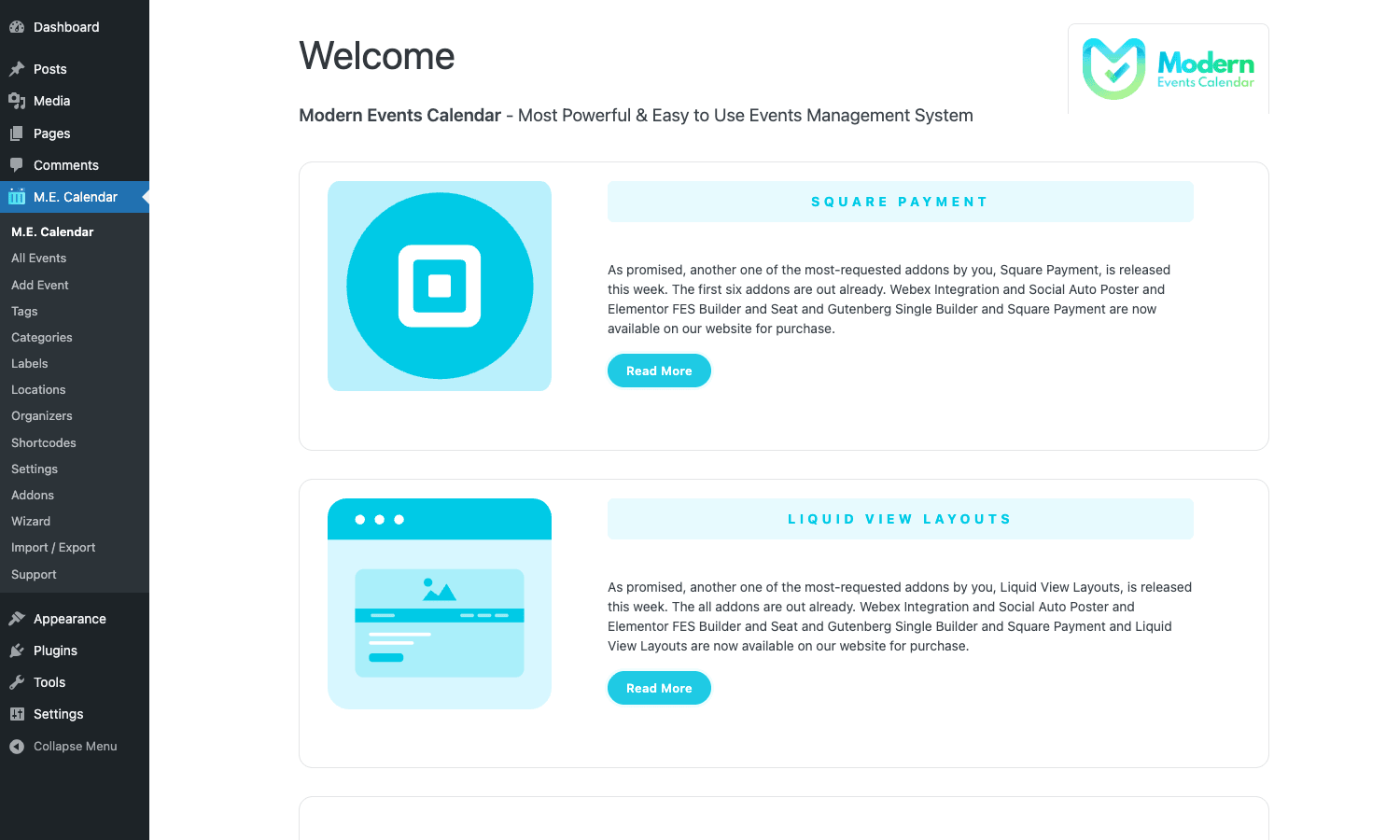
What you see in the sidebar is the full menu:
- All Events. The event CPT list (mec-events).
- Add Event. Create a new event.
- Tags / Categories / Labels. Event taxonomies.
- Locations / Organizers. Venue and host taxonomies.
- Shortcodes. Saved calendar configurations (mec_calendars CPT) that you embed via shortcode.
- Settings. Global plugin settings.
- Addons. Webnus’s official MEC add-ons.
- Wizard. Setup wizard.
- Import / Export. Bulk import from CSV / iCal, export to CSV / iCal.
- Support. Documentation and ticket creation.
Settings, in particular, is huge, tabs for General, Single Event Page, Booking, Modules, Notifications, Messages, Styling, and Customize. We’ll walk through the ones that matter most.
Creating your first event
M.E. Calendar -> Add Event opens the event editor. It’s the standard WordPress post editor (Classic or Block, depending on your install) with extra meta boxes for event-specific data.
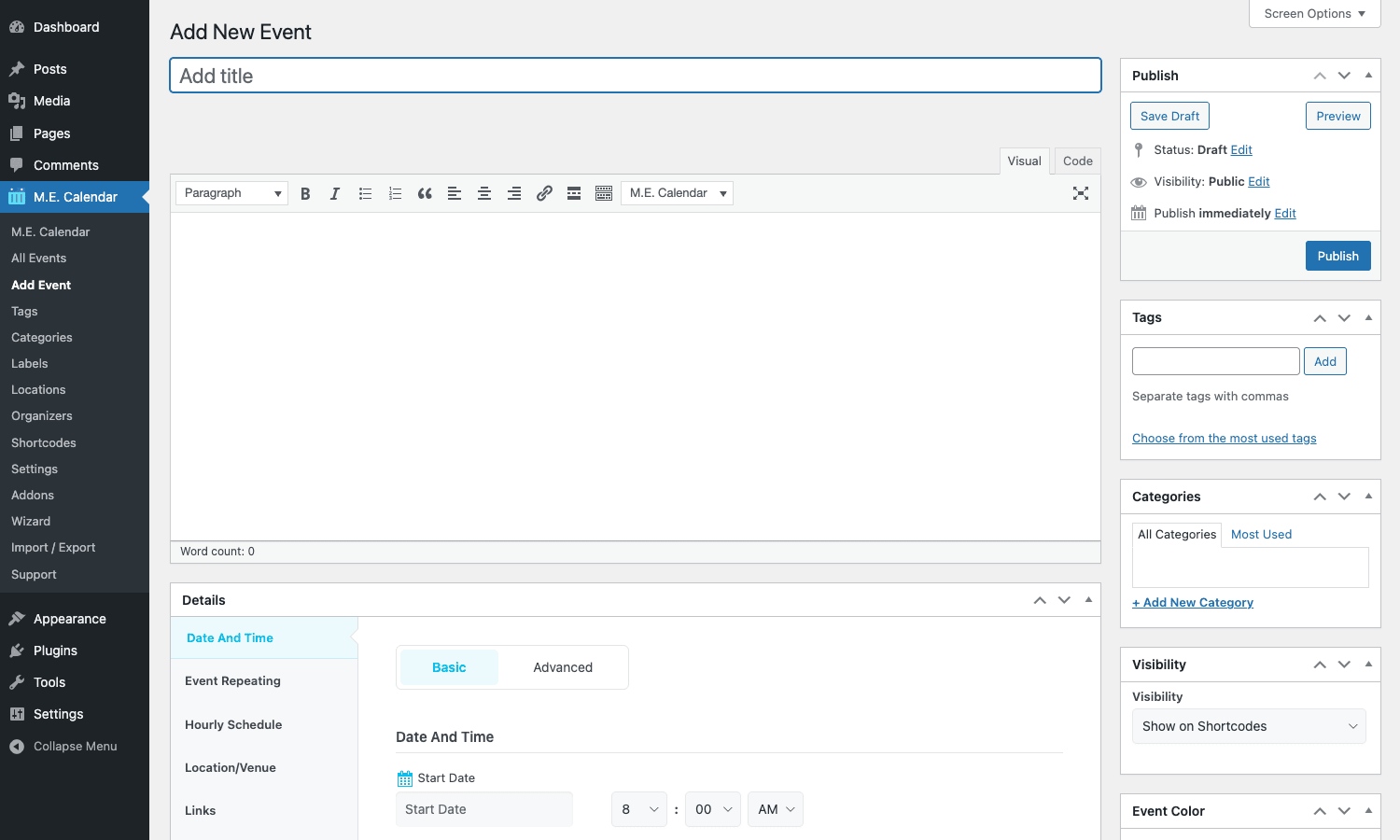
The Details meta box has tabs for each event facet:
- Date And Time. Start date, end date, start time, end time. Support for "All day" events. Time zone picker.
- Event Repeating. Recurrence pattern (daily, weekly, monthly, yearly, custom). End condition (after N occurrences, on a specific date, or never).
- Hourly Schedule (Pro). For multi-session events: define tracks, time slots, and sessions within each slot.
- Location/Venue. Pick from the Locations taxonomy or create a new one inline. Address auto-geocodes to map coordinates.
- Links. External URL (e.g., a registration page), more info link, event website.
- Cost (Pro). Free or priced event. If priced, ticket types and prices come from the Booking tab.
- Hosts (Pro). Organizers responsible for the event.
- Booking (Pro). Ticket types, capacities, registration form, deposit options.
- Notifications (Pro). Per-event email overrides (otherwise the global notification templates apply).
- More Info (Pro). Featured image, video, downloadable resources.
- SEO Schema. Event schema (
@type: EventJSON-LD) is auto-generated.
The sidebar holds:
- Tags, Categories, Labels (standard taxonomy boxes).
- Visibility: when to show the event in shortcodes (some skins filter on this).
- Event Color: the color associated with this event on calendar views.
Save, and the event is live at /events/<slug>/ (URL slug configurable in Settings).
Categories, locations, organizers, and speakers
MEC adds eight taxonomies to your site. Each is managed like a normal WordPress taxonomy under the M.E. Calendar submenu.
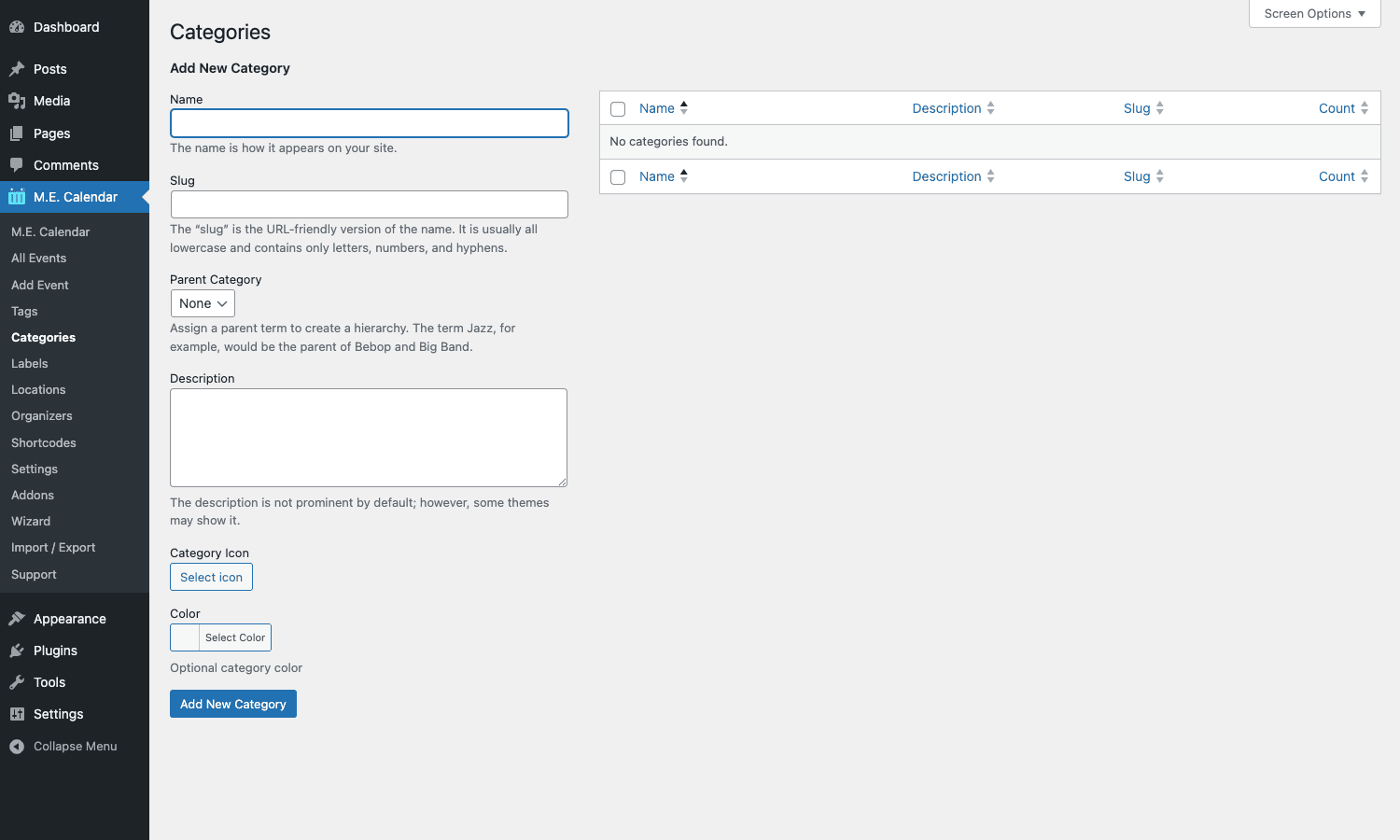
Categories (mec_category)
Group events by type: "Conferences," "Workshops," "Live Music," "Meetups." Each category gets its own archive page at /events/category/<slug>/. Categories can have parent/child relationships.
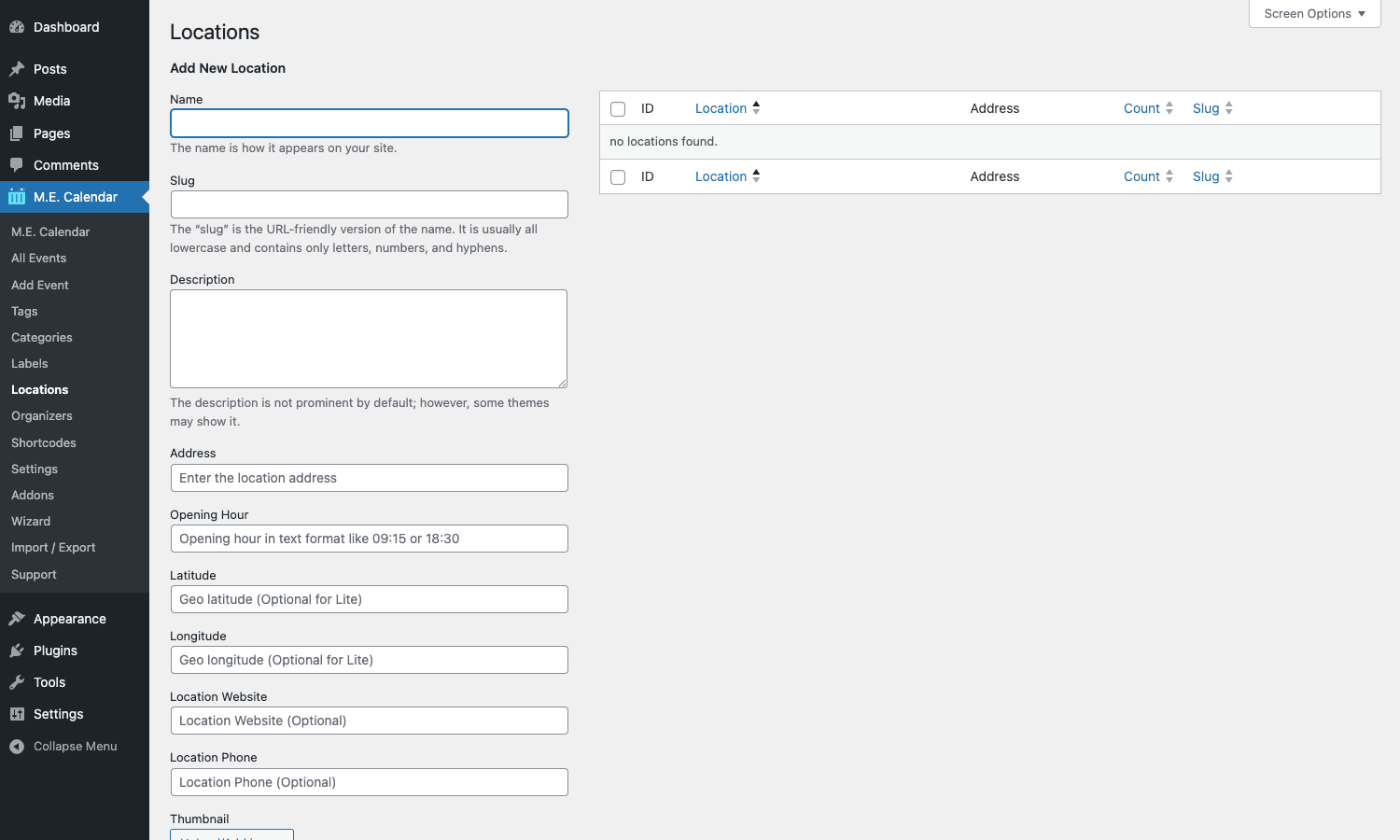
Locations (mec_location)
Where events happen. Each location has name, address, city, country, latitude, longitude, plus optional image and description. One location can be referenced by many events.
Organizers (mec_organizer)
Who runs the event. Each organizer has name, email, phone, social links. Useful for multi-organizer venues (a community center hosting events from several different groups).
Speakers, sponsors, labels, tags
Pro additions. Speakers have bio, photo, and links. Sponsors have logos and links. Labels are visual badges ("Featured," "Sold Out"). Tags are free-form keywords.
The taxonomy system lets you build filtered calendar views: "show me all yoga classes at our Brooklyn location with Sarah as the organizer."
Calendar skins and shortcodes
The "wow" of MEC is the skin system. Each skin is a different visual layout for displaying multiple events.
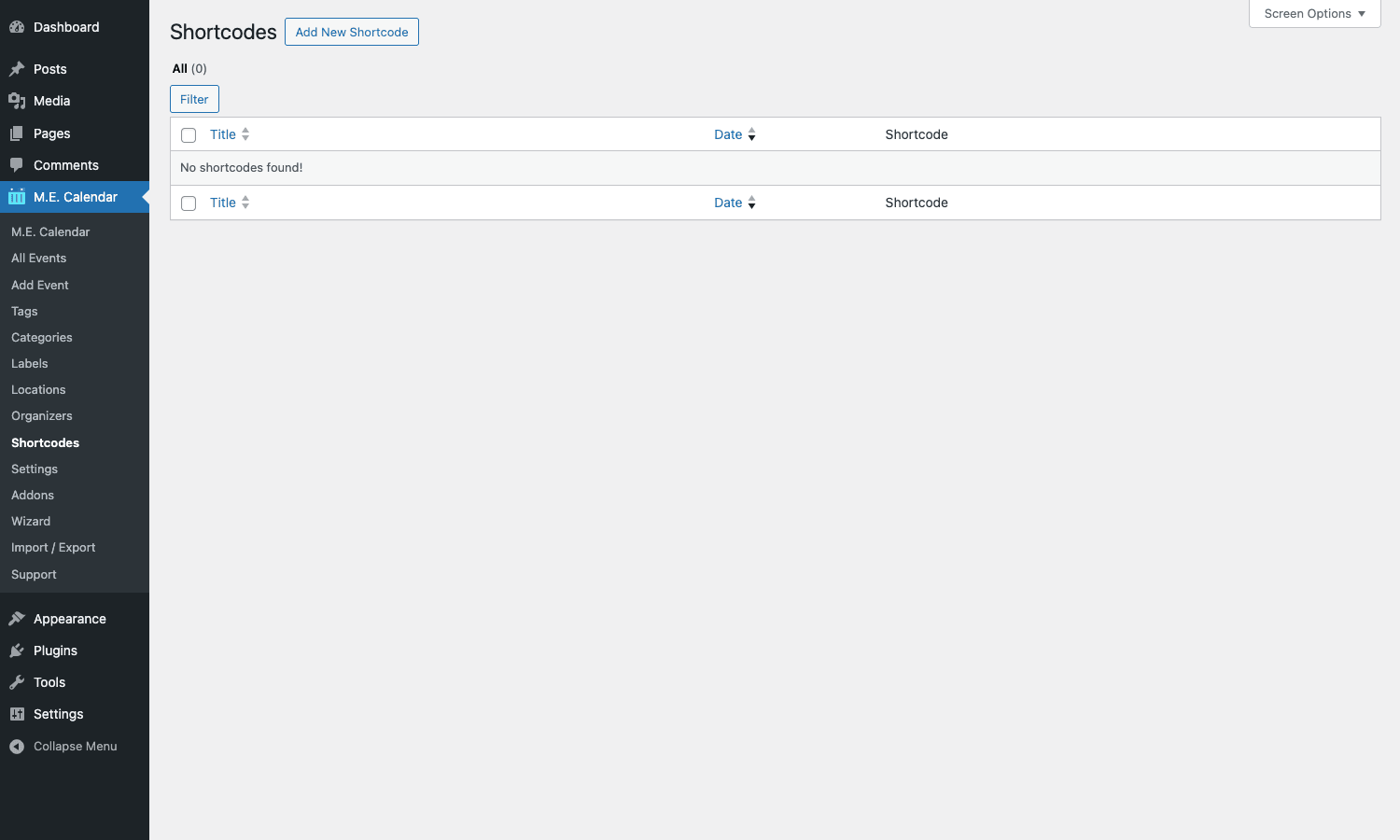
You don’t write shortcodes manually. You go to M.E. Calendar -> Shortcodes -> Add New, pick a skin, configure its options (which categories to show, date range, max events, color scheme), save. MEC generates a shortcode like [MEC id="123"] which you paste anywhere on your site.
The skins (Pro):
- Month View: classic month grid with events shown on each day cell.
- Week View: Monday-Sunday horizontal layout.
- Day View: single day with hourly slots.
- List: chronological vertical list.
- Grid: card grid with thumbnails.
- Agenda: grouped by day, vertical timeline.
- Masonry: Pinterest-style staggered grid.
- Timeline: vertical timeline of upcoming events.
- Carousel: horizontal scrolling carousel.
- Slider: full-width banner slider, one event per slide.
- Cover: large hero card per event.
- Map: Google Maps with event markers.
- Available Spot: emphasizes events with remaining ticket capacity.
- Countdown: countdown timer to the next event.
- Year View: full-year overview, one calendar per month.
- Hourly Schedule: multi-track conference schedule (e.g., three tracks × 4 sessions per day).
- Available Carousel: carousel of events with open registration.
Each skin has its own configuration: how many events to show, color theme, layout direction (LTR/RTL), thumbnail size, info shown per event (date, location, organizer, cost), pagination style.
For most sites, you’ll create 2-3 calendar shortcodes:
- Main calendar page: Month view showing all events.
- Sidebar widget: Compact list of upcoming events.
- Category landing: A grid filtered to one category, embedded on a marketing landing page.
Bookings and ticketing
This is MEC Pro’s marquee feature. Selling tickets directly through the calendar.
M.E. Calendar -> Settings -> Booking enables bookings globally. Then on each event, the Booking tab in the editor lets you:
- Define ticket types. "General Admission" $25, "VIP" $75, "Early Bird" $20 (with availability dates).
- Set capacity per ticket type. Max sold per type.
- Add ticket variations. Sizes, time slots, discount tiers.
- Apply coupon codes. Per-event or sitewide.
- Configure the booking form. Which attendee fields to collect (name, email, phone, custom fields).
- Set deposit / partial payment rules.
When a visitor clicks Book on an event:
- They pick ticket type(s) and quantity.
- Fill in attendee details (one set of fields per attendee, optionally).
- Pick a payment method.
- Pay (Stripe / PayPal / WooCommerce / Manual).
- Receive a confirmation email with their booking ID and ticket(s).
- The admin gets a notification with attendee details.
The Bookings inbox at M.E. Calendar -> Bookings shows all reservations, filterable by event and status (pending, confirmed, cancelled). Export to CSV for offline registration desks.
For multi-attendee bookings (one booker buying 5 tickets for a conference), MEC handles each attendee as a separate row in the bookings table with their own custom fields.
Payment gateways
MEC Pro includes (or supports via free add-ons):
- Stripe: direct credit card processing.
- PayPal Express: PayPal checkout flow.
- PayPal Standard: older PayPal redirect flow.
- WooCommerce: tickets become Woo products, leveraging Woo’s own gateway stack (WooCommerce Stripe Payment Gateway, Square, etc.).
- Manual / Bank transfer: for offline payments.
- Square: direct Square integration (free addon).
The WooCommerce integration is the most flexible because it inherits everything Woo has: tax calculation, subscriptions, gift cards, refunds, abandoned cart recovery. The direct integrations (Stripe, PayPal) are simpler but skip Woo’s overhead, good for sites that only need event ticketing and don’t run a full store.
Recurring events
The free version supports daily, weekly, monthly, yearly recurrence. Pro adds "Custom Days" (any specific dates), "Advanced" (every 2nd Wednesday of every month), and the ability to add exceptions (the weekly class is cancelled on December 25).
The recurrence engine is good. You can set:
- End condition. After N occurrences, on a specific date, or no end.
- Exception dates. Skip specific dates.
- Different time for some occurrences. The Christmas Day class moves to 10 AM instead of 7 PM.
- Time zone awareness. Recurring events handle DST transitions correctly.
For a yoga studio with "Vinyasa every Monday & Wednesday at 6 PM for the rest of the year," you create one event with the right recurrence rule and MEC handles displaying every instance on your calendar.
Single event page builder
The event detail page (where you land when clicking an event on the calendar) can be customized in two ways:
- Theme single template. MEC inherits your theme’s
single.phpand adds its meta boxes within the loop. Simple but tied to your theme’s design. - Single event page builder (Pro). Webnus’ visual builder for the single event page. Drag widgets onto a canvas: countdown, ticket selection, location map, organizer card, related events, social share buttons.
The page builder produces a different visual style per event, possible to have a fancier page for big-ticket events and a simpler one for free meetups.
The builder is similar in concept to Brizy or Elementor’s Theme Builder but scoped to MEC events. If you already build pages with Elementor, the Elementor FES Builder addon (separate Pro purchase) lets you use Elementor for MEC pages instead.
Email notifications
Bookings, cancellations, and reminders all go through MEC’s notification system. Settings -> Notifications:
- Booking confirmation: sent to the attendee on successful booking.
- Booking pending: sent when payment is pending (manual gateway).
- Booking verification: sent when a booking is verified (post-payment).
- Booking cancellation: sent on cancellation.
- Event reminder: sent N hours before the event starts.
- New booking notification: sent to the admin.
- Thank-you email: sent N hours after the event ends.
Each notification has a configurable HTML template with merge tags: {event_name}, {event_date}, {event_location}, {attendee_name}, {ticket_type}, {booking_id}, etc.
For high-deliverability emails (the kind that don’t land in spam), pair MEC with WP Mail SMTP and configure an SMTP relay. WP’s default wp_mail() is unreliable for transactional events.
Import and export
M.E. Calendar -> Import / Export is the bulk operations panel.
Import supports:
- CSV with a defined column schema.
- iCal / ICS files: bulk import from Google Calendar, Outlook, Apple Calendar exports.
- The Events Calendar (TEC) export, migrating from TEC to MEC is one click.
- EventOn export: migrating from EventOn.
- Meetup: sync events from a Meetup.com group.
Export supports CSV, iCal, and a JSON dump for backup purposes.
For a venue migrating from a Google Sheet-based event list, you’d add the right columns to your sheet, export as CSV, and import into MEC.
Zoom, Google Meet, Webex integrations
Virtual and hybrid events get first-class support in MEC Pro (with the appropriate addon active).
- Zoom. Auto-create a Zoom meeting when an event is published. The Zoom link is automatically included in attendee confirmation emails. Recording links can be auto-attached after the event.
- Google Meet. Same idea via Google Calendar API.
- Webex. Cisco Webex meeting auto-creation.
The setup is OAuth-based: connect your Zoom/Google/Webex account once in Settings -> Modules, then enable "Virtual Event" on any event and MEC handles the rest.
This saves significant operational overhead for sites that run weekly webinars or hybrid in-person + online events.
Developer reference
The hook surface is large because MEC has been around for years. Here are the hooks worth knowing.
Customize event URLs
mec_get_event_permalink filters the event URL.
add_filter( 'mec_get_event_permalink', function( $url, $event ) {
 // Prefix all event URLs with /workshops/
 if ( has_term( 'workshop', 'mec_category', $event ) ) {
 return str_replace( '/events/', '/workshops/', $url );
 }
 return $url;
}, 10, 2 );
Customize event cost display
mec_display_event_cost filters how the price is rendered on event cards and pages.
add_filter( 'mec_display_event_cost', function( $rendered, $cost ) {
 if ( empty( $cost ) || $cost === '0' ) {
 return '<span class="free-event">Free</span>';
 }
 return $rendered;
}, 10, 2 );
React to booking completion
mec_booking_completed fires when a booking is finalized. Use it to sync the attendee to a CRM, fire a Slack notification, or trigger a custom workflow.
add_action( 'mec_booking_completed', function( $book_id ) {
 $book = get_post( $book_id );
 if ( ! $book ) return;
 $event_id = get_post_meta( $book_id, 'mec_event_id', true );
 $event = get_post( $event_id );
 wp_remote_post( get_option( 'slack_event_webhook' ), [
 'body' => wp_json_encode( [
 'text' => sprintf( ':ticket: New booking for "%s" (ID #%d)', $event->post_title, $book_id ),
 ] ),
 ] );
} );
Add custom event meta
mec_event_get_data lets you intercept any meta field read. Useful when you store derived data outside MEC’s standard fields.
add_filter( 'mec_event_get_data', function( $value, $key, $data, $default ) {
 if ( $key === 'custom_session_count' ) {
 return $data['custom_session_count'] ?? $default;
 }
 return $value;
}, 10, 4 );
Format ticket price label
mec_filter_ticket_price_label lets you customize how each ticket type’s price is shown.
add_filter( 'mec_filter_ticket_price_label', function( $label, $ticket, $event_id ) {
 if ( ! empty( $ticket['price'] ) && (float) $ticket['price'] === 0.0 ) {
 return 'Free';
 }
 return $label;
}, 10, 3 );
Extend the events query
mec_map_tax_query lets you add custom taxonomy filters to the events query. Useful when you have a custom taxonomy you want MEC to query across.
add_filter( 'mec_map_tax_query', function( $tax_query, $q_args ) {
 if ( ! empty( $q_args['city'] ) ) {
 $tax_query[] = [
 'taxonomy' => 'event_city',
 'field' => 'slug',
 'terms' => $q_args['city'],
 ];
 }
 return $tax_query;
}, 10, 2 );
Extend the email template options
mec_get_notifications_options lets you add custom recipients, subjects, or template variables to MEC’s notification system.
add_filter( 'mec_get_notifications_options', function( $options, $group_id, $global_options, $event_options ) {
 // Always BCC the operations team on bookings
 if ( isset( $options['booking_notification'] ) ) {
 $options['booking_notification']['email_bcc'] = 'ops@example.com';
 }
 return $options;
}, 10, 4 );
Inject content into the single event page
mec_single_after_content fires after the main event content renders. Use it to inject custom HTML on every event page.
add_action( 'mec_single_after_content', function( $events_detail ) {
 if ( has_term( 'workshop', 'mec_category', $events_detail->ID ?? 0 ) ) {
 echo '<div class="workshop-disclaimer">';
 echo '<p>This workshop requires comfortable clothing and a yoga mat. Bring water.</p>';
 echo '</div>';
 }
} );
REST API
MEC’s events are accessible via WP REST: GET /wp-json/wp/v2/mec-events returns the standard WP REST representation. For richer data (occurrences, ticket types, location data), there’s a Pro-only addon (Webnus REST API extension) that exposes a /wp-json/mec/v1/ namespace.
Performance and SEO
MEC is a heavy plugin in terms of database operations (the events query needs to handle recurring expansion, which is computationally expensive for events with many occurrences). A few notes.
Caching
Page caching plays well with MEC for the main calendar views. The skin shortcodes render server-side and the output is cacheable. WP Rocket handles MEC pages correctly out of the box.
The Bookings module is dynamic per-request (ticket inventory updates in real-time). MEC declares booking pages as cache-excluded automatically.
Database growth
Bookings, attendees, and transactions each get a row in custom tables. On a high-volume conference site (thousands of attendees per event), the booking table can grow large. There’s no built-in retention; you’d archive old bookings manually after events complete.
Event schema
Single event pages emit @type: Event JSON-LD automatically. Required fields: name, startDate, endDate, location, organizer. Optional: image, offers (ticket pricing), eventStatus, eventAttendanceMode (online vs offline).
For schema validation, run a published event URL through Google’s Rich Results Test. MEC’s auto-generated schema typically passes without modification.
If you also use Yoast SEO or Rank Math, they may emit their own Event schema. Use only one (Yoast/Rank Math OR MEC, not both) to avoid duplicate markup.
Indexing
Each recurring event instance gets its own URL by default (/events/yoga/2026-05-21/, /events/yoga/2026-05-28/). For Google’s index, this can mean hundreds of pages for a weekly recurring event. The Pro tier has options to noindex past instances and limit index to upcoming-only.
Common gotchas
Five things that catch first-time users.
Skin selection matters more than feature flags
Many MEC "features" are actually skin properties. The countdown only appears on the Countdown skin. The map only appears on the Map skin. If a feature seems missing, check the skin you’re using.
Recurring events and database size
A weekly recurring event extending 10 years creates virtual instances on demand, not stored rows, that’s fine. But changing the recurrence rule re-renders the calendar’s cached output. On busy sites this can cause brief lag.
WooCommerce vs MEC native gateways
If you connect WooCommerce for ticket sales, you get all of WC’s checkout flow (cart, multi-product checkout, billing/shipping addresses). If you use MEC’s native Stripe/PayPal, you skip the cart and go straight to single-event checkout.
WooCommerce is the right answer if your visitors might buy a t-shirt + a ticket in one transaction. MEC native is faster for ticket-only flows. Pick based on whether you sell other products.
Time zones
Events have a time zone field. If you don’t set it explicitly, MEC uses the WordPress site time zone. For sites serving multiple time zones (a webinar attended globally), enable "Show local time" so visitors see the start time in their browser’s time zone.
Cancellations and refunds
MEC’s built-in cancellation flow generates a cancellation email and updates the booking status, but it doesn’t auto-refund the payment. Refunds happen in your payment gateway (Stripe dashboard, PayPal, WooCommerce order page). If you sell paid tickets, document your refund policy clearly and process refunds promptly via the gateway.
Pricing
MEC Lite (free) is on WordPress.org. Generous free tier with most of the calendar features.
MEC Pro is sold by Webnus at a starting price around $75/year for a single site, with multi-site tiers at higher prices and a lifetime license also available. Webnus also bundles MEC Pro with their theme catalog (some Webnus themes include a Pro license).
No per-site license fee. Plugin code is identical to Webnus’s commercial version.
FAQ
Can I switch from The Events Calendar to MEC?
Yes. M.E. Calendar -> Import / Export -> Import from The Events Calendar runs a migration. It imports events, categories, organizers, and venues. Bookings (Event Tickets Plus) don’t migrate cleanly, you’d manually transfer attendee data via CSV.
Does MEC work with WooCommerce Subscriptions?
Yes for the ticket sales side. A subscription-based ticket (membership that includes access to all events for a year) is handled by WooCommerce Subscriptions; the access logic is your custom implementation (e.g., a membership plugin that gates event registration based on subscription status).
Can I limit ticket sales by region?
Yes via WooCommerce. Use WC’s shipping/billing restrictions to limit which countries can purchase. MEC native gateways don’t have built-in geographic restriction.
Will MEC work with my multilingual site?
Yes. WPML and Polylang are both supported. Each event is translatable as a separate post. Categories, locations, and organizers translate as taxonomies.
How does MEC handle time zone display?
By default, the site time zone (set in Settings -> General). Each event can override its time zone. For global audiences, enable the "Show local time" option which auto-converts on the client side.
Can attendees register without creating an account?
Yes. Guest bookings (no WP account required) are the default. Bookings link to an email address, not a user. Pro tier optionally requires WP login for higher-trust events.
Does MEC support iCal subscriptions?
Yes. Each event has an "Add to Calendar" link generating an .ics download. The full calendar exports as a subscribable iCal URL, visitors add it to Google Calendar / Apple Calendar / Outlook and get auto-updated future events.
Will MEC slow down my homepage?
Marginally. A Month skin shortcode on the homepage adds a database query for upcoming events plus the skin’s CSS/JS. Both are cacheable. If you have a heavily-trafficked homepage, use a lighter skin (List instead of Month) and limit to N upcoming events.
Can I have different ticket prices for members vs non-members?
Yes with the right addon. The "MEC Membership" or "Conditional Pricing" addon (sold separately by Webnus) handles role-based pricing.
How do I refund a booking?
In MEC, mark the booking as cancelled. In your payment gateway (Stripe, PayPal, Woo), issue the actual refund. MEC’s cancellation triggers the email but doesn’t auto-refund.
Does it work on multisite?
Yes. MEC is multisite-aware. Each subsite has its own events, taxonomies, and settings.
What about Google Calendar two-way sync?
MEC pushes events to Google Calendar (via the Google Calendar integration addon). Two-way sync (changes in Google Calendar reflecting back in MEC) requires additional configuration and isn’t as polished as the one-way push.
Is the booking flow accessible (WCAG)?
Mostly. MEC’s frontend follows WordPress standard accessibility patterns. Some skins (especially heavy visual ones like Cover or Slider) have accessibility issues with keyboard navigation. For accessibility-critical sites, stick to List or Grid skins.
Can I customize the email template HTML?
Yes. Settings -> Notifications has an HTML editor per notification type. The default templates are responsive HTML. You can paste in fully custom HTML if you have a designer template you want to use.
Does MEC integrate with Mailchimp / ConvertKit?
Not natively for event-driven email. You’d use Zapier or a custom webhook via the mec_booking_completed hook (shown above) to push attendees to your email provider.
What’s the difference between MEC events and WP posts?
MEC events are a custom post type (mec-events). They behave like posts (have permalinks, taxonomies, featured images, content editor) but have extra meta fields (start date, end date, ticket types). Themes that handle CPTs gracefully will display MEC events without issue; themes hardcoded to "posts only" may need a child-theme template.
Can I sell tickets in multiple currencies?
The cart/transaction uses one currency at a time (set in Settings). For multi-currency, you’d use WooCommerce + a multi-currency Woo addon, and route MEC ticket sales through Woo.
Will MEC work with the new WordPress block editor?
Yes. Events use the block editor by default. MEC ships block-editor widgets for embedding calendar skins inside post content via blocks.
Final thoughts
Modern Events Calendar is the most-feature-complete event management plugin for WordPress, full stop. The closest competitor (The Events Calendar Pro + Event Tickets Plus) covers the same features but with a higher price tag and across multiple plugins. EventOn is prettier but smaller in scope.
The downsides are the visual chrome (Webnus pushes their announcements and addon promotions inside the admin a bit aggressively for some tastes) and the learning curve of 80+ skins (most people use 3-4 and never touch the rest). Neither is a dealbreaker.
For a small business with weekly events, install the free MEC Lite and call it done.
Grab Modern Events Calendar from GPL Times, install Lite first to learn the model, then activate Pro features as your event program grows.