

Elementor’s default widget set covers about 80% of what most pages need. The other 20%, the data charts, the image hotspots, the Google Reviews import, the animated SVG blob backgrounds, the before/after image sliders, is exactly the gap that Elementor addon plugins exist to fill. Premium Addons Pro from Leap13 is one of the four big names in that category (alongside Essential Addons, The Plus Addons, and PowerPack), and it has the strongest section-background module set and one of the more polished image-effect collections.
This review walks through what Premium Addons Pro is, how it differs from the free Premium Addons plugin, how it compares to Essential Addons / The Plus Addons / PowerPack and the build-your-own-widget approach of Unlimited Elements, every Pro widget category, the unique section backgrounds (blob, gradient, ken burns, lottie, parallax, particles), the developer hook surface, and the gotchas to know.
Table of contents
- What Premium Addons Pro is
- Free Premium Addons versus Pro
- Premium Addons vs Essential Addons vs The Plus Addons vs PowerPack
- Who Premium Addons Pro is the right pick for
- Installing both plugins
- The Premium Addons admin
- Widgets & Add-ons panel
- Pro widget categories explained
- Section background modules
- Reviews import: Google, Yelp, Facebook
- Premium Charts widget
- License and activation
- Developer reference
- Performance impact
- White labeling
- Common gotchas
- Pricing
- FAQ
- Final thoughts
What Premium Addons Pro is
Premium Addons Pro is a Pro extension to the free "Premium Addons for Elementor" plugin from Leap13. Both are required: the free PA provides the foundation (settings panel, integration with Elementor’s editor, the master widget list), and the Pro layer adds 36+ premium widgets plus eight section-background modules. The free plugin alone gives you ~50 widgets (testimonials, pricing tables, dual heading, contact form, etc.); the Pro upgrade adds the visually-impressive widgets like Charts, Magic Section, Image Hotspots, and reviews import.
Leap13 (the publisher) maintains both. The plugin updates frequently, every few weeks. Active development is one of the reasons to pick PA over abandoned Elementor addons.
Free Premium Addons versus Pro
Knowing the split prevents you from paying for features the free version already gives you.
Free Premium Addons (on WordPress.org) includes
- ~50 free widgets covering most common needs (testimonials, pricing tables, dual heading, fancy text, blog post grid, contact form, icon list, blog filter, banner, button, image grid, video box)
- All free section modifiers (animation toggles, basic backgrounds)
- Integration toggles for reCAPTCHA, Mailchimp, HubSpot, Calendly
- Widget settings master switch
- Default styling library
Premium Addons Pro adds
- 36+ Pro widgets (full list below)
- 8+ Section Builder Effects: Blob backgrounds, animated gradients, Ken Burns photo zoom, Lottie animation backgrounds, parallax scrolling, particles.js backgrounds
- 3 Global modifiers: Global Badge (overlay any element), Global Cursor (custom cursor styles), Global Multi-Scroll (cross-page scroll effects)
- Reviews import widgets: Google Reviews, Yelp Reviews, Facebook Reviews
- Social feed widgets: Facebook Feed, Twitter Feed, Instagram Feed, Behance Feed
- WhatsApp Chat widget
- Charts widget (data visualization)
- White-labeling options
- Premium support
If you build pages with Elementor and you don’t need charts, reviews import, or animated section backgrounds, the free version is enough. If you do, Pro.).
Premium Addons vs Essential Addons vs The Plus Addons vs PowerPack
For a closer look at the last name on that list, see our hands-on walkthrough of PowerPack for Elementor and how its widgets and white-labeling stack up.
Four major Elementor addon plugins, honest comparison.
Premium Addons Pro (Leap13)
- Pros. Strongest section-modifier collection (blob, particles, lottie backgrounds, parallax). Reviews import is unique and well-built. Premium Charts is the best chart widget of the four.
- Cons. Smaller total widget count than Essential Addons or The Plus.
Essential Addons for Elementor (WPDeveloper)
- Pros. Largest widget count (90+ widgets). Most popular Elementor addon by install count. complete coverage of common patterns.
- Cons. Less polished individual widgets compared to Premium Addons. Bloat risk on busy sites.
The Plus Addons for Elementor (POSIMYTH)
- Pros. Even larger widget count (120+). Strong Theme Builder integration. Lottie animations everywhere.
- Cons. Most expensive. Heavy frontend payload.
PowerPack for Elementor (IdeaBox Creations)
- Pros. Clean, modern UI. Strong contact form widgets. Reasonable mid-tier widget count (~80).
- Cons. Smaller community than EA or PA.
We cover Essential Addons for Elementor elsewhere on the blog. For specific niches (data charts, reviews import, animated backgrounds), Premium Addons Pro is the right pick. For sheer breadth of widgets, Essential Addons or The Plus.
If you run a portfolio or marketing site that needs the visual effects, install both EA + PA, they coexist fine and cover different gaps.
Who Premium Addons Pro is the right pick for
Three audiences.
Marketing teams building landing pages with data
If you build SaaS landing pages, agency case studies, or annual report pages that need to display data visually, Premium Charts alone justifies the purchase. Native Elementor doesn’t have a chart widget; PA’s is feature-complete (line, bar, pie, radar, scatter, with animations and tooltips).
Local businesses showing social proof
Restaurants, dentists, gyms, hotels, anyone whose conversions depend on showing customer reviews. PA’s Google Reviews, Yelp Reviews, and Facebook Reviews widgets pull reviews directly via API and display them in Elementor-styled cards. No copy-pasting needed.
Design-forward sites with animated backgrounds
Agencies building "wow" landing pages where the section background isn’t just a flat color but a moving blob, a particle field, or a Lottie animation. PA’s section background modifiers are the deepest in the Elementor addon category.
Installing both plugins
Order matters: install free Premium Addons first, then Pro.
- Free Premium Addons from
Plugins -> Add New -> Search "Premium Addons for Elementor". Install. Activate. - Premium Addons Pro: upload via
Plugins -> Add New -> Upload Plugin -> premium-addons-pro.zip. Activate. - Enter your license key in
Premium Addons -> License.
After both plugins are active, the "Premium Addons" menu in the WP admin sidebar lights up with submenus: General, Widgets & Add-ons, Global Addons, Integrations, Version Control, White Labeling, System Info, License, Run Setup Wizard.
Elementor (free, on.org) must also be active. PA Pro is an extension to Elementor, not a replacement.
The Premium Addons admin
Premium Addons -> General is the main settings panel.
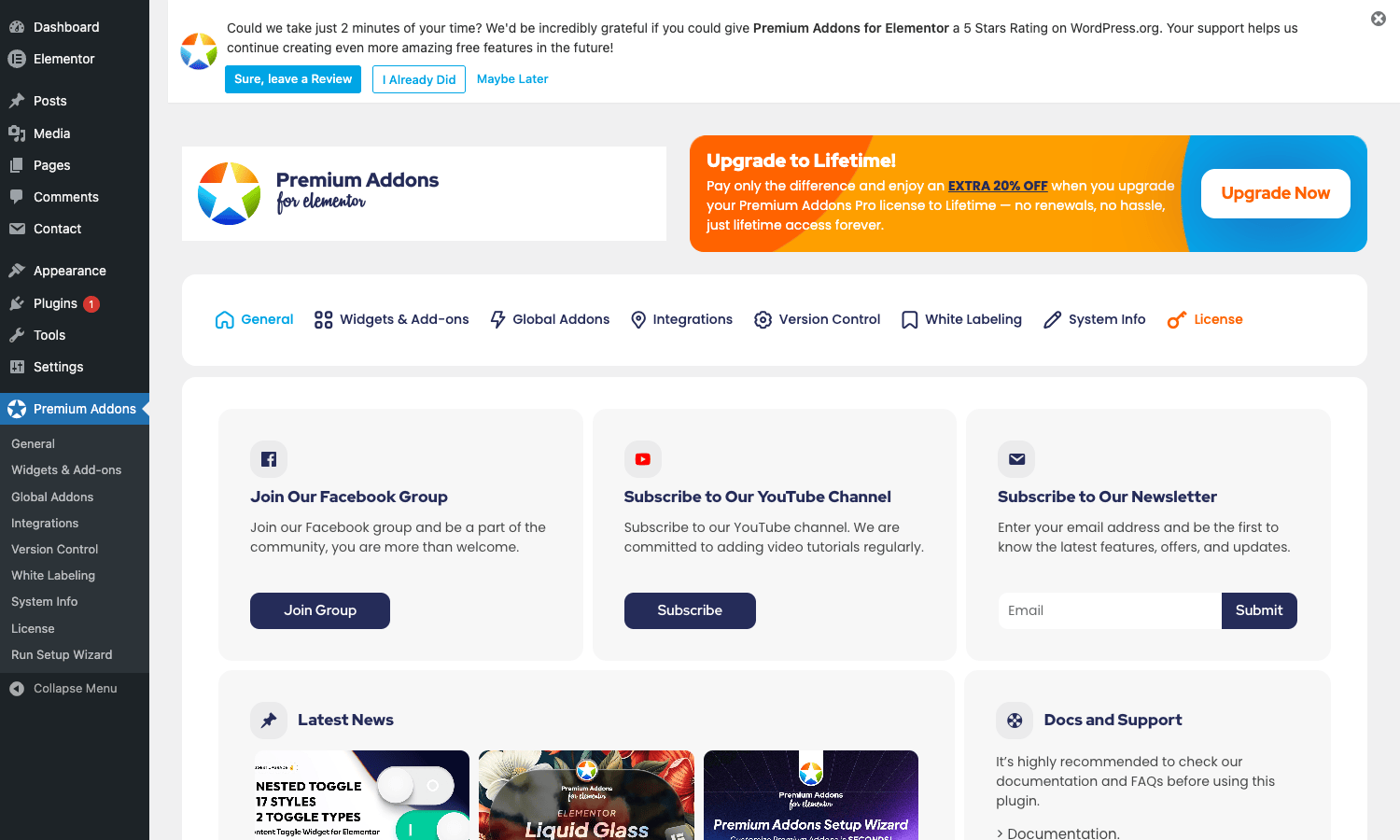
The tab navigation across the top shows the full PA admin:
- General: site-wide toggles (templates, custom CSS load, Cross-domain, dev mode)
- Widgets & Add-ons: per-widget on/off (so you only load JS for widgets you actually use)
- Global Addons: Global Badge, Global Cursor, Global Multi-Scroll (the cross-page modifiers)
- Integrations: third-party API keys (Google Maps, reCAPTCHA, Facebook, Twitter, Instagram, Yelp, MailerLite, MailChimp, Calendly, etc.)
- Version Control: roll back to a previous version of PA if a recent update broke something
- White Labeling: Pro feature, replace PA branding
- System Info: debug info
- License: Pro license activation
Most users only touch General, Widgets & Add-ons, and License during initial setup.
Widgets & Add-ons panel
This is the panel where you decide which widgets load. Defaults to all on.
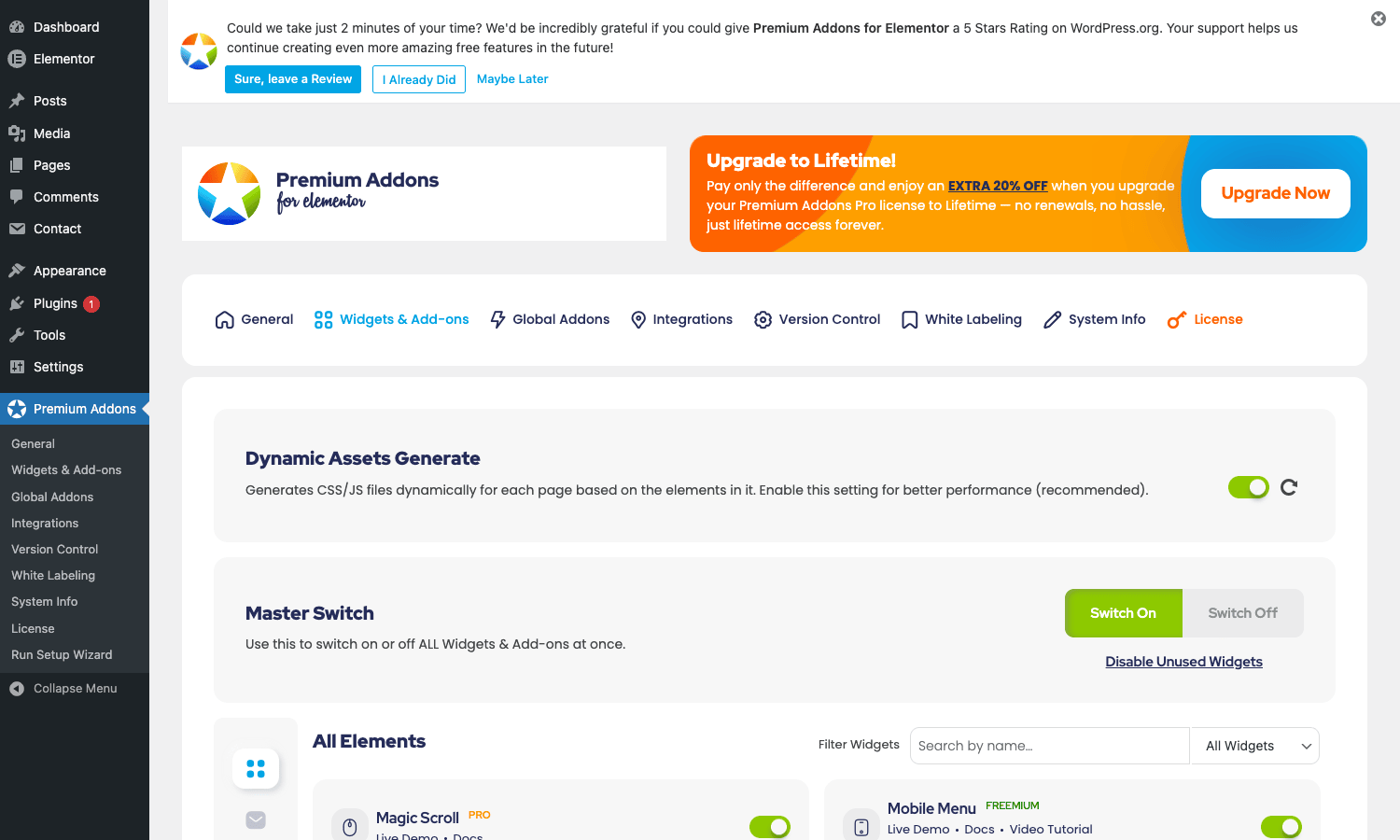
The panel has:
- Dynamic Assets Generate. Default ON. Generates per-page CSS/JS so each page only loads widgets it uses. Big performance win, keep on.
- Master Switch. Switch every widget on/off in one click.
- Disable Unused Widgets. Auto-disable widgets you’ve never used on the site.
- Individual widget toggles. Each widget has its own switch, plus links to Live Demo and Docs.
Best practice: leave Dynamic Assets on, run the site for a week, then click "Disable Unused Widgets" to turn off widgets you never used. Your JS/CSS payload drops accordingly.
The widgets are labeled PRO or FREEMIUM (the second means: free version has a basic version, Pro adds more options).
Pro widget categories explained
The 36+ Pro widgets group into themes.
Content presentation
- Premium Charts. Data visualization. Line, bar, pie, doughnut, radar, scatter, polar area. Inline data editor or external JSON source.
- Premium Tables Pro. Sortable, filterable data tables with pagination.
- Premium Tabs Pro. Tabbed content with multiple layouts.
- Premium Content Toggle. "Monthly/Yearly" pricing toggle, "Show/Hide more" button.
- Premium Magic Section. One-page scroll layouts where sections reveal sequentially.
- Premium Unfold. Collapsible long content sections.
- Premium Smart Post Listing. Custom blog grid with filtering.
Image effects
- Premium iHover. Image hover effects with 30+ animations.
- Premium Image Accordion. Horizontal expanding image rows.
- Premium Image Comparison. Before/after slider.
- Premium Image Hotspots. Clickable pins on an image with tooltips.
- Premium Image Layers. Multiple stacked images with effects.
- Premium Previous Image. Gallery prev/next navigation.
Interactive components
- Premium Flipbox. 3D-flipping card on hover.
- Premium IconBox Pro. Advanced icon + heading + text combo.
- Premium Divider Pro. Animated section dividers (curves, waves, triangles).
- Premium Notification Bar. Top/bottom announcement bar.
- Premium Color Transition. Animated color-shifting headlines.
Reviews and social
- Premium Google Reviews. Google Business Profile reviews import.
- Premium Yelp Reviews. Yelp business reviews import.
- Premium Facebook Reviews. Facebook page reviews import.
- Premium Facebook Feed. Facebook page post feed.
- Premium Twitter Feed. X/Twitter timeline feed.
- Premium Instagram Feed. Instagram posts feed.
- Premium Behance Feed. Behance portfolio feed.
Scroll behavior
- Premium Horizontal Scroll. Sideways scrolling sections.
- Premium Multi Scroll. Parallax scrolling sections.
Communication
- Premium WhatsApp Chat. Floating WhatsApp button with custom message.
Utility
- Premium Site Logo. Show site logo with custom Elementor styling.
Section background modules
This is what sets Premium Addons Pro apart from competitors. Inside the Elementor section settings (the gear icon when editing a section), Pro adds a Premium tab with these background modifiers:
- Section Blob. Animated SVG blob shape behind your content. Configurable colors, animation speed, blob count.
- Section Gradient. Animated multi-color gradient background that slowly shifts hues. Modern SaaS-style "vibes" background.
- Section Ken Burns. Slow zoom-in/zoom-out effect on a section’s background image. Cinematic vibe for hero sections.
- Section Lottie. Use a Lottie JSON animation as the section background instead of a static image.
- Section Parallax. True parallax scrolling (background scrolls slower than content). Multiple parallax styles.
- Section Particles. Particle.js background (animated dots/lines/snow/network effects).
For a SaaS landing page, the combination "Section Gradient + Section Particles" gives you the modern animated background look that’s everywhere on Stripe / Vercel / Linear marketing sites, built inside Elementor with two toggles instead of custom CSS/JS.
Reviews import: Google, Yelp, Facebook
The reviews widgets are PA Pro’s most-used feature for local businesses.
Google Reviews
Get an API key from Google Cloud (Places API). Paste it in PA’s Integrations tab. Add the Premium Google Reviews widget to your page. Enter your business’s Place ID (find it via Google’s Place ID Finder). Save.
The widget pulls reviews directly via the Google Places API, displays them in Elementor-styled cards, and refreshes on a schedule. You can filter by minimum rating (e.g., show only 4-star and up), limit count, choose layout (grid, carousel, list).
This replaces manually copy-pasting reviews from Google Maps or paying for a separate reviews-import plugin.
Yelp Reviews
Same flow with Yelp’s Fusion API key. Yelp’s API has stricter rate limits than Google, so the widget caches results aggressively.
Facebook Reviews
Facebook’s review API is more restrictive (only works for verified business pages and requires Facebook App approval). PA includes the widget, but the setup is fiddly, you’ll spend more time on Facebook’s developer dashboard than in PA.
For local SEO, pair PA’s reviews with Yoast Local SEO for the schema markup side.
Premium Charts widget
The chart widget is rare among Elementor addons (most addon packs skip data viz). PA’s covers:
- Line chart. Time-series data, multiple lines, smooth or stepped.
- Bar chart. Vertical or horizontal, grouped or stacked.
- Pie / Doughnut chart. With center labels.
- Radar chart. Multi-axis comparison.
- Scatter plot. XY scatter with optional regression line.
- Polar area chart. Pie-like with variable radius.
- Bubble chart. Three-variable visualization.
Data sources:
- Inline editor. Type your data directly in Elementor.
- External JSON. Load data from a URL.
- CSV import. Upload a CSV file.
Customization includes color scheme, legend position, tooltip styling, animation timing. The underlying chart library is Chart.js, so the output is canvas-based and responsive.
For a business reporting an annual revenue chart, this widget plus a few text columns produces a credible-looking infographic page in 30 minutes.
License and activation
Premium Addons -> License is where you activate the Pro features.
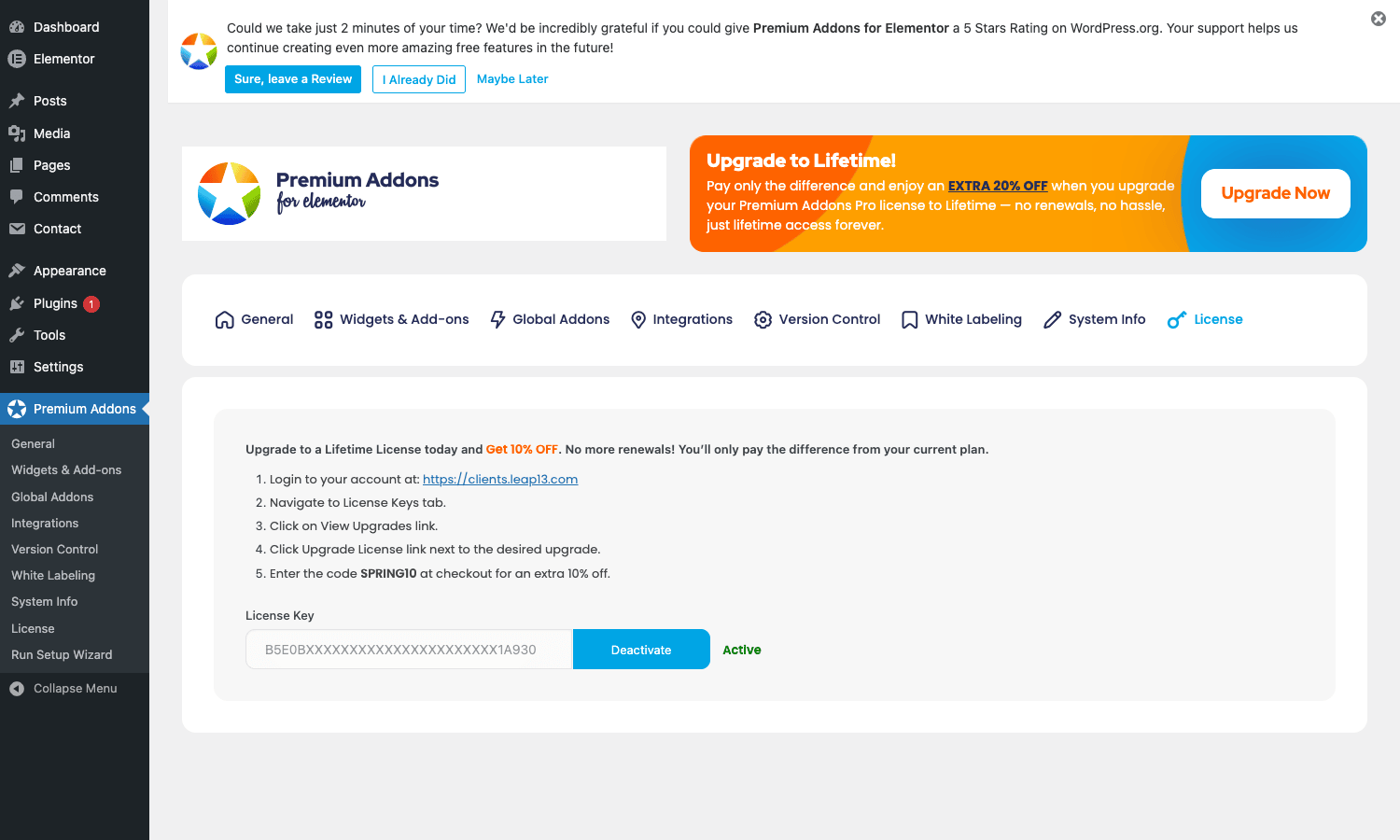
Paste your license key from Leap13, click Activate. Pro widgets unlock immediately.
The license tier determines how many sites you can run Pro on (single, three, or unlimited).
Integrations
Premium Addons -> Integrations is where you paste API keys for the third-party services PA’s widgets depend on.
The integrations covered:
- Google Maps API. Required for Image Hotspots, Maps with Markers, Google Reviews. One Google Cloud project key serves all three.
- Google reCAPTCHA. Site key + secret for v2 and v3. Used by PA’s Contact Form widget and as a generic spam-protection layer on third-party forms.
- Mailchimp. API key for newsletter signup widgets.
- HubSpot. API key for the HubSpot form widget.
- MailerLite. API key for MailerLite signup.
- Calendly. OAuth or API key for embedding Calendly schedulers.
- Facebook App ID + token. For Facebook Feed and Facebook Reviews.
- Twitter / X token. For Twitter Feed.
- Instagram access token. For Instagram Feed.
- Yelp Fusion API key. For Yelp Reviews.
Each integration is configured once at the site level; widgets that use it inherit the key automatically. For agencies running many client sites, this means setting API keys per-client without touching individual widget instances.
Developer reference
PA exposes a modest set of hooks. Here are the ones you’ll use.
Override widget asset URL
add_filter( 'pa_widget_assets_url', function( $url, $widget_name ) {
 // Serve assets from CDN
 return str_replace( site_url(), 'https://cdn.example.com', $url );
}, 10, 2 );
Disable Dynamic Assets per page
By default Dynamic Assets generates per-page CSS/JS. To force-load everything on a specific page (useful for staging tests), set the option:
add_filter( 'pa_dynamic_assets_enabled', function( $enabled, $post_id ) {
 if ( $post_id === 42 ) return false;
 return $enabled;
}, 10, 2 );
Disable a Pro widget by code
For sites where you want certain widgets blocked from non-admin users:
add_filter( 'pa_disabled_widgets_for_user', function( $disabled, $user_id ) {
 $user = get_userdata( $user_id );
 if (! $user ||! user_can( $user_id, 'manage_options' ) ) {
 $disabled[] = 'premium-whatsapp-chat'; // hide WhatsApp from non-admins
 $disabled[] = 'premium-charts';
 }
 return $disabled;
}, 10, 2 );
Hook into review fetching
add_filter( 'pa_google_reviews_data', function( $reviews, $place_id ) {
 // Filter out 1-3 star reviews
 return array_filter( $reviews, function( $r ) {
 return ( $r['rating']?? 0 ) >= 4;
 } );
}, 10, 2 );
Customize Chart.js options
The chart widget supports a pa_chart_options filter that lets you inject custom Chart.js config beyond what PA exposes in the UI:
add_filter( 'pa_chart_options', function( $options, $widget_id ) {
 $options['plugins']['datalabels'] = [
 'display' => true,
 'color' => '#373b3f',
 ];
 return $options;
}, 10, 2 );
Modify white-label strings
White labeling (Pro) is configurable through the admin, but the pa_white_label_options filter lets you override programmatically:
add_filter( 'pa_white_label_options', function( $opts ) {
 $opts['plugin_name'] = 'My Custom Elementor Addons';
 $opts['author'] = 'My Agency';
 return $opts;
} );
Performance impact
PA Pro’s defaults are reasonable but worth tuning for high-traffic sites.
Dynamic Assets
Default ON. Each page only loads CSS/JS for the PA widgets actually used on that page. Without this, every page would load the full PA bundle (~300KB CSS + 500KB JS). With it, a typical page loads 30-80KB.
Keep this on. It’s the single biggest performance lever.
Disable Unused Widgets
After a few weeks of building, run this. It permanently turns off widgets you’ve never used. Each disabled widget removes its CSS/JS from the bundle entirely.
Caching
PA plays well with WP Rocket. The per-page assets are cached by the cache plugin alongside the HTML.
For reviews widgets specifically, the API responses are cached server-side for 24 hours by default. Override the cache duration:
add_filter( 'pa_reviews_cache_duration', function() {
 return 3 * HOUR_IN_SECONDS; // 3 hours instead of 24
} );
Asset loading
If you also run Perfmatters or Asset CleanUp, you can manually disable PA’s scripts on pages that don’t use any PA widgets. Combined with Dynamic Assets, this gets you near-zero PA overhead on non-PA pages.
White labeling
PA Pro’s white-label module lets you strip the Leap13/Premium Addons branding from the admin UI. Useful for agencies handing client sites off.
Premium Addons -> White Labeling configures:
- Plugin name. Replace "Premium Addons Pro" with your agency name.
- Plugin author. Your name instead of Leap13.
- Plugin URI. Your support URL.
- Hide WPdash references. Strip the Premium Addons logo and footer credits.
- Custom CSS for editor. Override the Premium tab styling in Elementor.
After white labeling, clients see your branding in the plugins page and Elementor sidebar. They don’t see "Premium Addons" anywhere unless they read source code.
Common gotchas
Six things to know.
Both plugins must be active
PA Pro depends on the free PA plugin. If you only activate Pro, you get "PA Pro is not working" notices on every admin page. Free PA + PA Pro both active = full functionality.
Promotional banners in the admin
PA shows "Upgrade to Lifetime" and "Rate us 5 stars" banners on its admin pages. You can dismiss them but they reappear after each update. Annoying for clients on a white-labeled site, pair the rate-us banner dismissal with a custom CSS rule to hide it permanently.
Google Reviews API quota
Google’s Places API has a free monthly quota that’s plenty for small businesses. Above ~1,000 review-fetch requests/month you pay per-request. PA’s default 24h cache means a single business’s reviews fetch once per day; even with 10 location pages that’s 300 requests/month, well under the free tier.
Section modifiers and theme conflicts
The section background modifiers (Blob, Particles, etc.) inject extra DOM elements and CSS into the section. On themes with very aggressive box-shadow or overflow rules, the effects can look odd. Test each modifier on a staging copy of your live theme before committing.
Elementor version sync
PA Pro tracks Elementor’s version closely. After every major Elementor release (every 2-3 months) PA pushes a compatibility update within a week. If you update Elementor but skip the PA update, some widgets may break temporarily. Wait for PA’s compatibility release before updating Elementor on production.
Pro license expiration
The Leap13 license includes 1 year of updates. After expiration, the plugin keeps working but stops receiving updates.
Pricing
Free Premium Addons is free on WordPress.org.
Premium Addons Pro from Leap13 starts at around $39/year for a single site, $69/year for three sites, $159/year for unlimited, and a lifetime tier at higher pricing.
Lifetime use, no renewals. Updates by re-downloading from GPL Times.
FAQ
Does PA work with Elementor free or only Pro?
Both. The free Elementor plugin is enough. Elementor Pro adds theme builder features that PA’s widgets work inside of, but PA itself doesn’t require Pro Elementor.
Can I run PA alongside Essential Addons?
Yes. They don’t conflict. Each addon plugin registers its own widgets in the Elementor sidebar; you’ll see "Premium Addons" and "Essential Addons" as separate widget categories. You can use widgets from both on the same page.
Will PA slow down my site?
With Dynamic Assets enabled (default on), no measurable impact. Per-page CSS/JS keeps the payload small. Without Dynamic Assets, expect 200-500KB extra per page.
Does the Charts widget support animations?
Yes. Each chart type has entrance animation (fade-in, scale-in) plus tooltip/hover animations. All driven by Chart.js’s animation engine.
Can I use my own custom data in the Charts widget?
Yes. The data source picker supports inline (type in Elementor), external JSON URL, or CSV import. For dynamic data tied to WP posts/users, you’d use the inline option with a shortcode or custom code.
How does the Image Hotspots widget compare to Elementor’s built-in image map?
Elementor’s free plugin doesn’t have an image map widget. Elementor Pro has one but it’s basic. PA’s Image Hotspots adds animated tooltips, icon variations, mobile-friendly positioning, and per-hotspot custom content (not just text). It’s the deepest hotspot widget in any Elementor addon.
Does PA support the Elementor Container (Flexbox)?
Yes. PA’s widgets work inside Elementor’s new Container (Flexbox) layout system as well as the older Section/Column. The Section Background modifiers work on both Section and Container types.
Will the reviews widgets work with the Google Maps API restrictions?
Yes. Restrict your API key to your domain in the Google Cloud Console; PA respects the restriction and uses the key only for that domain.
Can I customize the review card design?
Yes via the widget settings. Card layout (vertical, horizontal), star color, max review length, "Read more" toggle. For full custom design, use Elementor’s CSS option to override PA’s default styles.
Does it support multilingual sites?
Yes with WPML, Polylang, or TranslatePress. Widget content is translatable string-by-string. Reviews are imported in the language Google/Yelp/Facebook delivers them in.
What’s the difference between Premium Addons and Premium Addons Pro?
Free Premium Addons has ~50 widgets (the foundation). Premium Addons Pro adds 36+ premium widgets + 8 section modules + global modifiers. Both required for full functionality.
Can I use PA Pro without buying the Pro license?
Without a license, Pro widgets show "Pro" lock badges in Elementor and don’t render on the frontend. The free PA widgets continue to work.
Is there a money-back guarantee?
Leap13 offers a 14-day refund policy.
Will my pages break if I deactivate PA Pro?
Pages built with PA Pro widgets will lose those widgets, they show as empty placeholders. The rest of the page (using Elementor and free PA widgets) continues to work. Reactivating PA Pro restores the widgets.
Can I export pages with PA widgets to another site?
Yes via Elementor’s standard template export/import. Both sites need PA + PA Pro active to render the widgets correctly.
Does PA work with Hello Elementor theme?
Yes, optimally. PA was tested against Hello Elementor as the canonical Elementor theme. Other themes also work fine.
What about Brizy or Beaver Builder?
PA Pro is Elementor-only. The plugin doesn’t expose its widgets to other builders. If you’re not using Elementor, this isn’t the right plugin.
Final thoughts
Premium Addons Pro is one of the strongest Elementor addon plugins, particularly for marketing teams that need data visualization, sites that need section background effects beyond Elementor’s defaults, and local businesses showing customer reviews on landing pages. The Charts widget alone is worth the purchase for SaaS marketing sites; the section modifiers are unmatched in the category.
The weakness is the widget count (36 Pro widgets vs ~90 in Essential Addons or 120 in The Plus). If you need sheer breadth, EA or The Plus is a more economical pick. If you need quality plus niche features (reviews import, charts, particles), PA Pro is the answer.
For most sites running Elementor, install both Premium Addons Pro from GPL Times and the free Essential Addons. The two coexist fine, and together they cover essentially every page-building need without resorting to a custom-code addon.