

If you sell physical goods, t-shirts, books, hardware, you reach for WooCommerce. If you sell digital goods, PDFs, presets, plugin licenses, audio files, video courses, you reach for Easy Digital Downloads. Both run on WordPress, both handle a cart and checkout, but EDD is built around the assumption that what you’re selling is a file (or a license, or a subscription, or access). Every screen makes more sense once you accept that premise.
This review walks through what EDD actually does, in the order a first-time digital-product seller hits it. We’ll set up a real store ("Maya’s Lightroom Presets"), build the first product, hook up Stripe, configure tax, set up a discount code, and look at how the reports tell you what’s selling. Then we cover developer hooks, cart recovery (the Pro killer feature), and how it stacks up against WooCommerce, Lemon Squeezy, and Gumroad.
Table of Contents
- What is Easy Digital Downloads?
- How a digital sale actually works
- Key features at a glance
- Setting up EDD from scratch
- Step 1: Install and run the onboarding wizard
- Step 2: Configure your payment gateway
- Step 3: Build your first Download
- Step 4: Set up checkout, cart, and confirmation pages
- Step 5: Test the full purchase flow
- Step 6: Configure tax, emails, and policies
- Discounts, file delivery, and license keys
- Cart recovery (the Pro killer feature)
- Reports and what they tell you
- Real-world use cases
- EDD vs the alternatives
- Developer reference
- Performance, compatibility, and gotchas
- Pricing and licensing
- FAQ
- Final thoughts
What is Easy Digital Downloads?
Easy Digital Downloads (EDD) is a WordPress plugin built by Sandhills Development (now part of Liquid Web / StellarWP) that turns your WordPress site into a digital products storefront. You install it, a "Downloads" menu appears in your admin, and you start adding products, each one a "Download" custom post type with files attached, prices set, and a Buy button rendered on the front-end product page. Customers add Downloads to a cart, pay via Stripe / PayPal / Square, and receive download links by email + on the receipt page.
The plugin is opinionated about what a digital product is. Every Download has files (the actual ZIPs / PDFs / videos you ship), prices (single price or multi-tier, Personal $29 / Business $79 / Agency $199), categories and tags for browsing, and optional access logic (variable pricing per tier, bundle pricing, time-limited downloads). Every Customer is a record with their order history. Every Order is a transaction with files delivered. Every File Download is logged so you can see who downloaded what when.
It is not a physical-goods store. There’s no shipping calculator, no stock for boxed products (digital products are infinite), no fulfillment integrations with USPS / DHL / Royal Mail. If you sell physical stuff, use WooCommerce.
It is not a hosted service like Lemon Squeezy or Gumroad. Everything runs on your site, your database, your design. You pay no per-transaction platform fee (just the payment processor fee). You own the data forever.
The reason people pick EDD over WooCommerce is honest specialization. WooCommerce is a generalist that handles digital products but doesn’t optimize for them. EDD’s checkout is faster, the file delivery is solid, the licensing add-ons are first-class, and the reports cards are tailored to digital metrics (top files downloaded, gateway breakdown, refund rate). For a pure digital store, EDD is lighter, faster, and easier to set up.
How a digital sale actually works
Before we touch settings, let’s walk one real sale end-to-end. Knowing the loop makes every screen make sense.
Maya sells Lightroom presets. She has a Download titled "Moody Portrait Pack" priced at $29. The product page is at yoursite.com/downloads/moody-portrait-pack/ and has a short description, three preview images, a price, and a "Purchase" button.
A visitor (Tom) lands on the page from a Pinterest link. He clicks Purchase. EDD adds the preset pack to his cart and either:
- Sends him to the cart page (if cart-mode is enabled), or
- Sends him straight to the checkout page (if direct-purchase mode is enabled)
The checkout page asks for his email, billing address (or just country if you’re EU and need it for VAT), and credit card. Stripe Elements renders the card field. Tom types in his card, clicks Purchase, Stripe charges $29.
EDD instantly:
- Creates a Customer record (or matches one if Tom is a return buyer).
- Creates an Order with the line items.
- Generates a unique purchase ID (
#5421) and stores it. - Sends Tom two emails: a purchase receipt with the file download link, and an admin notification to Maya’s inbox.
- Redirects Tom to the success / thank-you page that shows the receipt and the download button.
Tom clicks the download button, which goes through EDD’s file-download handler at a URL like /?edd_action=download&order_id=5421&token=abc.... EDD verifies the token, marks the file as downloaded (with timestamp + IP), and streams the ZIP to the browser. If you’ve set a download limit (e.g. 5 downloads per purchase), it counts against the limit.
If Tom emails Maya in three days saying "I lost the file", Maya goes to Downloads → Orders → #5421, finds the order, and re-sends the receipt (which re-issues the download link). Tom is back in business.
That’s the whole loop. Cart → checkout → payment → email → file delivery → support. Every screen in EDD is built to make one of those steps work cleanly.
Key features at a glance
The features that matter day-to-day:
- Downloads (the product CPT). Each Download holds files, prices, descriptions, images, categories, tags, and access settings. Variable pricing supports tiered options out of the box.
- Cart and checkout. A drop-in cart page (via
[download_cart]) and checkout page (via[download_checkout]). Auto-created during setup. - Payment gateways. Stripe, PayPal Commerce, PayPal Standard, Amazon Payments, Authorize.net (via add-on), Square. Multiple gateways can be active at once.
- File delivery. Tokenized download URLs, optional download limits per purchase, secure delivery (the file URL isn’t guessable), and a Files Downloaded log.
- Discount codes. Percent or fixed-amount. Per-product, per-category, or store-wide. Date-bounded, usage-limited, single-use-per-customer.
- Variable pricing. A single Download with multiple price tiers (Personal / Business / Agency / Enterprise). Each tier has its own price and (optionally) its own file delivery.
- Bundles. Group several Downloads into a bundle priced separately. Buy the bundle, get all the files.
- Customer accounts. Built-in customer database with order history, total spent, recent orders. Shown to customers via
[purchase_history]shortcode. - Reports. Sales / Earnings / Average Order Value / New Customers / Refund Amount, plus charts and per-gateway, per-product, per-discount breakdowns.
- Cart Recovery (Pro feature, 3.6+). Automatically email customers who abandoned their cart with a recovery link. Recovers 10-25% of abandoned carts on most stores.
- Tax engine. Per-country tax rates plus EU VAT support (with built-in VAT validation via VIES). Tax inclusive or exclusive pricing.
- Email templates. Editable purchase receipt, admin notification, refund notification. Use merge tags for customer name, order ID, download links, etc.
- REST API. Read/write Downloads, Orders, Customers, Discounts via
/wp-json/edd/v2/. - 30+ official add-ons. Recurring Payments (subscriptions), Software Licensing (license keys for plugins/themes), Commissions (pay vendors), Frontend Submissions (multi-vendor marketplace), Reviews, Manual Purchases, and more.
- Cart Recovery, Stripe Pro features, advanced reports ship in the Pro tier.
Setting up EDD from scratch
The rest of the article is the actual hands-on build. We’ll set up Maya’s preset store step by step. By the end, you’ll have a working store taking real payments on your own staging site.
If you’re following along, install EDD on a fresh WordPress site. Don’t experiment on production.
Step 1: Install and run the onboarding wizard
Install the plugin via Plugins → Add New → Upload Plugin. Upload the EDD zip, click Install, then Activate. The plugin redirects you to a Welcome screen with an onboarding wizard.
The wizard asks for:
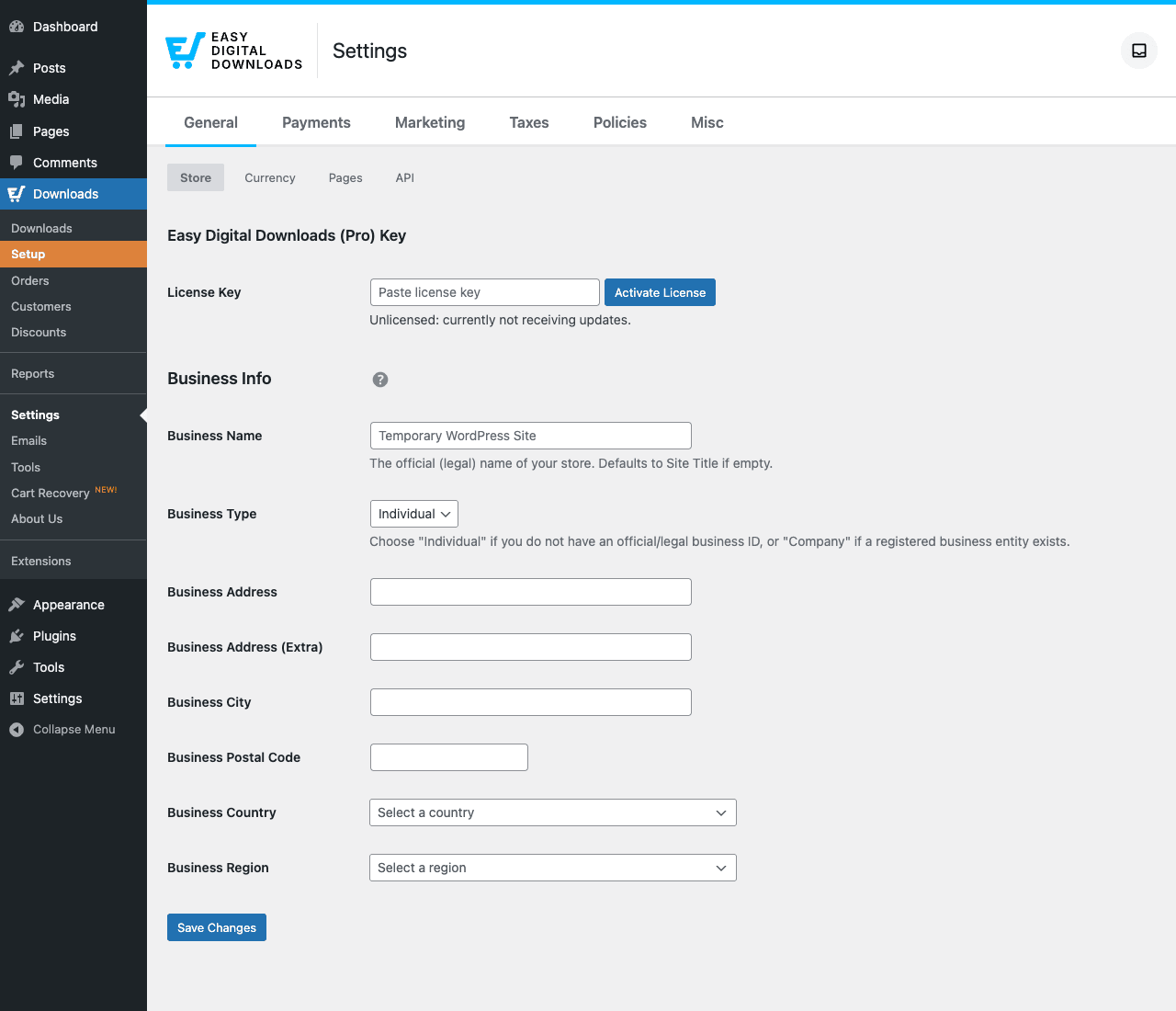
- Store details: business name, address (for invoices and tax compliance), and country.
- Currency: pick yours. Once orders start coming in, changing this is hard, so pick correctly the first time.
- Initial payment gateway: Stripe or PayPal Standard. You can skip this and configure later (Step 2 covers this in detail).
- Reserved pages: EDD auto-creates the Checkout, Success, Purchase History, and Failed Transaction pages with the right shortcodes. Accept the defaults, these pages are critical to the flow and renaming them later is fiddly.
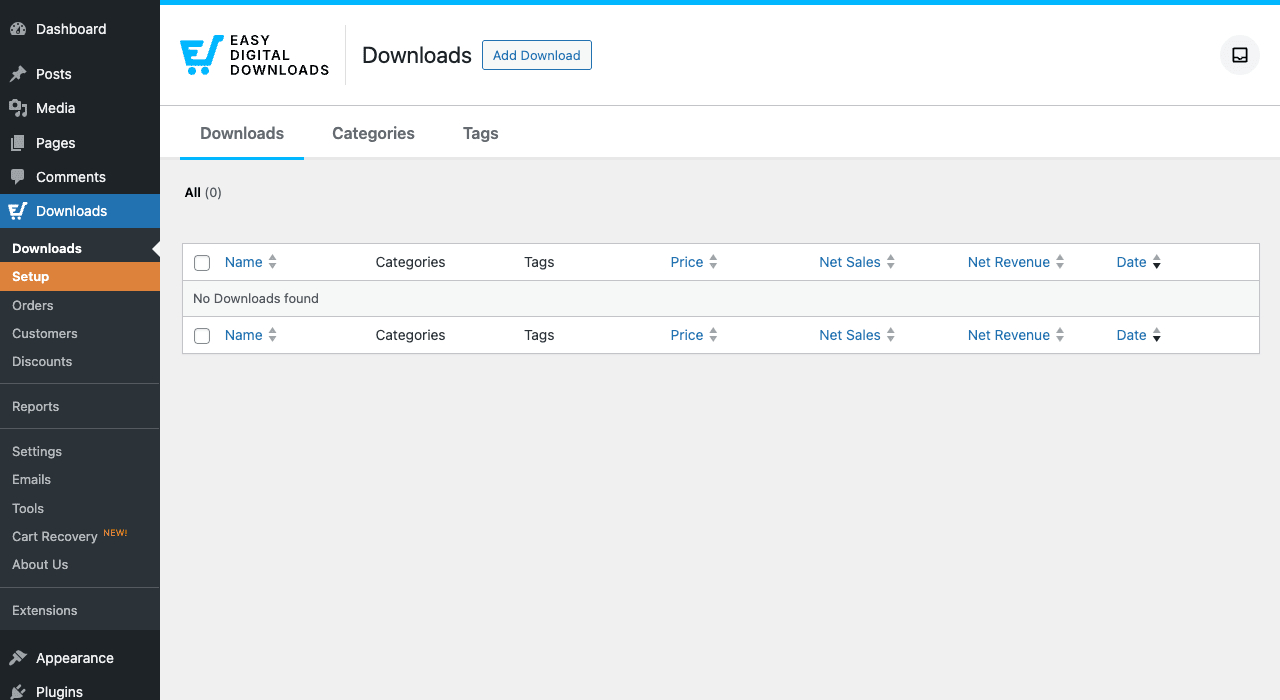
Click Finish. You land on the EDD Downloads admin page with the empty state.
Three housekeeping items before doing anything else:
Verify the reserved pages exist. Go to Pages → All Pages. You should see at minimum: Checkout, Purchase Confirmation (sometimes "Success"), Purchase History, Transaction Failed. If any are missing, Downloads → Settings → General → Pages has a one-click "Re-create pages" button.
Set your WordPress time zone. Settings → General → Timezone. EDD uses the site time zone for all reports and order dates. Mismatched time zones lead to "where did yesterday’s orders go" confusion later.
Confirm pretty permalinks. Settings → Permalinks → Post name. EDD’s URLs (like /downloads/moody-portrait-pack/) need pretty permalinks. Default-out-of-the-box WordPress usually has this on, but verify.
Step 2: Configure your payment gateway
Most stores pick Stripe as the primary gateway. Stripe is the simplest, cheapest, and has the cleanest customer experience.
Go to Downloads → Settings → Payments. Find the Active Gateways section. Tick "Stripe" (and optionally "PayPal Commerce" as a secondary gateway).
Then click into the Stripe sub-tab in the Payments tab. Two configuration paths:
- Stripe Connect (recommended). Click the "Connect with Stripe" button. You’re sent to Stripe’s onboarding flow, fill in business details, bank account info, tax info. When complete, Stripe redirects back to your WordPress site and the gateway is automatically configured with the right keys.
- Manual key entry. Paste your Live Secret Key, Live Publishable Key, Test Secret Key, Test Publishable Key. Use this if you need precise control over which Stripe account is connected (an existing Stripe account you’ve already configured for another project).
Set Test Mode on for now. Save.
Critical: Stripe webhooks must reach your server. EDD auto-registers the webhook at yoursite.com/?edd-listener=stripe. If you have Cloudflare with aggressive caching, or a security plugin blocking webhook IPs, the events won’t arrive, and orders will stay in "Pending" forever. Test by going to Stripe Dashboard → Developers → Webhooks → your webhook → Recent events tab; you should see successful deliveries.
For PayPal Commerce, repeat with the PayPal Commerce sub-tab. Click "Connect with PayPal", log into your PayPal Business account, grant access. Webhook is auto-configured.
You can have multiple gateways active at once. Customers see them on checkout and pick. Most stores start with just Stripe; adding PayPal as a second option lifts conversion 5-15% for older audiences who prefer PayPal.
Step 3: Build your first Download
This is where the product gets created. Each Download is its own WordPress post.
Go to Downloads → Add New.
The editor opens in Gutenberg. Fill in:
- Title: "Moody Portrait Preset Pack". This becomes both the product name and the URL slug (
/downloads/moody-portrait-preset-pack/). - Body content: write the product description as you would any WordPress post. Include features, what’s inside, requirements ("works with Lightroom Desktop 12+"), sample images, testimonials, FAQ. This is the sales copy.
- Featured image (right sidebar): the main product image, used on category pages and search results.
- Download Categories and Tags (right sidebar): organize the catalog. Use Categories for top-level grouping ("Lightroom Presets", "Photoshop Actions") and Tags for keywords ("moody", "portrait", "vintage").
Scroll down to the Download Files meta box (below the editor, or in the Meta Boxes drawer in fullscreen mode). Two ways to add files:
- Upload directly: click Upload File, pick the ZIP from your computer. EDD stores it in
wp-content/uploads/edd/. - Use existing URL: paste a URL to a file already in your media library or on an external storage host (Amazon S3, Bunny, etc.).
For multiple files, add multiple rows. Each row has a label (shown to the customer in the receipt) and a file URL.
Scroll to the Download Prices meta box. Pick:
- Single price (default): one price for the whole product. Type
29.00for $29. - Variable pricing: tick "Enable variable pricing". Add tiers, "Personal $29", "Business $79", "Agency $199". Each tier can deliver a different file (the Agency tier might include source files the Personal tier doesn’t). On the front-end product page, customers see a tier picker.
Other meta boxes worth knowing:
- Download Settings: Notes (admin-only), Disable Purchase button (hide this product), Limit downloads (max N downloads per purchase).
- Download Image Gallery: extra images shown in a product gallery on the front-end product page.
- Product Notes: shown to customers on the receipt page (e.g. "Installation instructions in the README").
Hit Publish. The product is live at the slug-based URL.
Test by visiting the product page in an incognito window. You should see your title, body content, featured image, price, and a "Purchase" button.
Step 4: Set up checkout, cart, and confirmation pages
The onboarding wizard created these pages but they look bare by default.
Checkout page (/checkout/): contains the [download_checkout] shortcode. The shortcode renders the full checkout form, email, billing address, payment fields, order summary. Don’t add other content to this page; checkout pages convert better when they’re focused.
Purchase Confirmation page (/checkout/purchase-confirmation/): contains [edd_receipt]. Shows the receipt and download links right after payment. Customize the surrounding text to thank the customer and give them next-step guidance.
Purchase History page (/checkout/purchase-history/): contains [purchase_history]. Lets returning customers see their past orders. Add a "Purchase History" link to your site nav so customers can find it.
Transaction Failed page: shown if a payment fails. Default text is fine; you can customize for tone.
Spend ten minutes on each page. The confirmation page in particular is high-use, that’s where a happy customer lands. Include:
- A genuine thank-you message
- Clear "Download your files" guidance (or note the receipt is in their email)
- Maybe an upsell ("Check out our other preset packs")
- A "Need help?" link to your support email
For Maya’s site, the confirmation page text might read: "Thanks for buying! Your Lightroom presets are below, click the file name to download. We’ve also emailed you a copy of the receipt with the same links."
Step 5: Test the full purchase flow
The most important five minutes of the whole setup.
Open an incognito browser window. Visit the product page (/downloads/moody-portrait-preset-pack/). Click Purchase. You should land on the checkout page (or cart, depending on configuration).
Fill in:
- Email:
test+1@yourdomain.com(use an email you can check) - Country: any
- Card: Stripe test card
4242 4242 4242 4242, any future expiry, any CVC
Click Purchase. Stripe accepts the test card. EDD should:
- Process the order.
- Redirect to the Purchase Confirmation page.
- Show the receipt with download links.
Click a download link. The ZIP should download.
Check the test email inbox. You should have a purchase receipt with the same download links.
Go to admin: Downloads → Orders. The new test order should appear with status "Complete", the amount, the customer email. Downloads → Customers should show the new customer.
If any step fails, troubleshoot in this order:
- Payment succeeded but order shows "Pending": Stripe webhook isn’t reaching the server. Check Stripe Dashboard → Webhooks → Recent events for delivery failures. Look at your firewall / Cloudflare / security plugin for blocks on the webhook URL.
- Order created but no email: WordPress can’t send emails. Install an SMTP plugin (WP Mail SMTP, FluentSMTP) and connect a real transactional provider (Postmark, SendGrid, Mailgun). Don’t rely on PHP
mail()in production. - Receipt link doesn’t show download buttons: check the Purchase Confirmation page contains the
[edd_receipt]shortcode and nothing wrapping it that breaks the output. - Download link returns "no permission": the file token expired or got mangled. Check Downloads → Settings → Misc → Files → Download Method, try "Forced" if "X-Sendfile/X-Accel-Redirect" is failing on your host.
Once the flow works end-to-end, flip Stripe to Live mode in Settings → Payments → Stripe, and you’re ready for real money.
Step 6: Configure tax, emails, and policies
Three things you should do before launch, not after.
Tax: Downloads → Settings → Taxes. Enable taxes. Add rate rows for the countries/regions you need to collect from. For most digital sellers in the US, default to 0% (only states with specific digital-goods tax laws require collection). For EU sellers, enable VAT and configure rates per EU country, plus the EU VAT B2B exemption logic (built-in via the VAT plugin or the EDD EU VAT extension). For UK sellers, configure the UK VAT rate plus reverse-charge rules.
Emails: Downloads → Emails. EDD ships three transactional emails:
- Purchase Receipt: sent to the customer after successful payment. Customize the subject, headline, and body. Use merge tags
{name},{download_list},{receipt_id},{download_urls}. - New Sale Notification: sent to the admin (you) on every sale. Customize if you want the email to include CRM-relevant info.
- Refund Notification: sent to the customer when a refund is processed.
For each, send a test (use the "Send Test Email" button) to verify formatting before launch.
Policies: Downloads → Settings → Policies. Configure your Refund Policy and Terms of Service. EDD’s Pro tier supports the structured refund policy (number of days, conditions). Customers see these on checkout. For digital goods, the standard policy is "no refunds after download" or "14-day money-back guarantee".
Configure these three things on Day One. They’re easy to forget and painful to add after you’ve had paid customers.
Discounts, file delivery, and license keys
Three more operational details that come up early.
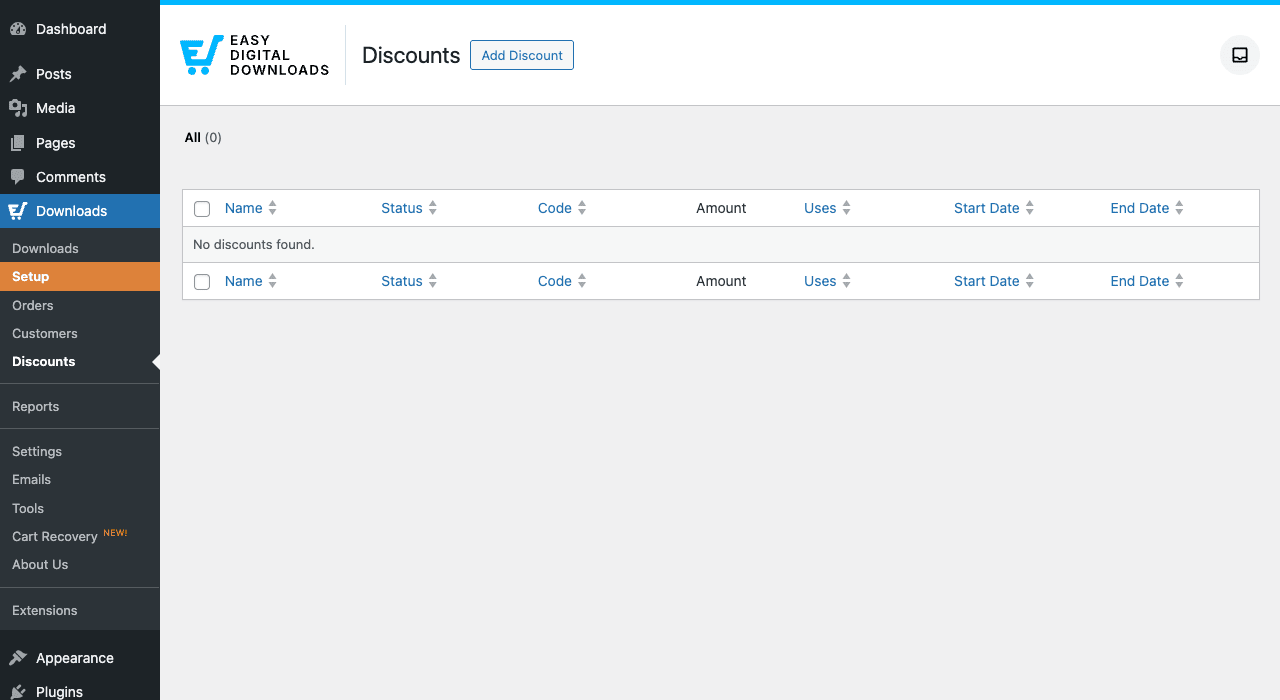
Discounts: Downloads → Discounts → Add Discount. Define a code (e.g. "LAUNCH20"), pick discount type (Percent or Flat), set value (20%), set start/end dates, set usage limit, optionally tie to specific products or categories. Customers enter the code on checkout.
Common patterns:
- A launch code valid for 30 days at 20% off everything
- A loyalty code emailed to past customers, single-use, 50% off one product
- A bundle code where Personal-tier buyers get an upgrade-to-Business discount
File delivery: Downloads → Settings → Misc → Files. Three settings to know:
- Download Method: Forced (server reads the file and pipes to browser, safest for large files) or X-Sendfile/X-Accel-Redirect (host-level streaming, lower CPU but requires host configuration).
- File Download Limit: max times a customer can download a single purchased file. Default unlimited; set to 5 or 10 if you want to prevent link-sharing.
- Download Link Expiration: how long the receipt links stay valid. Default 24 hours, common production value 72 hours.
For very large files (>100MB), video courses, software packages, strongly consider hosting on Amazon S3 or Bunny.net and using EDD’s S3 add-on. WordPress hosting wasn’t built for streaming large files to many concurrent customers.
License keys: if you sell software (plugins, themes, scripts), the EDD Software Licensing add-on is the standard. It generates a license key per purchase, exposes a REST API for software clients to call to validate the key, and handles renewals. Massive WordPress plugin/theme ecosystem runs on this.
Cart recovery (the Pro killer feature)
EDD 3.6+ ships built-in Cart Recovery for Pro users. This alone justifies the upgrade for any store doing more than 10 sales/month.
Setup is one click. Downloads → Cart Recovery → Settings. Enable. Pick the timing:
- First email: 1 hour after abandonment (customer just gave up)
- Second email: 24 hours after abandonment
- Third email: 72 hours after (last attempt)
Customize each email’s subject and body. EDD auto-generates the recovery URL, a tokenized link that restores the abandoned cart and brings the customer back to where they left off.
The economics: most stores have 60-80% cart abandonment rates. Cart Recovery typically converts 8-15% of abandoned carts into completed sales. On a store doing $10k/month in sales, that’s an extra $1,500-2,500/month in recovered revenue, generated by emails that auto-fire on a timer.
Track recovery performance in Cart Recovery → Analytics: emails sent, opened, clicked, carts recovered, revenue recovered.
This feature alone is why most EDD Pro users say the Pro tier.
Reports and what they tell you
EDD’s reports are tighter than WooCommerce’s, which is a deliberate choice, fewer screens, more focused metrics for digital sellers.
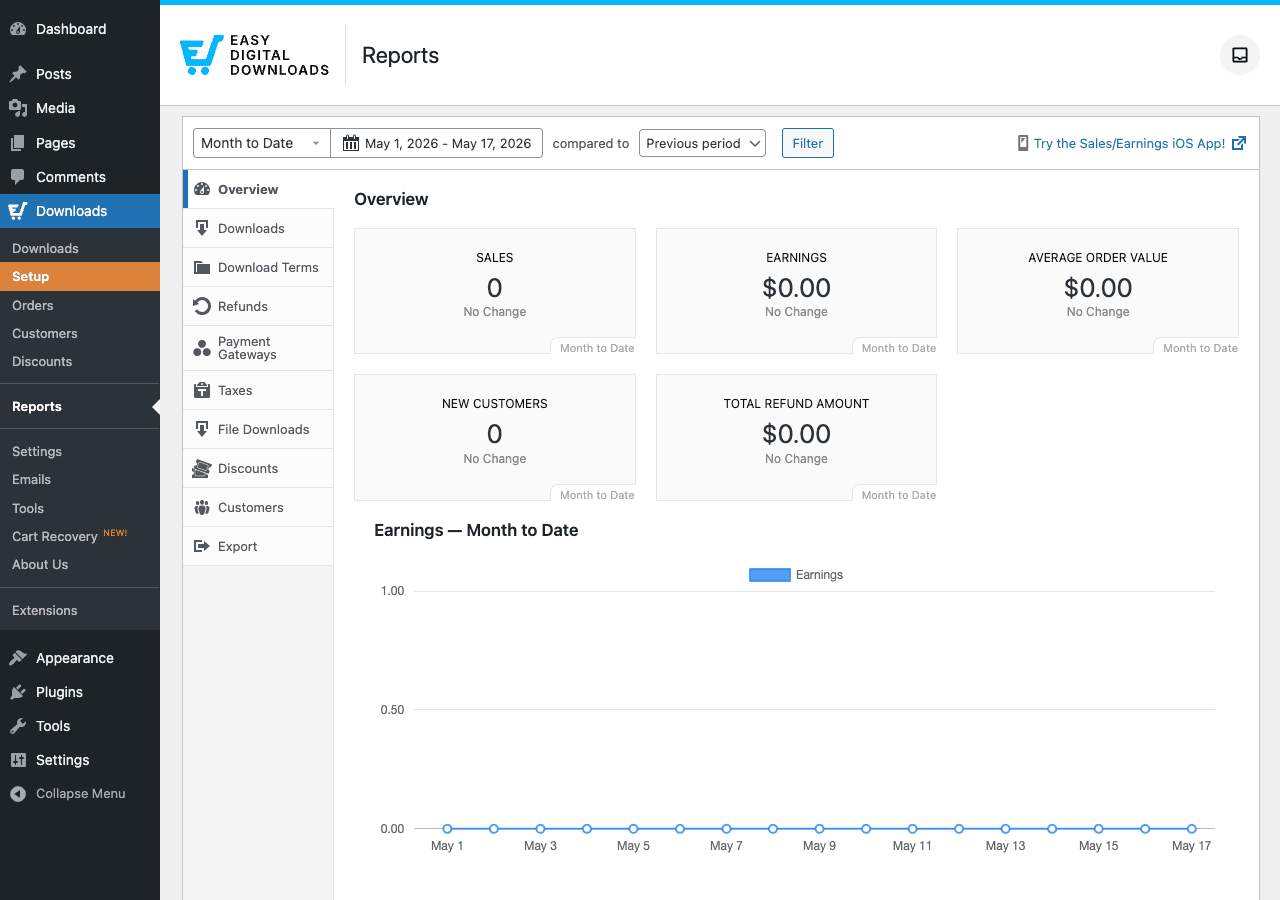
Tabs in the Reports section:
- Overview: top-line dashboard. Sales count, total earnings, average order value, new customers, refund amount. Compare current period vs previous period (so you immediately see growth or decline).
- Downloads: which products are selling. Filterable by date range, sortable by sales count or revenue.
- Download Terms: which categories and tags are driving sales. Useful for catalog organization decisions.
- Refunds: refund rate per product. High refund rate on one product is a quality / expectation problem worth investigating.
- Payment Gateways: which gateways customers pick. Stripe vs PayPal split. Useful for deciding whether to keep multiple gateways or simplify.
- Taxes: tax collected per jurisdiction. Pull at year-end for accountant.
- File Downloads: number of file downloads per Download. Helps spot link-sharing if downloads vastly exceed sales.
- Discounts: which discount codes are being used and how much they’re discounting.
- Customers: top customers by lifetime value.
- Export: bulk CSV exports of any of the above for spreadsheets / accounting / external analysis.
The "compared to" feature in the date picker is the most useful interactive bit. Set "This week" compared to "Previous period" and instantly see if this week is up or down. Do this once a day at a fixed time and you’ll have an honest pulse on the store.
Real-world use cases
Five patterns where EDD is clearly the right pick:
The single-product creator: photographer selling one Lightroom preset pack. One Download priced at $29. Variable pricing for "Single Photographer / Studio / Agency" tiers. Stripe gateway. Two hours of setup, $5-15k/month in sales achievable with decent traffic.
The digital course library: writer selling a library of PDFs ("Writing Habits", "Research Workflow", "Editing Checklist"). Each as a separate Download. Bundle them all together as "The Complete Library" at a discount. Cart Recovery active. Upsells configured on the receipt page.
The plugin / theme shop: a small WordPress dev shop selling a handful of plugins. EDD + Software Licensing + Recurring Payments + Frontend Submissions (if multi-vendor). License key validation handled by the plugin’s REST API. Renewals via subscription. Most of the WordPress premium plugin economy runs on this stack.
The font / icon foundry: graphic designer selling fonts and icon sets. Bundles. Multi-tier licensing (one user / team / unlimited). Tax-exempt option for EU B2B buyers. Reports filtered by license tier to see which tiers convert.
The membership-as-product play: a designer selling a one-time "lifetime access" pass that grants access to all current and future digital products. EDD + a MemberPress integration (or Restrict Content Pro) on top so the lifetime buyer gets perpetual access to the file library. Or use EDD’s own access-control rules.
The common pattern: EDD shines when the product is "a file or a license". The more your business model is "give the customer a download", the better EDD fits. The more it’s "give the customer a subscription to content over time", the more you should layer a membership plugin on top.
EDD vs the alternatives
The digital storefront market has four major routes. Quick comparison from real builds:
EDD vs WooCommerce: WooCommerce sells everything. EDD sells digital. For pure-digital stores, EDD’s checkout is faster (fewer fields), reports are more relevant (no shipping metrics), and file delivery is more solid (tokenized URLs, download limits, license keys). For mixed stores (some physical, some digital), WooCommerce makes more sense, running two storefronts is painful. The rule of thumb: if 100% digital, EDD wins on focus; if any physical at all, WooCommerce wins on flexibility.
EDD vs Lemon Squeezy / Gumroad (hosted): hosted platforms take a percentage of each sale (5-10% typically) plus payment processor fees. EDD is a one-time license. For stores doing more than $30k/year, EDD’s flat cost is dramatically cheaper. Hosted platforms win on zero setup time and built-in EU VAT handling (Lemon Squeezy is a Merchant of Record, so they handle the global tax compliance for you, a real value when selling internationally).
EDD vs Paddle: Paddle, like Lemon Squeezy, is a Merchant of Record service. Same trade-off: higher per-transaction fee, but they handle tax compliance globally. Smart for international SaaS and digital sellers who don’t want to deal with VAT MOSS, US sales tax nexus, etc.
EDD vs SureCart / Surereachable: SureCart is the newest entrant. Slicker UI in some places, simpler pricing, but a much smaller ecosystem of add-ons and integrations. EDD has 10+ years of integrations; SureCart has a year or two.
EDD vs WooCommerce Subscriptions: not really competing, they solve different problems. WooCommerce Subscriptions handles recurring billing. EDD has a separate Recurring Payments add-on for the same purpose on the EDD side. For a subscription-first digital store, EDD + EDD Recurring is the lighter stack; WooCommerce + WC Subscriptions is more flexible.
The decision tree:
- 100% digital products, US-based? EDD (cheapest in the long run, full ownership).
- International sales, want tax handled for you? Lemon Squeezy or Paddle (Merchant of Record).
- Mix of physical and digital? WooCommerce (one platform for both).
- Selling memberships + digital downloads bundle? MemberPress + EDD layered, or WooCommerce Memberships + WooCommerce for the all-WC stack.
Developer reference
EDD has a deep hook surface. The ones you’ll actually use:
Check if a user has purchased a specific download
$user_id = get_current_user_id();
$download_id = 42;

if ( edd_has_user_purchased( $user_id, $download_id ) ) {
 // user owns this download
}
Use this in custom templates or REST endpoints to gate content tied to a purchase.
Get a customer’s purchase history
$customer = new EDD_Customer( get_current_user_id(), true );
$orders = edd_get_orders( array(
 'customer_id' => $customer->id,
 'number' => 20,
 'orderby' => 'date_created',
 'order' => 'DESC',
) );

foreach ( $orders as $order ) {
 echo $order->id. ' : '. $order->total;
}
React to a completed sale
add_action( 'edd_complete_purchase', function( $order_id ) {
 $order = edd_get_order( $order_id );

 // Send to CRM, kick off post-purchase sequence, etc.
 do_action( 'analytics/digital_sale', array(
 'order_id' => $order_id,
 'total' => $order->total,
 'customer_id' => $order->customer_id,
 ) );
} );
Sister hooks: edd_purchase (before processing), edd_complete_payment (legacy alias), edd_refund_processed, edd_subscription_status_change (for the Recurring Payments add-on).
Filter download pricing dynamically
add_filter( 'edd_get_download_price', function( $price, $download_id ) {
 // Black Friday: 30% off everything
 if ( time() > strtotime( '2026-11-28' ) && time() < strtotime( '2026-11-29' ) ) {
 return $price * 0.7;
 }
 return $price;
}, 10, 2 );
For more sustainable promotions, use the built-in Discounts engine rather than code.
Add a custom checkout field
add_action( 'edd_purchase_form_user_info_fields', function() {?>
 <p>
 <label>
 <?php esc_html_e( 'Company name (optional)', 'gpl' );?>
 <input type="text" name="edd_company_name" />
 </label>
 </p>
 <?php
} );

add_action( 'edd_insert_payment', function( $payment_id, $payment_data ) {
 if (! empty( $_POST['edd_company_name'] ) ) {
 edd_update_payment_meta( $payment_id, '_edd_company_name', sanitize_text_field( $_POST['edd_company_name'] ) );
 }
}, 10, 2 );
Use the REST API
EDD exposes endpoints at /wp-json/edd/v2/:
GET /edd/v2/products, list downloadsGET /edd/v2/orders, list ordersGET /edd/v2/customers, list customersGET /edd/v2/discounts, list discount codesPOST /edd/v2/orders, create an order programmatically (rare; usually for manual entry)GET /edd/v2/stats, aggregate stats
Auth via WordPress application passwords or EDD’s own consumer key/secret system (Settings → API Keys).
# List recent orders
curl -u admin:application-password \
 "https://example.com/wp-json/edd/v2/orders?per_page=20"

# Get a customer's lifetime value
curl -u admin:application-password \
 "https://example.com/wp-json/edd/v2/customers/42"
Shortcodes
The shortcodes you’ll actually use:
[downloads] <!-- product grid, all downloads -->
[downloads category="presets" number="6"] <!-- filtered grid -->
[purchase_link id="42"] <!-- Buy button for a specific download -->
[download_checkout] <!-- on the checkout page -->
[download_cart] <!-- on the cart page -->
[edd_receipt] <!-- on the success page -->
[purchase_history] <!-- list customer's past orders -->
[edd_login] <!-- login form -->
[edd_register] <!-- registration form -->
[download_discounts] <!-- show active discount codes -->
[downloads] is the workhorse for catalog pages. Combine with theme styling to create your own storefront layout.
Add-on integration patterns
Most third-party EDD integrations follow this pattern:
add_action( 'edd_complete_purchase', function( $order_id ) {
 $order = edd_get_order( $order_id );
 foreach ( $order->items as $item ) {
 if ( $item->product_id === 999 ) {
 // SKU 999 grants special access
 // Hook into MemberPress, LearnDash, AffiliateWP, etc.
 }
 }
} );
This is how the EDD-MemberPress, EDD-LearnDash, and EDD-AffiliateWP integrations all work under the hood.
Performance, compatibility, and gotchas
What you’ll wish you knew before launch:
Page caching plus EDD is mostly safe because EDD pages (cart, checkout, receipt) are excluded from caching automatically by most caching plugins (WP Rocket, LiteSpeed, Cache Enabler, Breeze). Verify by viewing the checkout page in incognito, if the cart contents appear stale, the cache plugin is over-caching. Add explicit exclusion rules for /checkout/* and /?edd_action=* URLs.
Webhook delivery is the #1 problem in production. Stripe webhooks must reach yoursite.com/?edd-listener=stripe. Cloudflare, security plugins, firewall rules, and even WordPress permalink configuration can break it. Test by canceling a test order in Stripe Dashboard and checking that EDD reflects the cancellation; if it doesn’t, fix the webhook before going live.
Large file delivery exhausts servers. Selling 50MB+ digital files to many simultaneous customers from a WordPress shared host will time out. Migrate large files to S3 / Bunny.net / Cloudflare R2 with the appropriate EDD add-on for tokenized direct-download URLs.
Email deliverability matters even more for digital stores. The purchase receipt is the file delivery method. If it lands in spam, the customer doesn’t get their product. Install an SMTP plugin (WP Mail SMTP, FluentSMTP) backed by Postmark / SendGrid / Mailgun. Don’t rely on PHP mail() in production. A missed receipt is a refund request.
The default product page template is plain. EDD inherits the theme’s single-post template by default. For polished product pages, either pick a theme with EDD support (Storefront, GeneratePress with the EDD add-on, Astra) or override single-download.php in your theme.
Variable pricing changes the cart shortcode rendering. If your store mixes single-price and variable-price products, the cart will display different markup per item type. Theme customizations that target .edd_cart_item need to handle both cases.
Tax compliance is your responsibility. EDD lets you set tax rates, but it doesn’t tell you whether you have a tax nexus in a particular state or country. For US sales tax, services like TaxJar or Avalara automate the compliance side. For EU VAT, the built-in support handles VAT collection but doesn’t file your VAT MOSS return.
HPOS doesn’t apply to EDD, it’s a WooCommerce concept. EDD uses its own custom tables (wp_edd_orders, wp_edd_customers, etc.) optimized for digital order data.
The migration to EDD 3.0 was significant. If you’re on an old version (pre-3.0), the upgrade migrates data from post meta to dedicated tables. Plan a few minutes of downtime for the migration on a large store; test on staging first.
Translation strings live in easy-digital-downloads/languages/. Text domain is easy-digital-downloads. Drop your .mo for non-English sites.
Pricing and licensing
The official EDD pricing has four tiers:
- Personal ($99.50/year, 1 site): core EDD + Stripe, no Pro features.
- Extended ($199.50/year, 3 sites): adds basic Pro features and a few add-ons.
- Professional ($299.50/year, 10 sites): full Pro features (Cart Recovery, advanced reports, etc.), more add-ons.
- All Access ($599.50/year, unlimited sites): every add-on (Recurring Payments, Software Licensing, Frontend Submissions, etc.).
All tiers are subscription-based with annual renewal for updates and support.
GPL Times sells the Pro / All Access-equivalent of EDD under GPL. The code is byte-for-byte identical to what Sandhills ships, same easy-digital-downloads.php, same add-on files. The pricing is different: a one-time purchase for unlimited sites with no annual renewal. Updates come from GPL Times rather than from easydigitaldownloads.com. For a single creator running one store, the math is close to the official Extended tier.
The trade-off: official ticket-based support from Sandhills is gated to paying subscribers. If your digital store is mission-critical and you need a 24-hour SLA on support tickets, the official subscription is worth it.
FAQ
How does EDD compare to Lemon Squeezy or Gumroad?
Lemon Squeezy and Gumroad are hosted Merchant of Record services. They handle hosting, payments, tax compliance globally (huge value for EU/UK VAT), and email, in exchange for 5-10% per transaction. EDD is self-hosted on your WordPress site. You keep all revenue minus payment processor fees, you own the data, and you control the design, but you handle hosting, deliverability, and tax compliance yourself. For stores under $10k/year, Lemon Squeezy is simpler. Over $30k/year, EDD is dramatically cheaper.
Can I migrate from WooCommerce to EDD?
Manually, yes. The data models are similar but not interchangeable. Path: export WooCommerce orders as CSV, manually create matching EDD Downloads, import historical orders via EDD Tools → Import. Live customers and active subscriptions are harder, you’ll usually pause the old subscriptions, create matching EDD Recurring Payments subscriptions, and let renewals migrate over time.
Does EDD handle EU VAT?
Yes via built-in tax support plus the EDD VAT add-on. You set rates per EU country, EDD calculates VAT at checkout, and the system handles the B2B reverse-charge exemption (VIES validation included). You still need to file your VAT MOSS return, EDD reports the data, you file it.
Can I sell subscriptions / recurring products?
Yes via the EDD Recurring Payments add-on. Create a Download with a recurring price (monthly / yearly), customer subscribes via Stripe Subscriptions or PayPal Subscriptions on the backend, EDD manages the lifecycle.
Can I sell license keys for software?
Yes via the EDD Software Licensing add-on. Generates a unique license key per purchase, exposes a REST API for your software to validate the key, handles renewals, supports activation limits per license. The standard stack for selling WordPress plugins/themes.
Does it work with MemberPress?
Yes, bundle EDD products with membership access. Pattern: customer buys an EDD product, an edd_complete_purchase hook fires that grants them a MemberPress membership. Useful for "lifetime access pass" sales.
Does it work with AffiliateWP?
Yes natively. AffiliateWP ships an EDD integration that tracks referral commissions on every digital sale. Affiliates can drive customers to specific products with their referral URL, get commissions automatically.
Does it work with LearnDash?
Yes via the LearnDash + EDD bridge add-on. Sell course access via EDD products; on purchase, grant the LearnDash course enrollment. Best for "course-as-product" models with no recurring billing.
What about Gravity Forms integration?
Yes via the EDD + Gravity Forms Product Creator add-on. Create EDD products from Gravity Forms submissions. Useful for custom-quote workflows.
Can I sell physical goods alongside digital?
EDD doesn’t ship physical-goods features (shipping, stock), but it does support "Simple Shipping" via a basic add-on for occasional physical fulfillment. For serious physical sales, use WooCommerce. Don’t run two storefronts on the same site.
How many products can EDD handle?
Tens of thousands of Downloads on standard WordPress hosting. Past 50k products, custom database indexes and optimized queries help. The data model is purpose-built for digital catalogs and stays fast at scale.
Is the customer-facing UI mobile-friendly?
Yes. The checkout and product templates inherit responsive behavior from the theme. Tested with most modern themes (Astra, GeneratePress, Kadence, Storefront, Twenty-anything).
What’s the difference between Personal and Pro tiers?
Personal is the core plugin: Downloads, basic payments, simple reports. Pro adds Cart Recovery (huge), advanced reports, additional gateways, more granular tax controls, premium support. For most stores doing more than ~$1k/month, Pro.
Final thoughts
Easy Digital Downloads is the right pick when your product is honestly digital. It removes every WooCommerce screen you don’t need (shipping, stock, inventory levels) and adds the screens digital sellers actually use (file delivery logs, license keys, download limits, cart recovery). For a focused digital store, the result is a cleaner admin, a faster checkout, and a more relevant set of reports.
Three recommendations if you’re starting:
One: enable Cart Recovery before launch, not after. The Pro tier exists primarily to unlock this. Even on Day One with zero customers, having Cart Recovery configured means your first abandoned cart auto-fires recovery emails without you having to remember to set it up later.
Two: configure SMTP-based email properly on Day Zero. The purchase receipt is your file delivery method, if it lands in spam, the customer can’t get their product. WP Mail SMTP or FluentSMTP plus a real transactional provider (Postmark or SendGrid) is non-negotiable.
Three: test the full purchase flow in an incognito window before you publish the first product. Real test card, real test email, walk through every step. Five minutes of testing prevents the launch-day disaster where customers complete a payment but never receive their files.
If you’re choosing between EDD and a hosted platform and you can’t decide, the heuristic is simple: pick EDD if you want long-term ownership of your store and data, and you’re comfortable handling your own tax compliance. Pick Lemon Squeezy or Gumroad if you want to focus on the product and offload everything else, including international tax compliance.
For most WordPress-based digital sellers running on their own infrastructure, EDD is the obvious choice, and it stays obvious for a decade.