

I was wrong about marketplace themes. For years I assumed a "marketplace theme" was just a WooCommerce theme with a few vendor logos sprinkled on the homepage, the same shop you’d build for one seller with a coat of Amazon-blue paint. Then I spent a week building a sample store on the Martfury theme, and it corrected me fast.
The Martfury theme by DrFuri doesn’t try to be a marketplace engine. It’s a storefront skin that sits on top of whatever multivendor plugin you already run, and it brings the homepage-building toolkit a busy marketplace actually needs: deals of the day, countdown timers, product tabs, brand grids, and a category-scoped search bar. This post is an honest, long walk through what you get, how to set it up without the usual traps, who it actually fits, and a full developer reference. By the end you’ll know whether this is the theme for your store, or whether you should skip it.
Table of Contents
- What is Martfury?
- What you actually get out of the box
- How the Martfury theme works for users
- Installation and the companion stack
- Bring your own marketplace engine: Dokan, WC Vendors, or WC Marketplace
- The 45 elements that build the homepage
- The header, the search bar, and the deals
- Who Martfury fits (and who should skip it)
- Developer reference
- Don’t run two page builders at once
- Martfury vs WoodMart vs Flatsome vs XStore
- Speed, and the one-builder rule
- FAQ
- Final thoughts
What is Martfury?
The Martfury theme is a WooCommerce marketplace theme built by DrFuri, the studio behind wpmartfury.com. It bills itself as a "WooCommerce Marketplace WordPress Theme," and the keyword there is marketplace. It is designed for stores where many sellers share one storefront, the Amazon or Etsy shape, where each vendor has a profile, a store page, and their own products in the same catalog.
Here’s the part people miss, and the part I got wrong. Martfury is not a multivendor plugin. It does not, on its own, let people register as sellers, manage their own products, or split commissions. There is no "turn your site into a marketplace" switch hiding in here. What it does is layer a styled storefront on top of a multivendor engine you install separately. You bring Dokan, WC Vendors, or WC Marketplace; Martfury skins it so the vendor pages, store headers, and registration flows match the rest of your design.
If you only sell your own products, that’s fine too. Martfury works as a straight single-seller WooCommerce theme. You just won’t use the vendor templates. But you’d be paying for a marketplace toolkit you don’t need, and there are lighter shop themes for that job.
Under the hood it’s a standalone theme (no parent theme to manage), it requires PHP 7.0 or newer, and it leans on WooCommerce for the product catalog. It doesn’t register a single custom post type of its own. Everything you sell is a normal WooCommerce product. That’s a deliberate, sensible choice: it means your products survive a theme switch instead of vanishing into a proprietary CPT.
You can grab the Martfury theme on GPL Times and install it on a real WordPress site to test every panel as we walk through them.
What you actually get out of the box
Rather than dump the marketing feature wall, here’s what moves the needle when you’re actually building a marketplace storefront with the Martfury theme.
- Two full element sets, one per builder. Martfury ships 45 WordPress page-builder elements for WPBakery and 43 widgets for Elementor. These are the marketplace blocks (deals, product tabs, brand grids) that turn a blank page into a storefront homepage. You pick one builder; more on that hard rule later.
- A category-scoped AJAX search. The header search has an "All categories" dropdown and matches on product SKU and variation SKU, not just titles. For a catalog with thousands of parts or models, SKU search is the difference between findable and not.
- A Brands taxonomy. Martfury Addons registers a
product_brandtaxonomy, so you get a "Brands" menu under Products and the brand-grid elements to show them off. Useful for electronics or fashion catalogs where shoppers browse by maker. - Deals and countdown timers. The bundled WooCommerce Deals plugin plus Martfury’s deal elements give you "deal of the day" blocks, sales countdown timers, and a deal summary on the product page itself.
- A multi-layout header with a Department menu. You choose a header layout in the Customizer, toggle a sticky header, and switch on header elements like Search, Compare, Wishlist, Cart, Account, a Department mega-menu, and a Hotline number.
- Wishlist, compare, and variation swatches. These come from the recommended WCBoost trio (Wishlist, Products Compare, Variation Swatches). The header’s heart and compare icons hook straight into them.
- Vendor-aware templates. Dedicated store-header, store-page, and dashboard templates for Dokan, WC Vendors, and WC Marketplace, so vendor pages don’t look like a bolted-on afterthought.
- A bundled slider. Slider Revolution ships in the package for hero sliders, though you can use the theme’s own banner elements if you’d rather keep things light.
- WPML readiness. A
wpml-config.xmlships in both the theme and the addons, with currency-switcher and string-registration hooks, so a multilingual or multi-currency marketplace is on the table.
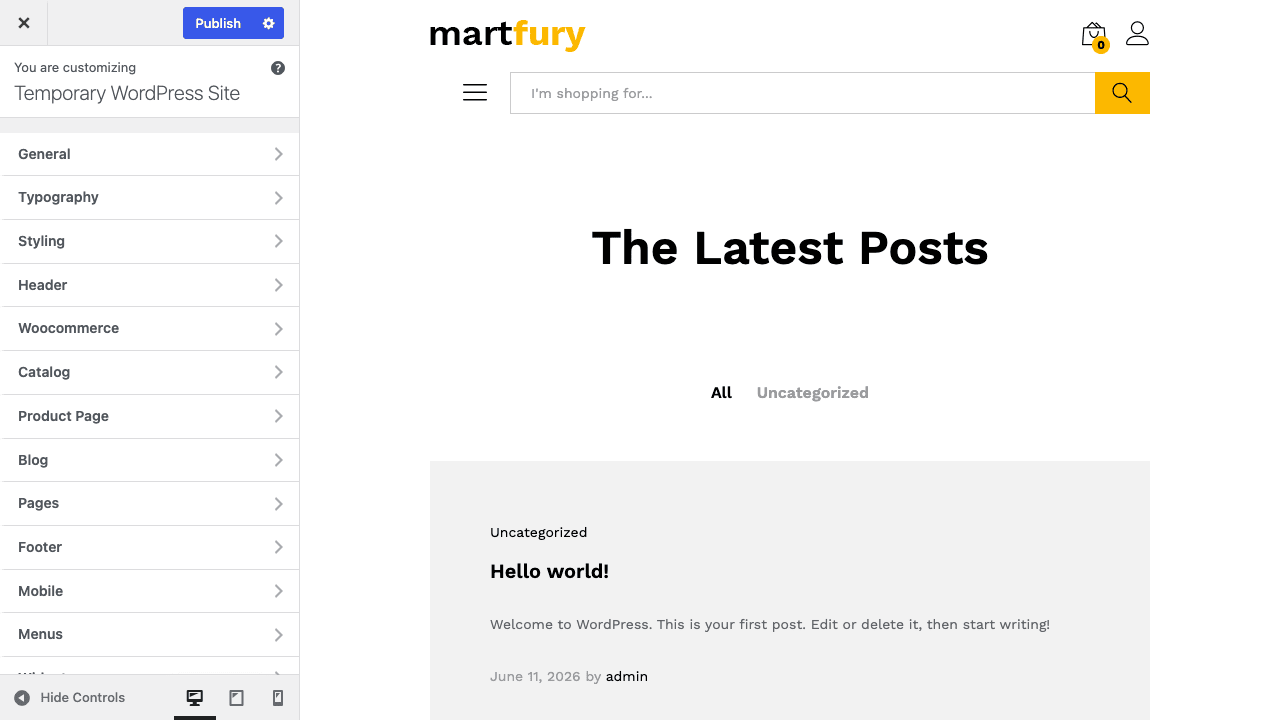
One honest note on that screenshot. Those are the Martfury theme options living inside the WordPress Customizer with a themed header preview. The glossy, fully-stocked marketplace homepage you see in the marketing demos is not what you get by activating the theme. That look requires importing a demo, which I’ll be straight about in the setup section. The shots in this review are the real admin options and a seeded store, not a finished demo import.
How the Martfury theme works for users
The Customizer is where most of Martfury lives, and that’s worth saying up front because a lot of premium themes hide their settings in a separate, slow admin page. Martfury uses Kirki to put everything in the native WordPress Customizer with live preview. There are 15 panels: General, Typography, Styling, Colors, Header, Woocommerce, Catalog, Product Page, Vendors, Blog, Pages, Footer, Mobile, Elementor, and Menus.
That panel list is basically a map of the theme. Want to change how the shop archive paginates? Customizer » Catalog. Want to reorder the breadcrumb and gallery on the product page? Customizer » Product Page. Want to style the vendor store header? Customizer » Vendors. Each one previews live, so you tweak and see it without reloading.
Here’s the flow a store owner actually follows.
- Activate the theme and clear the plugin prompts. Martfury’s TGM notice asks you to install its required and recommended plugins. Get those sorted first (the next section walks through exactly which ones).
- Pick your builder and import a matching demo. Choose Elementor or WPBakery, then import the demo built for that builder via the Soo Demo Importer. This is the step that gives you the stocked homepage.
- Set your header in the Customizer. Choose a header layout, switch on the elements you want (Department menu, search, wishlist, cart), and decide whether the header sticks on scroll.
- Build or edit the homepage. Drop in product tabs, a deals row, a brand grid, and category boxes using the element set for your builder.
- Wire up your vendors. Install your multivendor plugin, and Martfury’s vendor templates take over the store pages.
The everyday product page is the surface your customers touch most. On a seeded store it lays out as a breadcrumb, the product title, a social-share row, the gallery, and the summary with price and add-to-cart.
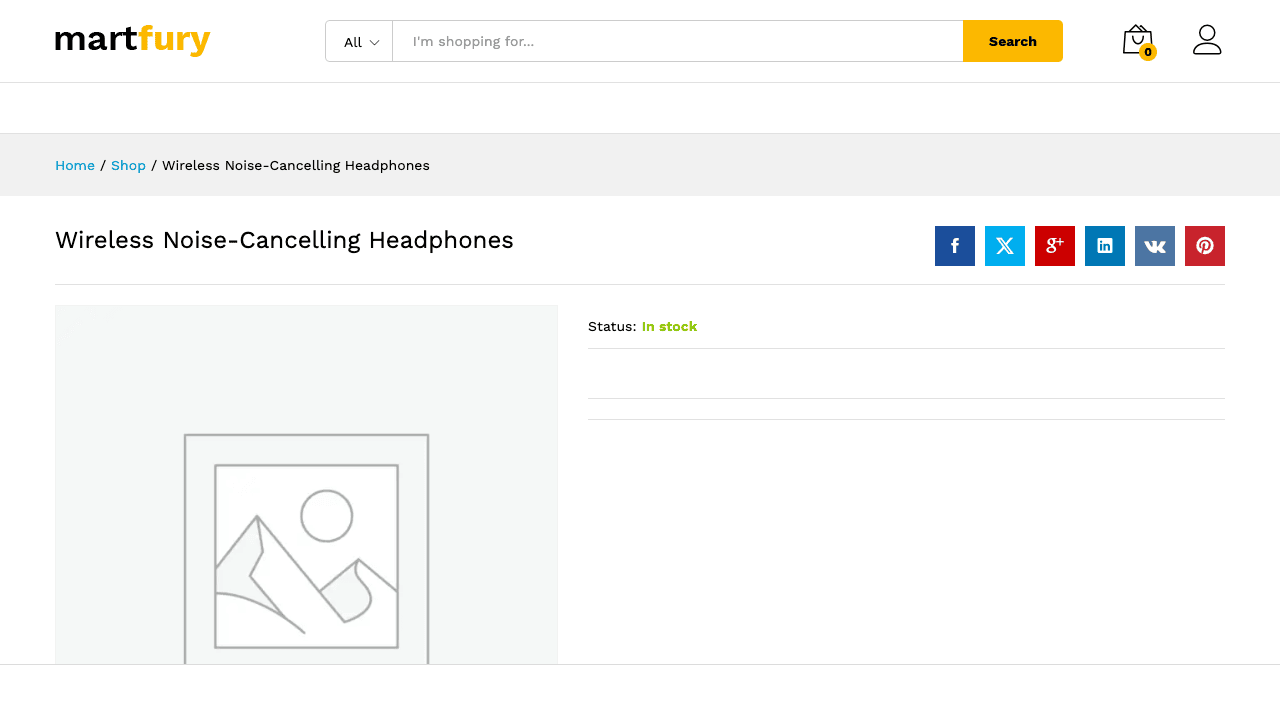
Tip: the gallery lightbox is a Customizer toggle, and it ships on by default. If you’d rather product images didn’t open a zoomed overlay on click, you turn it off via the product_images_lightbox option under the Product Page panel. The useful thing to know is that it’s a setting at all, because the gallery slider and zoom are separate theme-support features you can’t switch the same way.
Installation and the companion stack
This is the part where I’ll be honest, because the gap between "I activated Martfury" and "my store looks like the demo" trips up most first-time buyers.
Activating the theme is the easy bit. The moment you do, a TGM Plugin Activation notice appears asking you to install a stack of plugins. They fall into three buckets.
Required (the theme won’t behave without these):
- Kirki, the Customizer framework that powers all 15 panels.
- Martfury Addons, the core companion plugin that registers the Brands taxonomy and the page-builder elements.
- Meta Box, pulled from the WordPress.org repository, used by the demo importer and several meta fields.
The builder, pick exactly one:
- WPBakery Page Builder (bundled with the theme), or
- Elementor (from the WordPress.org repository). The free Elementor is enough to place the widgets; Elementor Pro adds the theme-builder and popup features on top.
Recommended (for the full marketplace look):
- WooCommerce Deals (bundled), for the deal blocks and countdowns.
- Slider Revolution (bundled), for hero sliders. You can grab a standalone copy of Slider Revolution too if you want the latest templates.
- WCBoost Wishlist, WCBoost Products Compare, and WCBoost Variation Swatches, the trio behind the header’s wishlist/compare icons and the swatch UI.
- Soo Demo Importer, the one-click demo importer.
- Contact Form 7 and MailChimp for WordPress, for the demo’s contact and newsletter blocks.
The catch with demo import. The Soo Demo Importer needs Meta Box, and in a locked-down demo sandbox where plugin-install.php is blocked, Meta Box can’t be fetched from WordPress.org, so the one-click import simply doesn’t register. On a real, open WordPress install this isn’t a problem: you install Meta Box, activate Soo Demo Importer, and the demo library shows up under the theme’s import screen. Just know that the demo grid is fetching content from external servers, so it needs a host that can reach out.
Heads-up: getting the marketed look is a demo import plus the companion stack, not a one-click theme activation. Budget twenty minutes for the plugin install and import, not two. If you only activate the theme and stop, you get a working but plain WooCommerce shop, not the storefront in the marketing screenshots.
If you want native swatches that survive a theme change, the standalone Variation Swatches and Photos plugin is a solid alternative to the WCBoost swatches, and it keeps your color/image swatches if you ever move off Martfury.
Bring your own marketplace engine: Dokan, WC Vendors, or WC Marketplace
This is the heart of what makes Martfury a marketplace theme rather than a shop theme, so it’s worth slowing down here.
Martfury ships dedicated template overrides for three multivendor plugins. It detects which one you’ve installed and serves the matching store templates. You bring the engine that handles seller registration, commissions, and vendor dashboards; Martfury makes the vendor-facing pages match your storefront.
| Engine | What Martfury skins | Best for |
|---|---|---|
| Dokan | Global store layout, vendor product templates, store header | Mainstream multivendor marketplaces wanting the most mature vendor feature set |
| WC Vendors | Vendor dashboard, front-end store, store page, widgets | Stores that want a leaner, developer-friendly vendor system |
| WC Marketplace (WCMp) | Vendor store-info widget and store templates | Sites already standardized on the WC Marketplace plugin |
Where Dokan shines. Dokan is the most feature-complete of the three, and Martfury’s Dokan templates are the most fleshed-out. The theme hooks into Dokan’s store-header and registration so the seller signup form and store pages inherit your design. If you want the deepest marketplace feature set, Dokan Pro is the natural pairing, and we cover it in detail in our Dokan Pro review.
Where WC Vendors fits. WC Vendors is leaner and often easier on resources. Martfury skins its dashboard and store front cleanly. If you lean toward WC Vendors Pro, our WC Vendors Pro guide walks through the front-end manager.
The third option. WC Marketplace (sometimes called WCMp or MultiVendorX) gets a styled store-info widget and store templates too. It’s the least-covered of the three in Martfury’s templates, so if you’re on WC Marketplace, test the vendor pages carefully before launch.
There’s a fourth marketplace plugin a lot of people run, WCFM, with its frontend manager. Martfury doesn’t ship a dedicated WCFM template set, but WCFM has its own front-end UI that works independently of the theme, and many store owners pair the two. If you go that route, the WCFM Ultimate plugin is the front-end manager people reach for, and our WCFM Ultimate write-up covers what it adds.
The honest takeaway: Martfury is a skin, not an engine. If you install it expecting vendor registration to "just work," you’ll be confused when there’s no seller signup. Pick your multivendor plugin first, get vendors registering and managing products there, then let Martfury make it pretty.
The 45 elements that build the homepage
A marketplace homepage is a dense thing: rows of deals, product tabs by category, brand logos, banner grids, top-selling carousels. Building that with stock Gutenberg blocks would be miserable. Martfury’s answer is a native element set, mirrored across both builders.
For WPBakery you get 45 elements, all registered with martfury_ base names. The exact same 45 are also registered as [martfury_*] shortcodes, so you can drop them into a text widget or a classic-editor page if you need to. For Elementor you get 43 widgets in the addons, named martfury-* or mf-*. That’s a near-mirror of the WPBakery set, so whichever builder you pick, you have essentially the same marketplace toolkit.
Here’s a tour of the elements that actually build a marketplace front page, grouped by job.
Product displays:
martfury_products_carouselandmartfury_products_gridfor laying out products in sliders or grids.martfury_product_tabsfor the classic "Featured / Best sellers / On sale" tabbed row.martfury_products_of_categoryandmartfury_products_of_category_2to pull a category’s products into a styled block.martfury_products_listandmartfury_products_list_carouselfor compact list-style product rows.martfury_top_sellingandmartfury_top_selling_2for best-seller blocks.martfury_recently_viewed_productsto show a returning shopper what they browsed last time.
Deals and urgency:
martfury_deals_of_the_dayfor the deal-of-the-day showcase.martfury_product_deals_gridfor a grid of discounted products.martfury_sales_countdown_timerandmartfury_countdownfor the ticking clocks that drive flash-sale urgency.
Browse and brands:
martfury_category_tabsandmartfury_category_boxfor category navigation blocks.martfury_brands_grid,martfury_brand_images, andmartfury_brand_images_carouselto show off the Brands taxonomy.
Layout and marketing:
martfury_banners_grid, plusmartfury_banner_large,martfury_banner_medium, andmartfury_banner_smallfor promo banner mosaics.martfury_testimonial_slides,martfury_newsletter,martfury_icon_box,martfury_image_box,martfury_counter,martfury_partner, andmartfury_post_gridfor the trust-building and content rows.- Utility elements like
martfury_gmap,martfury_faqs,martfury_journey,martfury_process,martfury_member, andmartfury_bubblesfor about pages and landing pages.
The catch: these elements belong to one builder at a time. The WPBakery shortcodes ([martfury_products_carousel] and friends) only render when WPBakery is active. Switch to Elementor and those shortcodes turn into literal bracket text on the page. That’s the single biggest Martfury footgun, and it gets its own section below because I’ve seen it ship to production.
The header, the search bar, and the deals
The header is where a marketplace earns or loses trust in the first two seconds, so Martfury puts real depth here.
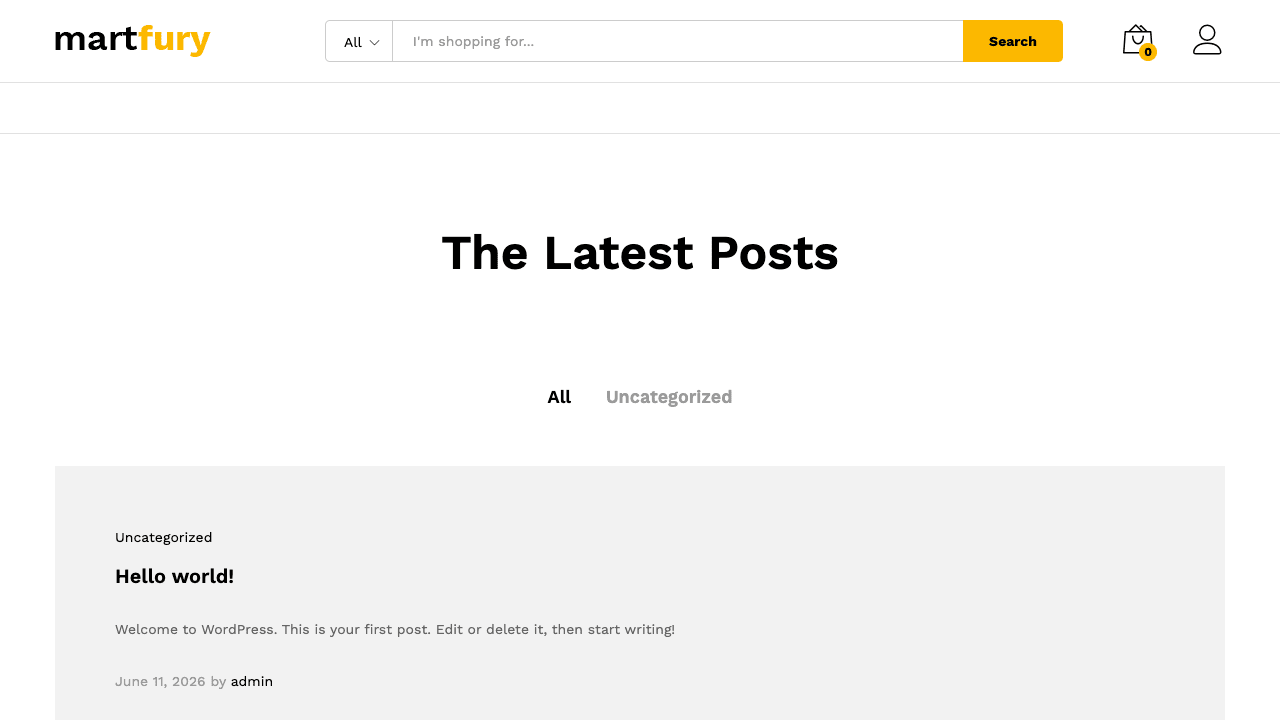
You choose a header layout from a Customizer header_layout control, and you toggle individual header elements on or off: Search, Compare, Wishlist, Cart, Account, a Department menu, and a Hotline phone number. There’s a Top Bar with left and right widget areas for announcements or links, and a sticky_header toggle that pins the header (or a condensed version of it) as the shopper scrolls. On a long catalog page, the sticky header keeps search and cart one click away, which matters more than it sounds.
The Department menu is a real mega-menu, and it’s worth understanding that it’s built on native WordPress nav menus, not a separate mega-menu plugin. Martfury adds a mega toggle to menu items via the martfury_menu_item_mega filter and saves the extra data with the martfury_save_menu_item_data action. You configure it in Appearance » Menus, which means no extra plugin to learn and no lock-in. If you’ve fought with bolt-on mega-menu plugins before, this is a relief.
The search bar is smarter than most theme searches. It’s an AJAX search with a category scope dropdown ("All categories" or a specific one), and crucially it matches on SKU and variation SKU, not just product titles. If you run a parts catalog where customers paste a part number, that’s essential. The matching is wired through filters like martfury_get_search_products_sku_query and martfury_get_search_products_query, so a developer can extend what counts as a match.
If you want even richer search (typo tolerance, search analytics, advanced filters), FiboSearch drops in alongside the theme, and we compare approaches in our FiboSearch review. Martfury’s built-in search is genuinely good for SKU matching, but FiboSearch is the upgrade path when you outgrow it.
The deals system ties the bundled WooCommerce Deals plugin to Martfury’s deal elements. You set a sale price and an end date, and the martfury_sales_countdown_timer and martfury_deals_of_the_day elements surface them on the homepage. On the single product page, the martfury_single_product_deal_summary hook renders a deal summary block with its own countdown, so a discounted product shows the ticking clock right next to the add-to-cart button. That urgency framing is the whole point of a deals marketplace.
Who Martfury fits (and who should skip it)
Not every store needs a marketplace theme, and Martfury is opinionated enough that the wrong fit shows immediately. Let me put it in personas.
The electronics megastore. This is Martfury’s home turf. You’ve got thousands of SKUs across dozens of categories, brands customers shop by, and a homepage that needs deal rows, category tabs, and a Department mega-menu. The SKU search and brand grids exist for exactly this shopper. If you’re building a Newegg-style electronics store, single-seller or multivendor, Martfury fits like it was measured for you.
The handmade multi-vendor bazaar. You’re running an Etsy-style marketplace where makers register, list their crafts, and manage their own stores. Martfury skins Dokan or WC Vendors so each maker’s store page looks intentional, and the brand and category blocks help shoppers browse. Strong fit, with one condition: you have to actually install and configure the multivendor engine. Martfury won’t do the vendor logic for you.
The single-brand boutique. You sell your own curated line, maybe forty products, one voice, one aesthetic. Martfury works, but it’s overkill. You’ll leave the vendor templates, the brand taxonomy, and half the marketplace elements unused, and you’ll carry the weight of a marketplace toolkit for a shop that doesn’t need it. A lighter shop theme serves you better here. Be honest with yourself about whether you’re a marketplace or a boutique.
The B2B parts catalog. Wholesale, bulk, part numbers, and buyers who search by exact SKU. Martfury’s SKU and variation-SKU search is a genuine advantage, and the category-scoped header search suits a deep technical catalog. The deal and brand elements are less relevant, but the search and catalog layout are exactly what you’d choose it for. Good fit, especially if you also run vendor suppliers through a multivendor plugin.
Who should skip it: anyone who wants a marketplace engine out of the box, anyone running a tiny single-product store, and anyone allergic to page builders. If you want to write clean Gutenberg block templates and avoid WPBakery and Elementor entirely, Martfury’s homepage-building model will fight you, because its whole element library is builder-bound.
Developer reference
Martfury is more extensible than its marketing suggests. It exposes a deep set of martfury_* actions and filters (roughly 80 martfury_* filter hooks), a clean options API, and the standard WooCommerce template-override path. There’s no REST API and no WP-CLI commands of its own (I checked the source: both are absent), and no custom post type, so everything you build sits on WooCommerce’s product and the native WordPress menu and Customizer systems. That’s a feature, not a gap: fewer proprietary surfaces to learn.
Reading theme options in a child theme. The single most useful function is martfury_get_option(). It reads the Kirki/Customizer value for any setting, and martfury_get_option_default() gives you the fallback default. Use these instead of calling get_theme_mod() directly, because Martfury layers defaults on top.
// In a child theme: read a Martfury Customizer option safely.
// product_images_lightbox is a toggle, so it returns 1 (on) or 0 (off).
$lightbox = intval( martfury_get_option( 'product_images_lightbox' ) );

if ( 1 === $lightbox ) {
    // The gallery lightbox is enabled.
}

// Fall back to the theme's own default if the option was never set.
$default = martfury_get_option_default( 'product_images_lightbox' );
Injecting markup before the product summary. Layout actions let you add markup without editing template files. A common request is a trust badge (free shipping, secure checkout) above the add-to-cart area on the single product page. The martfury_before_single_product_summary action fires right before the summary column.
add_action( 'martfury_before_single_product_summary', function () {
echo '<div class="mf-trust-badge">';
echo '<span>Free shipping over $50</span> · <span>30-day returns</span>';
echo '</div>';
} );
Other layout hooks worth knowing: martfury_before_header and martfury_after_header for wrapping the header, martfury_woo_before_shop_loop_item and martfury_woo_after_shop_loop_item for the product grid cards, and martfury_single_product_deal_summary for the deal-of-the-day block on a product page.
Extending the Customizer. Martfury builds its panels through filters, so you can add your own sections and fields. The martfury_customize_sections filter lets you register a new section; martfury_customize_fields lets you add controls to it; martfury_customize_panels adds whole panels.
add_filter( 'martfury_customize_sections', function ( $sections ) {
    $sections['my_store_extras'] = array(
        'title'    => __( 'Store Extras', 'my-child' ),
        'panel'    => 'general',
        'priority' => 200,
    );
    return $sections;
} );
Filtering the footer copyright. If you’d rather not touch the Customizer’s copyright field from code reviews, the martfury_footer_copyright filter lets you rewrite the footer line, and the theme provides a [current_year] shortcode so the year stays current without a hardcoded date.
add_filter( 'martfury_footer_copyright', function ( $html ) {
    return '© [current_year] My Marketplace. All rights reserved.';
} );
Customizing the SKU search. The martfury_get_search_products_sku_query filter lets you change how the header search matches SKUs, useful if your part numbers have a prefix you want to strip before matching.
Using the shortcodes. Every one of the 45 WPBakery elements is also a shortcode, so you can drop a deals block into a widget or a classic page.
[martfury_deals_of_the_day per_page="8" columns="4" orderby="date"]
A note on the mega menu. The martfury_menu_item_mega filter controls which menu items render as mega panels, and martfury_save_menu_item_data persists the per-item mega settings. If you’re scripting menu setup, those are the two hooks to target.
For the broader picture of how these template overrides fit WooCommerce, the official WooCommerce documentation is the canonical reference, the WordPress register_taxonomy() reference documents the exact API Martfury Addons builds the Brands taxonomy on, and the WordPress theme handbook covers the hook and Customizer systems Martfury extends.
Don’t run two page builders at once
The Martfury theme itself warns you: it recommends installing and activating only one of Elementor or WPBakery, never both. This is the rule I’d tattoo on every Martfury buyer’s wrist, because breaking it ships broken pages to real customers.
Here’s the exact failure mode. Martfury registers its marketplace elements twice, once as WPBakery vc_map elements and once as Elementor widgets. A demo built for WPBakery is full of shortcodes like [martfury_products_carousel] and [martfury_deals_of_the_day]. Those shortcodes only resolve to HTML when WPBakery is the active builder. The moment you import a WPBakery demo and then build new pages in Elementor (or deactivate WPBakery), every one of those shortcodes shows up as raw bracket text. Your deals row becomes the literal string [martfury_deals_of_the_day] sitting on your homepage for every visitor to see.
That’s not a hypothetical. A store owner imports the WPBakery demo, then decides Elementor is more familiar and builds the rest in it. Now half the pages render and half show bracket soup, and nobody notices until a customer asks why the homepage is "showing code."
The cost is real: a storefront leaking literal [martfury_...] text reads as broken to a first-time shopper, and a shopper who thinks your store is broken doesn’t enter their card details. That’s lost revenue and lost trust from a decision made in the wrong order. There’s also a quieter tax: running both builders ships both their CSS and JavaScript to every page for no benefit.
The fix is an order-of-operations fix. Decide your builder before you import anything. Pick Elementor or WPBakery, activate only that one, then import the demo built for it. If you’ve already made the mistake, commit to one builder, rebuild the affected pages in it, and remove the other entirely. Don’t run both and patch around the broken bits.
Martfury vs WoodMart vs Flatsome vs XStore
If you’re shopping for a WooCommerce theme, Martfury is one of four names you’ll keep hitting. Here’s how they actually differ, with numbers instead of adjectives.
The builder story is the biggest divider. Martfury ships 45 WPBakery elements and 43 Elementor widgets, a near-mirrored set where about 95% of the WPBakery elements have an Elementor twin (43 of 45), and asks you to pick one. WoodMart also supports both Elementor and WPBakery and layers its own elements on top, so it’s the closest in approach. Flatsome takes a completely different path: it ships its own UX Builder instead of WPBakery or Elementor, which means a lighter front-end but a builder you can’t reuse anywhere else. XStore standardizes on Elementor with its own element set. So if cross-project builder familiarity matters to you, Martfury and WoodMart (Elementor or WPBakery) are portable; Flatsome’s UX Builder skill transfers nowhere else.
| Theme | Builder approach | Element count | Marketplace focus |
|---|---|---|---|
| Martfury | WPBakery or Elementor (pick one) | 45 WPBakery + 43 Elementor | Built around multivendor (3 integrations) |
| WoodMart | Elementor or WPBakery + own elements | Both builders + extras | General WooCommerce, multivendor via add-ons |
| Flatsome | Own UX Builder | Proprietary set | General WooCommerce, not marketplace-first |
| XStore | Elementor + own elements | Elementor + extras | General WooCommerce, demo-heavy |
Three more numbers that matter for Martfury specifically. It bundles 6 plugins in its package (WPBakery, Kirki, Martfury Addons, Slider Revolution, Soo Demo Importer, WooCommerce Deals). It ships 3 multivendor integrations out of the box (Dokan, WC Vendors, WC Marketplace), which is the headline difference from the others: WoodMart, Flatsome, and XStore ship 0% of those vendor templates by default and need extra add-ons to feel like marketplaces, while Martfury’s vendor templates are first-class. And it exposes 15 Customizer panels, so its settings live in the native WordPress Customizer with live preview rather than a separate options page. One more cost note in Martfury’s favor: it’s a one-time theme, so there’s $0/yr in recurring theme licensing, unlike subscription-only premium themes.
The PHP floor is worth a mention for older hosts: Martfury requires PHP 7.0 or newer, which is a low, friendly floor that even budget hosting clears.
My honest read: if your store is genuinely a marketplace with multiple sellers, Martfury’s 3 built-in vendor integrations make it the path of least resistance. If you want a fast single-seller shop and you like the lightest front-end, Flatsome’s own builder wins on payload. If you want maximum design flexibility with familiar builders, WoodMart is the closest competitor, and our WoodMart theme review walks through it in the same depth. For a deep technical catalog, Martfury’s SKU search tips it back in its favor.
One more to weigh: if your catalog is specifically electronics and gadgets rather than a general marketplace, look at the Electro theme, which builds the same departments-and-deals storefront but is tuned end to end for an electronics store.
Speed, and the one-builder rule
Performance on Martfury is mostly in your hands, and the single biggest lever is the rule from two sections ago: run one builder, not two. WPBakery and Elementor each ship their own CSS and JS, and stacking both is the easiest way to bloat a Martfury site for zero benefit.
The realistic picture. Martfury is a feature-rich theme with a deep element library, a slider, deal scripts, and AJAX search. That’s heavier than a minimalist shop theme by design, because a marketplace homepage genuinely does more. The theme supports align-wide, align-full, editor-styles, responsive-embeds, and wp-block-styles, so it plays nicely with the block editor for content pages even though its homepage tooling is builder-based.
Here’s where the weight comes from and what to do about it:
- The slider. Slider Revolution is powerful but it’s one of the heavier scripts in WordPress. If you only need a static hero, use Martfury’s own banner elements (
martfury_banner_largeand friends) instead and skip the slider entirely. - The deal countdowns. The countdown timers run JavaScript. Worth it on a deals homepage, wasteful on a static about page. Only place them where urgency actually helps.
- Two builders. Covered above. Pick one.
- Unused elements. You don’t pay for elements you don’t place, but you do pay for both builders’ base bundles if both are active. Keep one builder.
Caching does the rest. Like any feature-rich WooCommerce theme, Martfury benefits hugely from page caching and asset optimization. A good caching plugin will minify and combine the theme’s CSS, defer non-critical JavaScript, and serve cached HTML so the builder’s PHP doesn’t run on every visit. The product, category, and cart pages should be excluded from full-page caching (WooCommerce handles that automatically with most caching plugins), but the homepage and content pages cache cleanly.
Mobile gets its own panel. The Customizer’s Mobile panel lets you tune the header for small screens separately, including a mobile header title control wired through the martfury_get_header_mobile_title filter. That matters on a marketplace, where the desktop header is dense with a Department menu and category search that won’t all fit on a phone. Set the mobile header deliberately instead of letting the desktop layout cram itself down.
Compatibility specifics. Martfury is standalone (no parent theme), needs PHP 7.0 or newer, and is built for WooCommerce. It declares support for the WooCommerce product gallery slider and zoom. It ships wpml-config.xml in both the theme and addons and hooks into WooCommerce Multilingual’s currency switcher, so a WPML-based multilingual or multi-currency store is supported. The most common conflict you’ll hit isn’t a plugin clash, it’s the two-builder mistake, so if pages render oddly after a demo import, check which builder is active before blaming anything else.
FAQ
Is Martfury a multivendor plugin?
No, and this is the most important thing to understand before buying. Martfury is a theme that styles a marketplace storefront. It does not handle seller registration, vendor dashboards, or commission splitting on its own. You install a separate multivendor plugin (Dokan, WC Vendors, or WC Marketplace) for that logic, and Martfury skins the vendor pages to match your design. If you activate Martfury expecting a "become a seller" signup to appear, you’ll be confused, because that comes from the plugin, not the theme.
Can I use Martfury for a single-seller store?
Yes, it works fine as a regular WooCommerce theme. You just leave the vendor templates unused. The honest trade-off: you’ll be carrying a marketplace toolkit (brand taxonomy, vendor templates, multivendor integrations) that a single-brand boutique doesn’t need. If you’re sure you’ll never add vendors, a lighter shop theme will be leaner. If you might grow into a marketplace later, starting on Martfury saves a migration.
Do I have to use a page builder?
For the homepage, effectively yes. Martfury’s marketplace elements (deals, product tabs, brand grids) live inside WPBakery or Elementor. You can build content pages with the block editor since the theme supports block styles, but the rich storefront homepage is built with the element library, which is builder-bound. If you refuse to touch a page builder, Martfury isn’t the theme for you.
WPBakery or Elementor, which should I pick?
Pick the one you or your team already know, then never look back. Elementor has the friendlier visual editing experience and a bigger third-party add-on library; WPBakery comes bundled with the theme and its demos are often the most polished. The real rule isn’t which one, it’s only one. Activating both is the classic Martfury mistake that leaves shortcodes rendering as raw text. Decide before you import a demo.
Why doesn’t my site look like the demo after activating the theme?
Because the demo look needs a demo import plus the companion plugin stack, not just theme activation. You install the required plugins (Kirki, Martfury Addons, Meta Box), pick a builder, then import the matching demo through Soo Demo Importer. The importer needs Meta Box and reaches out to external servers for content, so it requires a host that isn’t locked down. Activating the theme alone gives you a working but plain WooCommerce shop.
Does Martfury have a REST API or WP-CLI commands?
No. I checked the source, and Martfury registers no REST routes and no WP-CLI commands of its own. It relies on WooCommerce’s APIs and the native WordPress menu, Customizer, and taxonomy systems. For developers that’s usually fine, since you extend it through its martfury_* action and filter hooks and the martfury_get_option() options API rather than a custom API surface.
Where do the Brands come from?
The product_brand taxonomy is registered by Martfury Addons, the companion plugin, not by WooCommerce core or the theme template files. So the "Brands" menu under Products appears only when Martfury Addons is active. The brand-grid elements then display those terms. If you ever deactivate the addons, the brand terms remain in the database but the menu and grid elements go away.
Does the header search really match SKUs?
Yes, and it’s one of Martfury’s genuinely strong points. The AJAX header search matches on product SKU and variation SKU, not just titles, and it has an "All categories" scope dropdown. For a parts or technical catalog where buyers paste a part number, that’s a real advantage over themes that only search titles. If you need typo tolerance or search analytics on top, FiboSearch slots in alongside the theme.
Will my products survive if I switch away from Martfury later?
Yes. Martfury doesn’t register its own custom post type; everything you sell is a standard WooCommerce product. Your products, orders, and categories are WooCommerce data, so they stay put if you change themes. The things that are Martfury-specific are the Brands taxonomy (from the addons) and any homepage built with the theme’s builder elements, which would need rebuilding on a new theme. Your store data itself is safe.
Is Martfury WPML-ready for a multilingual marketplace?
Yes. It ships wpml-config.xml in both the theme and the addons and hooks into WooCommerce Multilingual’s currency switcher and string registration. That means a multilingual catalog and multi-currency pricing are supported through WPML and WooCommerce Multilingual. As always with multilingual stores, test the vendor and checkout flows in each language before launch, since those touch the most moving parts.
Final thoughts
Martfury changed how I think about marketplace themes. It’s not trying to be the engine, and once that clicks, the design makes sense: it’s a storefront skin with a serious homepage-building toolkit and first-class vendor templates for the three multivendor plugins people actually use. The 45 WPBakery elements and 43 Elementor widgets, the SKU-aware search, the Brands taxonomy, the deals system, and the Department mega-menu are exactly the parts a busy marketplace needs and a basic shop theme lacks.
Where I’d push back: it’s heavier than a single-seller store needs, the demo-import-plus-companion-stack reality is more involved than the marketing implies, and the two-builder footgun is genuinely dangerous if you don’t read the warning. None of those are dealbreakers for the right store. They’re just the honest fine print.
Who should buy it: marketplace operators on Dokan, WC Vendors, or WC Marketplace, electronics and parts catalogs that live on SKU search, and brand-driven stores. Who should skip it: tiny single-product shops and anyone who refuses to use a page builder.
On cost: a regular ThemeForest license for Martfury runs about the price of a nice dinner, and remember the real marketplace bill also includes your multivendor plugin (Dokan Pro and WC Vendors Pro are paid), Slider Revolution, and the WCBoost extras, so budget for the stack, not just the theme. The Martfury theme is available on GPL Times with the companion files included, which is the quickest way to get the full element library and vendor templates onto a real WordPress install and judge the storefront for your own catalog.