

Beaver Builder by itself is a deliberate, conservative page builder. It ships with the modules a typical brochure site needs (Heading, Photo, Button, Text Editor, Tabs, Pricing Table) and stops there. That’s a feature, not a bug, but it means almost every Beaver Builder site of any complexity reaches for an addon pack within a week. The two big names in that space are PowerPack by IdeaBox Creations and Ultimate Addons for Beaver Builder (usually called UABB) by Brainstorm Force, the agency behind Astra, Spectra, CartFlows, Convert Pro and SureMembers. This article is the long walkthrough of UABB.
We’ll cover all 70-plus modules grouped by category, the row-level extras UABB injects into Beaver Builder (Ultimate Gradient backgrounds, particle backgrounds, the cloud template library), the Branding/white-label panel, the integrations with form plugins and WooCommerce, the hooks and filters available to developers, and a frank comparison with the PowerPack addon. Both novice site builders and PHP developers should find what they need here.
Table of Contents
- What Ultimate Addons for Beaver Builder is
- Key features at a glance
- Installation and where to find the settings
- The UABB Settings screen, tab by tab
- Module catalog: all 70-plus modules grouped
- Row enhancements: particle backgrounds, Ultimate Gradient, separators
- Template Cloud: 250-plus pre-built pages and sections
- White-label: rebranding UABB for client sites
- Form and WooCommerce integrations
- Developer reference: hooks, filters, and patterns
- UABB vs PowerPack for Beaver Builder
- Performance, compatibility, and gotchas
- Pricing and licensing
- Frequently asked questions
- Final thoughts
What Ultimate Addons for Beaver Builder is
UABB is a premium extension plugin for Beaver Builder. It does not work on its own; you install Beaver Builder Pro first, then UABB on top, and the new modules and row options appear inside the same builder UI you already know. The plugin header file describes it as:
A premium extension for Beaver Builder that adds 70+ modules, 250+ templates and works on top of any Beaver Builder Package. You can use it with any WordPress theme.
It works with the free, Standard, Pro and Agency editions of Beaver Builder, and it does not require a particular theme. Brainstorm Force, the publisher, also makes Astra, so the integration with Astra is naturally a little tighter, but UABB on a plain Twenty Twenty-Five or GeneratePress install works fine too.
The plugin folder is called bb-ultimate-addon, the text domain is uabb, and the main namespace prefix on every function, class and option is UABB or uabb_. If you ever need to grep the codebase for something, that’s the prefix to start with.
The point of UABB, like any page-builder addon pack, is to remove the need to hand-code or pull in three or four single-purpose plugins for the layouts a marketing site needs. Things like a pricing table with hover effects, a testimonial slider, a counter that animates on scroll, a contact form styler, a sticky header with off-canvas menu, a Lottie SVG animator. Those live as UABB modules, drop in via the same drag-and-drop UI as the native Beaver Builder modules, and inherit Beaver Builder’s responsive controls and global styling.
Key features at a glance
- 70+ extra modules across content, media, marketing, forms, and WooCommerce categories. They live alongside the native Beaver Builder modules in the same content panel.
- 250+ pre-built templates, organized as full Page Templates (Lawyer, Dietitian, Landing Page, Home, About, etc.) and Sections you can drop into an existing page. Loaded on demand from a cloud library, not bundled in the zip.
- Row-level enhancements: Ultimate Gradient backgrounds, particle backgrounds with full control over count, color, speed and interactivity, plus a stack of pre-made SVG section separators.
- Form stylers for WPForms, Gravity Forms, Contact Form 7, Fluent Forms, Caldera, and a built-in Mailchimp subscribe module. Plus dedicated Login Form, Registration Form, and UABB Contact Form modules.
- WooCommerce modules: product grid with Quick View, Add to Cart, Mini Cart, Categories. Useful when you want a shop page that doesn’t look like default Woo.
- White-label / Branding panel: rename the plugin, change the author, hide the help and KB links. Useful for agency client sites.
- Cloudflare Turnstile captcha integration for the form modules, configured from a single Settings tab.
- Per-module enable/disable toggles so a site that only uses three modules can disable the other 70 and skip the CSS/JS overhead.
- WPML and Polylang compatible out of the box, including a shipped
wpml-config.xmlfor string registration. - Cloud template library that fetches new templates from Brainstorm Force’s CDN, so you don’t have to reinstall the plugin to get new designs.
Installation and where to find the settings
The install is the same as any premium WordPress plugin. From Plugins -> Add New -> Upload Plugin, pick bb-ultimate-addon.zip, install, activate. Beaver Builder needs to be installed and activated first; UABB will quietly fail with a notice if it isn’t.
After activation, two new things appear in the admin:
- A new menu item
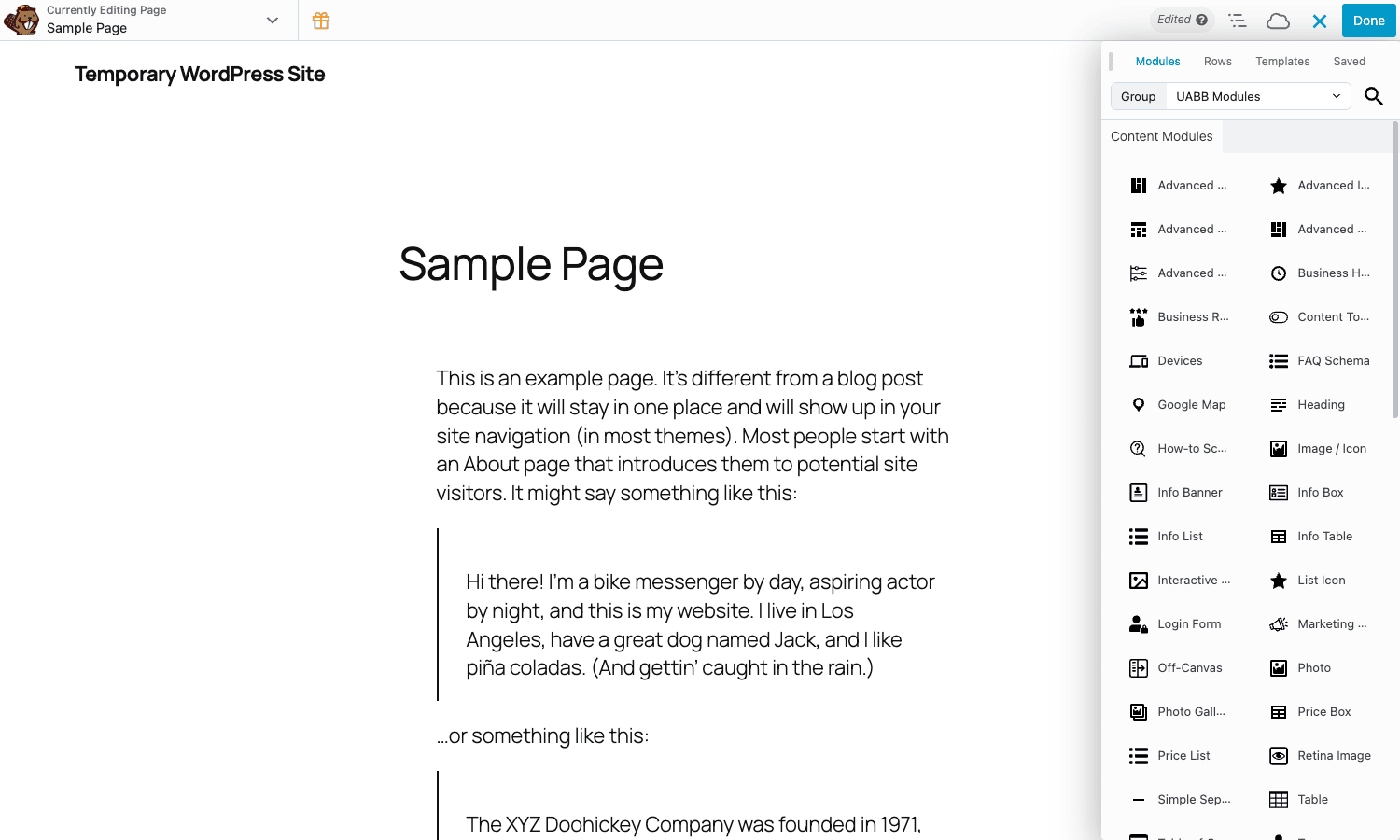
Settings -> UABB(it’s a submenu of the WordPress core Settings menu, at/wp-admin/options-general.php?page=uabb-builder-settings). - Inside the Beaver Builder content panel, a new group called
UABB Modulesin the Modules tab dropdown, plus aCloud Templatessource in the Templates tab.
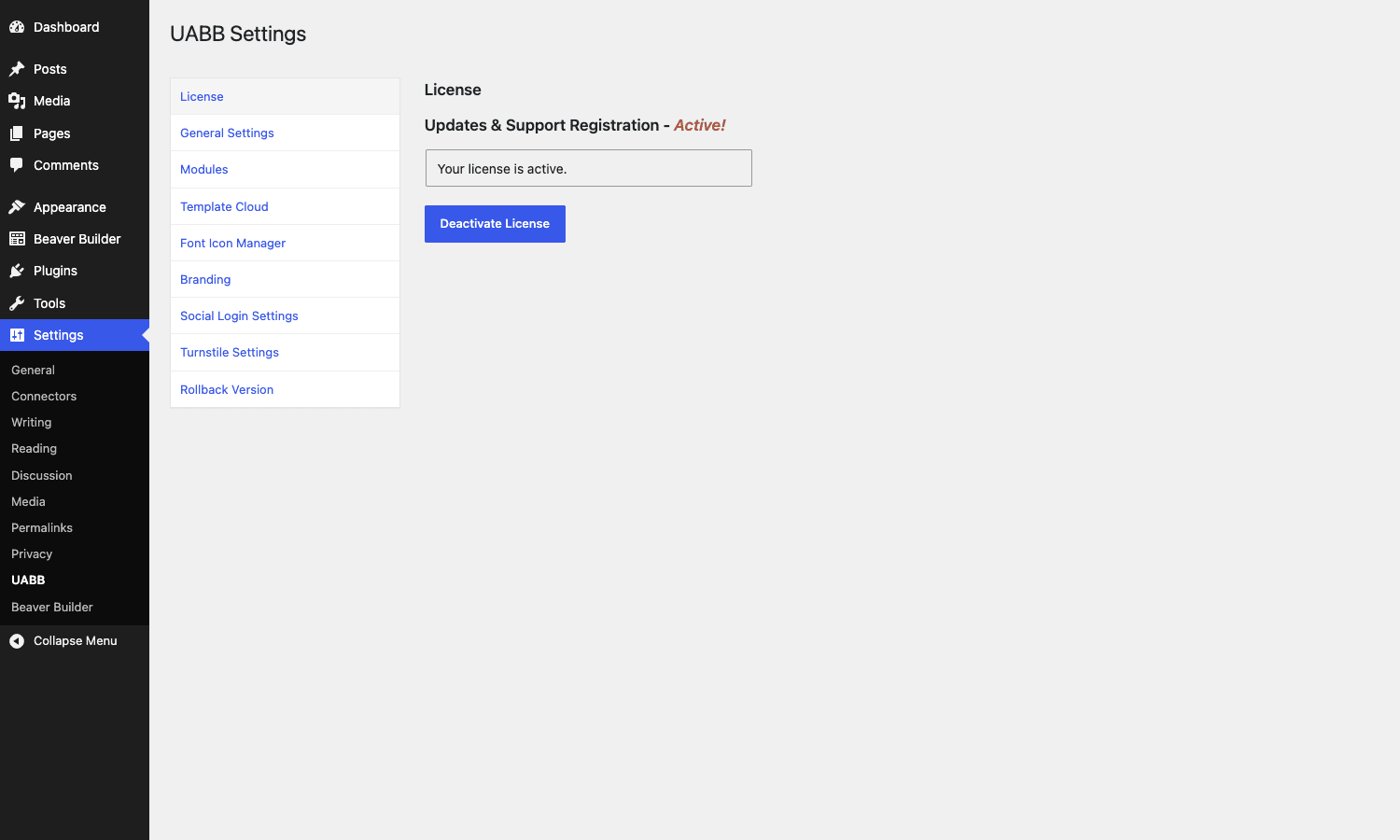
On a multisite the menu lives at Network Admin -> Settings -> UABB (uabb-builder-multisite-settings) and you can set network-wide defaults that override per-site values.
The first thing to do after activation is open Settings -> UABB -> Modules and confirm everything is enabled. New modules get added in updates and they default to enabled, but it’s also where you’d switch off the 60 modules you don’t need on a small site.
The UABB Settings screen, tab by tab
UABB’s admin sits in a single page with a left-side tab list. Here’s what each tab does and when you’d open it.
License
The activation panel. On a normal licensed install you paste your key here; on the GPL-licensed version (or this demo) the license is pre-registered and the page just shows "Your license is active." The license also controls update access; without an active key, the plugin still runs but won’t pull updates.
General Settings
Two important toggles. Load Google Fonts locally for GDPR friendliness, and the global module CSS/JS load strategy (page-specific vs sitewide). On a slow host the page-specific option is the right pick because every page only ships the CSS/JS for the modules actually used on it.
Modules
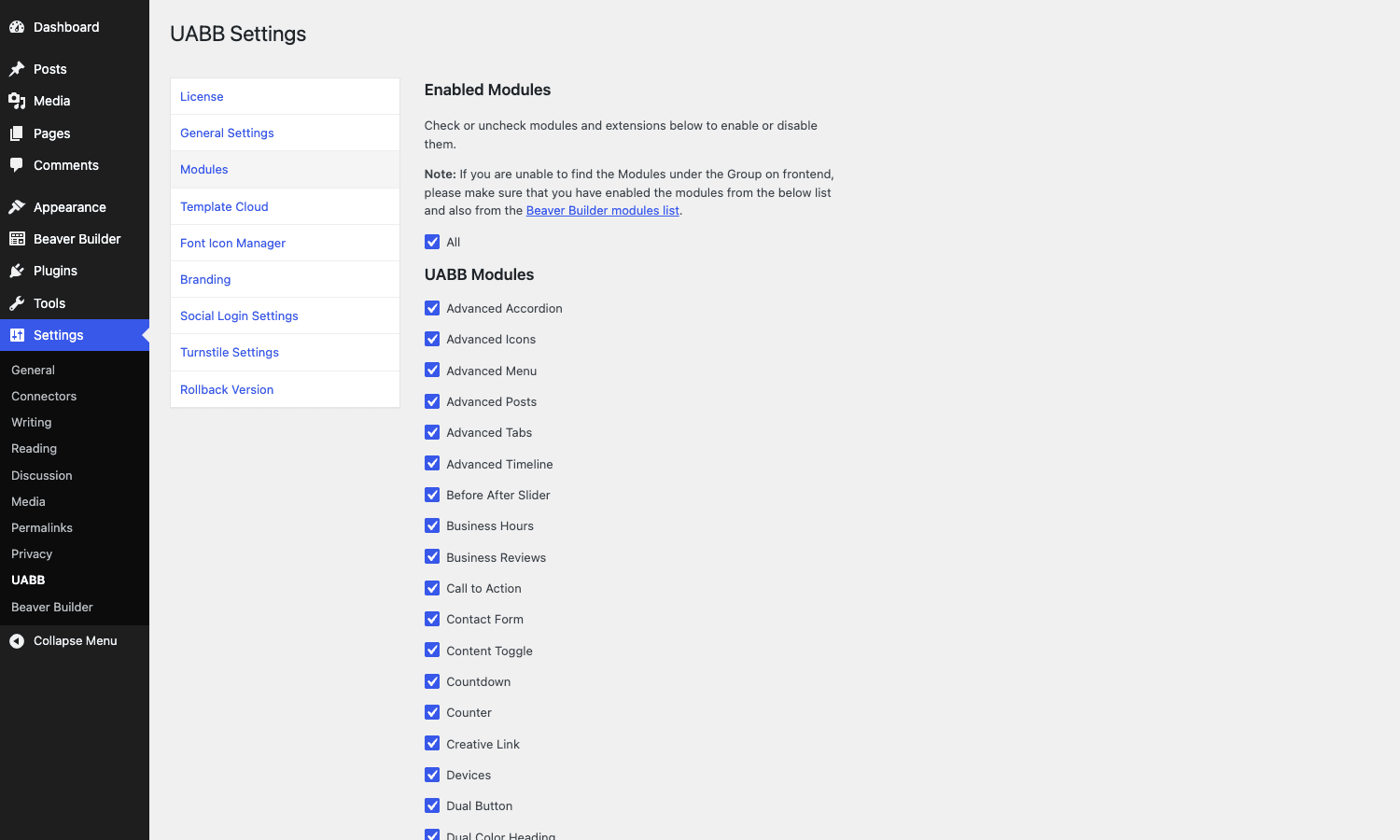
The enable/disable list. Every UABB module is a checkbox here. Switching a module off doesn’t hide it from the builder panel only – it stops loading the module’s CSS/JS entirely, which is the right way to keep page weight down on a site that uses 8 modules out of 70.
Template Cloud
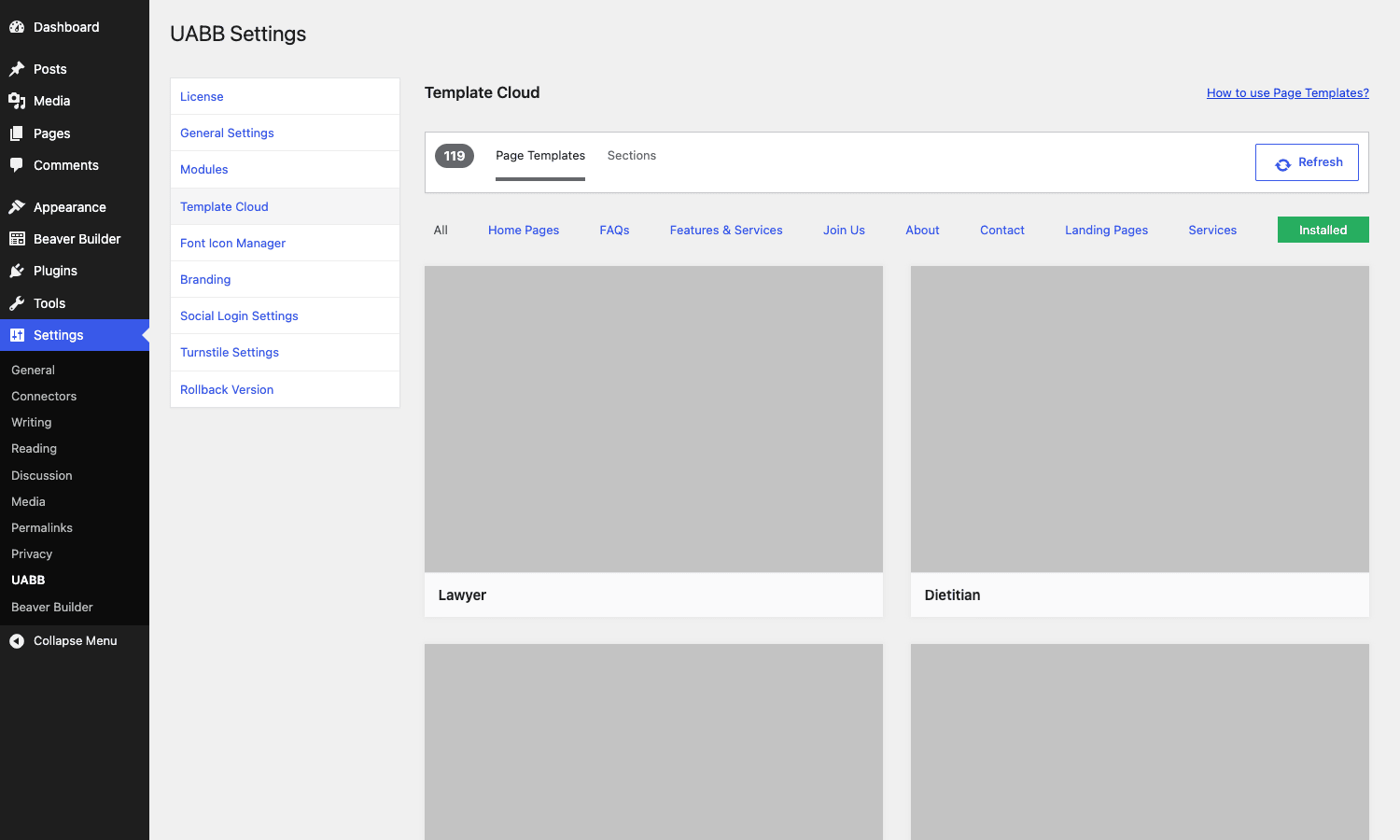
The 250-plus page templates and sections, fetched live from Brainstorm Force’s CDN. The Refresh button re-pulls the catalog; filter chips at the top split it by category (Home, FAQs, Features & Services, Landing Pages, About, Contact, Services). The "Installed" filter shows just the ones you’ve previously imported into the site. Templates download as proper Beaver Builder layouts, not iframes, so you can edit every row and module afterwards.
Font Icon Manager
Lets you upload a custom IcoMoon zip or similar icon pack, and have those icons selectable inside any UABB icon module (Advanced Icons, Info Box, Info Banner, etc.). It’s the safe way to get a brand-specific icon set into the builder without writing CSS.
Branding
The white-label panel. Rename the plugin from "Ultimate Addons for Beaver Builder" to anything you want, change the author name and URL, hide the Knowledge Base and Support links from the WP-admin help tab. The full screen on a fresh install looks like this:
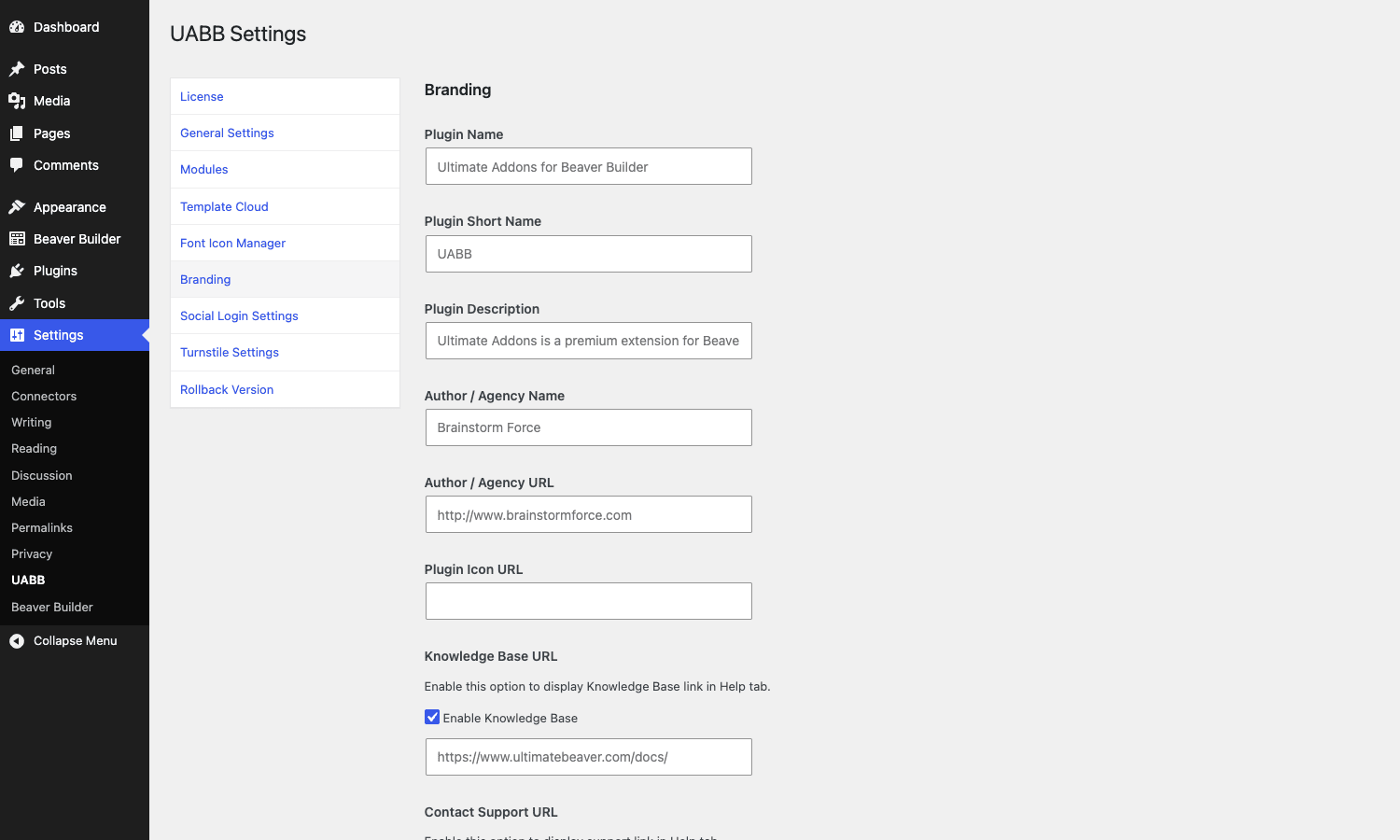
For agencies handing sites to non-technical owners, this is the panel that hides the "wait, what’s UABB?" question.
Social Login Settings
API credentials for the optional social login buttons (Google, Facebook) used by the UABB Login and Registration form modules. You enter the OAuth client ID/secret here and the modules surface the buttons automatically.
Turnstile Settings
Cloudflare Turnstile site key and secret key. Once entered, every UABB form module (UABB Contact Form, Login Form, Registration Form, Mailchimp Subscribe) can opt into Turnstile from the module settings instead of asking each form’s settings for keys separately.
Rollback Version
Click this and the plugin reinstalls the previous stable release. Useful when an update breaks a layout and you need a one-click downgrade while you figure out what changed.
Module catalog: all 70-plus modules grouped
The plugin ships with 74 modules in its modules/ folder. Here’s the practical grouping (UABB’s own admin uses a similar split). Each module lives in its own subfolder under bb-ultimate-addon/modules/.
Content and creative modules
These are the building blocks you’ll reach for most often.
- Advanced Heading, Dual-Color Heading, Animated Heading (Fancy Text). Three heading modules. Animated Heading rotates words on a typewriter effect; Dual-Color highlights one word in a contrasting color.
- Advanced Icons, Image Icon. Icon picker with hover styles, presets, and color controls. Image Icon takes an uploaded image instead of an icon font.
- Photo, Retina Image, Image Separator. Photo with built-in effects (overlay, hover, captions). Retina Image lets you set a separate 2x source. Image Separator is a horizontal separator with a centered image.
- Advanced Separator, UABB Separator, Spacer / Gap. Different flavors of section dividers. Advanced Separator gives you SVG shapes (waves, slopes, tilts) that sit between two rows.
- SVG Animator. Animates an inline SVG’s stroke or path drawing. Pair with a hand-drawn icon and you get a "draws itself" effect on scroll.
- Dual Button, UABB Button, Marketing Button. Multi-style button variants. Dual Button is two side-by-side buttons with a divider word ("or"). Marketing Button is a button with a subtitle line underneath.
- Creative Link. Animated inline link styles (underline draws on hover, fades, etc.). Useful in headers and CTAs.
- Ribbon, List Icon. Ribbon is a small text label with a triangular tail. List Icon is a bulleted list where each bullet is a custom icon.
Layout and information modules
These are the bigger structural blocks.
- Info Box, Info Banner, Info List, Info Table, Info Circle. A family of icon-plus-text card components. Info Box is the classic "feature card" with icon, title, description, and link. Info Banner is full-width with a CTA. Info Circle is a circular progress-style indicator.
- Interactive Banner 1, Interactive Banner 2. Two hover-banner styles. They show an image with a title, and on hover swap to a description and CTA.
- Flip Box, Slide Box, iHover. Card hover-effect modules. Flip Box rotates 3D on hover. Slide Box reveals a second layer by sliding. iHover is a library of 30+ classic CSS hover effects (zoom, blur, shutter, etc.).
- Advanced Tabs, Advanced Accordion, Content Toggle. Vertical or horizontal tabbed and accordion content. Content Toggle is the monthly/yearly pricing-page switcher.
- FAQ Schema. An accordion that also outputs FAQPage JSON-LD schema for SEO. Use this for FAQ rows you want Google to surface as rich results.
- Timeline. Vertical or alternating timeline with date/title/description per entry.
- Counter (Numbers). Animated number counter that animates from zero on scroll.
- Progress Bar. Horizontal progress bar with label and animated fill.
- Table, Table of Contents. Generic data table and an auto-generated TOC sidebar from a page’s H2/H3 headings.
- Team. A team-grid card with photo, name, role, bio, and social icons.
- Advanced Testimonials. Single testimonials, grid, or carousel. With rating stars and author photo.
- Modal Box. Triggers a popup on button or link click. Can be set to load on page open with a delay (use cautiously for UX reasons).
- Off-Canvas Menu. Slide-out menu on a configurable trigger. Pairs with the next module for a complete mobile-style nav anywhere on the page.
- Advanced Menu. A horizontal or vertical menu module with submenu controls, color presets, and a hamburger breakpoint – effectively a header-builder-quality menu module without needing Beaver Themer.
Media modules
- UABB Video, Video Gallery. Self-hosted or YouTube/Vimeo video with thumbnail/poster. Video Gallery is a grid that opens each entry in a lightbox.
- Photo Gallery. Tiled or masonry image grid with category filters and lightbox.
- Image Carousel. Horizontal scrolling image slider with autoplay and dots.
- Before/After Slider (Image Comparison). Two stacked images with a draggable handle that reveals one or the other. Classic photo-editing or design-portfolio pattern.
- Image Hotspots. A single image with clickable hotspot pins. Each pin opens a tooltip with title and description.
- Devices. Mockup frames (iPhone, iPad, MacBook) you can put a screenshot inside. Useful on product pages.
Marketing and conversion modules
- Call to Action. Big banner with headline, subtitle, and a button. The bread-and-butter CTA row.
- Countdown Timer. Date-based or evergreen (per-visitor) countdown. Useful for product launches and deadlines.
- Pricing Box, Price List, Pricing Tables. Pricing Box is a single styled pricing card. Price List is a flat list of items with prices (for menus, services). Pricing Tables is the multi-column comparison grid.
- Star Rating. Display-only star rating with a numeric label. Use it on testimonials and product summaries.
- Business Hours, Business Reviews. Business Hours displays a weekly schedule with optional "now open" indicator. Business Reviews is a Google/Yelp/Facebook reviews aggregator.
- Social Share. Share buttons for the standard set of networks. Counters are optional.
- Blog Posts. Custom post-grid module. More flexible than Beaver Builder’s built-in Posts module; supports filtering, masonry layouts, custom fields.
WooCommerce modules
Only relevant if your site runs WooCommerce. The modules:
- UABB WooCommerce Products. Product grid with sorting, filtering, and a built-in Quick View overlay. Probably the most useful WooCommerce module of the bunch.
- WooCommerce Add to Cart. A standalone add-to-cart button for a single product.
- WooCommerce Categories. A grid of product category cards.
- WooCommerce Mini Cart. Floating or inline mini-cart for the header.
Form modules
Six form-related modules:
- UABB Contact Form. Self-contained contact form with email-to handler. The simplest option when you don’t want a separate form plugin.
- Login Form, Registration Form. Frontend login and registration. Configurable redirect after submit; works with social login if you’ve configured the Social Login Settings tab.
- Search. Site search bar with style overrides (the WP default
get_search_formstyled UABB-style). - Mailchimp Subscribe Form. Direct integration with Mailchimp; API key in the settings tab, list selection in the module.
- Contact Form 7 Styler, Gravity Forms Styler, WPForms Styler, Fluent Form Styler, Caldera Styler. Five "styler" modules that wrap an existing form from another plugin and let you restyle it inside Beaver Builder without writing CSS. So if you already use WPForms for your business but want a custom design on a landing page, drop in the WPForms Styler module, select your form, and style it visually.
Utility modules
- How-To Schema. Step-by-step instructions that also output HowTo JSON-LD schema for SEO rich results.
- Google Map. A Google Maps embed with markers, configurable zoom, styles.
That’s the 74-module list. In practice most sites use a dozen modules: Info Box, Pricing Table, Counter, Advanced Tabs, Advanced Accordion, Photo, Testimonials, Call to Action, Video, Off-Canvas Menu, Contact Form, and maybe a Hotspot or Flip Box for a feature page. Disable the rest from Settings -> UABB -> Modules to keep the asset footprint small.
Row enhancements: particle backgrounds, Ultimate Gradient, separators
This is the part most reviews miss. UABB doesn’t just add modules; it injects extra options into Beaver Builder’s row settings panel itself. Open any row, click Style, scroll down, and you’ll see new options that weren’t there before UABB was active.
Ultimate Gradient background
Beaver Builder’s built-in gradient is two-stop linear only. UABB adds an "Ultimate Gradient" background type with multiple color stops, radial/linear/angled directions, animated gradient option (the gradient slowly shifts), and per-breakpoint overrides. The implementation lives in includes/row-settings.php where UABB extends Beaver Builder’s bg_type field with a new uabb_gradient option.
Particle background
A separate "Particles" section in the Row settings, with an enable_particles toggle. When on, you get:
- Style preset (NASA, Bubbles, Snow, Whirlpool, custom).
- Custom code field if you want to paste a raw particles.js config.
- Direction (top, bottom, left, right).
- Color and color-opacity sliders.
- Particle count slider and size.
- Speed slider and interactive toggle (mouse hover/click reacts).
It’s a wrapper around the open-source particles.js library, packaged inside UABB. Useful for hero sections; overuse it on a page and you’ll tank performance, so it’s a "one row per page" tool.
Section separators
The Row settings now have top and bottom separator shapes – tilted lines, waves, mountains, slopes, splatters – rendered as inline SVG. They sit between rows and give the page that "magazine layout" look without you authoring the SVG path.
Other row tweaks
UABB also exposes equal-height column controls per breakpoint, sticky-row toggles, and column-level border-radius and shadow controls that the bare Beaver Builder Row doesn’t include.
Template Cloud: 250-plus pre-built pages and sections
Open the Templates tab in the Beaver Builder content panel and there’s a Group dropdown – same UI as the Modules tab – with options including Layout Templates, Saved Templates, and UABB’s Cloud Templates. Pick Cloud Templates and you get the same 119+ Page Templates and 100+ Sections that appear in Settings -> UABB -> Template Cloud.
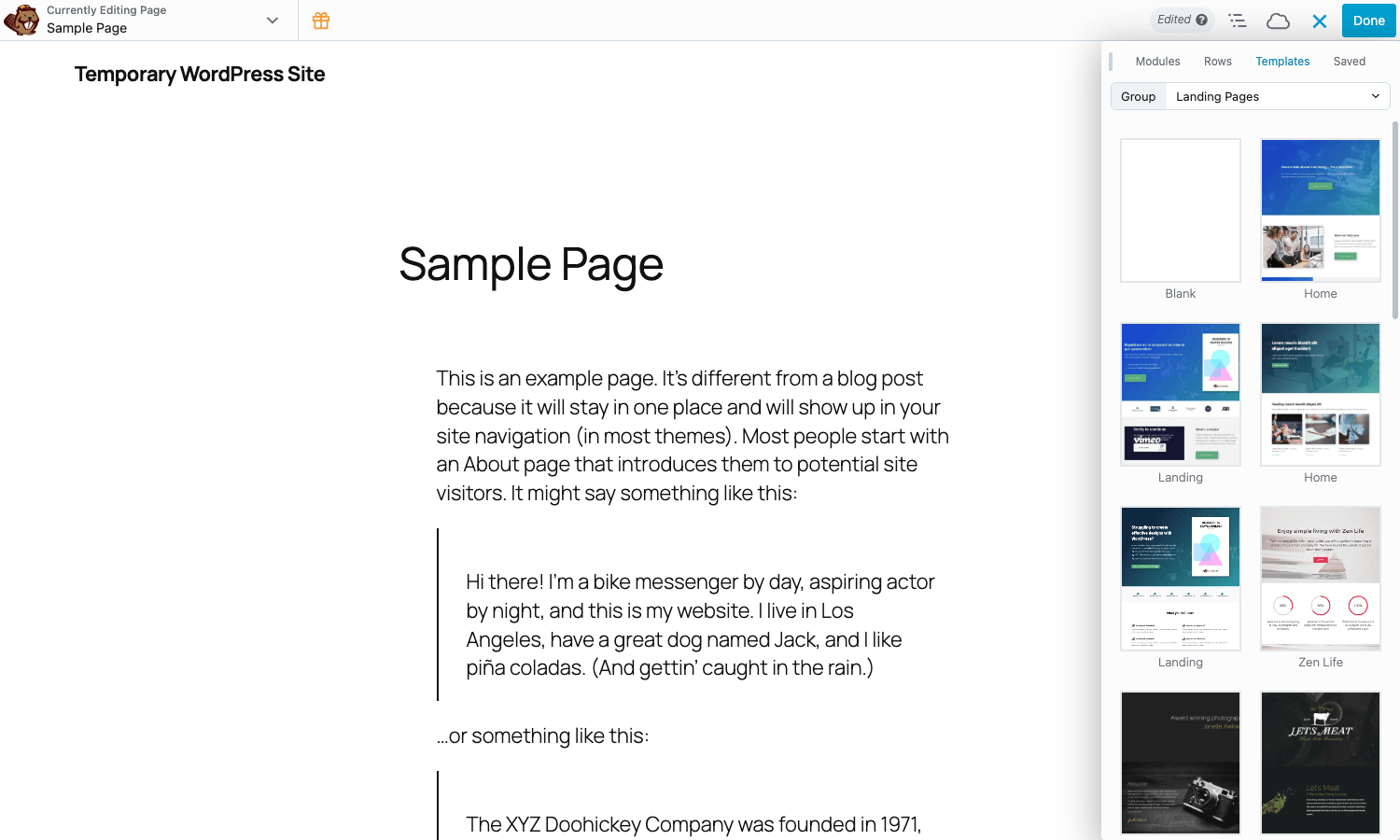
The split:
- Page Templates are full-page layouts (Lawyer home, Dietitian home, Yoga landing, Restaurant menu, Photography portfolio, etc.). Importing one inserts it as the whole page and you can edit every row afterwards.
- Sections are smaller (Hero, About, Services, Testimonials, FAQ, CTA, Footer). They drop into an existing page where the row would normally go. You’d typically build a page by chaining four or five Sections.
Both load on-demand from Brainstorm Force’s CDN, so the plugin zip itself doesn’t carry the layouts; you only download what you import. New templates show up in the Refresh sweep.
White-label: rebranding UABB for client sites
The Branding tab is what makes UABB an "agency" plugin. Every label that says "Ultimate Addons for Beaver Builder" can be renamed. The fields:
- Plugin Name and Short Name (used in the WordPress plugins list).
- Plugin Description (replaces the description in
Plugins -> Installed Plugins). - Author Name and Author URL (replaces "Brainstorm Force").
- Plugin Icon URL.
- Knowledge Base URL and Contact Support URL toggles – either show your own URL or hide the links entirely.
There’s also a UABB hook (uabb_show_branding) that lets you programmatically hide the branding panel on subsites. Useful when you want even the branding settings to be invisible to a client.
Form and WooCommerce integrations
A quick recap because both deserve their own paragraph.
Forms. UABB has the rare-and-handy "styler modules" for the five popular form plugins (Contact Form 7, Gravity Forms, WPForms, Fluent Forms, Caldera). The way they work: you build your form in the form plugin’s own UI, then drop the matching UABB styler module into Beaver Builder, pick the form from a dropdown, and style every label, field, button, and error state visually. The output is the actual form plugin’s form (so submissions, validation, integrations all keep working) but with UABB’s CSS layered on top. This is genuinely useful, because most form plugins ship with utilitarian default styles and customizing them via CSS is painful.
WooCommerce. The Quick View on the WooCommerce Products module is the standout feature. Visitors click "Quick View" on a product card and a modal slides in with the gallery, title, price, short description, and Add to Cart – no page load. There are also fine-grained action hooks inside the Quick View (see Developer Reference below) so you can inject related-products, custom badges, or a wishlist button. If you already run CartFlows Pro for sales funnels, UABB’s WooCommerce modules pair well with it for the product browsing side of the site.
Developer reference: hooks, filters, and patterns
UABB exposes about 50 filters and a dozen actions, all prefixed uabb_ (occasionally uabb/global/ for the newer namespaced ones). Here’s the ones developers reach for most often.
Filter: change the cap on tracked Pro module usage
add_filter( 'uabb_pro_module_usage_post_cap', function( $cap ) {
 return 10000;
} );
Default is 5000. Used internally for analytics on which modules are actually being placed in posts; bump it on large sites if you want a more accurate count.
Filter: hide the UABB branding everywhere
add_filter( 'uabb_show_branding', '__return_false' );
This hides the entire Branding tab from Settings -> UABB. Useful when you’ve already configured branding via mu-plugin or wp-cli and don’t want a client to see it.
Filter: override the languages directory
add_filter( 'uabb_languages_directory', function( $dir ) {
 return WP_LANG_DIR. '/uabb';
} );
For sites that keep .mo files outside wp-content/languages/plugins/.
Filter: force render the FAQ Schema even without an FAQ module
add_filter( 'uabb_faq_schema_force_render', '__return_true' );
UABB usually only outputs FAQPage JSON-LD when the FAQ module is present on the page. This filter forces the render so you can output schema from your own template too.
Action: extend the WooCommerce Quick View
add_action( 'uabb_quick_view_add_to_cart_after', function( $post_id ) {
 echo '<a class="wishlist-btn" href="?add_to_wishlist='. $post_id. '">+ Wishlist</a>';
} );
Eleven action hooks fire inside the Quick View – _title_before/after, _price_before/after, _rating_before/after, _short_description_before/after, _add_to_cart_before/after, _category_before/after. So you can inject anything at any point. The same hook structure exists for the regular product loop (uabb_woo_products_title_before etc.).
Action: react to UABB plugin updates
add_action( 'uabb_update_version_before', function() {
 error_log( 'UABB pre-update' );
} );
add_action( 'uabb_update_version_after', function() {
 do_action( 'gpl/cache/flush' );
} );
Fires before and after every UABB version upgrade. Use it to clear theme caches, regenerate CSS, or trigger a deploy hook.
Action: customize the row separator SVG
add_filter( 'uabb_row_separator_svg_waves', function( $svg, $row ) {
 return '<svg viewBox="0 0 1000 60">...</svg>';
}, 10, 2 );
Per-shape filters let you swap in a custom SVG for any built-in separator (waves, slopes, mountains, etc.) without modifying plugin files.
Filter: skip an image during cloud template import
add_filter( 'uabb_image_importer_skip_image', function( $skip, $attachment ) {
 if ( strpos( $attachment['url'], 'lorem' )!== false ) {
 return true;
 }
 return $skip;
}, 10, 2 );
When you import a cloud template, UABB downloads every image into the Media Library. This filter lets you skip placeholders (lorem images, demo headshots) so the imported page references the source URLs instead.
Action: render content in the Beaver Builder UI panel
add_action( 'uabb_fl_builder_ui_panel_before_rows', function() {
 echo '<p class="agency-help">Use these rows for client sites only.</p>';
} );
Lets you inject custom HTML above or below the Rows section in the UABB UI panel. Useful for in-house teaching messages.
Filter: alter the global theme color
add_filter( 'uabb/global/theme_color', function( $color ) {
 return '#0066ff';
} );
UABB pulls a "global theme color" from the active theme and uses it for default button/link styling. Override via this filter or via uabb_theme_theme_color (the older non-namespaced version is still respected for back-compat).
Filter list at a glance
The most-used filter names you’ll want to know about:
uabb_global_support,uabb_global_support_formuabb_get_builder_uabb,uabb_get_builder_uabb_branding,uabb_get_builder_uabb_modulesuabb_show_brandinguabb_builder_admin_settings_nav_itemsuabb/global/theme_color,uabb/global/text_color,uabb/global/link_color,uabb/global/link_hover_coloruabb/global/button_font_size,uabb/global/button_line_height,uabb/global/button_letter_spacing,uabb/global/button_text_transformuabb_row_separator_class,uabb_row_separator_svg,uabb_row_separator_svg_<shape>,uabb_row_bot_separator_svg_<shape>uabb_image_importer_skip_imageuabb_faq_schema_force_renderuabb_pro_module_usage_post_capuabb_languages_directory
Action hooks worth noting:
uabb_update_version_before,uabb_update_version_afteruabb_import_complete(cloud template import finished)uabb_cloud_template_buttonsuabb_builder_admin_settings_render_formsuabb_fl_builder_ui_panel_before_presets,uabb_fl_builder_ui_panel_after_presetsuabb_fl_builder_ui_panel_before_rows,uabb_fl_builder_ui_panel_after_rowsuabb_off_canvas_menu_beforeuabb_woo_products_*anduabb_quick_view_*(the WooCommerce hook family above)
You can grep the plugin folder for the full list:
grep -rEn "apply_filters\(\s*['\"]uabb" bb-ultimate-addon/ --include="*.php"
grep -rEn "do_action\(\s*['\"]uabb" bb-ultimate-addon/ --include="*.php"
Module class structure
Each UABB module is a class that extends FLBuilderModule (Beaver Builder’s module base class). Module files live in bb-ultimate-addon/modules/<slug>/. A minimal module skeleton looks like:
class UABBPricingBoxModule extends FLBuilderModule {
 public function __construct() {
 parent::__construct( array(
 'name' => __( 'Pricing Box', 'uabb' ),
 'description' => __( 'A styled pricing card.', 'uabb' ),
 'category' => __( 'UABB Modules', 'uabb' ),
 'group' => 'UABB Modules',
 'dir' => BB_ULTIMATE_ADDON_DIR. 'modules/pricing-box/',
 'url' => BB_ULTIMATE_ADDON_URL. 'modules/pricing-box/',
 'icon' => 'pricing-box.svg',
 ) );
 }
}
FLBuilder::register_module( 'UABBPricingBoxModule', UABBPricingBoxModule::get_form_settings() );
The settings array is read from a sibling file (pricing-box.php or similar) that uses Beaver Builder’s settings-form DSL. If you’ve ever written a Beaver Builder custom module, UABB modules are written the same way – you can clone any of them as a starting point for a custom module of your own. The Beaver Builder developer docs cover the parent plugin’s module API and the same patterns apply to UABB modules.
The hook reference and module documentation for UABB itself lives at the official Ultimate Beaver knowledge base and on the Brainstorm Force documentation hub for shared topics across their product line.
UABB vs PowerPack for Beaver Builder
Both UABB and PowerPack for Beaver Builder are the same kind of thing: a 70-to-80-module addon pack with a template library, sold as a premium subscription. They overlap heavily and most Beaver Builder users pick one and stick with it. Here’s the honest difference.
Vendor and ecosystem. UABB is Brainstorm Force, the team behind Astra, Spectra, Convert Pro, CartFlows, and SureMembers. If you’re already on that stack, UABB integrates naturally and the support cycle is one team. PowerPack is by IdeaBox Creations (Tushar Pathak); smaller team, different priorities.
Module count. Roughly the same (PowerPack ~80, UABB ~74). Both have all the staples. The difference is at the edges:
- UABB has Particle backgrounds at the row level (PowerPack doesn’t), Cloud Templates (PowerPack ships templates with the plugin), and a wider range of form-plugin stylers (Caldera, Fluent Forms).
- PowerPack has Smart Display Conditions built-in (user role / login state / time-based show/hide on any row or module). UABB doesn’t expose those at the row level by default; you’d use Beaver Themer or a separate visibility plugin for the same outcome.
Templates. Roughly the same count (250+). PowerPack’s lean more practical (business, agency, restaurant). UABB’s split into 119 Page Templates + Sections, more landing-page-focused. Personal taste.
Update cadence. Both update regularly. PowerPack has historically pushed smaller, more frequent releases. UABB ships less often but with bigger feature drops.
The honest take. If you’re starting fresh and not committed to either, try them both and pick the one whose template style matches your taste. If you’re on Astra + Spectra + the Brainstorm Force stack already, UABB is the obvious pick. If you need built-in Display Conditions and don’t want to add another plugin, PowerPack edges it. Don’t run both on the same site – they overlap so heavily you’d just be loading two stacks of CSS for the same result.
Performance, compatibility, and gotchas
A few practical notes from running UABB in production.
Asset weight. UABB has 70+ modules and loads each module’s CSS/JS only when that module is on a page (page-specific mode). With the General Settings asset mode set correctly, a page that uses three UABB modules loads three module CSS files, not all 70. Sites that switch this to sitewide mode for caching reasons end up shipping 500 KB of CSS on every page; don’t.
Particle backgrounds. They look great but they animate on every frame the section is visible. Putting a particle background in the hero of every page is fine. Putting one in a row that’s also doing animation triggers a measurable INP regression on low-end mobile. Use sparingly.
Cloud Templates. First load of the Template Cloud tab pulls JSON + thumbnail images from Brainstorm Force’s CDN. If your hosting blocks outbound HTTPS to non-allowlisted domains, the templates list will be empty. Allowlist cloudtemplates.wpastra.com and *.brainstormforce.com.
Module enable/disable. The Modules tab is a real performance lever. Disable everything you’re not using. The plugin doesn’t include a "scan and tell me which modules are unused" feature; you do it by hand.
Theme integration globals. The uabb_theme_*_color filters give the active theme a way to feed colors into UABB. The Astra and Beaver Builder Theme integrations use these. On a custom theme, you can add the same filters to make sure UABB modules pick up your theme’s primary color by default.
WPML. The shipped wpml-config.xml handles string registration for module fields. New custom modules you write don’t automatically get string registration; you’d add entries for them.
Conflicts. Don’t run UABB and PowerPack together. CSS classes overlap and you’ll get layout glitches on shared selectors.
SVG sanitization. If you upload custom SVGs through the Font Icon Manager, they’re sanitized before save. Don’t expect arbitrary inline <script> inside an icon SVG to run.
Pricing and licensing
UABB is sold by Brainstorm Force as part of their subscription. The standalone Ultimate Addons for Beaver Builder license has tiers for single-site, multi-site, and agency (unlimited). It’s also bundled into Brainstorm Force’s Growth Bundle, which includes Astra Pro, CartFlows Pro, Convert Pro, and the rest of their ecosystem – usually the better deal if you’d use more than one of those.
UABB is GPL-licensed (every WordPress plugin is, as a derivative of WordPress core). That means the code itself can be redistributed; what you pay for at brainstormforce.com or wpbeaveraddons.com is updates and direct support. The full plugin with updates is also available as a GPL-licensed version through the Ultimate Addons for Beaver Builder listing on GPL Times, bundled with Beaver Builder Pro and Beaver Themer on the same site.
Frequently asked questions
Do I need Beaver Builder Pro to run UABB?
You need Beaver Builder installed – any edition, including the free version on WordPress.org. UABB works on top of all of them. That said, most UABB users have Beaver Builder Pro because Pro is where you get all of Beaver Builder’s own modules and the saved-template feature. Pro plus UABB is the standard combination.
Will UABB slow my site down?
It depends on how many modules you use. UABB loads CSS/JS per module per page when set to page-specific mode (the default). A page using six modules loads six small stylesheets. That’s manageable. If you toggle to sitewide loading mode, every page ships every enabled module’s assets and yes, it slows things down. Stick with page-specific and disable modules you don’t use.
Can I use UABB with Gutenberg blocks?
Not directly. UABB modules are Beaver Builder modules; they don’t appear in the Gutenberg block inserter. If you want a similar addon pack for Gutenberg, the same team (Brainstorm Force) makes Spectra Pro, which is the Gutenberg equivalent. Pages built with Gutenberg and pages built with Beaver Builder + UABB can coexist on the same site.
Does it work with Astra theme?
Yes, and it works particularly well because both products are from Brainstorm Force. UABB picks up Astra’s color and typography globals through the uabb_theme_* filters, so a button created with UABB and a button created in Astra’s customizer will use the same brand color by default.
Can I rebrand it for clients?
Yes. The Branding tab in Settings -> UABB lets you change the plugin name, description, author, support URLs, and icon. Once rebranded, your clients see your name in their plugins list, not Brainstorm Force’s. There’s also a filter (uabb_show_branding) to hide the Branding tab itself.
What’s the difference between Cloud Templates and the local Templates?
Local templates (Beaver Builder’s own Saved Templates) are layouts you’ve created and saved on your own site. Cloud Templates are pre-built layouts from Brainstorm Force’s CDN that you download into your site on demand. The Cloud Templates list updates when Brainstorm Force adds new designs; local templates only exist on your site.
How do I add a new module without editing UABB?
Beaver Builder’s own module API. Create a plugin or theme directory with a class extending FLBuilderModule, call FLBuilder::register_module(). UABB doesn’t intercept third-party modules; they’ll appear in your own "Group" in the Modules tab dropdown.
Will UABB conflict with PowerPack?
Yes – both plugins extend the same Beaver Builder hooks and ship overlapping CSS classes. Running them simultaneously usually produces layout glitches on shared selectors and double-loaded particles/animations. Pick one.
Final thoughts
UABB is the addon you reach for when Beaver Builder by itself is too austere. It’s not a different page builder; it’s the missing 70 modules and the cloud template library that turn Beaver Builder from a careful, conservative editor into something you can use to build the entire site without ever leaving the canvas. The white-label panel and Beaver Builder’s own click-to-edit polish make it a solid agency tool.
It’s not unique – PowerPack does almost the same thing – but if you’re on the Brainstorm Force stack already, or you specifically want the particle backgrounds, cloud templates, and the wider form-styler coverage, UABB is the cleaner pick. For the developer side, the uabb_ hook namespace is dense enough that you can customize almost any module’s output, restyle row separators, hook into cloud-template imports, or rebrand the plugin entirely from a single mu-plugin file.
If you’re already using Beaver Themer for theme building, layering UABB on top closes the gap with the all-in-one builders. Pair it with a fast host, the page-specific asset mode, and a small set of modules actually in use, and you get a page-builder workflow that doesn’t drag the Lighthouse score down with it.