

I’ve been tuning the SEO setup on three WordPress sites for the last few years. A general-interest blog, a WooCommerce store that ships about 40 SKUs, and an agency portfolio that hosts six client sites under one multisite. I’ve cycled through every major SEO plugin while doing it. Yoast SEO Premium first, because that’s where everyone starts. Rank Math after that, when Yoast’s admin began to feel like a banner farm. AIOSEO for one client who specifically asked for it. Even a hand-rolled wp_title filter in functions.php for a stretch, because I was tired of plugins fighting over the same meta tag.
What kept landing in my reading list and never quite making it onto a live site was SEOPress. So I sat down with Pro, set it up on a sandbox, ran a real migration from Yoast Premium, and used it long enough to form an honest opinion. This post is what I found. Where SEOPress is genuinely sharp, where it falls short, and the practical bits I wish someone had walked me through before I clicked the import button.
Table of Contents
- What is SEOPress PRO?
- Key features at a glance
- SEOPress vs Yoast vs Rank Math vs AIOSEO: when each one wins
- Installation, license, and the setup wizard
- The post-editor meta box: where you’ll spend 80% of your time
- The migration story: moving from Yoast or Rank Math without losing rankings
- Titles, metas, and the template language
- XML sitemaps and indexation
- Schema generation: where SEOPress quietly beats the competition
- Redirects and 404 monitoring
- The European angle: GDPR, telemetry, and white-labeling
- WooCommerce and Easy Digital Downloads support
- What SEOPress doesn’t do (and when you still need a dedicated tool)
- Developer reference: hooks, filters, REST, blocks
- Performance and caching nuance
- Pricing and licensing
- FAQ
- Final thoughts
What is SEOPress PRO?
SEOPress is a WordPress SEO plugin built by Benjamin Denis and a small team based in France, trading as "The SEO Guys at SEOPress" in the plugin header. It’s been around since 2017, runs on roughly 350,000 active installs according to the vendor’s own number, and ships in two parts: a free core plugin on the WordPress.org repository and a paid SEOPress PRO add-on that unlocks the heavier features like the schema generator, redirects, 404 monitoring, broken-link scanner, Google Search Console integration, and the per-post analysis tools.
The positioning is unusual for the WordPress SEO market. Yoast goes wide with content, training courses, and a sidebar full of upsells. Rank Math sells itself on raw feature count and the "30+ modules" pitch. AIOSEO leans on the "powered the WordPress SEO category since 2007" history. SEOPress runs in the other direction. The admin is intentionally small, the upsells are restricted to a single PRO tab, and almost every paid feature is in one bundle rather than split into separate add-ons. That last bit matters more than it sounds.
If you want the GPL-licensed version with no per-site activation friction, the SEOPress PRO download on GPL Times is what you want.
Key features at a glance
Rather than dump the marketing list, here’s what actually matters once you start using the plugin daily.
- Universal SEO meta box. Works in Gutenberg, the classic editor, Elementor, Divi, Bricks, Oxygen, Breakdance, WPBakery, and a handful of others. One UI, every builder.
- Title and meta description templates. Site-wide rules with a dynamic-variable language (
%%title%%,%%sitetitle%%,%%currentdate%%, plus custom variables per post type). - Content analysis with unlimited target keywords. No artificial cap per post. Yoast Premium limits you to four. Rank Math’s free version limits you to one focus keyword. SEOPress doesn’t gate this.
- Schema generator with 30+ types built in. Article, Product, Recipe, Event, Job Posting, Local Business, Course, FAQ, HowTo, Service, Software App, Video, plus rules-based assignment per post type, taxonomy, or even custom field value.
- XML sitemaps. Posts, pages, products, custom post types, taxonomies, images, video, Google News. With NGINX rewrite rules ready to copy-paste for non-Apache servers.
- HTML sitemap shortcode. Same data, rendered for human visitors.
- Redirections and 404 monitoring (Pro). A real redirect manager that uses a custom post type to store rules, with per-redirect logging, regex support, and bulk import/export.
- Broken link checker (Pro). Scans your content for dead links and gives you a one-click fix or replace.
- Robots.txt editor. Inline edit from the admin without ever touching the file on disk.
- Open Graph and Twitter Cards. Per-post overrides for the social title, description, and image. Auto-generated previews in the editor.
- Google Search Console integration. Direct connection to fetch impressions, clicks, and CTR per URL into the WordPress dashboard.
- Google Analytics + GA4 + Matomo. Inject the right tracking code without a separate plugin.
- Instant Indexing. Google and Bing indexing-API support for fresh pages.
- CSV import and export. For migrating SEO meta in or out at scale.
- White-label mode. Hide the SEOPress branding from the admin (Pro). Useful for agencies handing over a finished site to a non-technical client.
- AI-assisted meta. Optional connections to OpenAI, Anthropic Claude, Google Gemini, MistralAI, and DeepSeek for bulk-generating titles, descriptions, OG fields, and image alt text.
- Agent Readiness / llms.txt. Native support for the emerging "let LLMs read your site" specs.
That’s the whole list. Notice what’s missing: no dedicated affiliate-link manager, no contact form bolt-on, no "modules" page asking you to enable each feature like an in-app purchase. The closest thing to a feature gate is the License page, and once Pro is activated, everything is on.
SEOPress vs Yoast vs Rank Math vs AIOSEO: when each one wins
I’ll keep this honest because rage-comparing SEO plugins is a tired sport.
Yoast SEO Premium wins when you need the most-documented WordPress SEO setup on the planet. Every "how do I" question has been answered, screenshotted, and YouTubed by someone. The content analysis is the most opinionated of the four, which novice writers actually find useful. Yoast also has the strongest local-SEO add-on if your business is a single-location brick-and-mortar. If you want the deep walkthrough, my Yoast SEO Premium review covers what the import wizard, redirects, and Local SEO add-on actually do.
Rank Math wins if you want the longest feature list. The free version of Rank Math has more in it than the paid version of every other plugin on this page. It’s a feature-list cheat code. The downside is that the admin is loud, the telemetry is on by default, and the UI keeps moving as new modules get added. If feature count is the metric, see my Rank Math SEO PRO review.
AIOSEO wins for sites already running the plugin since the early 2010s. There’s no real reason to migrate to it cold in 2026, but its content-pruning workflow and "search statistics" Google Search Console integration are well-engineered. The AIOSEO PRO setup guide covers the modern admin.
SEOPress wins when you want the admin out of your way. The single-tab sidebar is restful. The Pro license unlocks every feature at once, so there’s no "module purchase" confusion. The schema generator is the best in the category, full stop. And the privacy posture (no telemetry, no third-party crawlers required) is the strictest of the four.
The honest TL;DR: if you started a site this week and asked me which one to install, I’d say SEOPress unless you have a specific reason to want Yoast’s documentation depth or Rank Math’s feature breadth.
Installation, license, and the setup wizard
Two plugins to install: free SEOPress from the WordPress.org repo, then SEOPress PRO on top. Pro is an extension, not a standalone replacement, which means you can keep the free plugin updated through the regular WordPress admin and only swap the Pro zip when there’s a release.
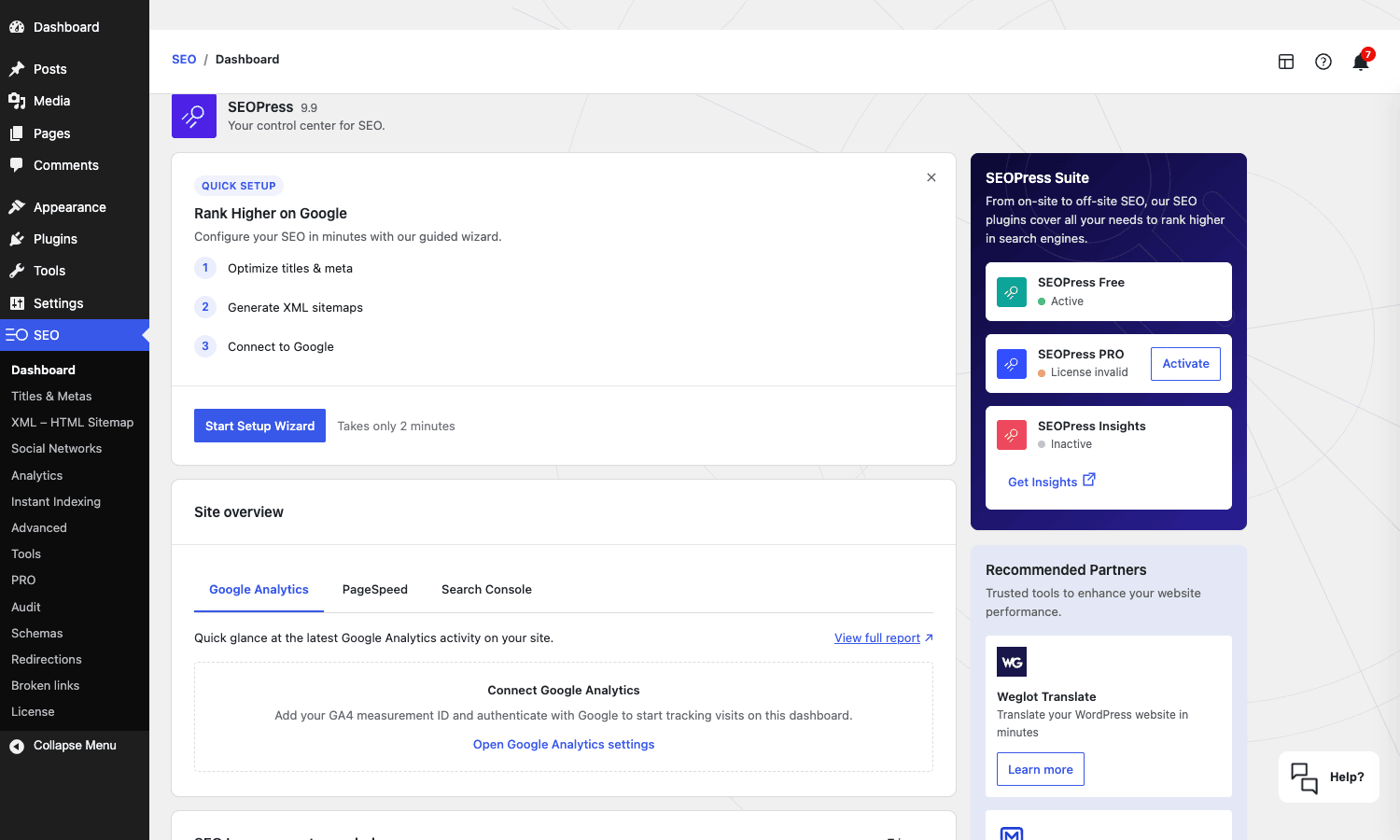
After activation a setup wizard runs. It asks about your site type (personal blog, business, e-commerce, news, etc.), your knowledge graph identity (person or organization, with social profile URLs), and whether you want to ping Google for indexing. The whole thing takes maybe two minutes. You can skip it and configure manually, but the wizard’s defaults are sane enough that I’d just run it.
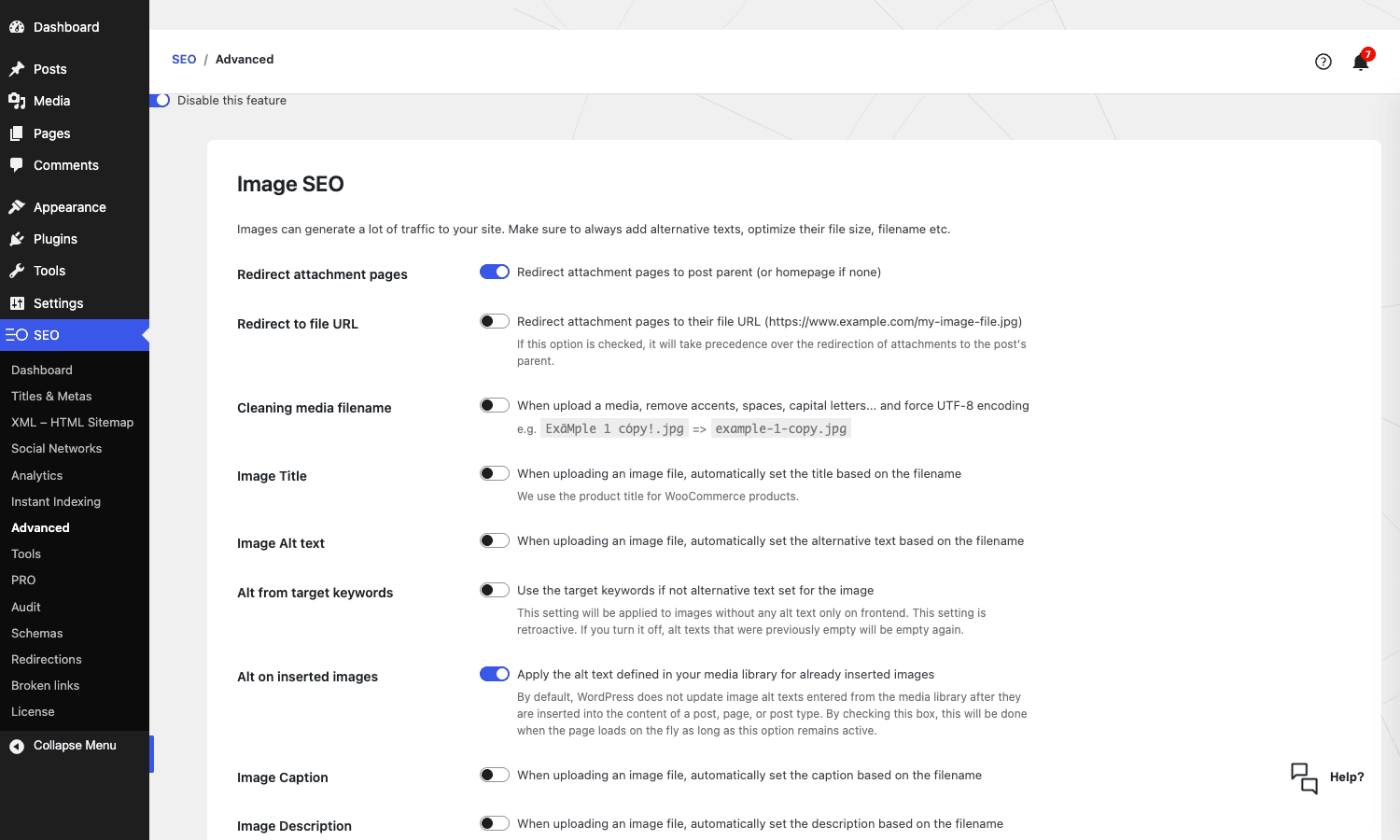
Once the wizard is done, the SEO menu appears in the WordPress admin sidebar. That’s the only place SEOPress lives. No floating widgets, no dashboard panels you didn’t ask for, no banner that follows you around the admin telling you to "complete your setup." The plugin sits where you’d expect a plugin to sit.
A note on the License page: SEOPress Pro requires a license key to enable updates and the Insights features (which talk to an external API). the GPL-licensed version sidesteps the key requirement for the plugin’s local features, which is what most site owners actually care about. The Insights dashboard does need an active vendor key because it queries SEOPress’s hosted API for the backlinks and search-volume data.
The post-editor meta box: where you’ll spend 80% of your time
The whole game with an SEO plugin is whether the post-editor UI is fast to use. Site-wide settings are a one-time configuration. The meta box is what you touch every time you publish.
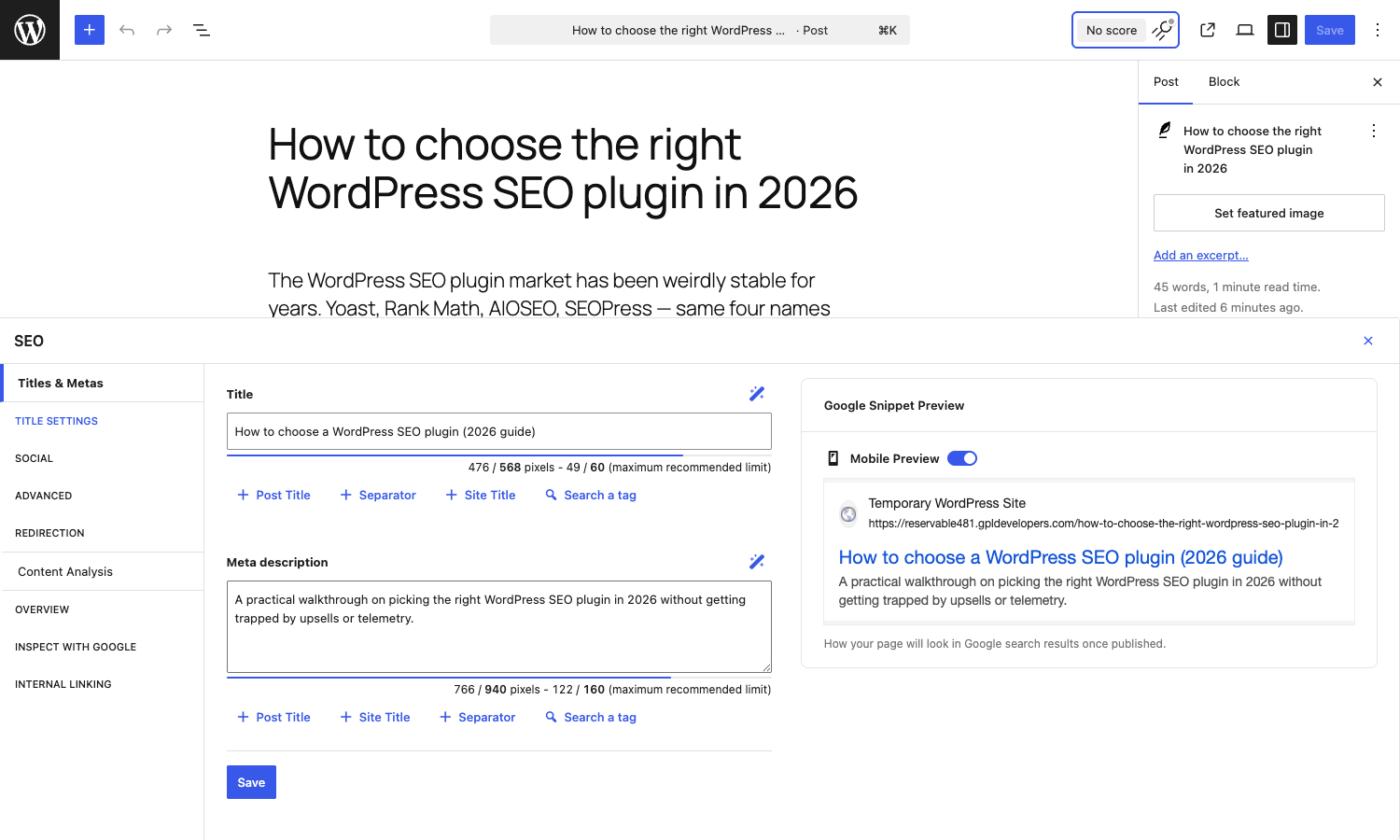
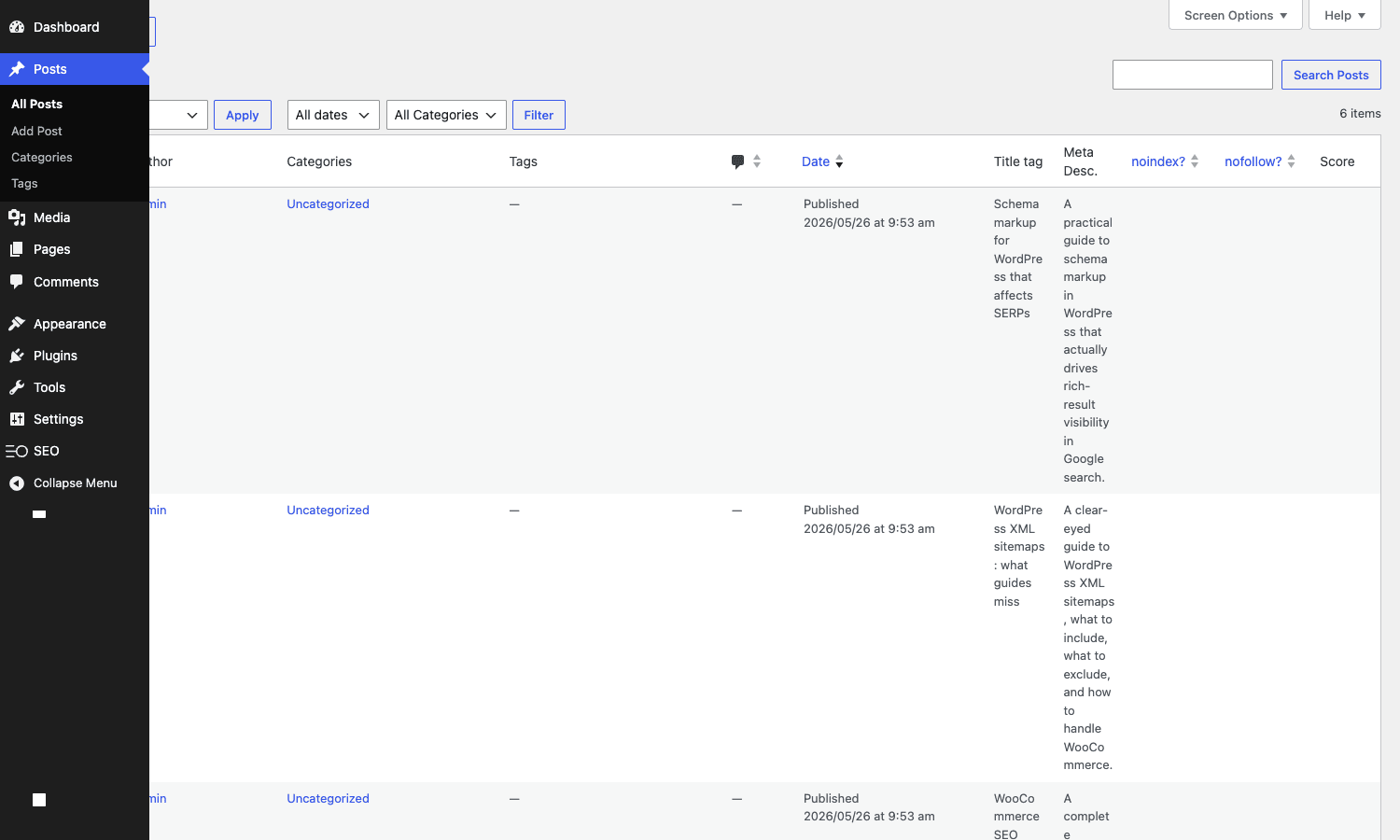
SEOPress’s Gutenberg integration is excellent. There’s a single "SEO" button in the editor toolbar that opens a slide-in panel with tabs down the left: Titles & Metas, Social, Advanced, Redirection, Content Analysis, Overview, Inspect with Google, Internal Linking. Each tab is a one-click swap, no scrolling. The Google snippet preview updates live as you type.
A detail that matters: SEOPress stores per-post SEO meta in individual _seopress_* post_meta rows (one per field, like _seopress_titles_title, _seopress_titles_desc, _seopress_robots_index) rather than a single serialized blob. That makes the data queryable from WP_Query meta_query without unserializing, which matters at scale and matters for migrations. Yoast stores most of its meta the same way, Rank Math uses a mixed approach with some serialized data, and AIOSEO keeps its meta in a custom table.
Content Analysis is the second tab worth highlighting. You can set unlimited target keywords (Yoast Premium caps at four, Rank Math Free caps at one), and the analyzer scores each separately. The advice is less hand-holding than Yoast’s "your transition words are at 25 percent" energy, which I personally prefer. Less time arguing with a plugin about whether "for example" counts as a transition word.
The migration story: moving from Yoast or Rank Math without losing rankings
This is the question I get asked most. Will I lose ranking if I swap plugins? Will redirects break? Will my meta titles regenerate as garbage?
Short answer: no, if you do it right. Long answer is below.
SEOPress ships with one-click importers under SEO -> Tools -> Import / Export -> Migration. The supported sources include Yoast SEO (free and Premium), Rank Math, AIOSEO, The SEO Framework, Slim SEO, SmartCrawl, Squirrly, SEO Ultimate, WP Meta SEO, Premium SEO Pack, and SiteSEO. I tested the Yoast Premium importer on a sandbox and it picked up all of these in one pass:
- Per-post SEO titles
- Per-post meta descriptions
- Focus keywords
- Open Graph titles, descriptions, and images
- Twitter Card titles, descriptions, and images
- Per-post noindex / nofollow flags
- Per-post canonical URLs
- Redirects (from Yoast Premium’s Redirects module)
The importer creates SEOPress meta rows alongside the existing Yoast ones, which means you can run it, verify everything visually, and only then deactivate Yoast. This matters because the alternative (deactivate Yoast first, hope the import works) is how sites lose meta in production.
Don’t run the import twice. SEOPress will happily create duplicate meta rows and the only way to clean it up is via a manual wp db query or a CSV re-export. One pass. Verify. Move on.
A small gotcha: if you had Yoast’s Local SEO add-on for a brick-and-mortar business, the LocalBusiness schema doesn’t import directly because the data lives in Yoast Local’s options, not in post meta. You’ll need to reconfigure that under SEOPress -> PRO -> Local Business by hand. Twenty fields, ten minutes.
Titles, metas, and the template language
Titles & Metas is where you set the site-wide rules: what <title> looks like on a blog post, what the meta description looks like on the homepage, whether the WooCommerce shop archive is indexed.
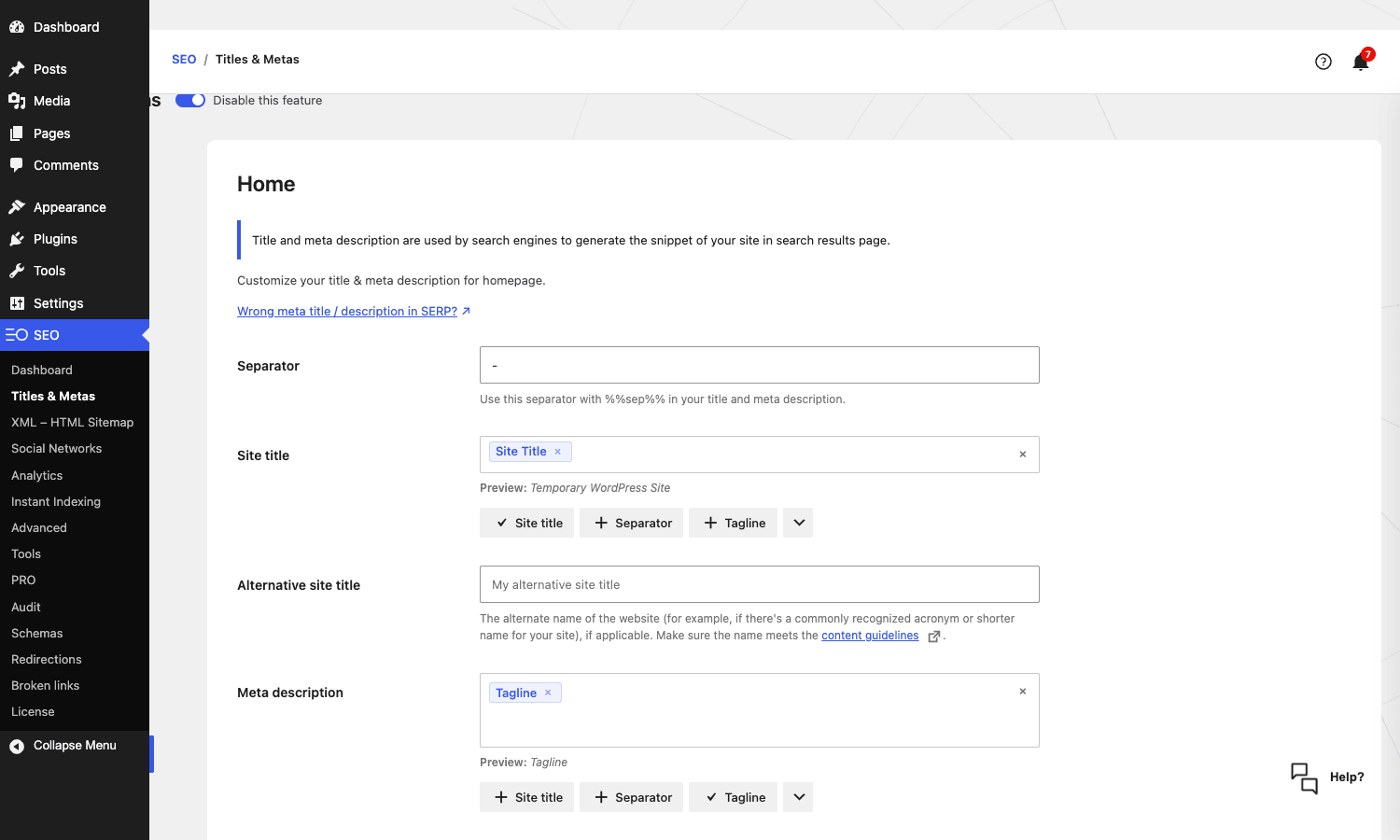
The template language uses %%variable%% placeholders. The big ones:
%%post_title%%for the post title%%sitetitle%%for the WordPress site title%%sep%%for the configured separator%%tagline%%for the WordPress tagline%%currentdate%%for the publish date%%category%%for the primary category%%cf_<field>%%for any custom field%%tax_<taxonomy>%%for a taxonomy term%%wc_single_short_desc%%and other WooCommerce-specific variables
You can also register your own dynamic variables with the seopress_dyn_variables_fn filter, which is a developer hook I’ll cover further down. This is the single most useful extensibility point in the plugin.
A quirk worth knowing: if you set a title template under Titles & Metas but a post has a per-post custom title set in the meta box, the per-post title wins. Yoast works the same way. Rank Math has caused me confusion here in the past because some templates inherit and some override. SEOPress’s rule is just "per-post beats template, always," and that’s what you want.
XML sitemaps and indexation
SEOPress’s XML sitemap is at /sitemap.xml and it splits cleanly into per-post-type sub-sitemaps. Posts, pages, products, custom post types, image sitemap (great for image search), video sitemap, Google News sitemap (Pro), author sitemap, taxonomy sitemap.
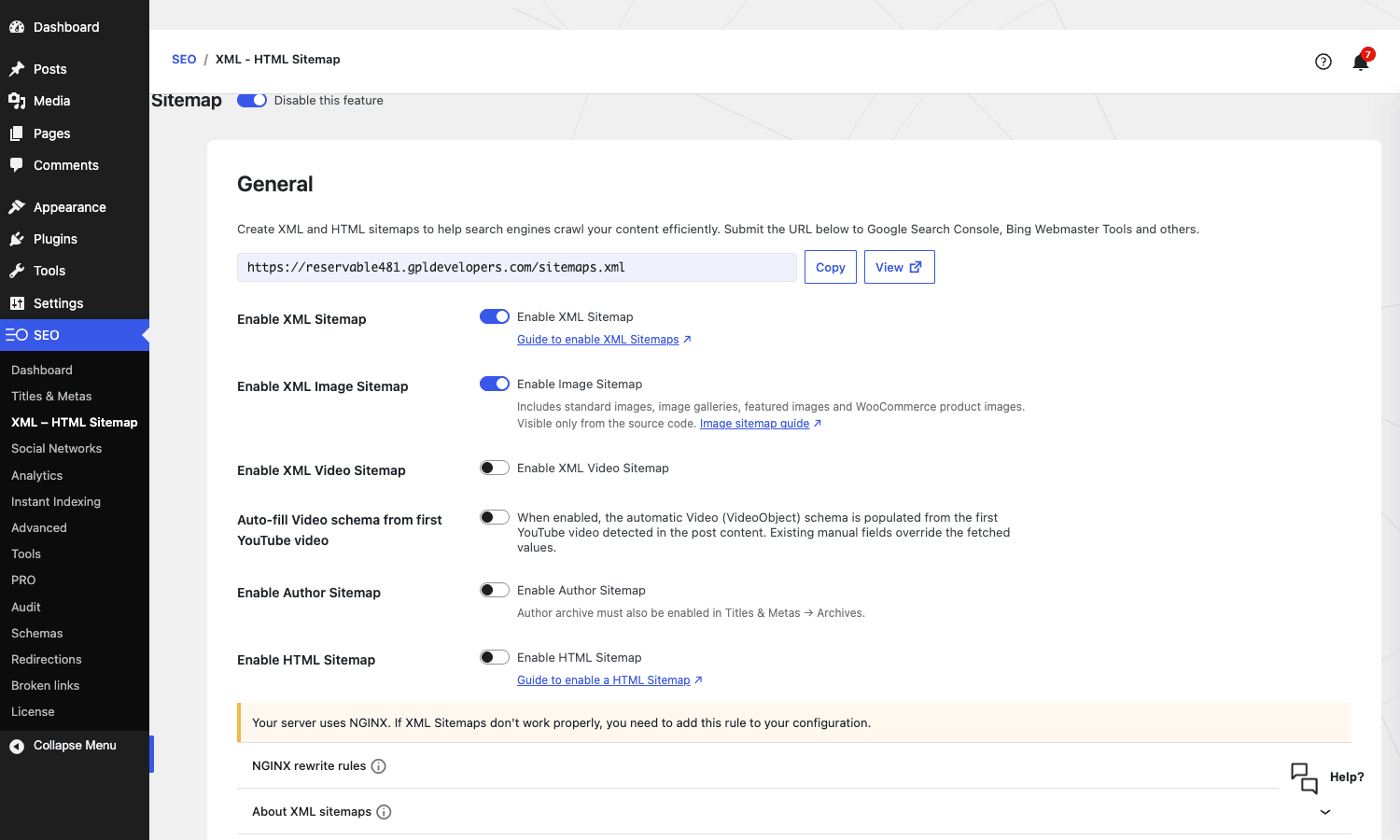
Two things to know about the sitemap:
First, on NGINX servers (which is most managed WordPress hosts and what we run on this very site), the plugin needs a rewrite rule added to your server config. The admin tells you this. The rule itself is a four-line block that you copy-paste into your NGINX vhost. After that the sitemap works.
Second, by default noindex posts are excluded from the sitemap, which is correct behavior. Some site owners want every URL in the sitemap "to help Google discover them." That’s not how it works. Pages you don’t want indexed shouldn’t be in the sitemap. SEOPress’s default is right.
If you want to add custom URLs to the sitemap (say, a JavaScript-rendered route that WordPress doesn’t know about), the seopress_sitemaps_urlset filter is your friend. Example a bit later in the developer section.
Schema generation: where SEOPress quietly beats the competition
I want to be specific about this because "schema generator" means different things in different plugins.
Yoast generates a single, opinionated, locked-down graph based on your site type. You can’t easily change it without code, and adding a custom type means writing a wpseo_schema_* filter. Rank Math has a schema generator with maybe 20 types and a UI to add per-post. AIOSEO has one with similar breadth. Schema Pro (a separate plugin, also covered in my Schema Pro overview on GPL Times) does only schema and is a separate purchase.
SEOPress PRO has 30-plus schema types built in, a rules engine for assigning each type to specific post types, taxonomies, or even custom-field values, and a per-post override mode if you want to add a one-off schema to a single page. All from one tab.
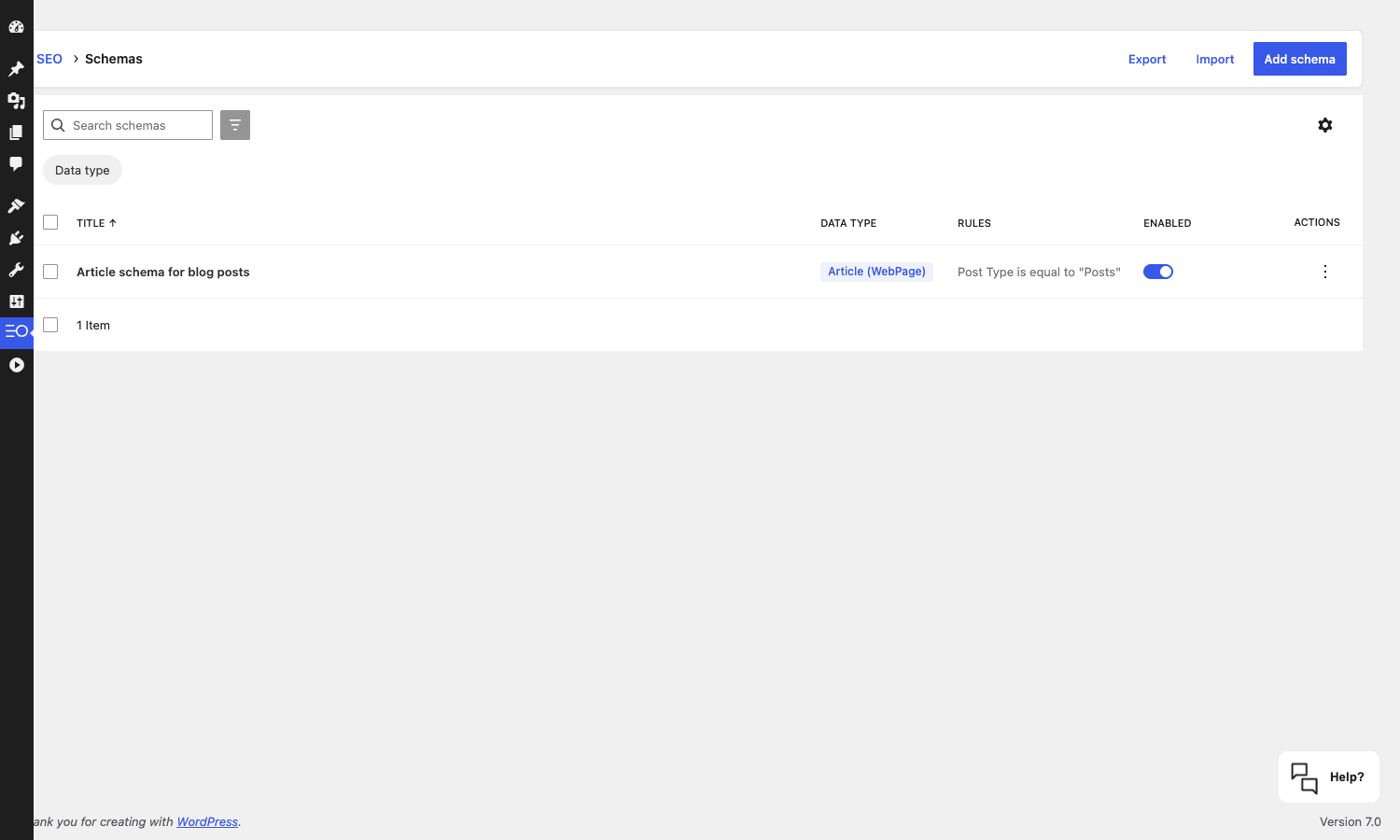
The types I’ve actually used in production:
- Article / NewsArticle / BlogPosting. Applied to posts. The plugin handles the headline, author, datePublished, dateModified, image, and publisher fields automatically from WordPress data.
- Product. For WooCommerce. Pulls offers, price, currency, brand, SKU, aggregateRating, and review snippets. There’s a separate WooCommerce review on this site if you want the long version.
- FAQ. Most useful schema in the SERP. Adds expandable Q&A snippets to your result. SEOPress has a dedicated FAQ block in Gutenberg that outputs both the visible HTML and the JSON-LD.
- HowTo. Step-by-step content. SEOPress provides Gutenberg blocks for
how-toandhow-to-stepthat wire up the schema for you. - LocalBusiness. For brick-and-mortar businesses. The PRO Local Business section under SEO -> PRO is where you set the address, opening hours, geo-coordinates, and price range.
- Service. For agencies and consultants. Includes provider, areaServed, and offers.
- Recipe. For food blogs. Captures cookTime, prepTime, ingredients, and nutrition.
- Event. For event sites. Captures start/end date, location, performer, offers.
What I find genuinely better than competitors is the rules engine. You can say "apply Article schema if post type is Posts AND category is not Sponsored." Or "apply Product schema if post type is product AND custom field _is_bundle equals 1." This kind of conditional assignment is something Yoast doesn’t have at all, Rank Math has a partial version of, and AIOSEO does similarly to SEOPress.
Skip this section if you’ve already configured schema on another plugin. The mental model is the same. Just know that if you want fine-grained "apply X schema only when these conditions hit," SEOPress is the cleanest tool in the category.
Redirects and 404 monitoring
This is the second feature that separates SEOPress Pro from the free version, and it’s the one most agencies care about.
The redirects feature uses a custom post type called seopress_404. Each redirect is a post in that CPT, which means your redirect rules are:
- Backed up by your regular WordPress database backup
- Migrate-able via WP-CLI’s
wp postcommands - Queryable from
WP_Queryfor reports - Replicable across staging and production via standard WP migration tools
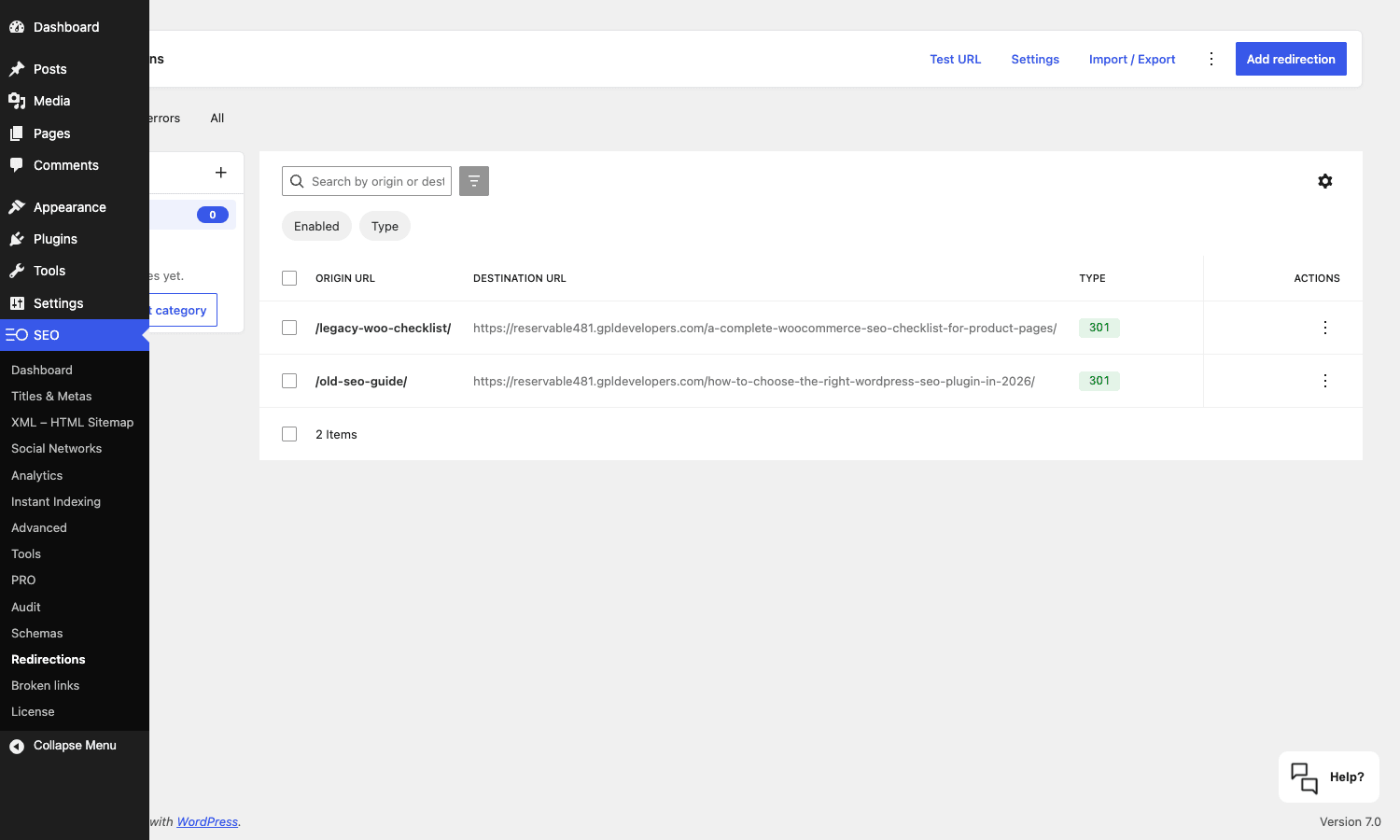
Each rule has a status code (301, 302, 303, 307, 410, 451), an enabled toggle, a regex toggle (for pattern-based matching), and a logged-in-status flag (you can have a redirect that only fires for logged-out users, which is useful for old member pages). The 404 monitoring side records every dead URL hit, including the referrer and user agent, so you can spot patterns like a single broken inbound link from a high-traffic site.
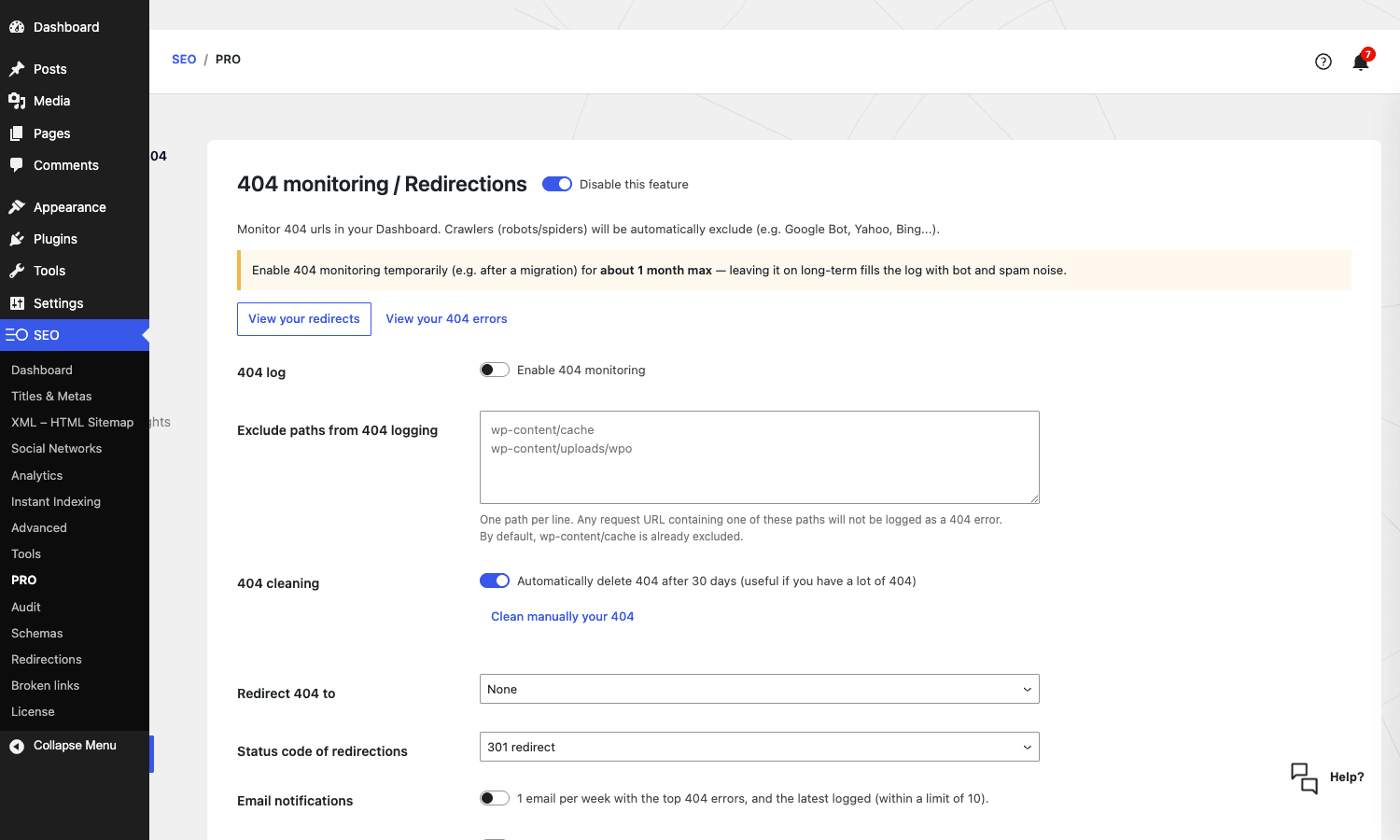
A real-world thing I do on every site: enable 404 monitoring for the first month after a migration so I can catch any URL that didn’t make it across, fix the redirects, and then disable monitoring (because long-term it just fills the database with bot noise).
The "Redirect 404 to" dropdown on the PRO settings page lets you send all unresolved 404s to the homepage or to a specific URL. I don’t recommend this for SEO reasons. A real 404 is more useful to search engines than a soft redirect.
The European angle: GDPR, telemetry, and white-labeling
This is the angle that gets agencies onto SEOPress and rarely comes up in the typical "best SEO plugin" comparison.
SEOPress is built in France by a team that takes GDPR posture seriously. The plugin doesn’t ping a vendor server unless you explicitly enable the Insights feature (which is opt-in). It doesn’t sign you up for a vendor newsletter on activation. It doesn’t hand any user data to a third party. The Google Analytics, Matomo, and similar integrations include built-in consent-mode and IP-anonymization toggles.
If you run sites for European clients (or you just don’t want a plugin that phones home), this is a real differentiator. Yoast collects diagnostic data by default. Rank Math collects telemetry by default and asks you to opt in to "improved features" during onboarding, which is a polite way to say more telemetry. AIOSEO does the same. SEOPress doesn’t.
The white-label feature in Pro lets you hide the SEOPress branding from the WordPress admin entirely. The "SEO" menu still shows up, but you can rename it, change the icon, and remove the vendor link from the admin footer. Useful when handing a site over to a client who shouldn’t have to think about what plugin is doing the SEO.
WooCommerce and Easy Digital Downloads support
If you run an e-commerce site, the questions are: does the plugin handle Product schema correctly? Does it index the right URLs? Does it produce a sitemap that includes products?
SEOPress handles all three. Product schema is auto-generated with the correct fields (price, currency, availability, SKU, brand, GTIN if you provide it, aggregateRating from WooCommerce reviews). The shop archive can be templated separately from category archives. Product images get their own image sitemap entry.
There’s also a "WooCommerce variations as separate products in the sitemap" toggle, which is more useful than it sounds. Google Shopping treats variations as separate items, and being able to surface them in the sitemap helps with discovery.
For EDD sites the support is shallower but functional. Download schema is generated automatically, the EDD post type is in the sitemap, and the template language has EDD-specific variables.
What SEOPress doesn’t do (and when you still need a dedicated tool)
The honest list of gaps:
- No backlink monitoring as a standalone feature. The Insights dashboard surfaces some backlink data, but it relies on an external API quota. If you need serious backlink monitoring, you want Ahrefs or Semrush.
- No keyword rank tracking. SEOPress connects to Google Search Console for impressions and clicks, but it doesn’t do daily rank tracking like AccuRanker or SerpRobot.
- Limited content suggestions. The content analyzer scores existing copy but doesn’t suggest related keywords or topic clusters the way Surfer or Clearscope does.
- No A/B testing for titles. Yoast doesn’t either, but it’s worth noting if you came from a tool that does.
- No serious link-building outreach features. It’s an on-page SEO plugin, not an outreach CRM.
- The Insights / Backlinks dashboard relies on an external API that you’ll outgrow. For a small site it’s fine. For agency clients, you’ll graduate to a real backlink tool within a year.
If your SEO stack already includes a dedicated rank tracker and a backlink tool, SEOPress slots in as the on-page layer and you’re set. If you were hoping one plugin replaces your entire SEO stack, no WordPress plugin does that and SEOPress is no exception.
Developer reference: hooks, filters, REST, blocks
This is where the article gets specific for the developers. SEOPress exposes around 600 filters across the free and Pro plugins, so I’m only covering the ones I’ve actually had to use.
Modifying titles and meta descriptions in code
add_filter( 'seopress_titles_title', function( $title ) {
 if ( is_singular( 'product' ) ) {
 $product = wc_get_product( get_the_ID() );
 $brand = $product->get_attribute( 'pa_brand' );
 if ( $brand ) {
 return $brand. ' » '. $title;
 }
 }
 return $title;
} );
This prepends the WooCommerce brand attribute to product page titles. Useful when your CSV import didn’t populate it but you have brand data elsewhere.
Adding a custom dynamic variable
add_filter( 'seopress_dyn_variables_fn', function( $variables ) {
 $variables['%%reading_time%%'] = function() {
 $words = str_word_count( wp_strip_all_tags( get_the_content() ) );
 $minutes = max( 1, round( $words / 200 ) );
 return $minutes. ' min read';
 };
 return $variables;
} );
Now %%reading_time%% works anywhere a template variable does. Drop it into a meta description and every post auto-gets a reading-time tag.
Adding a URL to the XML sitemap
add_filter( 'seopress_sitemaps_urlset', function( $urlset, $sitemap_id ) {
 if ( 'pages' === $sitemap_id ) {
 $urlset[] = array(
 'loc' => home_url( '/special-landing/' ),
 'lastmod' => current_time( 'c' ),
 'changefreq' => 'monthly',
 'priority' => '0.8',
 );
 }
 return $urlset;
}, 10, 2 );
For JavaScript-rendered routes WordPress doesn’t know about.
Modifying the Article schema JSON-LD
add_filter( 'seopress_schemas_auto_article_json', function( $json ) {
 $json['author']['knowsAbout'] = array( 'WordPress', 'SEO', 'WooCommerce' );
 return $json;
} );
Useful for adding knowsAbout to the author object, which helps Google’s E-E-A-T evaluation.
Hooking into a redirect
add_action( 'seopress_before_redirect', function( $url, $target, $status ) {
 if ( 410 === (int) $status ) {
 error_log( "[GONE] Killed URL: $url" );
 }
}, 10, 3 );
Triggers right before a redirect fires. Good for custom analytics.
Customizing the breadcrumb separator
add_filter( 'seopress_pro_breadcrumbs_separator', function() {
 return ' / ';
} );
Working with the REST API
SEOPress PRO ships REST endpoints under the seopress/v1 namespace:
GET /seopress/v1/posts/{id}/schemas-manualandPOSTto manage per-post manual schemasGET /seopress/v1/posts/{id}/schemas-automaticandPOSTfor automatic schema rulesGET, POST, PUT, DELETE /seopress/v1/broken-linksfor the broken-link scannerPOST /seopress/v1/broken-links/scanto trigger a scanGET /seopress/v1/broken-links/scan-statusfor progressGET /seopress/v1/alertsfor the alerts feed
These are admin-scoped (you need manage_options to call them), so they’re for back-end integrations, not public-facing apps.
Gutenberg blocks shipped by Pro
wpseopress/breadcrumbs: renders a breadcrumb trail with the SEOPress logicwpseopress/local-business: outputs LocalBusiness schema in the post bodywpseopress/local-business-field: a specific field of the local-business objectwpseopress/how-toandwpseopress/how-to-step: HowTo schema block + step childrenwpseopress/table-of-contents: auto-built TOC from your<h2>headings
Shortcodes
Only one in Pro: [seopress_breadcrumbs] renders the breadcrumb. Useful if you’re working in a builder that doesn’t support blocks.
Performance and caching nuance
Skip this if you don’t care about TTFB and you’re running a fresh-ish managed host.
SEOPress is light on the front-end. The plugin doesn’t enqueue any JavaScript on the public side by default (no React widgets, no popups, no in-content rendering apart from explicit blocks you’ve added). The schema JSON-LD is generated server-side and printed once in the document head. The XML sitemap is cached on the server and regenerated when content changes.
On the admin side, it’s heavier. The Gutenberg integration ships a React app that loads on the editor screen, and the Schemas / Redirects React apps are non-trivial in size. None of this affects logged-out visitors.
A note on caching plugins: SEOPress plays nicely with WP Rocket. The two plugins know about each other and SEOPress will clear the WP Rocket cache when you save a redirect or update a schema rule. The same applies to LiteSpeed Cache, Cache Enabler, WP Hummingbird, Autoptimize, Cloudflare Page Cache, and SG Optimizer. SEOPress fires a seopress_before_redirect action right before a redirect runs, and the cache plugins hook into that to know when to invalidate. So if you were worried that adding a redirect would leave a stale cached version of the old URL hanging around, that’s not how it works.
The one performance edge case: if you enable 404 monitoring on a site that gets a lot of bot traffic, the seopress_404 post table can grow fast. The plugin includes a "Clean 404 errors after 30 days" toggle and a seopress_404_cron_cleaning cron job, but both are off by default. Turn them on after a migration is finished.
Pricing and licensing
SEOPress is unusual in that the free version is genuinely useful. Titles, metas, XML sitemap, breadcrumbs, basic schema, Open Graph, and Twitter Cards are all in the free plugin. You can run a real site on free SEOPress for a long time.
Pro adds the heavyweight features: full schema generator, redirects, 404 monitoring, broken-link scanner, white-label, Google Search Console integration, AI metadata, content analysis with unlimited target keywords, WooCommerce structured data improvements, and Local Business / Service / Job Posting schema.
The vendor sells Pro by yearly subscription with single-site, unlimited-site, and unlimited-site-with-Insights tiers. For most agencies, the unlimited-site Pro tier is what makes sense. For an individual site owner the single-site tier is fine.
If you want the GPL-licensed version with no per-site limit, the SEOPress PRO download on GPL Times is a one-time purchase that unlocks every Pro feature locally. The Insights API will still require a vendor key (because it talks to SEOPress’s servers), but the local plugin features all work.
FAQ
Why doesn’t my new SEO title show up on the front-end?
Cache. Almost always. WordPress and your caching plugin both cache the rendered HTML, including the <title> and <meta name="description"> tags. After you change the title in SEOPress, purge the cache. If you’re on Cloudflare, also purge the edge cache. View-source the URL in a private window to confirm.
If that’s not it, check whether your theme is filtering wp_title or pre_get_document_title somewhere. Old custom themes occasionally hard-code titles and SEOPress’s filters can’t override that. Look in the theme’s header.php and functions.php.
Can I import from Yoast Free or do I need Yoast Premium?
Both work. SEOPress’s importer reads the standard Yoast meta keys (_yoast_wpseo_title, _yoast_wpseo_metadesc, _yoast_wpseo_focuskw, and the OG/Twitter fields), which exist in both Free and Premium. The only Premium-specific bit is the Redirects module, which SEOPress imports if present and skips if not.
Why is the SEOPress Insights dashboard empty?
The Insights feature uses an external SEOPress-hosted API and requires either a paid vendor license key or a connected Google Search Console / Bing Webmaster Tools account, depending on which Insight you’re trying to read. If you’re using the GPL-licensed version, you can connect Google Search Console directly under SEO -> Analytics for free and get most of the same data without the vendor API.
Does SEOPress play nice with caching plugins like WP Rocket?
Yes. SEOPress detects WP Rocket, LiteSpeed Cache, Cache Enabler, Autoptimize, Cloudflare Cache, SG Optimizer, and WP Hummingbird, and fires cache-purge actions when you save a redirect or schema rule. The integration is handled by the seopress_before_redirect action and a handful of cache-specific hooks like rocket_clean_files. If you’re worried about a stale cached <title> after editing, manually purge the cache once and the rest is automatic going forward.
How does SEOPress handle WooCommerce product variations?
Variations are not separate products in WooCommerce’s data model, so they don’t get their own URL by default. SEOPress respects that. The Product schema for a variable product includes the price range and a single Offer per variation. If you want variations to show up as separate items in the sitemap (which Google Shopping prefers), there’s a toggle for it under SEO -> XML – HTML Sitemap.
Can I use SEOPress with a multilingual setup like Polylang or WPML?
Yes. SEOPress includes a wpml-config.xml file that registers its post meta with WPML so translations work correctly, and Polylang is supported through the same mechanism. The big thing to know is that hreflang tags are output automatically when either plugin is active. My Polylang Pro walkthrough covers the multilingual side end-to-end.
is GPL-licensed safe to use on a production site?
Yes. SEOPress is GPLv3-licensed (you can read the license header in seopress-pro.php), which gives every user the legal right to redistribute the code. The only feature that needs a vendor account is the Insights API, which is optional and covered above.
What happens if I deactivate SEOPress after months of use?
The plugin’s settings stay in wp_options. The per-post meta stays in wp_postmeta. Redirects stay in wp_posts (since they’re a CPT). On deactivation nothing is deleted. On uninstall (specifically choosing "delete" from the Plugins page), the plugin removes its options but leaves the post meta intact, so you can theoretically reactivate or migrate to another SEO plugin later without data loss.
Final thoughts
If you’ve read this far you probably already have a sense of where I land. The short version: SEOPress is the SEO plugin I now reach for first on a new WordPress install, and the one I’d migrate to from Yoast or Rank Math if the admin clutter was the deciding factor. The schema generator is the best in the category, the migration tooling is functional and unsurprising, the privacy posture matches what some clients explicitly ask for, and the admin stays out of the way.
It’s not perfect. The community is smaller than Yoast’s, so niche bugs are sometimes answered with a "contact support" rather than a Stack Overflow thread. The Insights dashboard requires a vendor API quota you’ll outgrow. The docs site organization isn’t great when you’re hunting for one specific filter name. And some of the advanced toggles are hidden in places I only found by accident.
But the trade is honest. You give up community size and you get back a calm admin, complete features at one Pro tier, no telemetry, and a schema engine that actually does what you want. For my next site, that’s the trade I’d make.
If you want to try it on a real WordPress install without configuring titles, redirects, and schema rules from scratch, grab SEOPress PRO from GPL Times and pull in your existing Yoast or Rank Math meta with the one-click importer. The whole process takes about twenty minutes end-to-end.
For further reading, the official SEOPress support hub is the source of truth on every filter, Google’s Search Central docs cover schema and indexation policy, and WordPress’s plugin developer reference is the right place to learn the add_filter / add_action patterns the developer section above relies on.