


Mailster is the most polished self-hosted email newsletter plugin for WordPress. It does what Mailchimp or ConvertKit do, except your subscribers, campaigns, automations, and analytics live in your own WP database and your own server sends the email. No per-subscriber pricing, no third-party API limits on what you can do, no risk of a SaaS shutting your list down because of a payment dispute or a borderline subject line. If you run a content site, a SaaS, an ecommerce store, or any project where email is one of your main channels, Mailster is the strongest answer to "can I just do this inside WordPress?"
This article walks through what Mailster actually is, what its self-hosted model gets you (and what it asks of you in exchange), how the editor and automations work in practice, the sending architecture (queue, delivery methods, bounce handling), the developer hook surface, and where Mailster fits versus MailPoet, Newsletter, and the SaaS competitors.
Table of contents
- What Mailster is, and what "self-hosted" actually means
- Free Mailster vs paid
- The newsletter editor
- Subscribers, lists, tags, custom fields
- Forms: block forms and classic shortcodes
- Campaigns and scheduling
- Automations and autoresponders
- Sending architecture: queue, delivery, bounces
- Deliverability: the part nobody warns you about
- Analytics: opens, clicks, heatmaps, geo
- Developer reference
- REST API endpoints
- Integrations and addons
- Real-world use cases
- Performance, compatibility, gotchas
- Mailster vs MailPoet vs SaaS
- Pricing and licensing
- FAQ
- Final thoughts
What Mailster is, and what "self-hosted" actually means
Mailster is a WordPress plugin. After install and a quick setup wizard, you get a new top-level Newsletter menu in WP admin with campaigns, subscribers, lists, forms, automations, templates, and settings. There’s no external account, no sync. The plugin creates a handful of custom database tables (subscribers, lists, queue, actions, links, workflows) and a couple of custom post types (newsletter campaigns, forms). Everything happens locally.
"Self-hosted" has two real implications:
- You own the data. Subscribers, their open and click histories, their tags and custom fields – it’s all in your WP database. You can query it, back it up, export it, build reports against it without paying per-record fees. If you have a list of 200,000 subscribers, you pay for the hosting that serves them, not for the count itself.
- You handle deliverability. Mailster doesn’t send email through its own infrastructure. It hands the message to a delivery method you configure: PHP mail (don’t), SMTP through your provider, Amazon SES, SendGrid, Mailgun, SparkPost, Postmark, Sendinblue/Brevo. The sender reputation, DKIM/SPF/DMARC, bounce processing – those are on you. The plugin gives you the tools (built-in DKIM helpers, IMAP bounce parsing, deliverability checks) but the responsibility lives on your server, not on Mailster’s.
That tradeoff is the whole point. SaaS providers handle deliverability for you and charge per subscriber. Mailster charges once and lets you bring your own send infrastructure. For lists above ~10,000 subscribers or sites where the SaaS data ownership is uncomfortable (regulated industries, member-only sites, EU privacy concerns), Mailster wins on cost and control. For lists under 2,000 where simplicity matters more than the math, a SaaS is still less work.
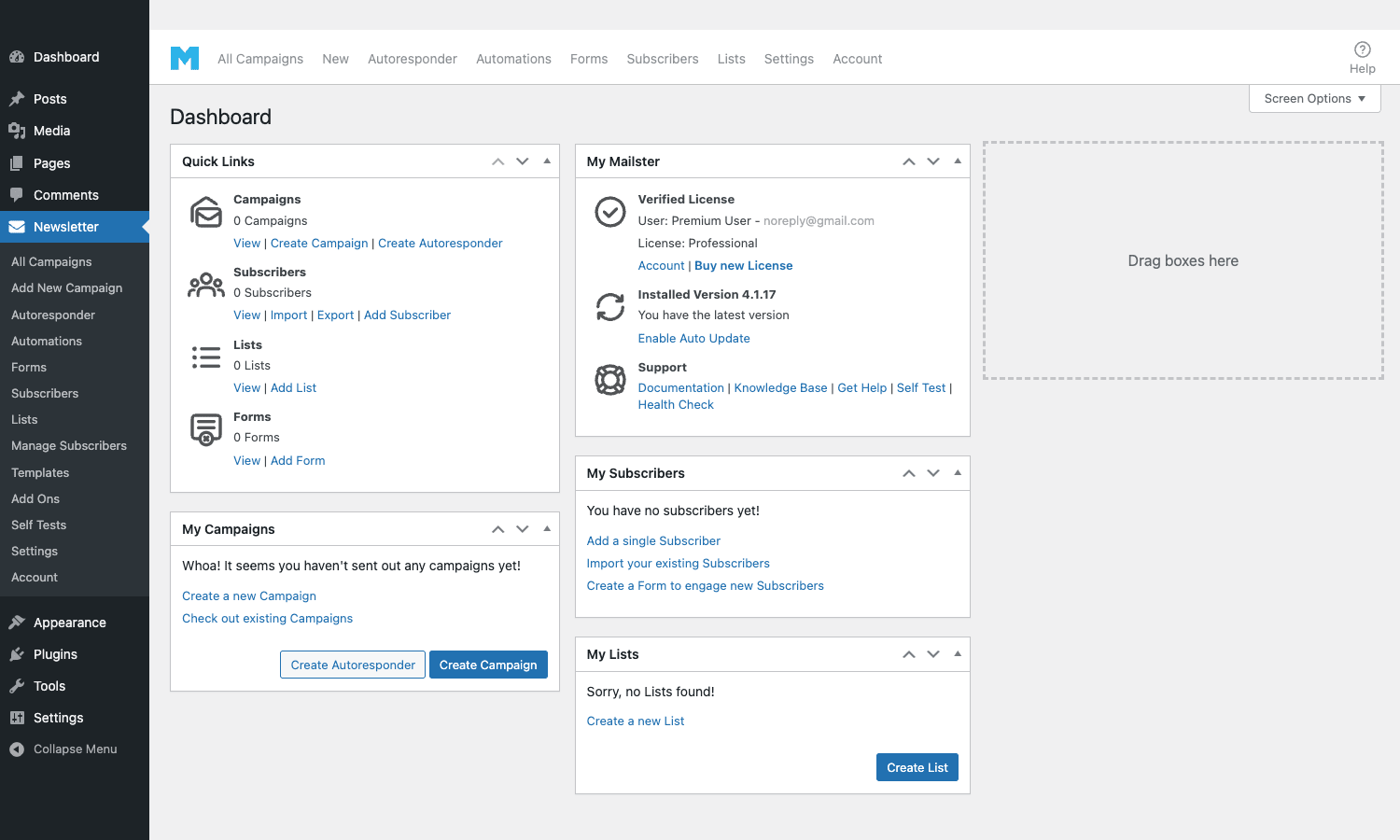
The dashboard above is what greets you on first login: links to the main objects (campaigns, subscribers, lists, forms), license info, and a quick "drag boxes here" layout you can rearrange.
Free Mailster vs paid
Mailster used to be Envato-exclusive. The current model splits the plugin between a free version on WordPress.org and a Pro/Premium version sold through mailster.co (and on CodeCanyon as a legacy lifetime tier). Worth knowing the split before you commit.
Free Mailster (WordPress.org) includes the core sending engine, the campaign editor, basic forms, subscribers and lists, single autoresponder, and the WP-Cron queue. You can run a small-to-mid newsletter end-to-end on the free version.
Premium adds:
- Visual workflow / automation editor (multi-step flows with conditions)
- Advanced form builder + block patterns
- Click heatmaps and click maps per campaign
- Conditional content blocks in newsletters
- Subscriber import from Mailchimp, ConvertKit, Brevo with one click
- Bounce handling (IMAP / POP3 parsing of the bounce inbox)
- Custom delivery methods beyond SMTP (Amazon SES, SendGrid, Mailgun, SparkPost direct integration)
- Advanced analytics (geo, devices, time of open)
- Template library with brand styling
- Block patterns library for newsletter sections
- Priority support from EverPress
The free version is fine if you’re running a small project; everything described below is in Premium.
The newsletter editor
The campaign editor is where Mailster spends its UX budget. It’s a block-based editor that uses WordPress’s own Gutenberg engine, with a Mailster-specific set of email-safe blocks layered on top.
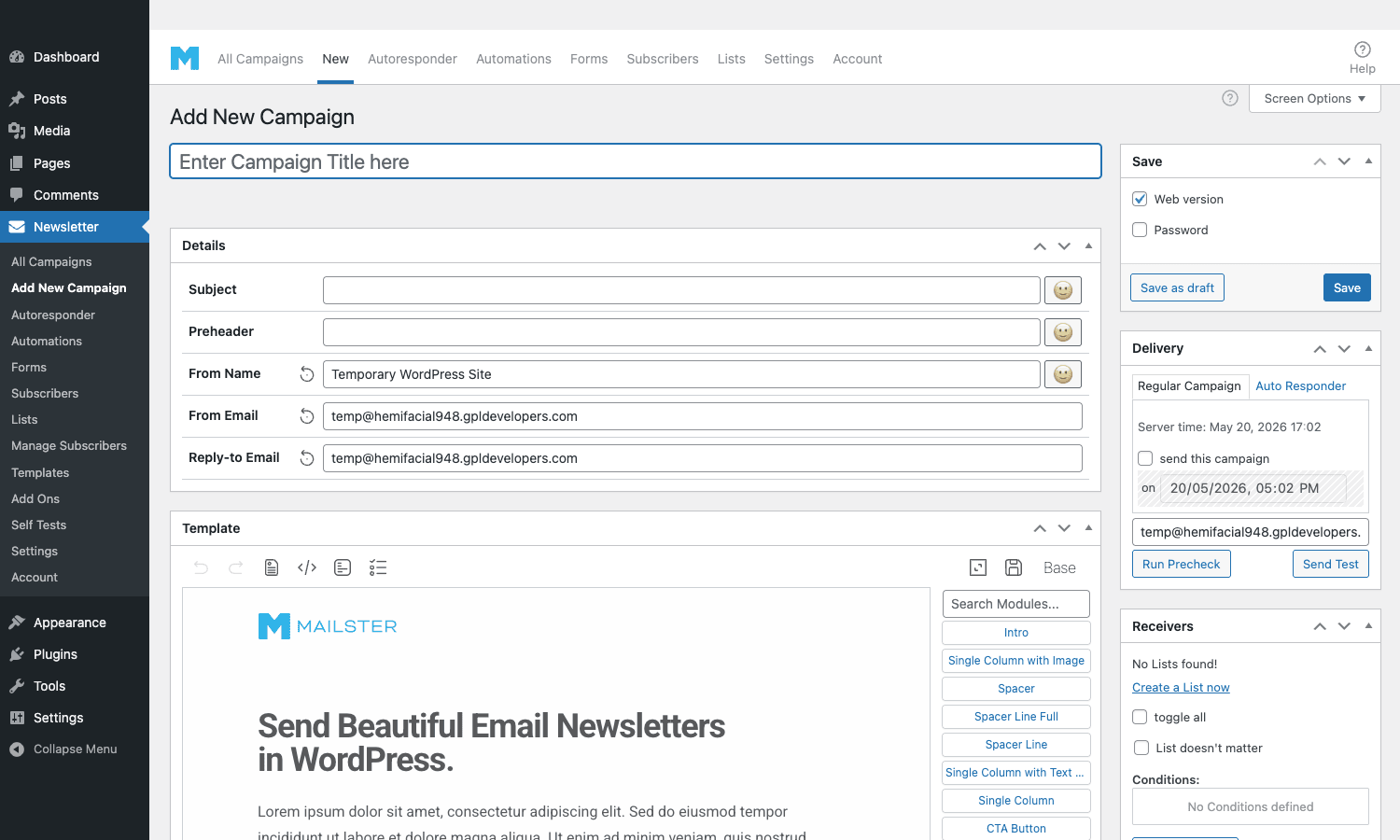
The screen has three main areas:
- Details panel at the top, where you set Subject, Preheader, From Name, From Email, Reply-To, and other headers.
- Template area in the middle, the actual newsletter content. It uses Gutenberg’s block insertion patterns; you click in a slot, pick a block (Heading, Paragraph, Image, Button, Single Column, Multi Column, Spacer, Divider, Article, Product, CTA Button), configure its content, and the email’s HTML updates live.
- Right-hand sidebar has Save (with web version and password options), Delivery (regular campaign vs autoresponder, scheduled send), Receivers (list selection, conditions), and a module palette ("Search Modules") for quickly inserting common newsletter sections.
The "Article" block is a clever piece of automation. Point it at a category and it auto-loads your most recent posts from that category into the newsletter, formatted as cards with thumbnail, headline, excerpt, and read-more link. You set it up once and weekly digest newsletters rebuild themselves from your latest content. The "Product" block does the same thing for WooCommerce products.
Mailster’s email engine takes the Gutenberg block content and converts it on save to email-safe HTML: tables for layout, inline CSS for styles, hardcoded widths for fixed-width clients (Outlook), media queries for responsive behavior. You don’t see this conversion happen, you just see the result render correctly in Gmail, Outlook, Apple Mail, and the long tail of email clients.
You can preview a campaign at three levels: in-editor (block view), in-browser (rendered HTML as it would appear), and a "send a test" button that fires the campaign to a test address so you can see it in your actual inbox before broadcasting.
Subscribers, lists, tags, custom fields
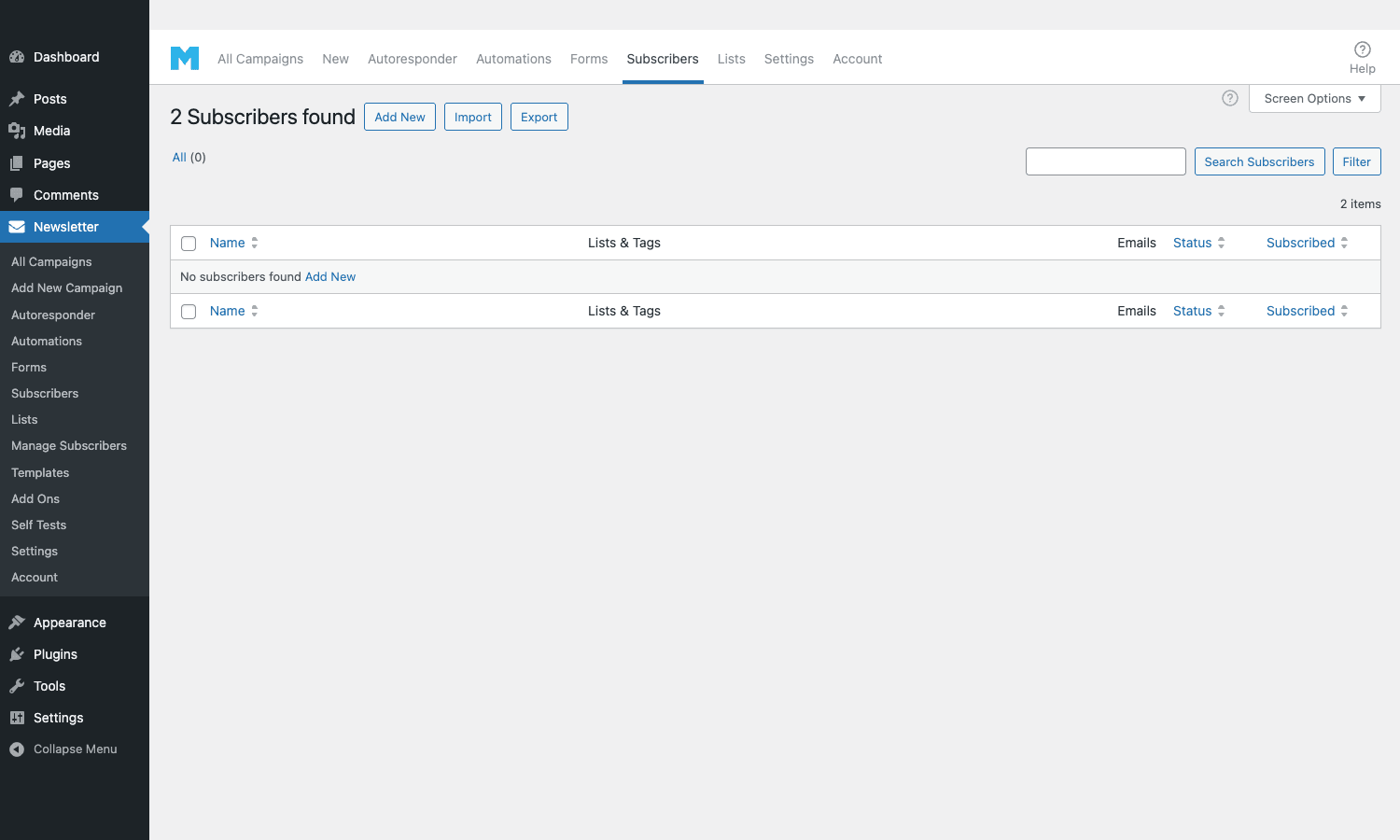
Subscribers in Mailster live in wp_mailster_subscribers and adjacent tables, not in wp_users. This is a critical design choice. WordPress users have full login capability, role assignment, and a bunch of cruft you don’t want on newsletter subscribers. Mailster subscribers are lean records: email, name, status (pending / subscribed / unsubscribed / hardbounced / softbounced), signup source, IP, country, signup timestamp, plus whatever custom fields you’ve defined.
You organize subscribers with two complementary primitives:
- Lists. Static buckets. A subscriber can be on multiple lists. Useful for newsletter category subscriptions ("Product Updates", "Weekly Digest", "Tutorials") and for segmenting by source ("Imported from Mailchimp 2026-01", "Signed up via Checkout Form").
- Tags. Dynamic labels you can apply and remove based on subscriber behavior or external data. Useful for "Opened last 3 campaigns" or "Customer" or "Engaged".
Custom fields let you store any additional data per subscriber (signup source, account tier, last purchase, preferred language). Custom fields are referenceable in the campaign editor via merge tags ({firstname}, {custom_field_slug}) so you can personalize without writing code.
For segmentation when sending, you combine list membership, tag presence, custom field values, and behavior conditions ("opened campaign X in last 30 days"). The condition builder is point-and-click; complex segments are expressed without raw SQL. Power users can drop down to filter callbacks for cases the UI doesn’t cover, via the mailster_subscribers_query_args filter (covered in the developer section below).
Forms: block forms and classic shortcodes
There are two form systems in Mailster, which is one source of confusion when you first set it up.
The modern Block Forms are Gutenberg-block-built subscription forms saved as a custom post type. You build them with the WP block editor, pick which lists subscribers are added to, configure thank-you messages and double-opt-in behavior, and embed them anywhere using a shortcode, a Gutenberg block, or a Elementor/Divi widget.
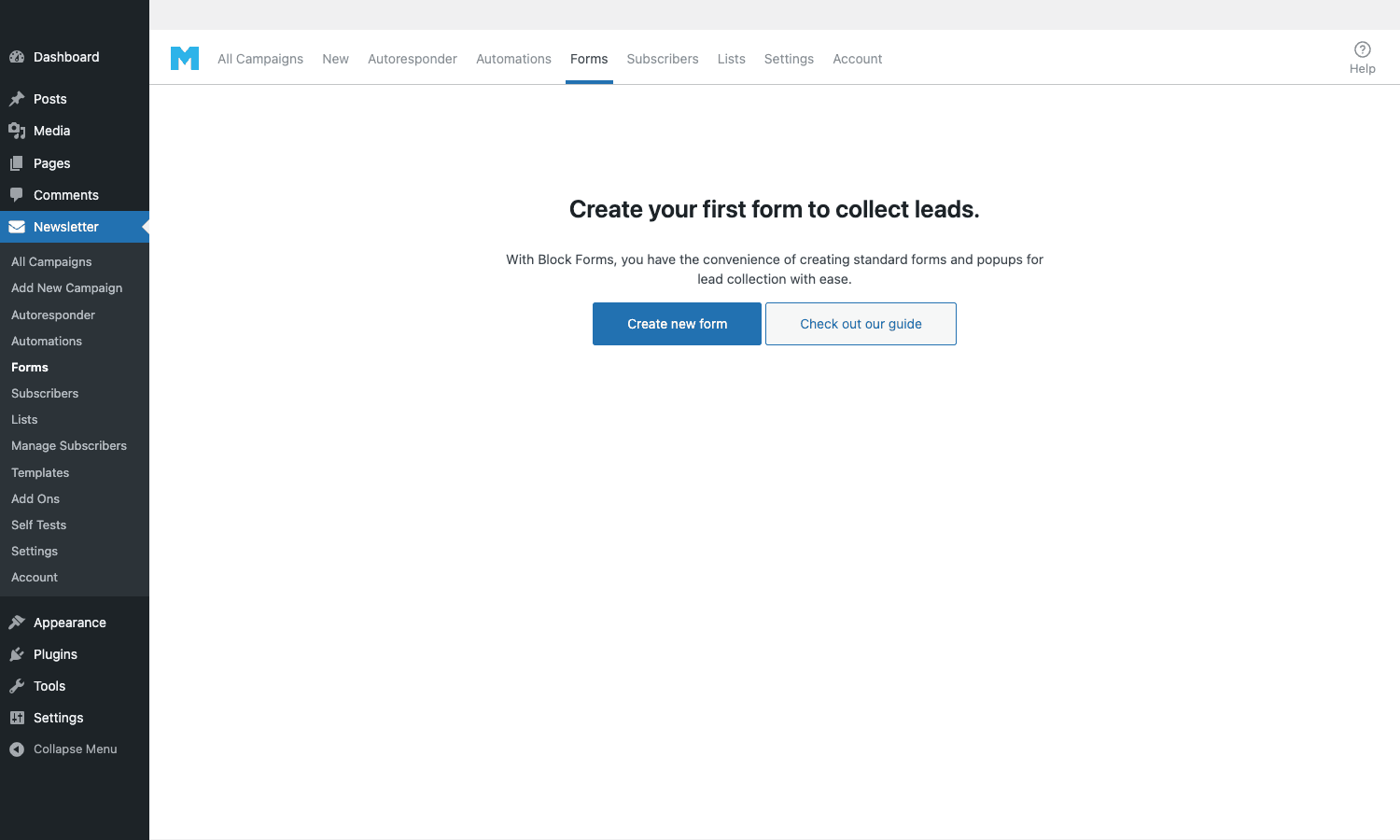
Block Forms support inline placement, popup triggers (time-on-page, exit-intent, scroll percentage), slide-in placement, and a bottom bar. The popup logic is built into Mailster, so you don’t need a separate popup plugin. The form can use any custom fields you’ve defined.
The classic shortcode forms are the older system, still around because some sites built on them. They’re simpler to configure but less flexible. Block Forms are the current default; only use classic if you have a specific legacy reason.
Form submissions hit a REST endpoint (/wp-json/mailster/v1/forms/<id>/submit), validate against the form’s rules, run any custom validation filters you’ve added, write to the subscriber table, and trigger the configured automations. Double opt-in adds a confirmation step where the new subscriber clicks a link in a confirmation email before being marked as active.
Campaigns and scheduling
A campaign in Mailster is one newsletter being sent to one set of subscribers at one time. The campaign object holds the content, the receivers configuration, the schedule, and after send, the open/click stats.
Campaigns can be:
- Sent immediately. Mailster moves the qualifying subscribers into the queue and starts firing emails on the next cron tick.
- Scheduled for a specific time. UTC or per-subscriber timezone. Per-subscriber timezone is useful for global lists: each subscriber gets the email at 8 AM local time, not at 8 AM UTC.
- Delivered as an autoresponder. Triggered by a subscriber event (signed up, joined a list, completed a purchase, anniversary date) rather than by a fixed clock.
- Recurring. Send daily/weekly/monthly with the latest content. Useful for digest newsletters paired with the auto-loading Article block.
The Receivers panel lets you target a single list, multiple lists, all subscribers, or a custom condition set. You can save common conditions as segments and reuse them across campaigns.
A nice touch: Mailster shows the estimated send time before you queue the campaign, based on your sending throttle settings. If you have 10,000 subscribers and you’re throttling at 50 emails per cron tick with cron running every 5 minutes, the estimate says "33 hours". Knowing this upfront avoids the common "I sent to 50k and only the first 3k got it" problem teams hit on their first big send.
Automations and autoresponders
The autoresponder feature has been in Mailster for years; the visual Automation builder is newer and more powerful.
Autoresponders are simple time-based or event-based sends. Example: "Send the welcome series email 1 immediately on signup, email 2 three days later, email 3 a week later." Set the delay, set the content, attach it to a list. Done.
Automations (visual workflows) let you build multi-step flows with branches and conditions. Drag a Trigger (Form submitted, List joined, Tag added, Campaign opened, Purchase made), drop in Action nodes (Send Email, Add to List, Remove from List, Add Tag, Wait, Set Custom Field, Stop), and Condition nodes (If tag = X, If custom field = Y, If opened campaign Z). The flow runs per subscriber, in the background, on WP-Cron.

Common automation patterns:
- Welcome series. Trigger: form submitted. Steps: send welcome email, wait 3 days, check if "Engaged" tag; if yes send "What’s next", if no send "Are you still interested?".
- Abandoned-cart recovery (with WC). Trigger: cart abandoned event. Steps: wait 1 hour, send reminder; wait 24 hours, send 10% off code; check if purchased, if no continue, if yes stop.
- Course drip. Trigger: list joined "Course X". Steps: send lesson 1, wait 7 days, send lesson 2, etc.
- Re-engagement. Trigger: tag "Inactive 90 days" added (by another automation). Steps: send "We miss you", wait 14 days, if no open then send "Last chance", wait 14 days, if no open then remove from list.
The visual editor makes it easy to express these flows without diagramming on paper first. Each step has settings inline; you don’t leave the flow to configure step content.
Sending architecture: queue, delivery, bounces
Three components handle the actual moving of email from your WP install into subscribers’ inboxes.
Queue
When a campaign is sent (or an automation step fires), Mailster adds rows to the wp_mailster_queue table – one row per subscriber-campaign pair, with metadata (priority, attempts, error, scheduled_send_time). On each WP-Cron tick, the plugin pulls a batch of rows, renders the per-subscriber email (merge tags replaced, conditional blocks evaluated), hands it to the delivery method, and marks the row as sent (or as failed with an error code).
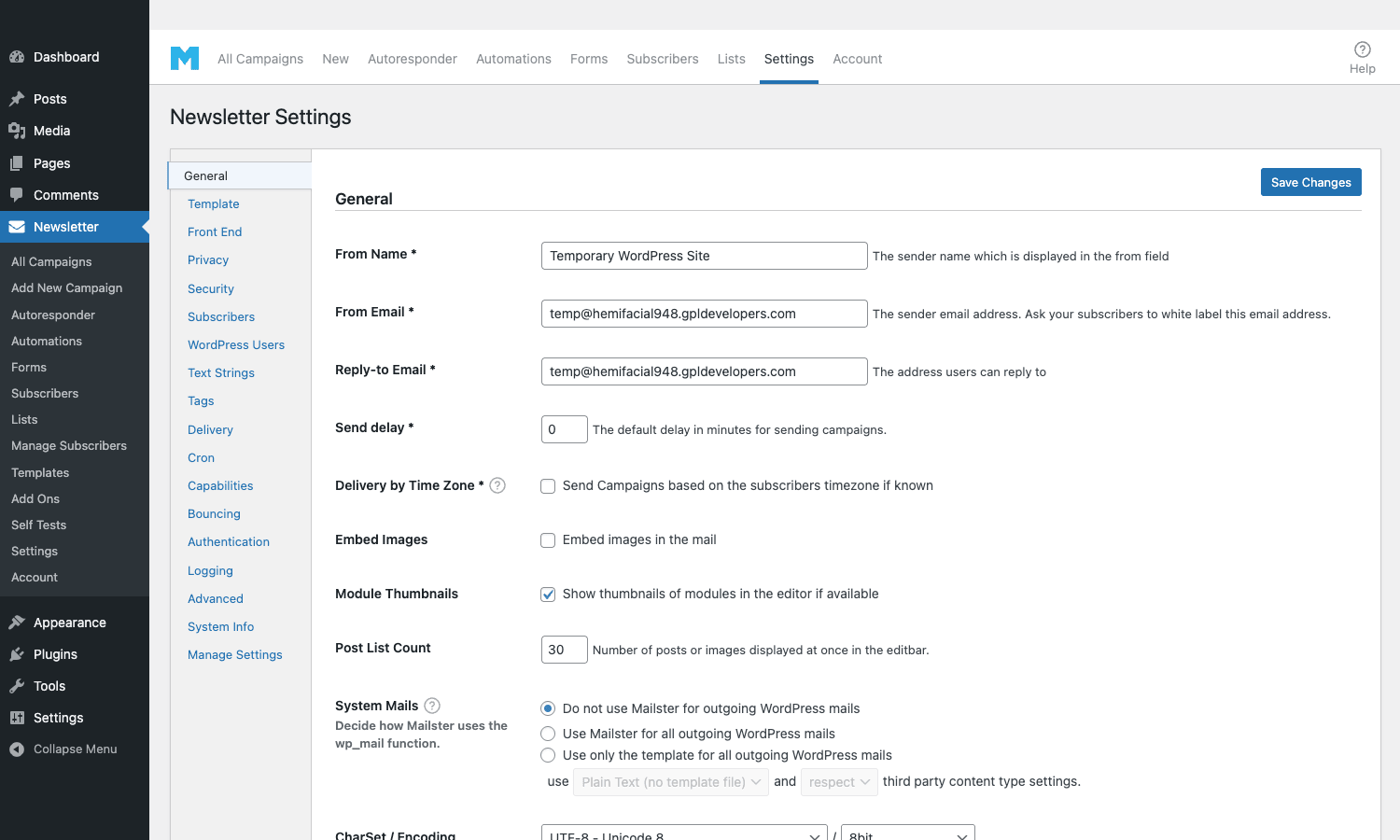
The throttle settings live in Settings > Delivery. The relevant knobs:
- Mails per hour / cron / second. Hard cap on outbound rate. Set to match your delivery provider’s rate limit and your server’s capacity.
- Cron interval. How often the cron task runs. The plugin uses WordPress’s WP-Cron by default; you can switch to a real OS-level cron job for high-volume sends (the plugin has a setting to disable WP-Cron and use an external trigger URL).
- Mails per cron. Batch size per tick. Higher batches = faster send, more memory/CPU per tick.
For lists above 100k, configure a real cron job at the OS level (* * * * * curl -s https://example.com/?mailster=cron) instead of WP-Cron, because WP-Cron is only triggered on page loads.
Delivery methods
The default delivery method is PHP’s mail() function, which is rarely what you want. The real choices are:
- SMTP with your existing transactional provider (Mailgun, SendGrid, Postmark, SES).
- Amazon SES direct integration (bypasses SMTP; uses the SES SDK).
- SendGrid direct integration.
- Mailgun direct integration.
- SparkPost direct integration.
- Sendinblue (Brevo) direct integration.
- Postmark direct integration.
The direct integrations are faster than SMTP because they reuse a single HTTP connection per batch instead of opening one SMTP session per email. For high-volume sends, the difference is significant (5-10x throughput).
You can also write custom delivery methods via the mailster_delivery_method filter (covered below).
Bounce handling
Bounces are emails that bounced back from the recipient mail server: "no such mailbox", "mailbox full", "domain doesn’t exist". Mailster reads bounces by polling an inbox via IMAP or POP3, parsing the bounce reports, and matching them back to the original campaign and subscriber.
You configure the bounce inbox in Settings > Bounce. Point it at the inbox of the From address (or a dedicated bounce address). The plugin polls every configured interval, classifies each bounce as hard (permanent) or soft (temporary), and updates the subscriber status accordingly. After N soft bounces, the subscriber is auto-deactivated. Hard bounces deactivate immediately.
This is a powerful feature, and it’s also the part most teams skip when they first set up Mailster. Skipping it means your hardbounced addresses keep getting retried, your bounce rate stays high, and your sender reputation degrades over weeks. Set up bounce handling on day one.
Deliverability: the part nobody warns you about
Self-hosted email sending requires three things you don’t deal with when using a SaaS:
-
SPF, DKIM, DMARC records on your sending domain. These are DNS records that tell receiving mail servers your domain authorizes the sender. Mailster has built-in helpers to generate the right values; you paste them into your DNS provider. Without these, Gmail and Outlook will route a meaningful percentage of your mail to spam regardless of content quality.
-
A clean IP and sender reputation. If you’re using a shared IP (a generic SMTP provider’s pool, like Mailgun shared pool), reputation moves with the pool. If you’re using a dedicated IP (SES, dedicated Mailgun, your own server), reputation is yours alone – good or bad. New IPs need to be warmed up gradually (send small volumes to engaged subscribers, build up over 4-8 weeks).
-
List hygiene. Send only to people who actually opted in, remove hardbouncers immediately, periodically re-engage or remove dormant addresses. Lists that contain a lot of stale addresses get flagged as low-quality regardless of content quality.
Mailster supports all three. The DNS helpers are in Settings > Authentication. Bounce processing handles hygiene automatically once configured. IP and reputation are between you and your delivery provider.
If you’re new to deliverability, the practical advice is: don’t try to send 50,000 emails from a brand-new sending domain on day one. Send 500 to your most engaged subscribers, then 2,000, then 10,000 over a week. Watch your bounce rate and complaint rate. Adjust your subject lines if open rates drop. This is the work the SaaS does for you and what you take on with a self-hosted plugin.
Analytics: opens, clicks, heatmaps, geo
Per-campaign analytics in Mailster covers the standard email metrics:
- Sent / Delivered / Bounced. Counts by status.
- Opens / Unique opens. Total opens and the number of distinct subscribers who opened. Tracked via a 1×1 pixel on the email image-load.
- Clicks / Unique clicks. Total link clicks and distinct subscribers who clicked. Click tracking is opt-in per campaign; URLs are rewritten to go through a tracking endpoint that logs the click and 302-redirects to the destination.
- Unsubscribes / Complaints. Counts of recipients who unsubscribed or marked as spam.
Premium adds:
- Geographic breakdown. Where opens and clicks came from. Useful for global lists to see regional engagement.
- Device / client breakdown. Mobile vs desktop, Gmail vs Outlook vs Apple Mail. Useful for deciding which email clients to optimize for.
- Click heatmap. Visual overlay on the campaign showing which areas got clicked most. Lets you see whether the top CTA or the bottom CTA performed better.
- Conversion tracking with WooCommerce: tie revenue back to which campaign drove the purchase.
The plugin keeps event data in wp_mailster_actions. If you want to build custom dashboards on top of this (BI tool, external reporting), the table is straightforward: subscriber_id, campaign_id, type (open / click / unsubscribe / bounce), timestamp, metadata.
Developer reference
Mailster’s hook surface is unusually deep for a third-party plugin. There are over 800 documented actions and filters, covering nearly every aspect of subscriber lifecycle, campaign rendering, sending, and analytics. The patterns developers reach for most often:
Manipulating subscribers programmatically
// Add a subscriber from code (e.g. from a non-Mailster form).
$subscriber_id = mailster( 'subscribers' )->add( array(
 'email' => 'jane@example.com',
 'firstname' => 'Jane',
 'lastname' => 'Doe',
 'status' => 1, // 0=pending, 1=subscribed
 'signup' => time(),
 'confirm' => time(),
), array( 'lists' => array( 5 ) ) );

// Add a tag.
mailster( 'subscribers' )->assign_tags( $subscriber_id, array( 'newsletter-via-checkout' ) );
Custom delivery method
Add support for a delivery provider Mailster doesn’t ship with by registering a custom delivery class.
add_filter( 'mailster_delivery_methods', function( $methods ) {
 $methods['mycustom'] = array(
 'name' => 'My Custom Provider',
 'description' => 'Send via mycustom.example.com API',
 );
 return $methods;
} );

add_filter( 'mailster_delivery_method', function( $method, $message_id, $subject, $body, $headers ) {
 if ( mailster_option( 'deliverymethod' ) !== 'mycustom' ) {
 return $method;
 }
 // Send via your API and return true on success, WP_Error on failure.
 $response = wp_remote_post( 'https://mycustom.example.com/send', array(
 'body' => json_encode( array(
 'to' => $headers['To'],
 'subject' => $subject,
 'html' => $body,
 ) ),
 ) );
 return is_wp_error( $response ) ? $response : true;
}, 10, 5 );
Hooking into subscriber lifecycle events
// Fires when a new subscriber confirms double opt-in.
add_action( 'mailster_subscriber_confirmed', function( $subscriber_id ) {
 // Sync to your CRM, fire an analytics event, etc.
 do_action( 'mycrm_sync_contact', mailster( 'subscribers' )->get( $subscriber_id ) );
}, 10, 1 );

// Fires on every open event.
add_action( 'mailster_open', function( $subscriber_id, $campaign_id ) {
 // Apply a tag, increment a custom field, etc.
 mailster( 'subscribers' )->assign_tags( $subscriber_id, array( 'engaged' ) );
}, 10, 2 );
Custom merge tags
Add your own merge tag that resolves to a per-subscriber value at send time.
add_filter( 'mailster_replace_tags', function( $tags, $subscriber, $campaign_id ) {
 $user = get_user_by( 'email', $subscriber->email );
 if ( $user ) {
 $tags['{order_count}'] = wc_get_customer_order_count( $user->ID );
 $tags['{last_purchase}'] = get_user_meta( $user->ID, 'last_purchase_date', true );
 }
 return $tags;
}, 10, 3 );
Modifying campaigns before send
Add headers, modify body, add tracking parameters per campaign.
add_filter( 'mailster_mail_headers', function( $headers, $subscriber, $campaign_id ) {
 $headers['X-Mailster-Site'] = parse_url( home_url(), PHP_URL_HOST );
 $headers['List-Unsubscribe-Post'] = 'List-Unsubscribe=One-Click';
 return $headers;
}, 10, 3 );
Throttling sends programmatically
add_filter( 'mailster_send_limit', function( $limit ) {
 // Slow down during business hours to spread send across the day.
 $hour = (int) date( 'G' );
 if ( $hour >= 9 && $hour <= 17 ) {
 return 20;
 }
 return $limit;
} );
There are dozens more. The plugin’s includes/deprecated_actions.php and includes/deprecated.php document old hook names alongside current equivalents, which is also a useful index of where to look when something doesn’t behave as expected.
REST API endpoints
Mailster registers custom REST routes under wp-json/mailster/v1/. The endpoints that matter for integrations:
# Create a subscriber.
curl -X POST https://example.com/wp-json/mailster/v1/subscribers \
 -H "X-WP-Nonce: <nonce>" \
 -H "Content-Type: application/json" \
 -d '{"email":"jane@example.com","firstname":"Jane","lists":[5]}'

# List subscribers (paginated).
curl https://example.com/wp-json/mailster/v1/subscribers?per_page=50&page=1

# Submit a form (used by the front-end JS).
curl -X POST https://example.com/wp-json/mailster/v1/forms/12/submit \
 -d '{"email":"jane@example.com","_wpnonce":"<nonce>"}'

# Trigger an autoresponder programmatically.
curl -X POST https://example.com/wp-json/mailster/v1/autoresponders/3/trigger \
 -d '{"subscriber":42}'
Authentication is via WP nonce for browser-context calls or application passwords for server-to-server. The REST surface lets you build integrations between Mailster and external services (CRM, billing, analytics) without writing PHP filters.
Integrations and addons
Mailster has a marketplace of addons covering common integrations. The free version supports the core; addons unlock specific platforms:
- WPForms / Gravity Forms / Contact Form 7 / Fluent Forms / Ninja Forms / Forminator. Map form fields to Mailster subscriber fields so a generic form on your site adds subscribers automatically.
- WooCommerce. Auto-subscribe customers on order, abandoned-cart recovery, post-purchase upsells, product blocks in newsletters.
- Elementor / Divi / Beaver Builder. Form widgets for visual builders.
- Zapier / Pabbly / Make. Connect Mailster to thousands of external services via the workflow tools.
- Custom Fields. Sync ACF/Pods custom field values to subscriber custom fields.
- Affiliate / MemberPress / Easy Digital Downloads. Lifecycle-driven email flows for memberships and downloads.
You don’t need all of these. Pick the integrations that match your stack and ignore the rest. The addons live in Settings > Add Ons (when you have a Premium license activated) or via direct download from mailster.co.
Real-world use cases
A few patterns Mailster handles well:
-
Content site weekly digest. Use the Article block to auto-load latest posts from a category, schedule the campaign to send every Sunday morning, target a "Weekly Digest" list. Set-and-forget once configured. Combine with Yoast SEO Premium on the source content so the same posts attract organic traffic and email subscribers in parallel.
-
SaaS onboarding sequence. Trigger: form on the signup page. Steps: send welcome immediately, day 2 "have you tried feature X", day 5 "common questions", day 10 "how to get the most out of ". Use custom fields to insert each subscriber’s account name into the emails.
-
Ecommerce abandoned-cart recovery. With the WooCommerce addon, trigger on cart-abandoned-1h event, send a "you left these behind" email, wait 24h, send a 10% off coupon, wait 7d, if not purchased move to "Cold leads" tag.
-
Course drip. Subscriber joins "Photography 101" list (from a course-buying flow). Send lesson 1 immediately, lesson 2 in 3 days, lesson 3 a week later, and so on. Six lessons over four weeks.
-
Member-only newsletter. A members-area site that uses Restrict Content Pro for paywalled content sends a monthly subscriber-exclusive newsletter via Mailster. Custom fields hold member tier; conditional content blocks show different sections based on tier.
-
B2B nurture campaign. Lead enters the funnel via a form, tag tracks where the lead came from, automation sends a curated nurture sequence based on the source, sales gets a notification when the lead opens 3+ emails in a week.
Performance, compatibility, gotchas
A few things to know before going live with Mailster on a serious list.
- WP-Cron isn’t reliable for high-volume sends. WP-Cron only runs when something hits your site. For lists above 10,000, switch to a real OS-level cron (every 1-5 minutes) that hits the cron URL.
- Database tables grow fast.
wp_mailster_actions(open and click events) can grow large quickly. Schedule monthly cleanup with the built-in tools, or archive old data to a different table if you need long-term history. - Image hosting matters. Newsletter images served from your WP install consume bandwidth on every open. For large lists, host images on a CDN (Cloudflare Images, Bunny CDN, BunnyImage). Mailster has a setting to rewrite image URLs to a CDN domain.
- Inline CSS conversion sometimes mangles complex layouts. If you build a fancy multi-column Gutenberg block layout and the email looks wrong in Outlook, the cause is usually the inline-CSS conversion. Test in Litmus (or a self-test) and simplify the layout if needed.
- Bounce IMAP latency. IMAP polling has a delay between when a bounce arrives in the inbox and when Mailster processes it. Set the polling interval as low as your inbox provider allows (10-30 minutes is common). For SES, use SNS notifications for instant bounce/complaint handling instead of IMAP – the SES addon supports this.
- Memory limits on large sends. Each cron tick allocates memory per-email rendered. If you bump the per-tick batch size above 50, watch PHP memory. PHP 8+ and 256MB+ are recommended for serious sends.
- Translation: tested with WPML. Mailster supports multilingual sites; sender names, subject lines, and templates can be translated per language with WPML. Subscriber language is stored as a custom field and used to pick the right campaign variant.
- GDPR compliance. Built-in. Double opt-in with confirmation link, data-export hook for subscriber data, right-to-be-forgotten via the unsubscribe + delete flow. Form blocks include checkbox-and-link for the privacy policy.
None of these are dealbreakers. They’re the kind of things you find out the first time you send a 50k-subscriber campaign, and they’re all fixable in config.
Mailster vs MailPoet vs SaaS
The three main options for WordPress email marketing.
Mailster is the most feature-complete self-hosted plugin. Best for sites with engaged-list sizes between 5k and 500k, where SaaS per-subscriber pricing gets expensive but the operational overhead is manageable. Polished automation editor and block forms are the best in the category.
MailPoet is the WordPress-friendly alternative, owned by Automattic. Tightly integrated with WooCommerce (it’s the same company). The free tier is generous; the paid tier optionally sends through MailPoet’s own SaaS sending service. Better for stores deeply invested in WooCommerce; less customizable than Mailster.
SaaS (Mailchimp, ConvertKit, Brevo, ActiveCampaign). Best for lists under 2k where the SaaS subscription cost is modest and you want zero operational overhead. Best deliverability out of the box (the SaaS does the IP warming and bounce handling). Worst for data ownership and per-subscriber economics at scale.
The honest sequence I’d suggest:
- Brand-new project with 0-500 subscribers: start with a SaaS free tier (Mailchimp free, Brevo free, ConvertKit free).
- Growing past 2k subscribers with a real budget: switch to Mailster (or MailPoet if you’re WooCommerce-heavy) and invest in deliverability setup.
- Above 50k subscribers, or in a regulated industry, or with strong data ownership requirements: Mailster is the natural answer.
Pricing and licensing
Mailster sells three editions on mailster.co:
- Personal: $89/year for 1 site.
- Professional: $159/year for 5 sites.
- Enterprise: $299/year for unlimited sites + priority support.
CodeCanyon used to host a $99 lifetime tier (with 6 months of support, $35/year for extended support). That tier still works for existing licensees but isn’t the official primary channel anymore.
The plugin is GPL-licensed. GPL Times bundles Mailster Premium alongside other WordPress plugins under one GPL subscription, which makes sense if you’re already buying plugins from there – you get the same plugin without the per-vendor license.
For a single-site production use with a serious list, the official Personal or Professional license is the safer choice; you get the official update channel and direct support from EverPress.
FAQ
Does Mailster send the emails itself?
No. Mailster manages the campaigns and the queue but hands each email to a delivery method you configure (SMTP, SES, SendGrid, Mailgun, etc.). Sender reputation lives on that delivery method, not on Mailster.
Can I send to a list of 100,000 subscribers?
Yes, with adequate hosting and a real delivery provider. PHP-mail won’t cut it; you need SES, Mailgun direct, or equivalent. Run a real OS-level cron, not WP-Cron. Allow 1-3 days for the full send to complete depending on your throttle.
Will Mailster work with my existing form plugin (WPForms, Gravity Forms)?
Yes, via the relevant addon. The integration maps form fields to Mailster subscriber fields and triggers automations on form submit. The Mailster Block Forms system is also there if you’d rather use one tool for both.
Does Mailster support WooCommerce?
Yes, via a dedicated addon. It auto-adds customers on order, supports abandoned-cart automations, and renders product blocks inside newsletters. Compatible with WooCommerce Subscriptions and the new block-based cart and checkout.
Can I migrate my list from Mailchimp / ConvertKit?
Yes. Mailster Premium has one-click importers for Mailchimp, ConvertKit, Brevo, and ActiveCampaign that pull subscribers and lists over via the source API. CSV import also works for sources that don’t have a native importer.
How do I make sure my emails don’t go to spam?
Set up SPF, DKIM, DMARC on your sending domain (the plugin has helpers). Use a reputable delivery provider with a clean IP. Set up bounce handling on day one. Don’t import unverified email lists. Warm up new sending domains slowly. None of this is Mailster-specific, but Mailster is the harness around it.
Can I run Mailster on shared hosting?
For small lists (under 1,000 subscribers), yes. For anything larger, no. Shared hosting throttles outbound SMTP, kills long cron jobs, and limits PHP memory. Use a VPS or managed WordPress host with reasonable resource limits.
Is there a free version?
Yes, on WordPress.org. The free version covers core sending, basic forms, and simple autoresponders. The Premium features (automation editor, advanced analytics, block patterns, bounce IMAP, direct delivery integrations beyond SMTP) are paid.
Final thoughts
Mailster sits in an interesting place in the WordPress ecosystem. It’s not for everyone – if you’re sending to 500 subscribers, the operational overhead isn’t worth it. But for content publishers, SaaS founders, ecommerce stores, and member-only sites with engaged lists at scale, Mailster is the answer that lets you keep your audience and infrastructure inside your own WordPress install.
The plugin is unusually well-built. The campaign editor uses Gutenberg natively, which means the same blocks you know from posts work for emails. The automation builder is good enough to express real-world multi-step lifecycle flows without diagramming on paper first. The hook surface lets developers integrate Mailster with anything else in the stack. The bounce handling, deliverability tooling, and direct delivery integrations cover what you need to run a serious sending operation.
The catch is deliverability. SaaS providers spend millions on IP warming, list hygiene, and ISP relationships so their users don’t have to. Self-hosting means you take that on. Mailster gives you the tools, but you have to use them. Done right (clean list, warmed IP, proper DNS records, bounce processing on day one), self-hosted sending is competitive with any SaaS on inbox placement. Done wrong, you spend three months figuring out why Gmail keeps marking your weekly digest as promotions.
Get the bounce handling and the SPF/DKIM right on day one, pick a reputable delivery provider, and you’ll get the same inbox-placement numbers a SaaS would deliver, without the per-subscriber tax.