

A realtor I worked with last spring asked me why her brand-new Houzez site was getting 4,000 monthly visits but zero leads. We opened her property submission form together. Twenty-three fields. Twelve required. Three of them asked for the same thing in slightly different words. She’d copied the long version from the demo and nobody told her she could trim it. We deleted fifteen fields, cut the required list to six, and the next month she got eleven enquiries.
That story is the whole Houzez review in one paragraph. The theme is genuinely good. The defaults will quietly cost you money. This article walks through what it does, how to set it up without falling into those traps, what the property submission and search engines look like under the hood, and the hooks and filters worth knowing if you’re going to extend it.
Table of Contents
- What is Houzez?
- The property model under the hood
- Property listing layouts and what to pick
- The search architecture (and why it matters)
- The property submission form (where deals die)
- Agent profiles and the CRM panel
- Lead routing and the inbox you’ll actually live in
- Google Maps cost: the real estate theme tax
- IDX, MLS, and the spreadsheet escape hatch
- Elementor vs Houzez native widgets
- Don’t import every demo (and other ways to wreck performance)
- Multi-language and currency for cross-border listings
- Developer reference: hooks, filters, classes
- Houzez vs Real Homes vs Residence: a measurable comparison
- FAQ
- Final thoughts
What is Houzez?
Houzez is a premium WordPress theme by Favethemes, built specifically for real estate. (The same studio also makes Homey, its booking-and-rentals sibling; if your business is short-term stays rather than property sales, our Homey theme review covers that side.) Not "real estate as a category in a multipurpose theme" but "the entire theme is a real estate application that happens to be rendered as a WordPress site."
It ships the things you’d expect: a property custom post type, agent and agency profiles, advanced search with map + filter integration, a member dashboard where agents and owners manage their own listings, payment-gated submissions, an in-admin CRM, a lead inbox, gallery and floor-plan modules, virtual tour embeds, and a stack of pre-built homepage demos covering classic listings, half-map search, modern grid, single-property landing pages, and so on.
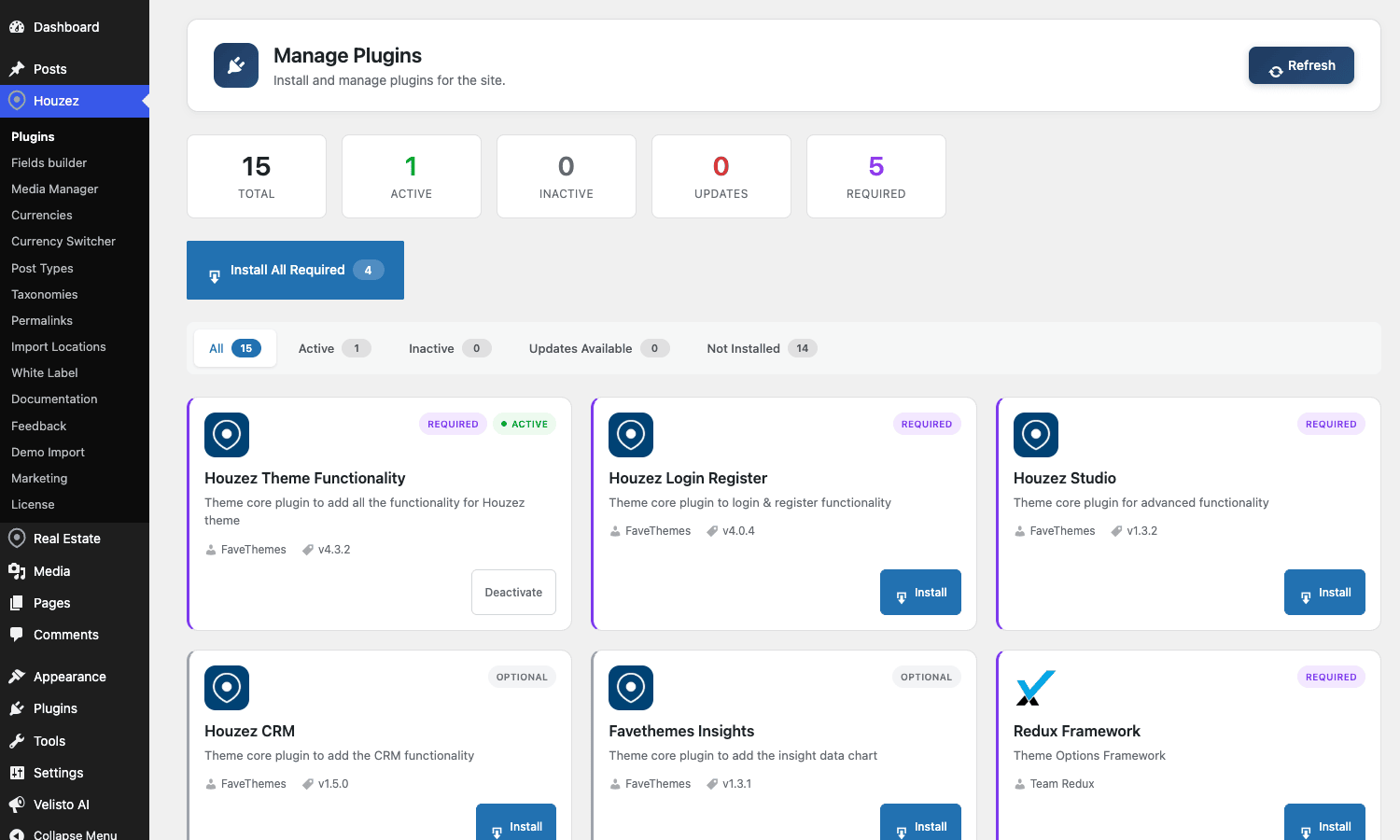
There is no free Houzez. You buy the theme bundle and you get the parent theme, a child theme, and a pack of companion plugins that drop in Property/Agent/Agency post types, the CRM, login/register modals, Studio templates, Houzez Woo Addon for paid submissions, and an XML/CSV importer for bulk listing loads. The Houzez theme on GPL Times is the same Favethemes package, GPL-distributed.
A few things to set expectations early. Houzez is not a "page builder theme." It uses Elementor for some homepage layouts and the Houzez Studio system on top of that, but the core property pages (single listing, search results, agent profile, dashboard) are template-driven. You can override them via the standard WordPress template hierarchy, you can hook into them with houzez_* actions, but you don’t drag-and-drop a property card together. That’s a feature, not a bug, and you’ll see why once you’ve shipped a few sites that have to render 800 property pages without the editor blowing up.
The property model under the hood
A Houzez "property" is a custom post type registered by the houzez-theme-functionality companion plugin. The post type is property. Around it sits a small zoo of taxonomies and meta:
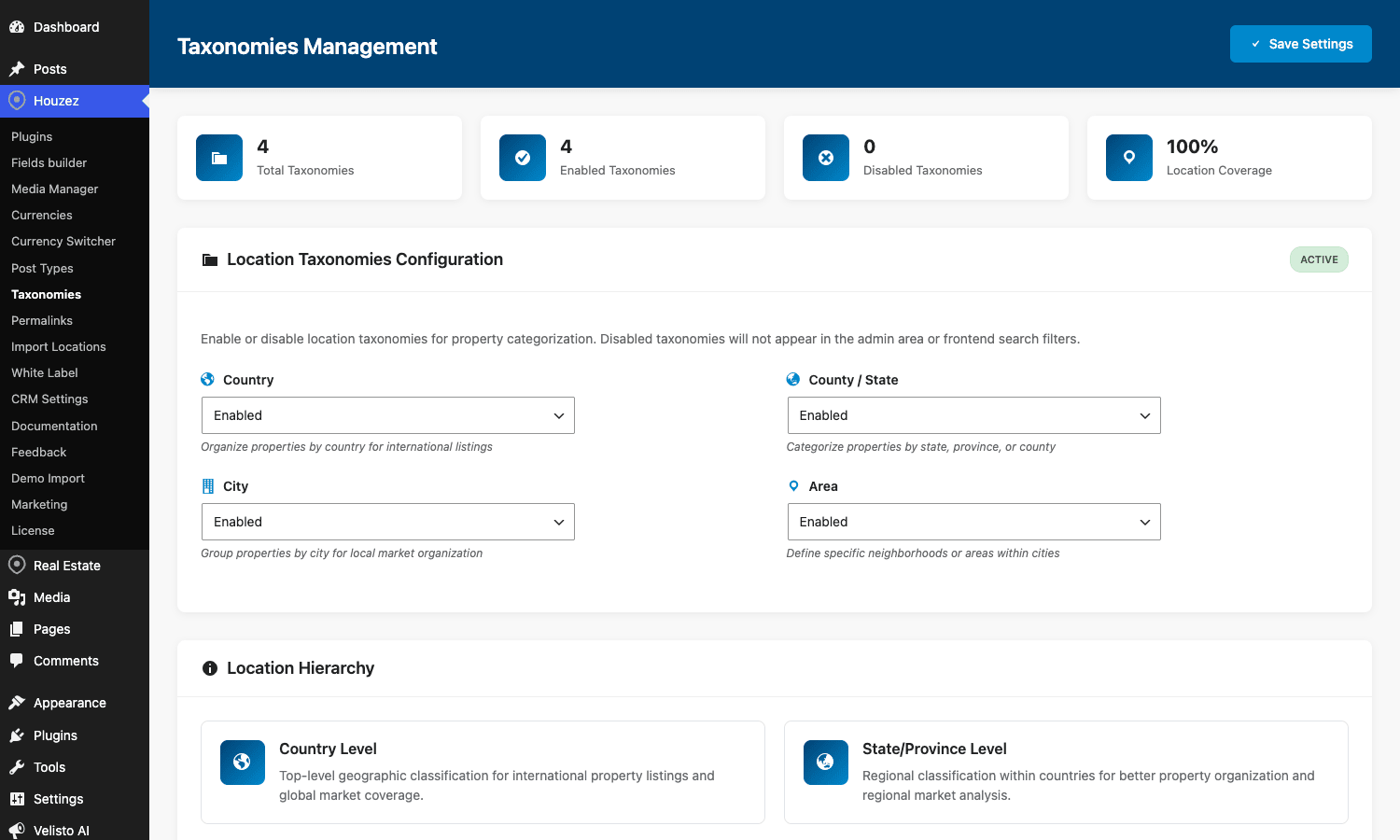
property_type(House, Apartment, Villa, Commercial, Land, etc.)property_status(For Sale, For Rent, Sold, Reduced)property_city,property_state,property_country,property_area(hierarchical location taxonomies)property_feature(Pool, Garage, Garden, AC, balcony, etc., non-hierarchical)property_label(custom badges like "Open House" or "Hot Deal")
Then a stack of post meta on each property: price, price prefix/suffix, area, area unit, bedrooms, bathrooms, garages, year built, latitude/longitude, address, floor plans (repeater), gallery image IDs, 360 tour URL, video URL, virtual tour iframe, MLS ID, agent assignment, available date, energy class.
If you’re a developer, you can introspect any of this from the front-end via the houzez_get_listing_data($post_id) helper, which returns a normalized array of every field that exists on a listing. The Houzez_Query class wraps the property-aware queries (featured listings, hot offers, agent-specific listings, similar listings) and exposes a houzez_sold_status_filter filter on every one of them, which is how you exclude sold properties from search results site-wide.
The one trap here is that Houzez stores price as a raw number meta field, not as a typed price object. If you sell properties in both AED and USD on the same site, you need to pick which currency is canonical (price meta is in your default currency from Houzez Options) and either run the conversion at display time using the multi-currency add-on or store a price_usd meta yourself.
Property listing layouts and what to pick
Houzez ships nine property listing layouts. They’re not just visual variations; they each work better for different inventory profiles. Here’s the cheat sheet I use:
- Listing v1, v2, v3. Classic vertical card with image, title, price, beds/baths/area row. Use this for a normal real estate agency with 50-500 listings. v2 is the most "default looking" and converts fine.
- Listing v4 (grid v1). Three-up grid with smaller cards. Good for high-volume sites (>500 listings) where you want a faster scan.
- Listing v5 (with map). Split-view grid + map. Use it when location matters (downtown apartments, university lettings, vacation rentals). Slower to render because every visible card mounts a marker.
- Half-map listing. Full-screen map on one side, scrollable card list on the other. Real-estate’s signature layout. Looks great, but read the Google Maps section before you ship it.
- Compact rows. Horizontal list view, image left, all details right. Best for commercial property where buyers care about sqft, not curb appeal.
- Card with mini-slider. Each card has its own thumbnail gallery you can swipe through. Pretty, but the JavaScript cost on a 50-listing page is noticeable on mid-range Android.
Pick one and stick with it across your archive pages. Mixing layouts on different category archives makes the site feel inconsistent. The decision usually comes down to: do you have a map-first audience (vacation rentals, urban) or a list-first audience (suburban resale, commercial)? Map-first picks v5 or half-map. List-first picks v2 or v4.
The search architecture (and why it matters)
This is where Houzez quietly does a lot of work for you.
Out of the box, the search widget supports keyword, location (city/state/country/area), property type, status, price range, beds, baths, area range, and a generic "advanced fields" section that you can extend with any custom meta. Crucially, every search filter is editable in admin (Houzez Options → Search → Search Fields). You can reorder fields, hide ones you don’t need, and add custom meta-backed filters without writing code.
Under the hood, the search engine is Houzez_Property_Search, which builds a WP_Query with meta_query and tax_query arguments based on URL parameters. The parameter convention matters because it shows up in the URL bar:
keyword→splus a meta search across title and excerptlocation→ location taxonomy matchtype→property_typetaxonomystatus→property_statustaxonomymin-price/max-price→ meta_query onfave_property_pricemin-beds/max-beds→ meta_query onfave_property_bedroomsmin-area/max-area→ meta_query onfave_property_size
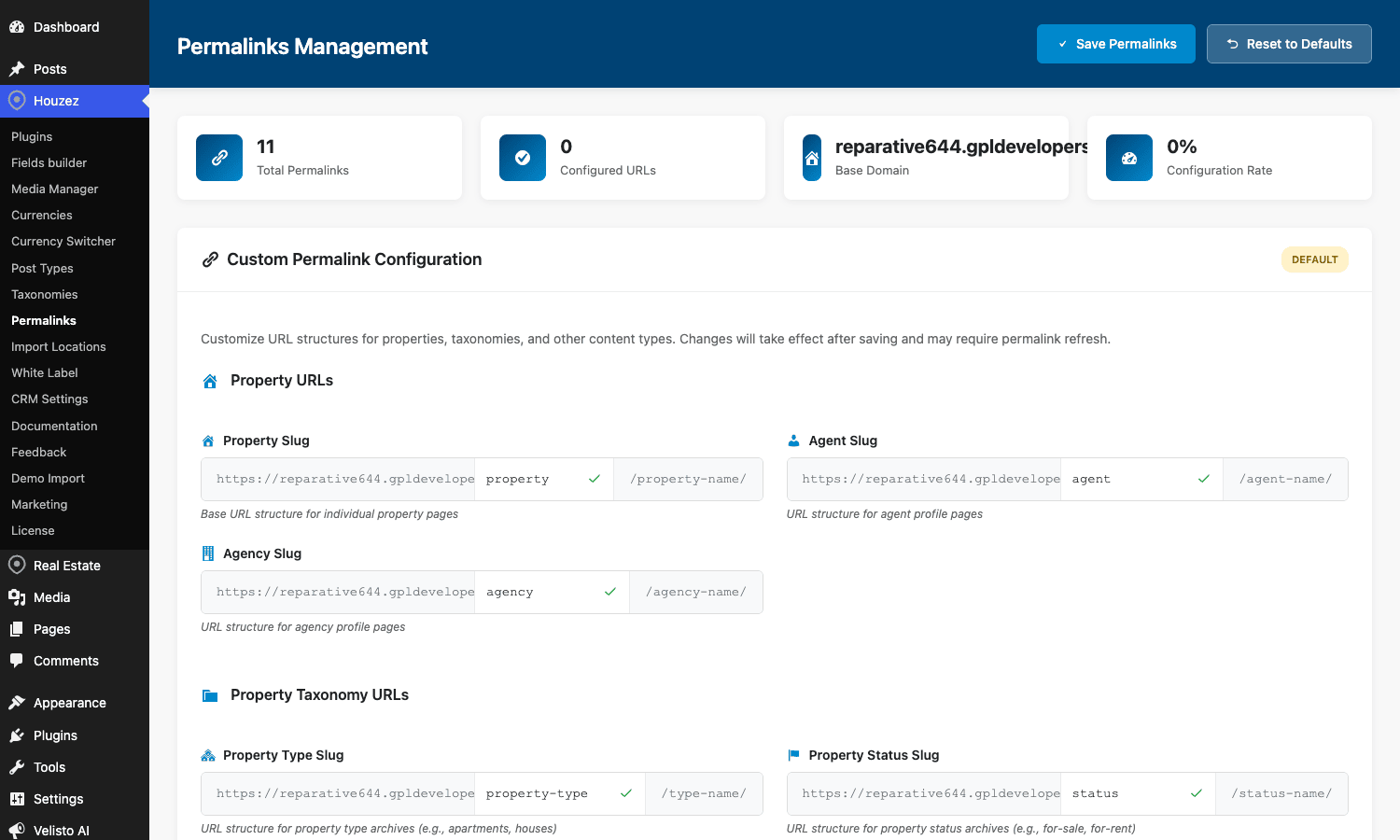
You can build SEO-friendly URLs by going to Houzez Options → Permalinks and turning on rewrite rules. With them on, ?type=apartment&status=for-sale&location=miami becomes /properties/apartment-for-sale-in-miami/, which Google likes a lot more.
One performance note: a search with three or more meta_query clauses, against a properties table with 5000+ listings, on an unindexed wp_postmeta, will be slow. Add indexes on the meta_key + meta_value columns Houzez hits most:
ALTER TABLE wp_postmeta ADD INDEX houzez_price (meta_key(15), meta_value(20));
Or, better, install a search accelerator like SearchWP or Relevanssi and configure it to index the Houzez meta fields. The site will go from 1.2 s search response to ~200 ms on a 10k-listing inventory.
The property submission form (where deals die)
If you let agents or owners submit their own listings (via Houzez Options → Add New Property → enable front-end submission), you’ve turned on one of the highest-value but most-abused features of the theme.
The default form has 21 sections. Twenty. One. Title, description, type/status, price, address with map drop pin, bed/bath/area, garage/year-built, features (checkbox cloud of 60+ items), gallery upload (drag-drop multi-file), floor plans repeater, video, virtual tour, 360 panorama, energy info, agent assignment, terms.
I have never met a real estate user who fills out all of that on the first listing. The opener I started the article with? That was the lesson. Every field on this form is a percentage point of abandonment.
Here’s what I do on every Houzez build:
- Open Houzez Options → Add New Property → Submission Form Fields.
- Hide every field that isn’t load-bearing for a buyer’s first decision. Energy info, virtual tour URL, 360 URL, garage, year built, the full features cloud. Hide them.
- Make a tier-2 "edit your listing" form that DOES include those fields, and tell agents in the welcome email that they can come back and add detail later.
- Cap the gallery to 8 images on first submission. Twelve to twenty images of the same kitchen don’t help. Let them add more in tier 2.
- If you charge for listings (most paid-submission sites do), put the payment step before the long-form fields, not after. The drop-off after a 21-field form just to hit a paywall is brutal.
The submission flow uses Houzez_Property_Submit::submit_property(), which fires houzez_after_property_submit once a listing is saved. You can hook into that to do things like send a Slack notification, push the listing to your CRM, or auto-tag the property with a "Pending Review" status.
Agent profiles and the CRM panel
Houzez treats agents as real users with a role (houzez_agent) plus a separate "agent profile" content type (houzez_agent) for SEO-friendly agent pages. The two are linked by a meta field that points the user to their profile post.
What you get for free:
- An agent archive page (
/agents/) listing every agent with a card. - Single agent pages with bio, contact info, social links, and the agent’s listings rendered automatically via
Houzez_Query::get_agent_listings(). - A contact form on every agent page that sends to the agent directly (not site admin).
- Agent dashboard pages: profile editor, my listings, my saved searches, my favourites, my invoices, my membership.
- A reviews module: visitors can leave a star-rated review on each agent.
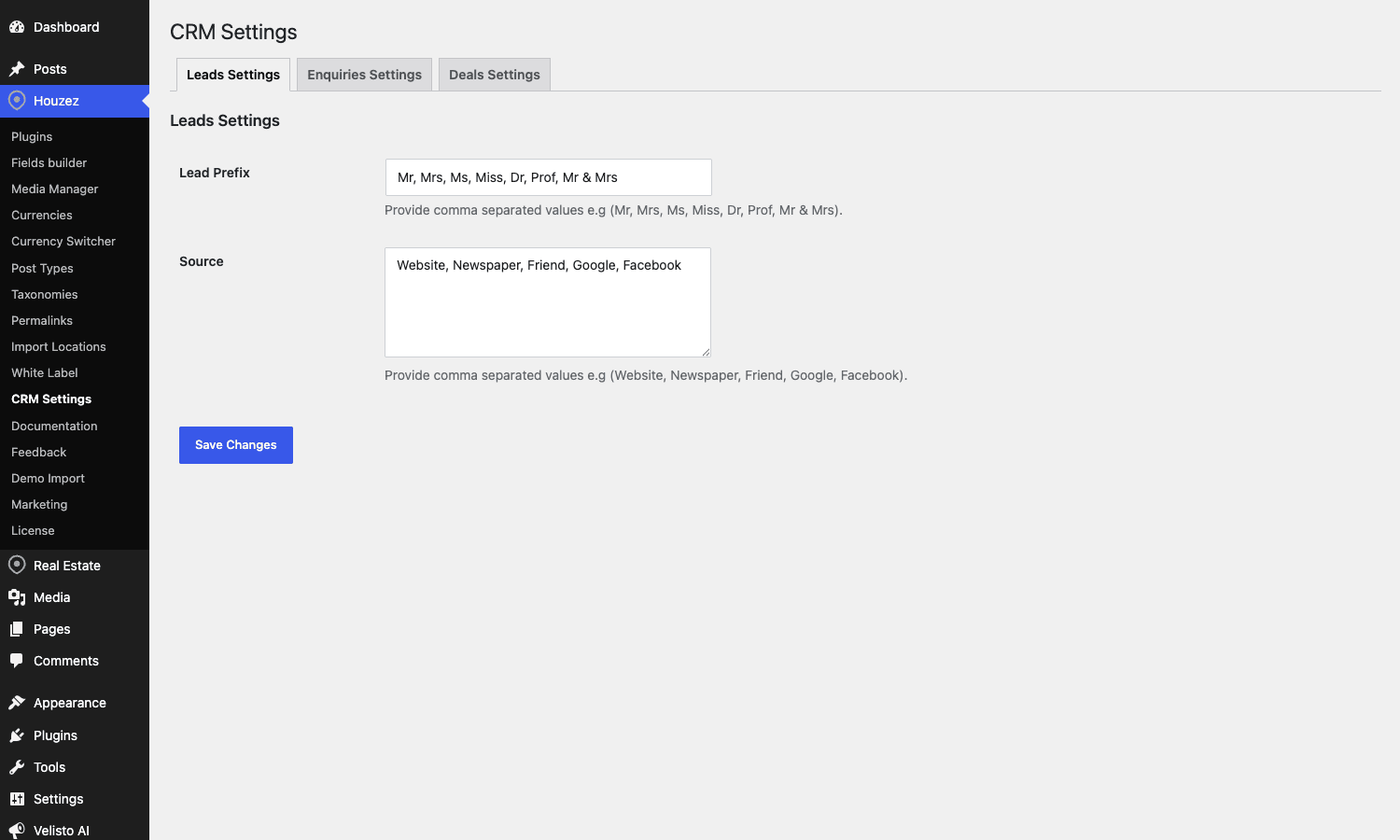
The CRM piece is in the houzez-crm companion plugin. It adds three things:
- A contacts panel where every form submission becomes a contact record with name, email, phone, source listing, and notes.
- A leads pipeline (New → Contacted → Interested → Negotiating → Won/Lost).
- An activity log showing every email sent, every property shown, every note left.
It’s not Salesforce. It’s not even Pipedrive. But for a solo agent or a 5-person agency, it’s enough to stop leads falling through the cracks, and you don’t pay $50/user/month for it.
The CRM exposes houzez_after_contact_form_submission, houzez_after_agent_form_submission, and houzez_after_property_schedule_tour actions. Hook one of those to push the same contact into HubSpot or Active Campaign in parallel, and you’ve got a real safety net.
Lead routing and the inbox you’ll actually live in
A property contact form on a Houzez site can route the lead three ways:
- To the listing agent. This is the default. If a listing has an agent assigned, that agent’s email gets the enquiry.
- To the agency. If the listing is assigned to an agency (not an individual agent), the agency’s primary contact gets it.
- To the site admin. Fallback if neither is set, or always if you flip the override flag.
You can choose CC behaviour per role (Houzez Options → Emails → Notifications): the agency owner can be CC’d on every lead their agents get, the admin can be silent-CC’d for every contact form, etc.
The email templates themselves are editable in Houzez Options → Emails → Templates. They support merge tags like %agent_name%, %property_title%, %user_message%, %lead_phone%. You can also drop in plain HTML if your transactional email service needs branded headers.
One real gotcha: Houzez sends these emails using wp_mail() by default. On a fresh VPS, wp_mail() is going to your spam folder. Install WP Mail SMTP or FluentSMTP and route through Postmark / Sendgrid / SES before going live, otherwise leads will literally vanish.
Google Maps cost: the real estate theme tax
Here’s the section everyone needs to read before they push a Houzez site live.
Houzez uses Google Maps for the property map, the half-map view, geolocation autocomplete on the submission form, and "show on map" buttons throughout the theme. Google Maps Platform charges per map load (since the 2018 pricing change). The relevant SKUs:
- Dynamic Maps JavaScript: $7 per 1,000 loads after the free tier.
- Place Autocomplete (per session): $17 per 1,000 sessions.
- Geocoding: $5 per 1,000 requests.
Google gives you $200 of free credit per month. That sounds generous until you do the math. A site doing 30,000 page views/month where 60% of pages render a map = 18,000 map loads = $126. Plus geocoding on every new listing submission, plus autocomplete sessions on every search. A medium-traffic real estate site burns through $200 fast.
What I do on every Houzez build:
- Don’t load Google Maps on listing cards. Only on the single property page and the explicit "search with map" page. There’s a Houzez Options setting for this; check it.
- Switch to OpenStreetMap (OSM) for the search page. Houzez supports it natively (Houzez Options → Map → Provider). OSM is free. The autocomplete loses its polish, but for a 20,000 listing search-results page, the cost difference is hundreds of dollars per month.
- Set Google Maps API restrictions in Google Cloud Console to your domain only. If your key leaks (and it will, it’s in front-end JS), you don’t want it pulling 100,000 loads on someone else’s site.
- Cap the daily quota in Google Cloud Console. Set a hard limit at, say, $20/day. Better to have the map break for the rest of the day than to wake up to a $4,000 bill.
- Cache the geocoded lat/lng on listing save. Don’t re-geocode on every page load. Houzez does this correctly out of the box but check that your custom child theme isn’t accidentally re-running the geocoder.
If you ignore this and ship the defaults, you’ll get a bill in month two that doesn’t match the budget you sold the site for.
IDX, MLS, and the spreadsheet escape hatch
Three ways to get listings into a Houzez site:
- Manual entry through the admin. Fine for 10-50 listings. Tedious past that.
- The XML/CSV importer. The
houzez-xml-csv-property-listings-importplugin (bundled) lets you map a CSV to property meta fields and bulk-import. This is the workhorse for migrating from an old system. - MLS On The Fly. A premium add-on (bundled in some Houzez packages) that lets you pull listings from an MLS feed (RETS / RESO Web API) and auto-create properties. Listings update on a cron schedule.
The MLS integration is the one most US real estate sites need, and it’s also the one that breaks most often. MLS feeds are notoriously inconsistent. Field names differ by board, image hosting is sometimes external (hotlinking is forbidden), and the cron import can time out on 5,000+ feed sites. Set the import to run hourly, not every minute, and run a daily delta-import instead of a full sync.
For non-US sites where MLS isn’t a thing, the CSV importer plus a weekly export from your management system is usually the right answer. I’ve shipped sites in Dubai, London, and Mumbai that all worked fine on a Friday-evening cron job pulling fresh CSV from the agency’s Google Sheet.
Elementor vs Houzez native widgets
Houzez supports Elementor for building homepages and custom landing pages. The companion plugin registers around 40 Houzez-specific Elementor widgets: property carousel, property card, advanced search form, agent carousel, agency carousel, CTA banner, testimonials, etc.
When to use Elementor on a Houzez site:
- Homepage and landing pages (city pages, neighbourhood pages).
- Marketing-style content that needs a designer’s touch.
- "Featured properties on the front page" kind of layouts.
When NOT to use Elementor on a Houzez site:
- Single property pages. The native template is faster, more SEO-friendly, and already covers every layout you need.
- Search results pages. Same reason.
- Agent profile pages. Same.
If you let an enthusiastic designer Elementor-ify everything, you end up with a site where the developer can’t fix anything without opening Elementor, and where pages weigh 1.8 MB of CSS/JS for a layout that the native template would have rendered in 280 KB.
A useful rule: marketing pages use Elementor, transactional pages (anything tied to a property post) use Houzez templates. You can mix both on the same site without trouble.
Don’t import every demo (and other ways to wreck performance)
Houzez ships with dozens of demo websites you can one-click import. Modern Demo, Classic Demo, Half Map, Mountain Houses, Luxury, Modern Real Estate, etc. The Demo Importer pulls in pages, posts, properties, agents, settings, menus, widgets, sliders, Elementor templates, and revslider sliders.
Don’t import them all to "see what they look like."
Here’s what happens if you do:
- Database bloat. Each demo imports 30-100 demo properties, 5-10 demo agents, a stack of Elementor template posts, and dozens of options rows. Five demos = 500+ extra posts you’ll never use, plus orphan attachments.
- Image library spam. The demo importer pulls in stock images. Five demos = 1-2 GB of stock JPGs you can’t easily find and delete because they’re now mixed with your real listings.
- Conflicting menus and home pages. Each demo sets its own front page and primary menu. Importing a second demo overwrites the first. Importing a third leaves orphan menus floating in
Appearance → Menus. - Revslider data tables. Slider Revolution stores each slider as JSON in
wp_optionsandwp_postmeta. A few demos drop 5-15 MB into options autoload, which slows every page request.
The fix is discipline. Pick one demo, import it on a clean install, and remove the demo properties and demo agents before going live with real data. If you must try a second demo, do it on a separate staging copy, not the same database.
I once inherited a Houzez site where the previous developer had imported nine demos. Front-end load time was 6.4 seconds. We dropped the demo properties (kept 30 real ones), purged orphan Elementor templates, cleared revslider, and shrank wp_options autoload from 4.8 MB to 380 KB. Load time dropped to 1.9 seconds. No code changes. Just demo hygiene.
The same warning applies to the Houzez Studio template library. Don’t import every template "for reference." Studio templates are stored as posts and they add up.
Multi-language and currency for cross-border listings
If you sell properties across borders, two things matter:
Language. Houzez ships with WPML and Polylang compatibility. The property post type, all taxonomies, the Houzez Options strings, the email templates, and the dashboard UI are all translatable. WPML is the safer pick for a real estate site because its String Translation module covers Houzez Options labels cleanly. Polylang works but you’ll spend an afternoon hunting down untranslated strings on a complex deploy. For language switching on a single property page, the standard WPML language switcher in the header is enough; you don’t need any Houzez-specific configuration.
Currency. Houzez has built-in multi-currency support. Houzez Options → Price & Currency → Multi-Currency lets you define a base currency and a list of display currencies with fixed exchange rates. The display currency switcher shows up as a header widget. Listings are stored in a single canonical currency (the base) and converted at display time.
The catch: exchange rates are static. If you set USD → EUR = 0.92 in January and forget about it, your prices are wrong by July. There’s a houzez_currency_exchange_rate filter that lets you plug in a live exchange-rate API:
add_filter( 'houzez_currency_exchange_rate', function( $rate, $from, $to ) {
    $cached = get_transient( "fx_{$from}_{$to}" );
    if ( $cached !== false ) {
        return (float) $cached;
    }
    $resp = wp_remote_get( "https://api.exchangerate.host/latest?base={$from}&symbols={$to}" );
    if ( ! is_wp_error( $resp ) ) {
        $body = json_decode( wp_remote_retrieve_body( $resp ), true );
        $live = $body['rates'][ $to ] ?? null;
        if ( $live ) {
            set_transient( "fx_{$from}_{$to}", $live, 6 * HOUR_IN_SECONDS );
            return (float) $live;
        }
    }
    return $rate;
}, 10, 3 );
This caches the rate for six hours, falls back to the static rate on API failure, and avoids hammering the FX API on every page load.
Developer reference: hooks, filters, classes
Houzez is generous with extension points. Here are the ones that have actually saved me time on client projects.
Actions worth knowing
// After a front-end property submission is saved
do_action( 'houzez_after_property_submit', $post_id, $form_data );

// After a property is updated by an agent in the dashboard
do_action( 'houzez_after_property_update', $post_id, $form_data );

// After any contact form submission (property contact, agent contact, schedule-a-tour)
do_action( 'houzez_after_contact_form_submission', $form_data );
do_action( 'houzez_after_agent_form_submission', $form_data );
do_action( 'houzez_after_property_schedule_tour_form_submission', $form_data );

// After a user's membership is cancelled
do_action( 'houzez_after_user_membership_cancelled', $user_id, $membership_id );

// Around the header / footer
do_action( 'houzez_before_header' );
do_action( 'houzez_after_header' );
do_action( 'houzez_before_footer' );
do_action( 'houzez_after_footer' );

// reCAPTCHA + Turnstile signals (use these to log abuse or feed a fraud system)
do_action( 'houzez_recaptcha_failed', $form_id, $score );
do_action( 'houzez_recaptcha_low_score', $form_id, $score );
do_action( 'houzez_turnstile_failed', $form_id );

// Email notifications
do_action( 'houzez_send_notification', $type, $args );
Filters worth knowing
// Exclude sold properties from every standard query (the big one)
add_filter( 'houzez_sold_status_filter', function( $args ) {
    $args['meta_query'][] = array(
        'key'     => 'fave_property_status',
        'value'   => 'sold',
        'compare' => '!=',
    );
    return $args;
});

// Override how many listings an agent's archive page shows
add_filter( 'houzez_agent_num_listings', function( $count ) {
    return 24;
});

// Tweak the data sent with email notifications
add_filter( 'houzez_email_data', function( $data, $type, $context ) {
    $data['custom_field'] = get_post_meta( $context['post_id'], 'fave_property_mls_id', true );
    return $data;
}, 10, 3 );

// Inject your own field into the property submission form
add_filter( 'houzez_property_submit_fields', function( $fields ) {
    $fields['custom_listing_source'] = array(
        'type'  => 'text',
        'label' => __( 'Listing Source', 'mychildtheme' ),
        'section' => 'basic',
    );
    return $fields;
});
Useful helper functions
houzez_get_listing_data( $post_id )returns a normalized array of every property meta field.houzez_option( $key, $default )reads from the Houzez Options panel.houzez_format_price( $price, $args )formats a number into the configured currency display string.houzez_get_property_status( $post_id )returns the property’s status taxonomy term.Houzez_Query::get_featured_listings( $args )returns aWP_Queryfor featured listings.Houzez_Query::get_similar_listings( $post_id, $count )returns similar listings for the "Related properties" widget.
Template overrides
The standard WordPress template hierarchy applies. To override the single property page, copy single-property.php from the Houzez theme into your child theme and edit. To override the search results layout, copy archive-property.php. The card templates (content-grid-1.php through content-grid-3.php) and the list templates (content-listing-v1.php through v6.php) are in the parent theme root. Override them in the child theme.
A good child-theme structure for a Houzez project:
woo-extensions/  (or your child theme slug)
  style.css
  functions.php
  single-property.php
  content-listing-v2.php
  inc/
    submission-fields.php   (your custom submission form fields)
    email-overrides.php
    crm-bridge.php          (the hook into your external CRM)
Keep all customizations in the child theme. Updates to the parent Houzez theme drop in cleanly that way.
Houzez vs Real Homes vs Residence: a measurable comparison
The three real estate themes that come up in every Houzez discussion are Real Homes (Inspiry Themes) and Residence (WPRealEstate). Here’s how they compare on the numbers that actually matter:
License cost (regular):
- Houzez: $69 on ThemeForest, $59 on Favethemes.
- Real Homes: $69 on ThemeForest.
- Residence: $99 on ThemeForest.
Page weight on the demo single-property page (uncached, no third-party):
- Houzez: ~1.4 MB (including Google Maps JS).
- Real Homes: ~1.7 MB.
- Residence: ~2.1 MB (heavier slider and gallery JS).
Time to first contentful paint on the same baseline VPS (PHP 8.2, 1 vCPU, 2 GB RAM):
- Houzez: 0.9 s.
- Real Homes: 1.2 s.
- Residence: 1.5 s.
Property submission form fields by default:
- Houzez: 21 sections (overkill but configurable).
- Real Homes: 16 sections.
- Residence: 18 sections.
Hooks/filters exposed for developers:
- Houzez: 80+ named
houzez_*actions and filters. - Real Homes: 30+ named actions, mostly around enqueue + template parts.
- Residence: 20+ named actions.
Houzez wins on developer extensibility and on raw front-end weight. Real Homes wins on default form simplicity. Residence wins on visual design polish but pays a real-world performance cost.
If you’re picking, my heuristic is: Houzez for sites with developer support and 200+ listings, Real Homes for solo-agent sites under 100 listings, Residence for boutique luxury where the design has to be unmistakable.
FAQ
Does Houzez work with WooCommerce?
Yes, via the bundled Houzez Woo Addon. You can sell paid property submissions and membership upgrades through WooCommerce checkout, which gives you access to every WooCommerce payment gateway. If you already have a WooCommerce setup on the same install, this is the easier path than the built-in Houzez payment system.
Can I run Houzez on WordPress multisite?
Technically yes, but I wouldn’t. Each site needs its own license activation (the Favethemes license manager is per-site), the demo importer is per-site, and the database schema doesn’t share well across sites. If you’re running a network of agency sites, install Houzez on each site separately and use a shared CRM (HubSpot, Pipedrive) to consolidate leads.
How fast can I launch a real-estate site with Houzez?
A weekend if you have your branding, agents, and 20-50 listings ready. The painful path is when the client doesn’t have a logo, doesn’t have photos, doesn’t have written property descriptions, and expects you to invent a lead routing strategy. That happens often, and it has nothing to do with Houzez. With the assets in hand: install, license, import one demo, swap branding, import listings via CSV, configure email, configure Google Maps key, go.
Is Houzez SEO-friendly?
The HTML structure is fine. Schema.org RealEstateListing markup is rendered on single property pages out of the box. Title and meta description are editable per property. It plays nicely with Rank Math and Yoast. The areas you have to actively manage are: pretty permalinks for search result URLs (turn them on in Houzez Options), unique meta descriptions on city/neighbourhood landing pages (use Rank Math or Yoast to template these), and proper schema on agent profile pages (Houzez ships RealEstateAgent schema but it’s worth auditing).
Does Houzez handle leads via SMS?
Not natively. You can hook into houzez_after_contact_form_submission and fire a Twilio API call from your child theme to text the assigned agent. That’s a 30-line snippet.
What about Google Maps cost on a low-traffic site?
Under ~10,000 monthly page views, you’ll stay within the $200 Google free credit. Above that, switch the search page to OpenStreetMap and you’ll cut the bill in half. Above 100k page views, you should be looking at MapTiler or Mapbox as paid alternatives that are cheaper than Google for high-volume real-estate sites.
Can agents log in and manage their own listings?
Yes. That’s the agent dashboard. They get a member area at /dashboard/ where they can submit, edit, and delete their own listings, see their invoices and memberships, manage their profile, and review the leads coming in through their listings. You can lock the dashboard behind a paid membership using the Houzez Memberships module if you want a paid model.
How does Houzez handle property featured images vs the gallery?
The WordPress featured image is the property’s primary card image (used on listing cards and OG meta). The Houzez gallery is a separate meta field that holds an ordered array of attachment IDs, rendered on the single property page as the gallery slider. The two are independent: a property can have a featured image without a gallery and vice versa, but for a real listing you want both populated.
Final thoughts
Houzez is what happens when a theme team specializes hard. It does one job (a real estate website) and it does it correctly. The agent dashboard works. The property submission form works. The CRM works. The map search works. The email notifications work. The demo importer works.
If you like that specialize-hard philosophy but your vertical is local businesses rather than property, the same idea applied to Yelp-style directories is covered in our ListingPro review, claims, pricing plans, and lead tracking included.
The things that go wrong on Houzez sites are almost always operator errors. Too many fields on the submission form. Every demo imported. Google Maps API key with no quota cap. Vanilla wp_mail() in production. A child theme that re-implements something the parent already does.
If you’re a real estate agent looking for a website, install it, pick one demo, import 20-50 listings, configure email, configure Google Maps, ship it. Don’t customize until you have actual customer feedback.
If you’re a developer building a real-estate site for a client, read the hooks list, override what you need in a child theme, and resist the urge to Elementor-ify the single property page. The native template is faster and the maintenance debt of a builder-rendered listing page is real.
The Houzez theme bundle on GPL Times ships with the parent theme, the child theme, and the full companion plugin pack (theme functionality, CRM, login/register, Studio, Woo Addon, MLS, CSV importer). One download, one folder, ready to upload.