

If you run a site on Gravity Forms, you’ve probably hit the same wall I have. The core plugin is excellent, but every real-world form sooner or later needs something that isn’t in the box. Limit one entry per user. Nested forms inside another form. Populate a dropdown from a database query. Lock a field after it’s filled. Each of those is a small custom plugin in waiting, and writing each one yourself eats an afternoon. Gravity Perks turns that pile of "small custom plugins in waiting" into a single license that unlocks 40+ pre-built add-ons.
Table of Contents
- What is Gravity Perks?
- Why a "perk" instead of a regular plugin?
- Key features
- The Perks that get used most
- How it works for users
- Installation and setup
- Real-world use cases
- Developer reference
- Performance, compatibility, and gotchas
- How Gravity Perks fits next to other form plugins
- Pricing and licensing
- Frequently asked questions
- Final thoughts
What is Gravity Perks?
Gravity Perks is a master plugin from Gravity Wiz that turns one license key into access to 40+ separate add-ons (Gravity Wiz calls them "Perks") for Gravity Forms. You install Gravity Perks, drop in your license, and then install only the specific Perks you need. Each Perk is its own plugin, but updates and license checks all flow through the master.
The model is unusual. Most "bundles" in WordPress ship as one giant plugin you can’t slim down. Gravity Perks does the opposite: the master plugin is tiny, the Perks live as separate plugin folders, and you pick which ones to activate on which site. A blog with a single contact form might only need GP Limit Submissions. A membership site might run GP Nested Forms, GP Populate Anything, GP Auto Login, GP Unique ID, and GP Conditional Logic Dates side by side.
Gravity Wiz has been publishing Perks for over a decade. A lot of the snippets you find on their blog (search results filter by date, role-aware merge tags, GF-to-WooCommerce coupons) eventually get folded into a Perk so you don’t have to maintain the snippet yourself. The whole catalogue is sold under one annual or lifetime license, with Basic, Pro, and Elite tiers that progressively include more Perks.
Why a "perk" instead of a regular plugin?
The first time you look at the architecture it feels a bit strange. Why are there 40 separate plugins instead of one big one with toggle switches? A few reasons that become clearer once you’ve worked with it for a while:
- You only load the code you actually use. If you never activate GP Nested Forms, its code never runs. There’s no "this plugin has 40 features and you’ll use four" tax on page load.
- You can scope a Perk to a single environment. Activate GP Limit Submissions on the contest site, not on the marketing site. The master license is the same.
- Each Perk gets its own updates. A bug fix in GP Populate Anything won’t restart the whole stack; only that Perk plugin updates.
- You can deactivate one Perk without touching the others. If GP eCommerce Fields ever conflicts with a checkout plugin, you flip it off and the rest keep working.
The flip side, which I’ll come back to in the gotchas section: if you do activate 20 Perks, you’ll see 20 entries in wp-admin/plugins.php plus the master. That’s a Plugins screen with a lot of rows.
Key features
A short tour of what Gravity Perks itself brings to the table. The big value is in the individual Perks (a deeper list further down), but the master plugin is more than a launcher.
- One license for the catalogue. A single key in
Forms > Perksunlocks updates and downloads for every Perk you’re entitled to at your tier. No per-Perk activations. - Central install browser. The
Install Perkstab lists every Perk available to your license. You install from inside WordPress like you would fromwp-admin/plugin-install.php. - Per-Perk activation toggles. Each installed Perk has Activate / Deactivate / Delete row actions, plus a documentation link.
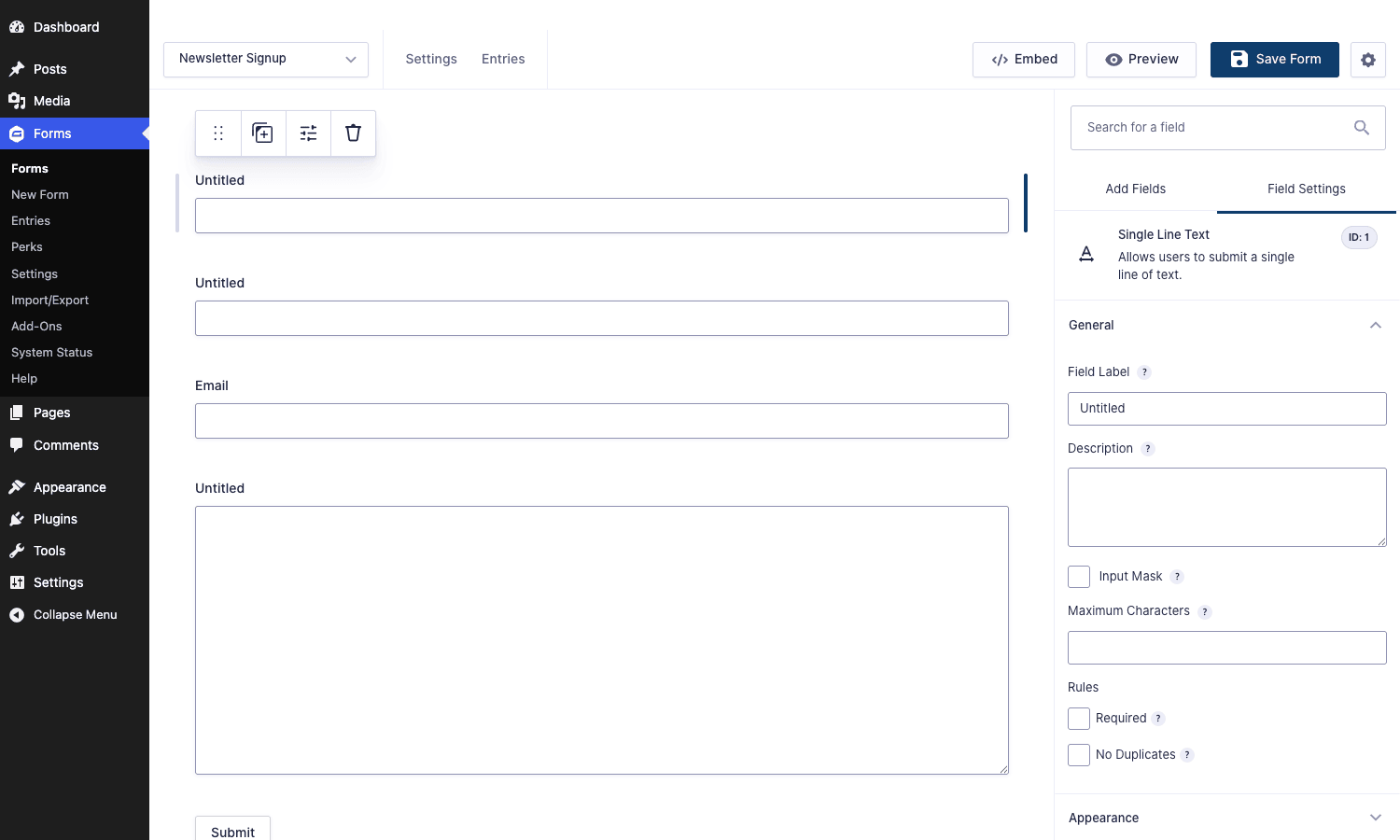
- Field-editor Perks tab. In the form editor, when you click on a field, Gravity Perks adds a
Perkstab to the field-settings sidebar. Any Perk that adds field-level settings (uniqueness check, read-only state, word-count limit, etc.) appears there in a single panel. - Centralized notices. When a Perk is incompatible with the installed Gravity Forms or WordPress version, you get a single notice on the Manage Perks page instead of fatal errors at runtime.
- Hooks for Perk authors. Master plugin exposes
gperks_loaded,gperks_perk_action_links, and several form-editor hooks so you can write your own internal Perk if you ever need one. - Integration with the core "No Duplicates" field rule. Even before you install any individual Perk, the master ships a built-in uniqueness rule that you can flip on per field via the standard Rules section.
Here’s the field settings panel in the form editor after you click on a field. Notice the No Duplicates rule and the Perks tab waiting to host any Perk-specific settings:
The Perks that get used most
There are too many Perks to walk through one by one, so I’ll group them by what they do. This is the catalogue as it stands today; Gravity Wiz adds new Perks and folds older ones together over time.
New field types and field behaviors
- GP Nested Forms is the headline Perk for most teams. You insert one Gravity Form inside another as a repeating sub-form, and child entries are stored against the parent. Think "list your kids’ names and ages" or "add line items to an order".
- GP Populate Anything lets dropdowns, radios, checkboxes, and even text fields populate from a live data source: posts, users, taxonomy terms, other Gravity Forms entries, or a custom database query. It also drives live merge tags so a field can react to another field as the user types.
- GP Address Autocomplete wires Google Places into the Address field. Start typing the street, pick a result, and street / city / state / zip / country auto-fill.
- GP Read Only locks a field so it shows the value but can’t be edited. Good for entries that come from a passed URL parameter.
- GP Range Slider swaps a Number field for a draggable slider with min, max, step.
- GP Date Time Calculator runs arithmetic on date fields ("expiry date = signup date + 30 days").
- GP Inventory tracks per-product stock and decrements on submission. The product field stops accepting orders once stock hits zero.
- GP eCommerce Fields adds Shipping, Tax, Coupon, and Discount fields that aren’t in core Gravity Forms.
- GP File Upload Pro rewrites the file upload field with chunked uploads and drag-and-drop, so large uploads stop failing.
- GP Image Choices turns radio and checkbox fields into visual swatches with thumbnails.
Submission control
- GP Limit Submissions caps how many times a form can be submitted in total, per day, per role, per IP, per logged-in user, or per merge-tag value. The one Perk most novices ask about by name.
- GP Limit Choices does the same for individual choices ("only 10 of this option allowed").
- GP Unique ID generates a human-readable unique reference (
INV-2026-0042) per entry, with prefixes and a custom counter. - GP Auto Login logs the user in immediately after they complete a User Registration form, skipping the email-confirmation step.
- GP Email Users lets you send a notification to all users in a role or a saved group, not just a fixed address.
- GP Terms of Service wraps a TOS checkbox with revision tracking so you have a record of what each user agreed to.
- GP Disable Entry Creation runs notifications and feed add-ons without ever writing an entry to the database. Useful for forms that purely trigger a workflow.
- GP Advanced Save & Continue turns Gravity Forms’ "resume later" into a real "save my progress and come back from any device" experience.
Population, data, and integration
- GP Easy Passthrough carries field values from one form’s entry into the next form, so multi-step funnels actually feel like one flow.
- GP Copy Cat clones a field’s value to another field. Common case: copy "Billing Address" into "Shipping Address" when a box is ticked.
- GP Live Preview renders an HTML preview of the form’s input live as the user types. Newsletter signups with a quoted price, for example.
- GP Notification Scheduler delays a notification email until X minutes / hours / days after submission. Or schedules it for a specific calendar date.
- GP Bulk Actions adds bulk operations to the entries list: bulk export, bulk email, bulk delete with a confirmation.
- GP Preview Submission inserts a "review your answers" step before the final submit.
- GP Post Content Merge Tags lets a notification email pull dynamic content from the WordPress posts referenced in the entry.
Newer or specialized
- GP Conditional Pricing changes the price of a Product field based on conditional logic, instead of forcing separate fields per variant.
- GP Conditional Logic Dates lets you use date math in conditional rules (
show this field if Date is more than 7 days from now). - GP Multi-Page Navigation turns the boring
Next / Previousflow on multi-page forms into a clickable step indicator. - GP Page Transitions adds smooth animations between pages of a multi-page form.
- GP Word Count / Word Count Limits / Pay Per Word count words inside textareas, enforce a maximum, or charge per word.
- GP Single Submission restricts a form to one submission per user / IP / merge-tag value, in a stricter way than Limit Submissions.
I won’t pretend that’s all of them. The full list moves around as Perks are added and retired. The point is that almost every "I wish Gravity Forms could do X" you’ve ever had, someone at Gravity Wiz has probably already shipped as a Perk.
How it works for users
If you’ve never used a Perk before, the workflow is unremarkable, which is exactly the point. Here’s the path from "I bought a license" to "this Perk is doing something useful":
- Install the master Gravity Perks plugin (one zip from gravitywiz.com or from the GPL download).
- Paste your license key into
Forms > Perks > Manage Perks. The master phones home to Gravity Wiz, gets back the list of Perks you’re entitled to, and caches it for a day. - Click the
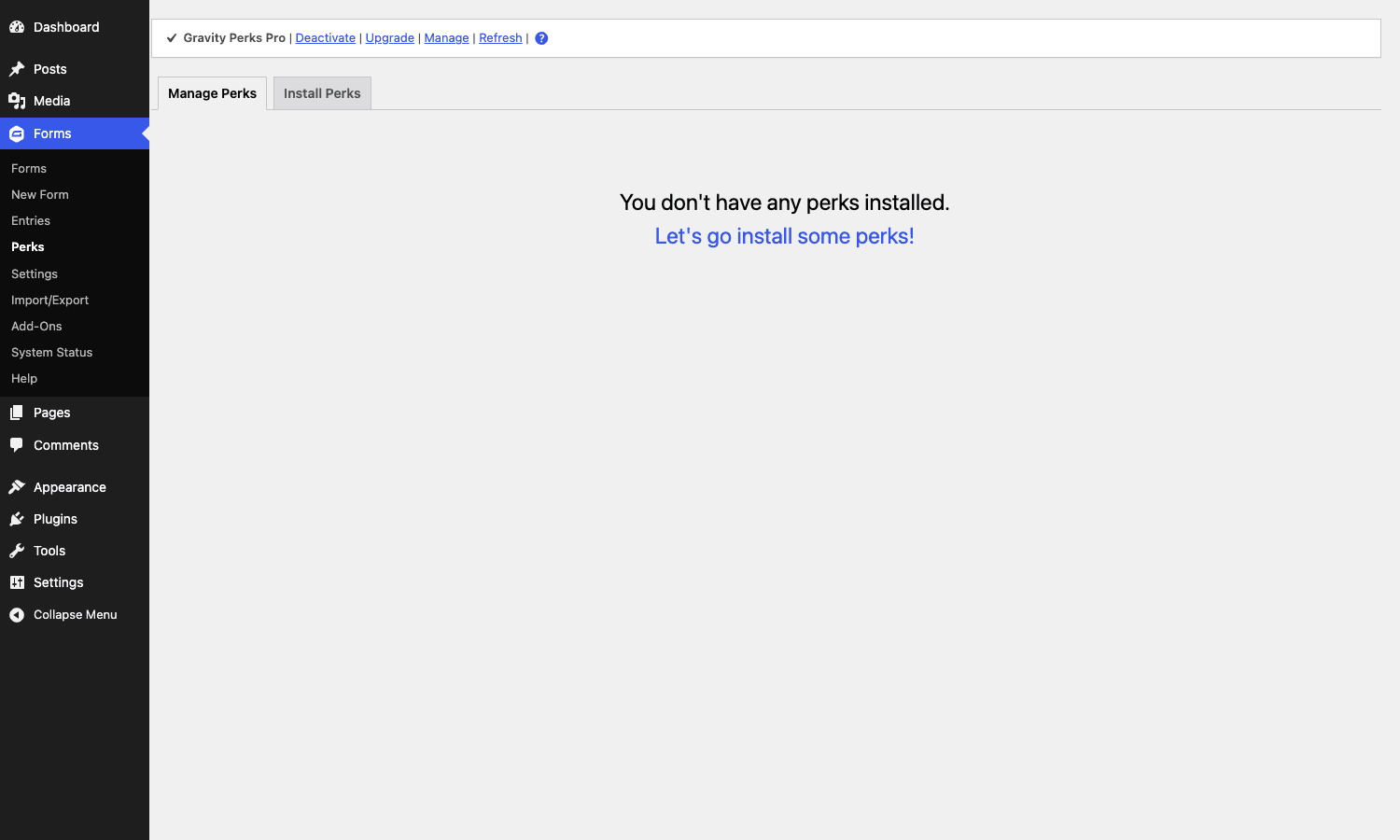
Install Perkstab. You’ll see a card for every Perk in your tier withInstall/Documentationbuttons. - Install the specific Perk you want. The master downloads the Perk’s plugin zip, unpacks it under
wp-content/plugins/, and activates it. - The Perk wires itself into Gravity Forms. Depending on the Perk, you’ll find its settings in different places:
- Field-level Perks (Read Only, Range Slider, Word Count, Limit Choices) show up in the field settings sidebar when you click on a field in the form editor.
- Form-level Perks (Limit Submissions, Auto Login, Easy Passthrough, Notification Scheduler) show up under
Form Settings > Perksor as their own sub-menu under the form. - Site-level Perks (Address Autocomplete needs a Google Maps API key, eCommerce Fields has a tax/shipping config) show up under
Forms > Settings > Perks.
For a Perk like Limit Submissions, the user-facing config is one screen: cap = 100, scope = per day, message = Sorry, we've hit today's cap. Try tomorrow. That’s it. No code, no custom validation hook.
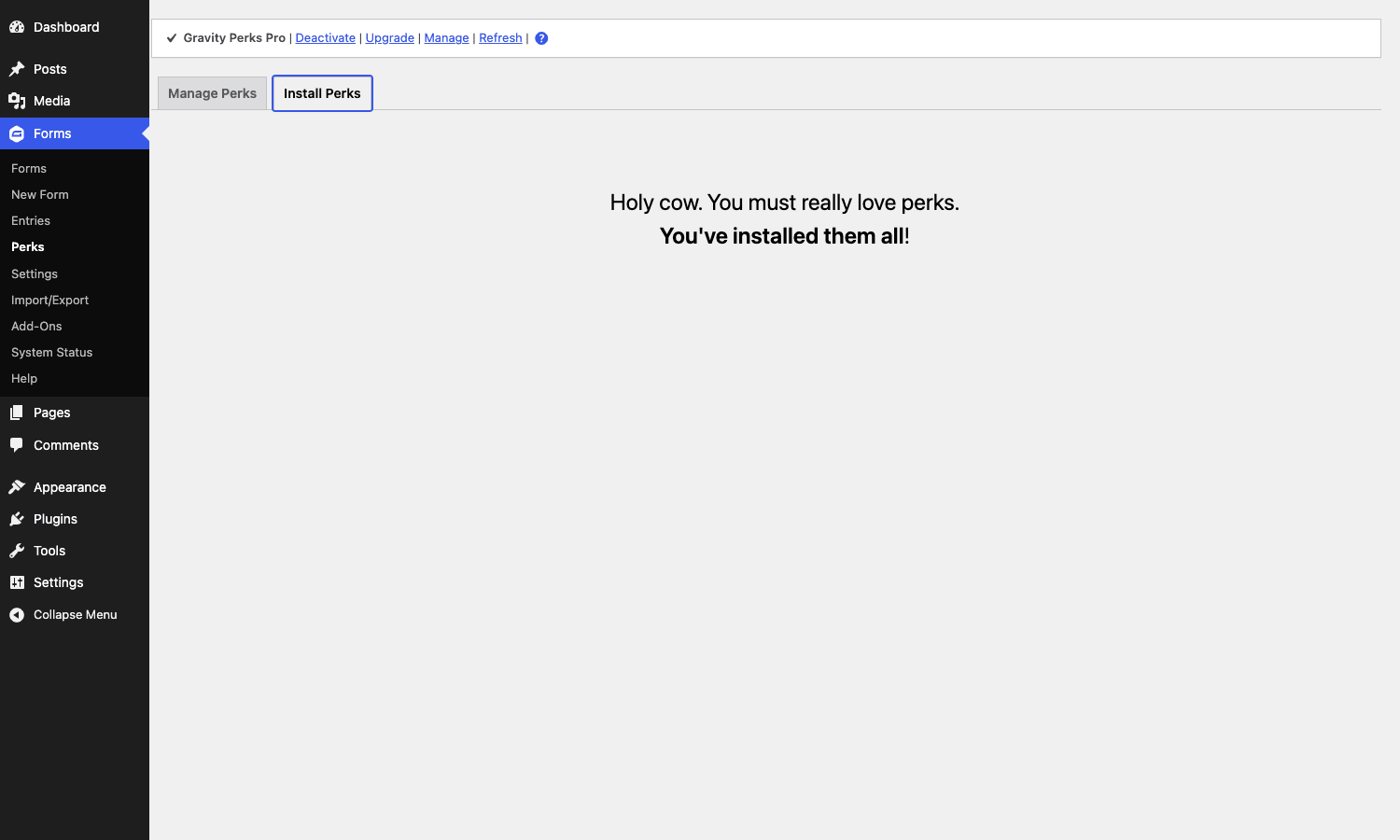
The Install Perks tab is also where you discover what else your license unlocks. On a fresh install, you’ll see a card for every Perk you haven’t installed yet:
Installation and setup
Assuming Gravity Forms is already installed and active, getting Gravity Perks running is a five-minute task:
- Download the Gravity Perks zip.
- In WordPress, go to
Plugins > Add New > Upload Plugin, pick the zip, install, and activate. - Open
Forms > Perks. You’ll see the master plugin’sManage Perkspage. - Paste your license key into the field at the top and click
Save License. The master plugin validates againstgravitywiz.comand stores the result in a 24-hour transient. - Switch to the
Install Perkstab. Browse the available Perks and install the ones you want. - For each installed Perk, click
Activate(if it didn’t auto-activate). Per-Perk settings appear in the spots described above. - If a Perk needs an external credential (Google Places, Stripe webhook, etc.), follow the docs link on the Perk’s row.
On a multisite, the master plugin can be network-activated and individual Perks can be activated per site, which keeps you from forcing every site to ship the same Perk set.
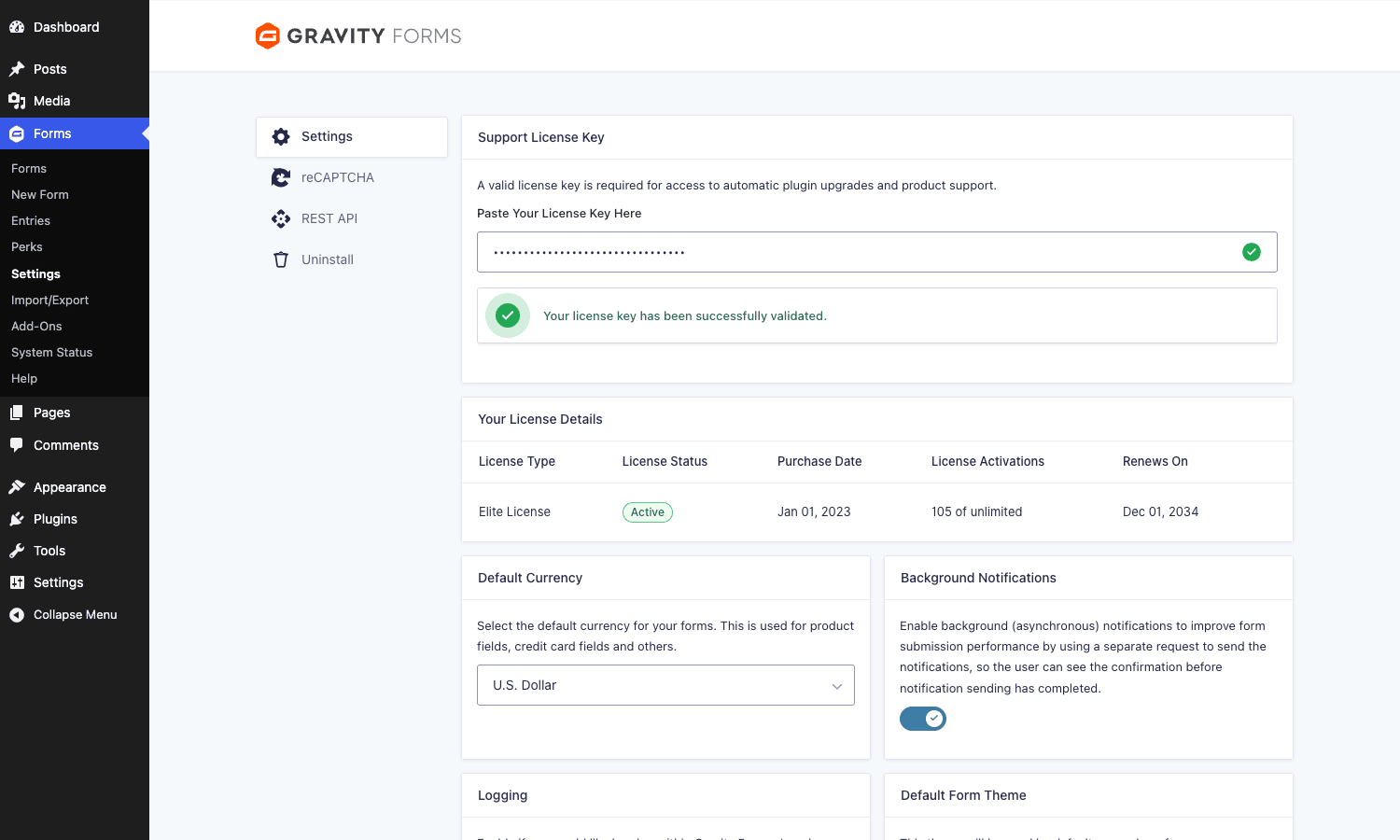
Here’s the Gravity Forms settings page where you’ll see your overarching Gravity Forms license; Gravity Perks lives under its own Perks menu and uses its own key, separate from the Gravity Forms key:
Real-world use cases
A handful of patterns where Gravity Perks turns a half-day custom-PHP exercise into a five-minute checkbox.
Inventory-aware giveaway form
You’re running a swag giveaway. You have 200 t-shirts in size S, 300 in M, 200 in L. You need the form to refuse a size when its quota hits zero, show users how many are left, and refuse a duplicate submission from the same email.
- GP Inventory ties stock to each choice in the Size field.
- GP Limit Submissions caps to one entry per
{Email:1}merge tag value. - GP Unique ID gives every entry a code like
SWAG-2026-0042so fulfillment can match the ticket.
No custom code. No gform_validation filter, no hand-rolled IP check.
Multi-step quote builder for a service business
A landscaping company wants a quote form that asks the visitor what they want, shows a running estimate as they answer, and only collects contact details at the very end.
- Multi-page Gravity Forms with GP Multi-Page Navigation for the step indicator.
- GP Conditional Pricing changes the line-item price based on yard size.
- GP Live Preview shows the running total live above the form.
- GP Preview Submission gives the visitor a "review your quote" page before they hit Send.
This is the kind of form that would otherwise be a custom JavaScript build.
Event with sub-attendees per primary registrant
A conference where one person buys tickets for their whole team. Each ticket needs a name, dietary preference, and t-shirt size; each parent registration needs a billing email and a PO number.
- GP Nested Forms drops a "Team Member" form inside the parent registration form.
- Each child entry is queryable in
Forms > Entriesand exports cleanly to CSV. - GP Easy Passthrough can carry the parent’s company name into each child entry automatically.
Out of the box, Gravity Forms can’t do parent / child entries. Nested Forms is the only Perk in this group that fills a feature genuinely missing from core.
Auto-login membership signup
A WordPress membership site uses the official Gravity Forms User Registration add-on to create accounts. The default flow logs the new user out after submission and asks them to log in manually.
- GP Auto Login logs the user in straight after the User Registration feed fires.
- GP Better User Activation cleans up the "click the link in your email" page so it doesn’t look like a 2007 phpBB install.
End result: the user submits the form and is dropped on the member dashboard logged in. Conversion improves.
Pay-per-word translation request form
A translation agency takes a paste of source text and charges based on word count.
- GP Word Count counts the words live as the user pastes text.
- GP Pay Per Word converts that count into a price field via a per-word rate.
- GP Conditional Pricing bumps the rate for "urgent" turnaround.
- GP Notification Scheduler delays the "your translation has been queued" email by one hour so it doesn’t arrive at 3am.
Five Perks. Nothing custom.
Developer reference
Gravity Perks is friendly to developers in two directions: it gives you hooks on the master plugin (rare, you’ll seldom touch them) and every individual Perk class extends GWPerk (alias of GP_Perk) so you can write a custom Perk for your own internal use without re-inventing the licensing / loader plumbing.
Master-plugin actions
The master plugin fires an action once all enabled Perks have been loaded:
add_action( 'gperks_loaded', function () {
    // All Perks are loaded; safe to reference their classes here.
    if ( class_exists( 'GPLS_Limit_Submissions' ) ) {
        // Custom integration with Limit Submissions.
    }
} );
There’s also an action that fires inside the field-settings panel and lets you add custom settings under the Perks tab without writing a full Perk:
add_action( 'gperk_field_settings', function () {
    ?>
    <li class="my_custom_field_setting field_setting">
        <label for="field_my_custom"><?php esc_html_e( 'My custom setting', 'my-plugin' ); ?></label>
        <input type="text" id="field_my_custom" onkeyup="SetFieldProperty('myCustomSetting', this.value);" />
    </li>
    <?php
} );
A matching JS snippet hooks gform_load_field_settings to populate the input when the field is selected.
Master-plugin filters
gperks_perk_action_links filters the row actions shown next to each installed Perk on the Manage Perks page. Useful for adding a "Reset" link to a Perk you maintain internally:
add_filter( 'gperks_perk_action_links', function ( $actions, $perk_file, $perk_data ) {
    if ( basename( $perk_file ) === 'my-internal-perk.php' ) {
        $actions['reset'] = '<a href="' . esc_url( admin_url( 'admin.php?page=gwp_perks&action=reset&perk=my-internal-perk' ) ) . '">Reset</a>';
    }
    return $actions;
}, 10, 3 );
The per-Perk variant gperks_perk_action_links_$perk_file lets you target a single Perk without checking basename.
Writing your own Perk
You don’t have to publish to Gravity Wiz’s catalogue to use the Perk pattern. The master plugin will discover any plugin in wp-content/plugins/ whose main file’s class extends GWPerk (or GP_Perk). The minimum file looks like this:
<?php
/*
Plugin Name: My Custom Perk
Description: Internal perk for the Marketing site.
Version: 1.0.0
Author: Your Team
*/

if ( ! class_exists( 'GWPerk' ) ) {
    return;
}

class GWMyCustomPerk extends GWPerk {

    public $min_gravity_perks_version = '2.2';
    public $min_gravity_forms_version = '2.5';

    function init() {
        add_filter( 'gform_pre_render', array( $this, 'maybe_hide_field' ) );
    }

    public function maybe_hide_field( $form ) {
        foreach ( $form['fields'] as $field ) {
            if ( ! empty( $field->myCustomSetting ) ) {
                $field->visibility = 'hidden';
            }
        }
        return $form;
    }

}
Drop that as my-custom-perk/my-custom-perk.php, activate it, and the Manage Perks page lists it next to the official Perks. You get the same lifecycle (requirements check, activation hook, deactivation hook) for free.
Where individual Perks store their settings
Each Perk follows the same convention: form-level settings sit on the form object, field-level settings sit on the field object. The Perks tab in field settings is rendered by gform_field_settings_tab_content_gravity-perks, and you can extend it from a Perk like this:
add_action( 'gform_field_settings_tab_content_gravity-perks', function () {
    ?>
    <li class="field_setting my_perk_setting">
        <label>Lock after first submit</label>
        <input type="checkbox" onclick="SetFieldProperty('myLockAfterSubmit', this.checked);" />
    </li>
    <?php
} );
For the deeper Gravity Forms integration points (form validation, entry saving, notification routing), refer to the Gravity Forms developer docs. Perks layer on top of those hooks but don’t replace them; if you already know how to write a gform_pre_submission filter, you already know how to extend a Perk.
CLI and WP-CLI
There aren’t dedicated WP-CLI commands. License management goes through wp option update:
wp option update gwp_license_key "your-license-key"
wp transient delete gwp_license_data
After that, hitting Forms > Perks re-validates the key against the API and refreshes the entitlement list.
Performance, compatibility, and gotchas
Honest review territory. Gravity Perks is a great product but it has trade-offs worth flagging.
Each Perk is a separate plugin row. A site with 20 active Perks has 21 plugin rows in wp-admin/plugins.php (counting the master). It’s not slow, but the Plugins screen does get longer. A small admin-only mu-plugin that groups them under a Gravity Perks accordion would be nice; nobody has shipped one.
The PHP autoload is per-Perk. Each Perk plugin loads its own files and registers its own hooks. The master plugin doesn’t dedupe shared utilities across Perks, so there’s a tiny baseline cost. On a typical install with 4-6 active Perks, this is not measurable.
License validation requires outbound HTTPS to gravitywiz.com. If your host firewalls outbound HTTPS to anything but a whitelist, you’ll see a "license could not be validated" notice and updates won’t work. Whitelist gravitywiz.com on the firewall and the issue clears.
Some Perks have been folded together. The product line evolves. GP Google Sheets is now part of GravityCalendar (Gravity Wiz’s other product); GP Limit Dates is now part of GP Conditional Logic Dates. Old documentation can confuse new users. If a Perk you read about isn’t in the Install Perks list, search the Gravity Wiz site by name and you’ll usually find the replacement.
Address Autocomplete needs a Google Cloud account. GP Address Autocomplete uses the Google Places API, which requires a key and a billing-enabled GCP project. The free tier covers a lot of submissions but you do have to set it up.
Conditional logic limits. Gravity Forms’ conditional logic can’t reference values inside a Nested Form’s child entries, so workflows like "show field X on the parent if any child has Y" need a gform_pre_render filter or a Perk like GP Populate Anything with a custom query.
Multilingual sites. Gravity Perks works with WPML and Polylang, but each Perk needs its own translation pass. Most have translations in English, German, Spanish, and a handful of others. If you ship in Japanese or Arabic and want translated UI strings, you’ll be loading some .mo files yourself.
Theme conflicts. A few page builders (mostly older Divi versions) wrap the form in a container that prevents Gravity Perks’ multi-step navigation from rendering its progress bar. Switching the form to "Use AJAX" generally fixes it.
How Gravity Perks fits next to other form plugins
The first question I usually get from someone evaluating Gravity Perks is "do I even need Gravity Forms to use it?" The answer is yes; Perks is a Gravity Forms add-on, full stop. The second question is "wouldn’t I get all of this from a competitor’s all-in-one form plugin?" That’s worth a real answer.
Vs. WPForms Pro. WPForms Pro bundles many similar features (entry management, conditional logic, payment integrations) into one product. If you’re starting fresh and you want everything in one license without thinking about it, WPForms is a defensible choice. The trade-off: WPForms doesn’t have anything as flexible as Populate Anything, and it doesn’t expose its data layer to other plugins as cleanly. If you’ve ever needed gform_entry_post_save to talk to a CRM, you know what I mean. Our WPForms walkthrough covers what it does well.
Vs. Fluent Forms Pro. Fluent Forms Pro is the fastest form plugin in terms of front-end render time and ships a lot of the same use cases (conditional emails, repeaters, payment fields) in one package. It’s a strong choice for new sites. Where Gravity Forms plus Perks still wins is the developer ecosystem: ten years of gform_ hooks, a mature REST API, and the deep marketplace of Gravity-specific add-ons. The Fluent Forms walkthrough has more on the trade-offs.
Vs. Forminator Pro. Forminator Pro leans into quizzes, polls, and calculated forms out of the box, and is bundled with WPMU DEV’s full suite. If you already use Forminator and only need a couple of advanced behaviors, Gravity Perks is overkill. If you want the depth of a true Gravity Forms add-on catalogue, Forminator can’t match it.
Vs. WS Form PRO. WS Form PRO has the most thoughtful editor of the bunch and is genuinely strong on responsive layouts and developer ergonomics. It’s the closest to a "Gravity Forms competitor with batteries included". The choice between WS Form and "Gravity Forms + Perks" usually comes down to which form-builder UI your team prefers; functionally they’re in the same league.
Vs. MetForm Pro for Elementor. MetForm Pro is specifically for Elementor users who want forms inside the page builder, not in a separate admin screen. Different problem, different answer.
Layering on top of forms. Gravity Perks isn’t the only tool that extends Gravity Forms. AutomatorWP Pro treats form submissions as triggers for cross-plugin automation, and WP Fusion maps Gravity Forms fields onto CRM contact fields. None of those overlap meaningfully with Perks. You’d run all three on the same site without conflict.
The honest summary: if you already use Gravity Forms, Gravity Perks is the upgrade you reach for the first time you need Nested Forms or Populate Anything. If you’re not on Gravity Forms yet, the decision is really about which form plugin you want as your foundation, not whether to add Perks on top.
Pricing and licensing
Gravity Wiz sells three tiers (Basic, Pro, Elite, with the older "Advanced" name still floating around in some docs). Each tier unlocks a progressively larger Perk set, with Elite getting everything plus priority support. Pricing is annual or lifetime; the lifetime option is the one most agencies pick because it removes the renewal step entirely.
Pricing on the Gravity Wiz site is the source of truth. As I write this, Basic covers a handful of core Perks (Limit Choices, Read Only, Unique ID, a few others), Pro adds the flagship Perks (Nested Forms, Populate Anything, Limit Submissions, Inventory, Multi-Page Navigation), and Elite layers on the specialized ones (eCommerce Fields, Conditional Pricing, Notification Scheduler, Address Enhanced).
The same plugin is available as a GPL distribution on GPL Times. The Gravity Perks listing on GPL Times gives you the master plugin (and the Perks Gravity Wiz publishes as separate downloads) under the GPL license that ships with the original. If you’re using it for a paid client site or for ongoing production support, buying directly from Gravity Wiz funds further development and gets you the priority support channel.
Frequently asked questions
Do I need Gravity Forms to use Gravity Perks?
Yes. Gravity Perks is an extension of Gravity Forms. Without Gravity Forms active, the master plugin silently does nothing.
Can I install only one Perk?
Yes. The master plugin is the gatekeeper; each Perk is its own plugin and you only install the ones you want. You can run with one Perk active or twenty.
Will activating 20 Perks slow my site down?
Negligibly. Each Perk is a small plugin that registers its own hooks, but Gravity Forms is the heavy lifter and Perks just add filters on top. On a typical install with 4-6 active Perks, you won’t notice anything. The Plugins screen does get longer.
Does Gravity Perks replace any built-in Gravity Forms feature?
No. It only adds. The master plugin includes one "No Duplicates" field rule that ships inside the field-settings panel even without an installed Perk; everything else comes from individual Perks.
Does it work on multisite?
Yes. The master plugin can be network-activated, and individual Perks can be activated per-site. Each site sees only the Perks active on that site.
Can I use Gravity Perks with the Gravity Forms add-ons sold separately (User Registration, Coupons, Stripe, etc.)?
Yes. Many Perks specifically integrate with the official Gravity Forms add-ons. GP Auto Login extends User Registration, GP eCommerce Fields layers on top of payment add-ons, GP Limit Submissions reads add-on feeds when computing per-feed limits.
Is Gravity Perks GPL?
Yes. Gravity Perks ships under GPL2, which is why a GPL redistribution like the one on GPL Times is allowed in the first place. The license you buy from Gravity Wiz funds support and updates, not the right to use the code.
What if a Perk I want isn’t in my license tier?
You’ll see it grayed out on the Install Perks tab with an "Upgrade to unlock" hint. Upgrade to the tier that includes it (the master plugin will pick up the new entitlement on its next license check), and the Install button activates.
Final thoughts
Gravity Perks is one of those products that quietly removes a chunk of "things I would otherwise pay a developer to write" from your todo list. If you’ve ever needed a feature on a Gravity Form that core didn’t ship, the answer is almost always a Perk: Nested Forms, Populate Anything, Limit Submissions, Inventory, Unique ID, Multi-Page Navigation, Easy Passthrough. The master plugin gets out of the way; the Perks do the work.
The pitch isn’t "Gravity Forms is broken without it". Gravity Forms is fine without it. The pitch is "the next time you sketch out a form requirement, you almost certainly won’t have to write any custom code". For a working agency or an in-house team building a few forms a year, that buys back a lot of afternoons.
If you’re starting a new site from scratch, the decision tree is: pick your form plugin first (Gravity Forms, WPForms, Fluent Forms, WS Form, whatever fits), then layer extensions on top. If you go with Gravity Forms, Gravity Perks is the single best add-on you can install. Pick the tier that matches the Perks you actually want, install only the ones you use, and let the rest sit unactivated for the day you need them.